



Mastering 3D Printer Flow: Definition, Significance, and Calibration Tips
In this article we are going to comment on what the flow is as well as the importance it has in 3D printing. In addition, it explains how to calibrate this parameter so that the 3D printer gives the best possible results.
Flow of a 3D printer
The flow is the quantity (volume to be more precise) of filament that passes through the extruder ebased on the selected printing parameters to make a model. The calculation of the flow is carried out automatically by the 3D printer according to the Steps/mm that the 3D printer manufacturer establishes for the extruder motor, depending on the diameter of the filament and the exit diameter of the nozzle.
How to calibrate the 3D printer before an extruder change
If the extruder is changed or modified, for example by an E3D Titan Aero, the Steps/mm of the extruder motor must be adjusted.
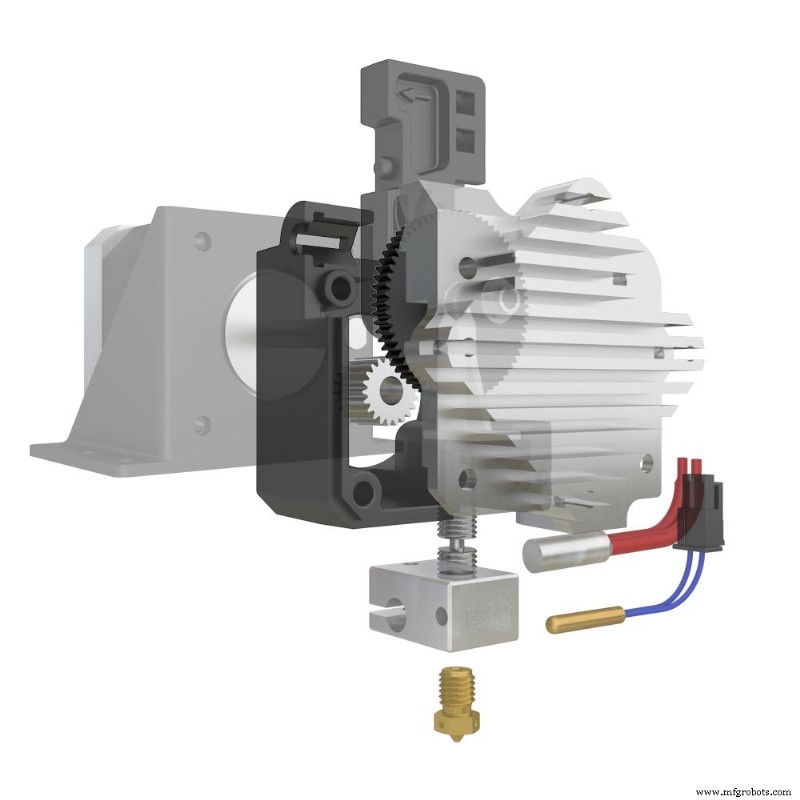
Image 1: E3D Titan Aero extruder. Source: E3D
The first thing is to know how many Steps/mm the 3D printer uses. This is reflected in the part of "Control>Movement>Extruder" In this case the value is 104.5 Steps/mm.
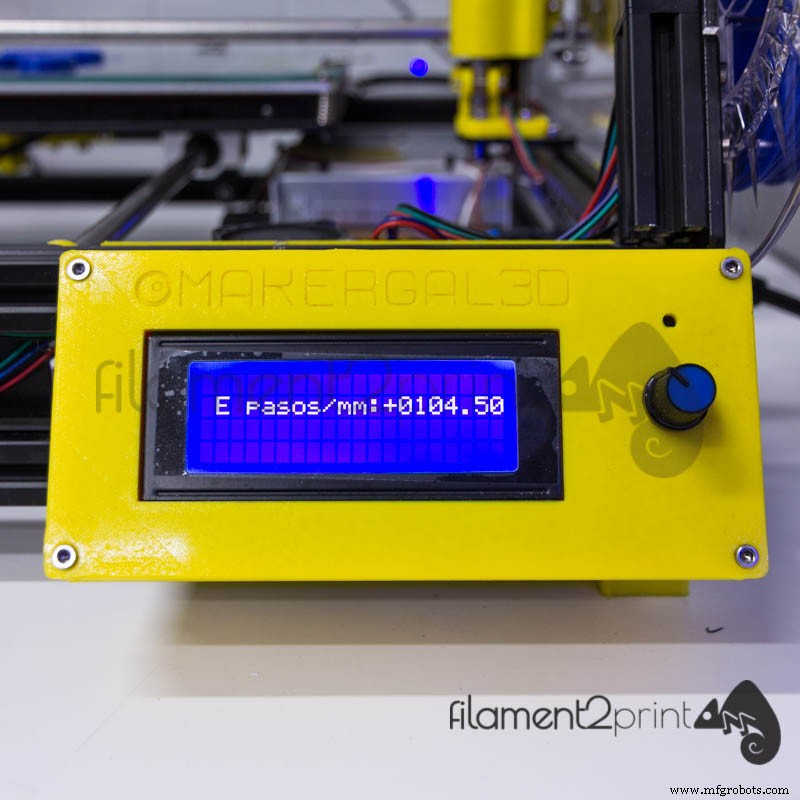
Image 2: Steps/mm of extruder
Two marks are made on the filament, separated 20 mm and 25 mm from the start of the extruder.
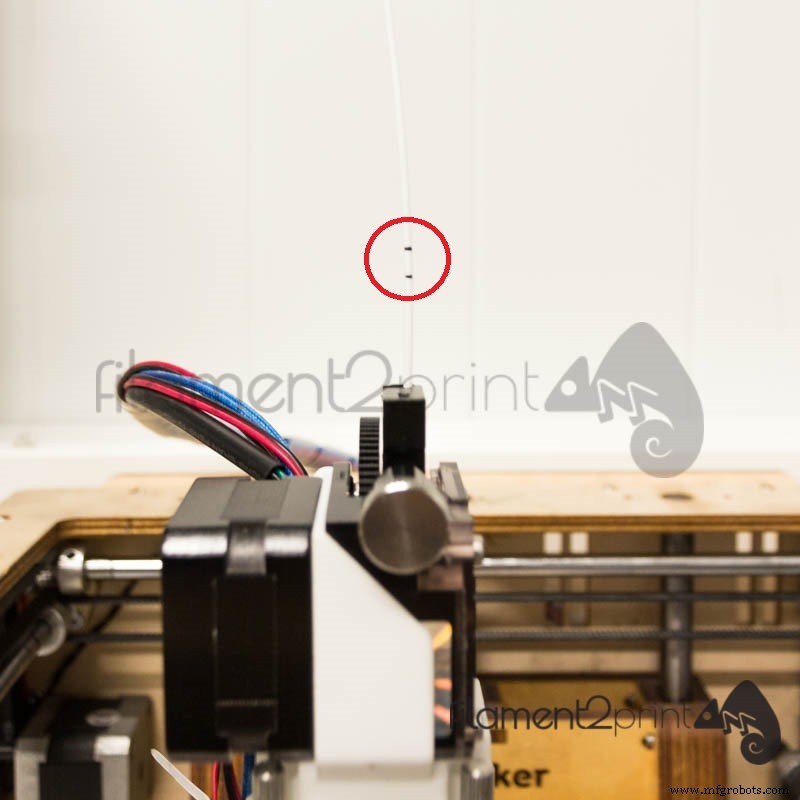
Image 3: Markings on the filament to calculate the correct number of Steps/mm
The 20 mm filament moves from the control screen in the movement section.
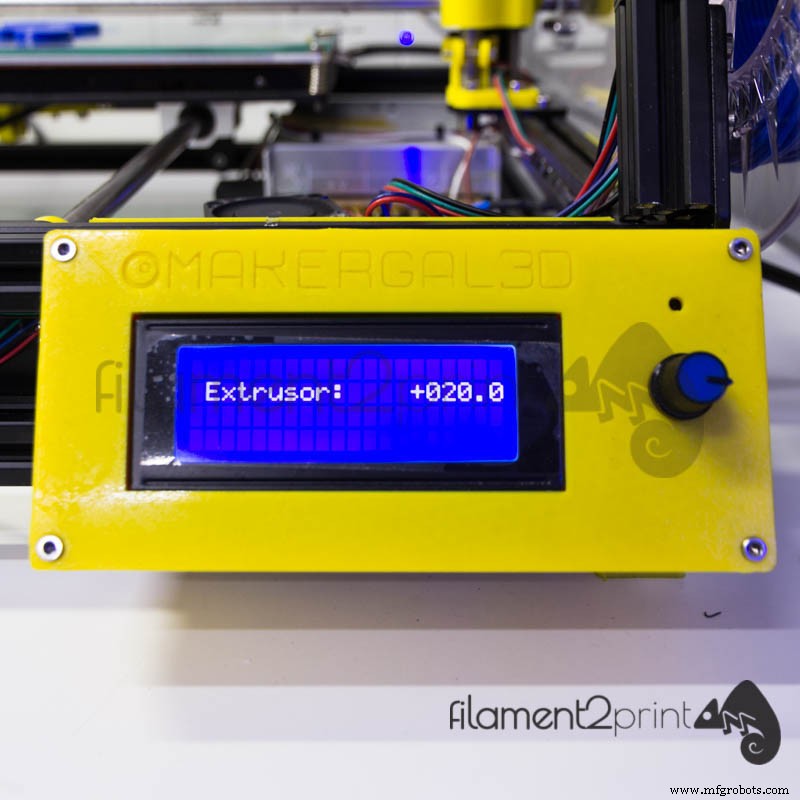
Image 4: Move the filament 20 mm
Next, it's checked whether the displacement made by the extruder motor is correct. If not, the error is measured with a caliber to correct it. With all the above data and using the following formula we obtain the correct Steps/mm for the extruder motor.

Image 5: Steps/mm flow formula
At the end of the calculation, you only have to modify the Steps/mm in the control screen and save the new data.
On the other hand, all the 3D lamination softwares have a section where to modify the flow quantity (flow rate) since the densities change between the different materials that exist in the world of 3D printing FDM/FFF. This rate is very important when it comes to achieving both the desired surface finish and the actual dimensions of the CAD design, because otherwise, it will be very complicated. manufacture of pieces that fit together or connected with others.
Before adjusting the flow, prepare the 3D printing correctly
Before explaining the adjustment of the flow rate parameter, we would like to remind you of a series of tips to always keep in mind before making a 3D printing. Always check the state of the nozzle, that doesn't present an abusive wear of the tip or that has dirt both internally and externally. Check that the extrusion temperature is recommended by the filament manufacturer, because if this recommendation isn't met, the flow calibration will be ineffective and a good result will never be achieved. Finally, and perhaps most importantly, the base must be well leveled and calibrated so that the printed model doesn't have dimensional deviations in the axis parallel to the printing base (z-axis).
The cube test for adjusting the print flow rate
To adjust the parameter of the flow rate, the cube test must be performed. This test consists in printing a hollow cube and without the upper face, to verify that the thickness of the lateral faces corresponds to those of the design.
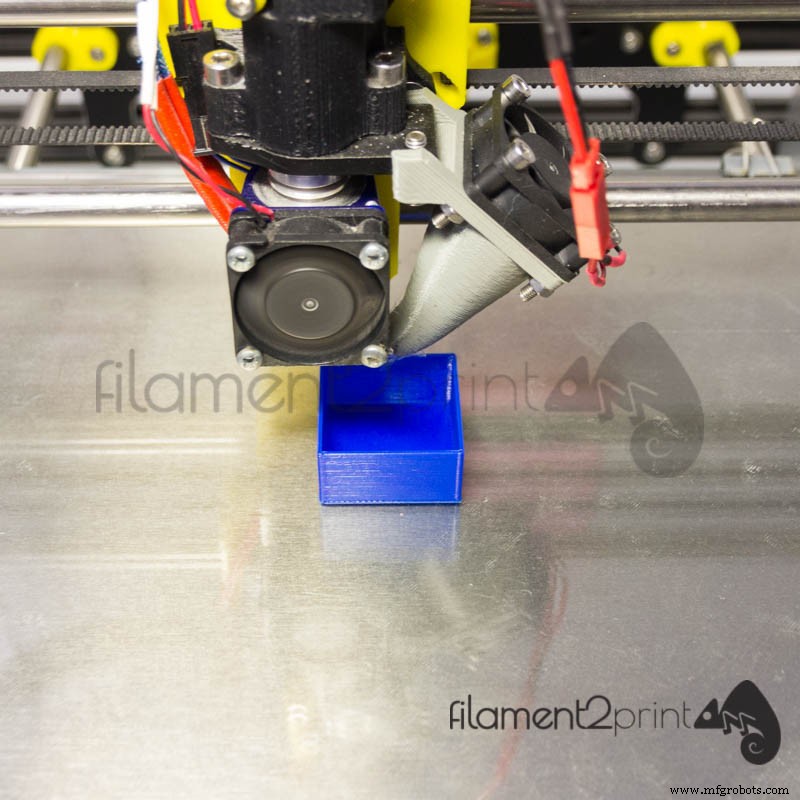
Image 6: Flow Calibration Cube
In our case we have printed a cube with a side face thickness of 0.80 mm, designed by 3D_MaxMaker that you can find in Thingiverse. The printing parameters are: nozzle of 0.40 mm, width of layer 0.80 mm (to create two outer layers and make the measurement more accurate) and flow rate of 100 %.
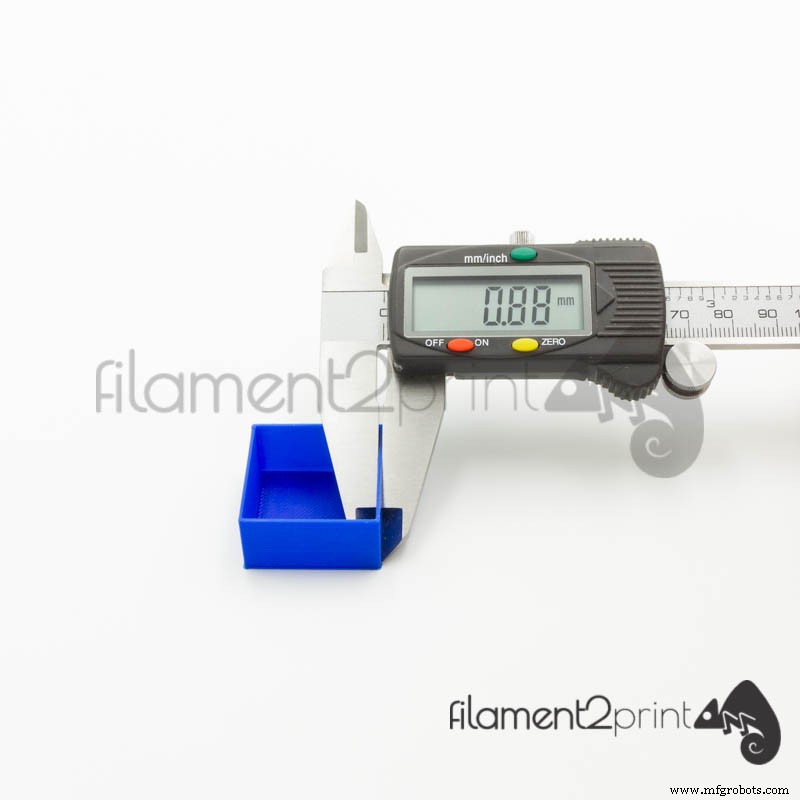
Image 7: With 100 % flow rate the cube is oversized
When using PLA with 100 % flow rate (recommended 90 %) we have obtained a measurement of 0.88 mm, clearly oversized. To correct this deviation we will apply the following formula:

Image 8: Formula to calculate the necessary flow for any material
Obtained the new flow rate (90 %) only remains to modify the parameter in the 3D lamination software that is used, in our case the Cura 3D.
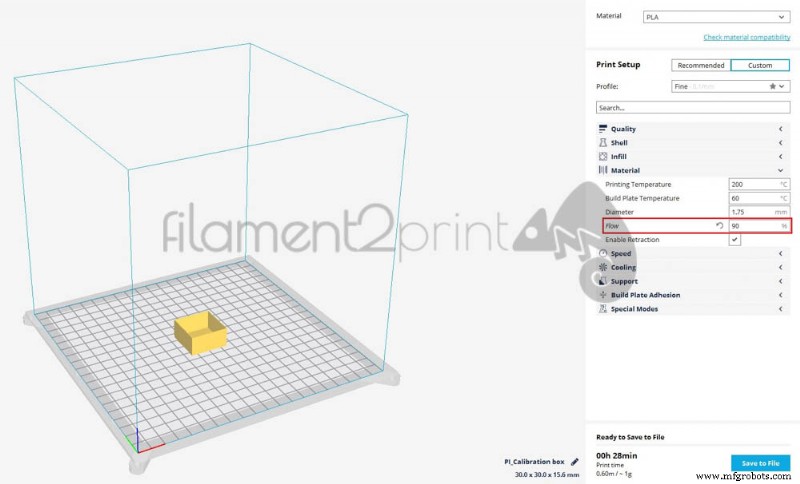
Image 9: Modify the flow rate to 90 %
And re-print the cube to verify that the measurements obtained with the new flow rate are correct.
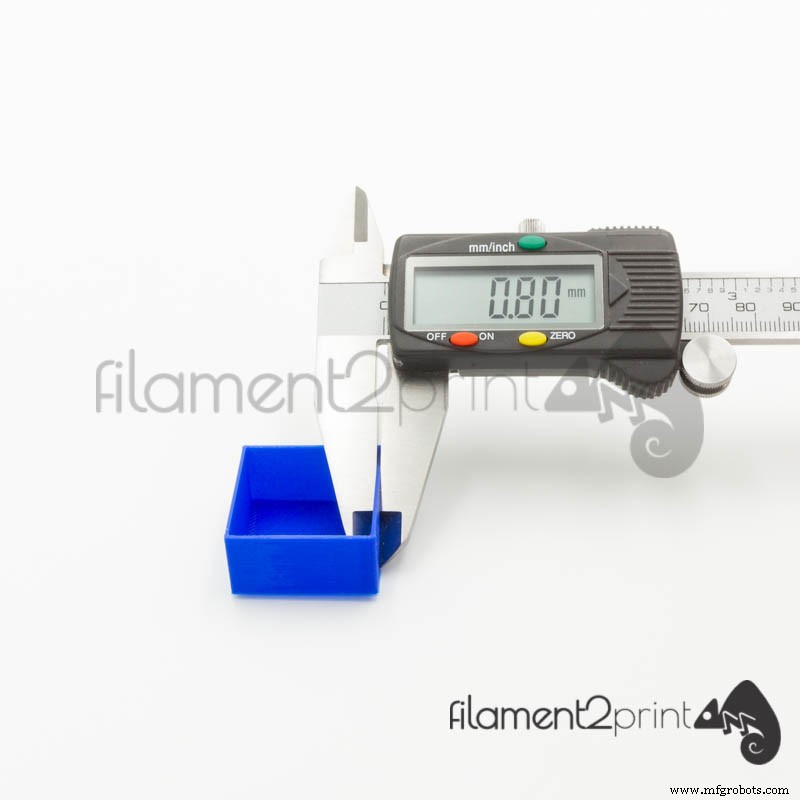
Image 10: Correct measurements when calculating the flow rate required for the PLA
As we have said before, the density of the materials used in 3D printing isn't the same, so for each material and manufacturer it's advisable to make this adjustment.
By performing this simple correction process all 3D prints that are made will gain both surface quality and dimensional proportionality.
In summary, the flow is one of the most forgotten parameters in 3D printing FDM being this one of the most important to achieve successful parts.
3D printing
- Three Essential Stages of 3D Printing Explained
- Understanding Cloud Computing: How It Works and Why It Matters
- Revolutionizing Food & Beverage: How 3D Printing Drives Innovation and Efficiency
- Wrench Time: Definition, Importance, and Measurement
- 3D Printing Explained: Types, Processes, and How It Works
- Choosing the Right Compactor: A Comprehensive Guide to Efficient Waste Management
- Water Flow Sensors: How They Work & How to Use Them
- Cutting 3D Printing Costs: Proven Strategies from Design to Post-Processing
- Understanding the Printing Industry: Key Roles and Services
- Rapid Prototyping Explained: How to Pick the Right Method for Your Product