



Master Cable Duct Installation in Electrical Panels Using E3.series
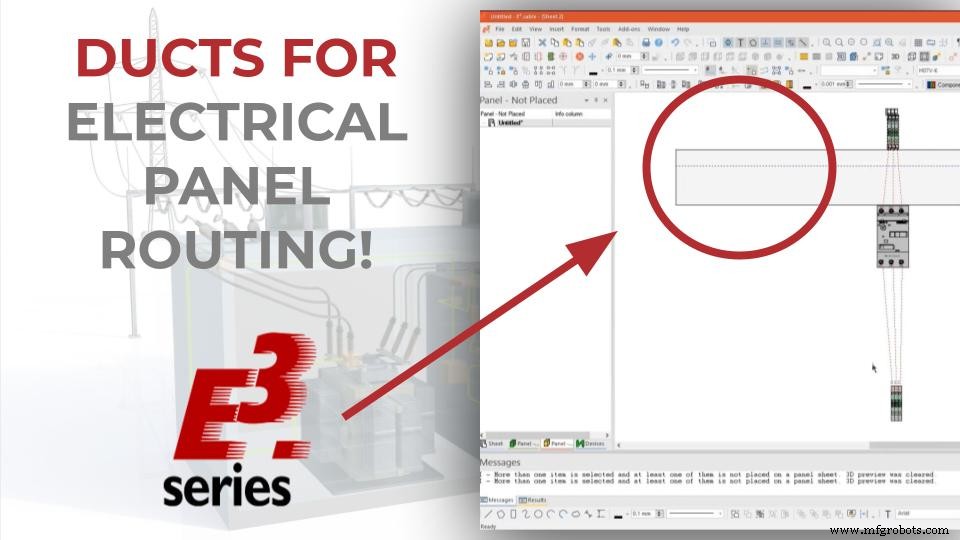
In this article you can learn how to add ducts for routing an electrical panel in E3.series. The creation is fast and allows for different parameter configurations and duct dimensioning. See the full video article and optimize your processes!
Panel Sheet and Component Insertion
Initially, a panel-like sheet is added to the project. To do this, by right-clicking on the project name, the option "New Sheet..." is selected and the option "Panel" is chosen in the field "Type".
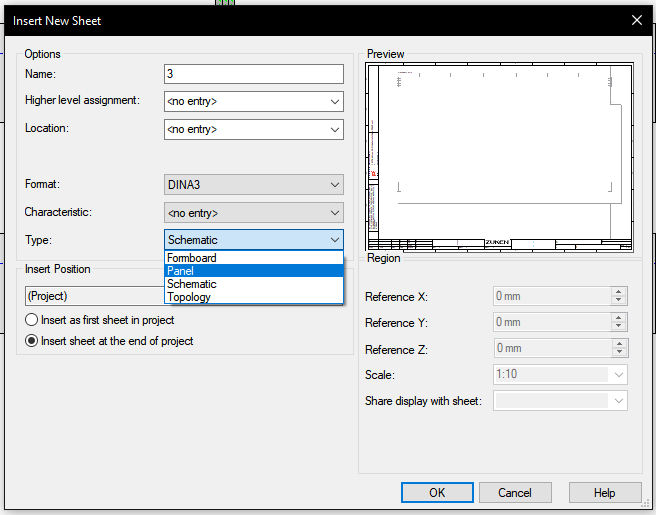
Panel Type Sheet Insertion
Then the components "3RV1011-0AA10" and "280-601" are added to the schematic sheet, where the addition of connections and wires takes place.
In the panel sheet the devices are added and it is possible to visualize the connection lines made in the electrical schematic.
Try NOW the industry-leading E-CAE E3.series tool in the world with technical training courses!
Click on the banner below
Cable Duct Insertion
The ducts are added in the "Insert Cable Duct" button and a parameter settings window opens with some possible adjustments:
- Height
- Width
- Fill Limit
- Warning Limit
- Backplane Wiring
- Among others
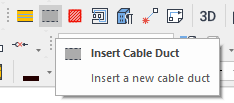
Button for inserting ducts in the panel design
The "Height" and "Width" parameters are set to 80mm each and the ducts are added to the top and bottom of the device.
Watch the Full Video
Subscribe to our Youtube channel here for more technical videos.
Smart Autoconnect
At the end, it is possible to route the connections made in the schematic sheet automatically in the panel sheet, by clicking the right mouse button on the device "3RV1011-0AA10" and selecting the option "Panel Autoconnect".
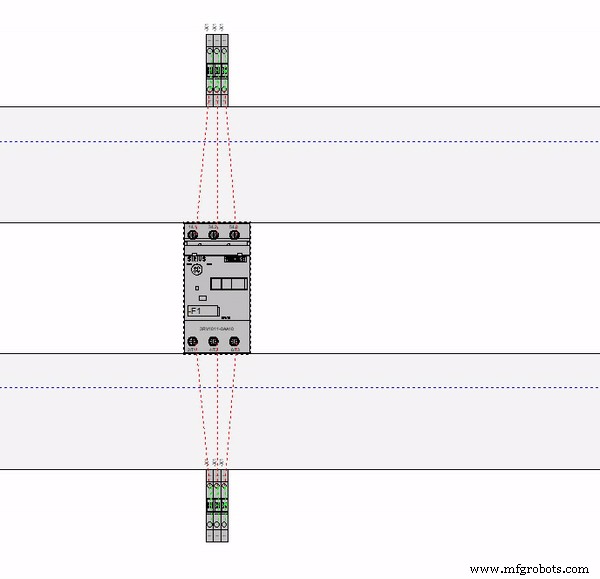
E3.series Automatic Connection Routing
Auto-connect follows the red lines previously shown.
Make the E3.series Trial according to your demand using the button below!

Are You a Student?
Download E3.series for free!

Industrial Technology
- Why Electrical Safety Matters: Protecting Your Life and Work
- Export 3D Elements from E3.panel: Step‑by‑Step Guide
- Streamline Cable Manufacturing with E3.formboard: Automated Documentation and Connector Integration
- Build Electrical Panels Quickly with CAE E3.series: A Step‑by‑Step Guide
- Design Electrical Panels Efficiently with E3.panel: Fast, Accurate, and Smart
- E3.panel Plus L1 – Master Efficient Electrical Panel Design
- Custom Sheet Metal Fabrication: Elevating Precision and Innovation in Medical Devices
- Accurately Determining Circuit Breaker Count for Residential Panel Boards
- Rapid Sheet Metal Fabrication: The Food Industry’s Trusted Production Solution
- Safeguarding Alternators: Comprehensive Fault Protection Strategies