



Build a Full Connection Table in E3.series 2021 – A Complete Guide
In this article, you can check how to work with the connection table in E3.series. With it, all information referring to the connections inserted in the project can be manipulated, and with the new E3.series 2021 options, your project is much more complete. See the full video article and optimize your processes!
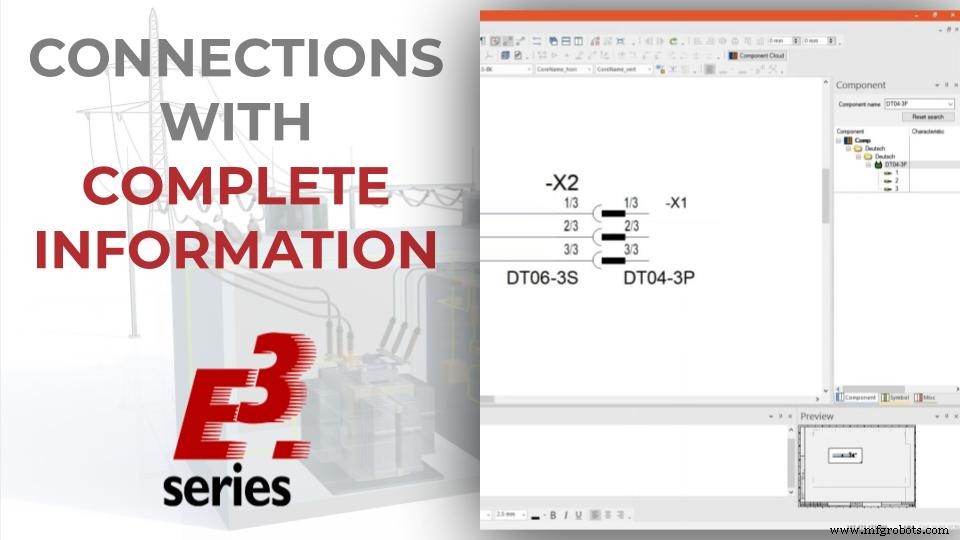
Connectors in Multi-Line View
The connectors are initially added to the design sheet as single pins and their multi-line view is represented. To do this, just right-click on the desired connector and select "Place Single Pins". The preview of the component is also represented by the "Preview" window.
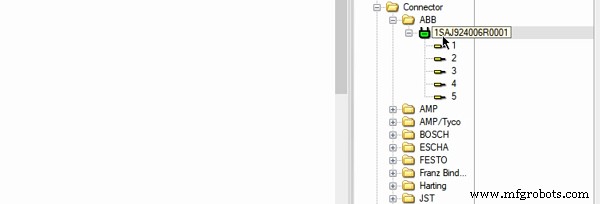
Insertion of Multiline View
If you haven't enabled it in your project, right-click on the top menu of the interface and select "Preview".
Try NOW the industry-leading E-CAE E3.series tool in the world with technical training courses!
Click on the banner below
Open-End Connections and Default Wires
Then the connections are multiple and instantaneously added to all connectors with the "Multi-Connection" option, and ended with the "Open End" option.

Open-End Connections
Default wires are added to all connections with the "Insert default Wire" option.
Watch the Full Video
Subscribe to our Youtube channel here for more technical videos.
New Connection Table Information
The connections table can be enabled in"View - Connection Table" and the new information that E3.series 2021 presents is as follows:
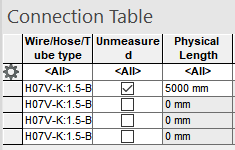
Unmeasured and Physical Lenght in E3.series Connection Table
- Unmeasured: Determines whether the connection length should be scaled or not. To set or remove the property, click the checkbox.
- Physical Length: Specifies the physical length of the connection. If the length is to scale, it will be calculated automatically. If the length is not to scale, the length can be changed. To do this, click on the row of the value to be changed and enter the new value.
Make the E3.series Trial according to your demand using the button below!

Are you a Student?
Download E3.series for free!

Industrial Technology
- Generate CNC G‑Code with ArtCAM: A Step‑by‑Step Guide
- Master ERP Planning: Expert Guide to Successful Implementation – Session 2
- Expand Your Manufacturing Business: Proven Strategies to Attract New B2B Customers
- Master Boolean Searches in E3.series: A Step‑by‑Step Guide
- Master Electrical Design: Optimize Projects with E3.schematic Features
- Build Electrical Panels Quickly with CAE E3.series: A Step‑by‑Step Guide
- Create Electrical Schematics Quickly with CAE E3.series: A Step‑by‑Step Guide
- Master Panel Routing in E3.series: A Step‑by‑Step Guide
- Mastering CFO Advocacy: Structuring Your Automation Pitch (Part 2)
- Seamless GPS Integration with Raspberry Pi: Easy Setup & Reliable Data