



Giftduino: The Ultimate Arduino Gift Set for Hobbyists and Educators
Components and supplies
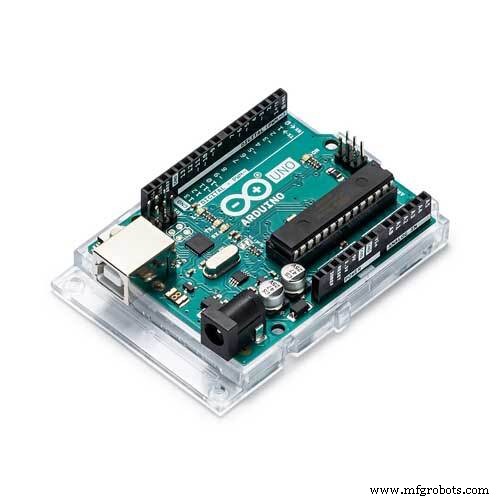 |
| × | 1 | |||
| × | 1 | ||||
| × | 1 | ||||
| × | 1 |
Apps and online services
 |
| |||
 |
|
About this project
The electronicsFor this project, we used two relatively new components on circuito.io:
the Hall Effect sensor and the Nokia Graphic LCD.
The hall effect sensor reacts to a magnetic field. In order to activate it, there needs to be a change the magnetic field around it. So as you’ve probably guessed we used a magnet. The magnet is placed on the lid of the gift box.
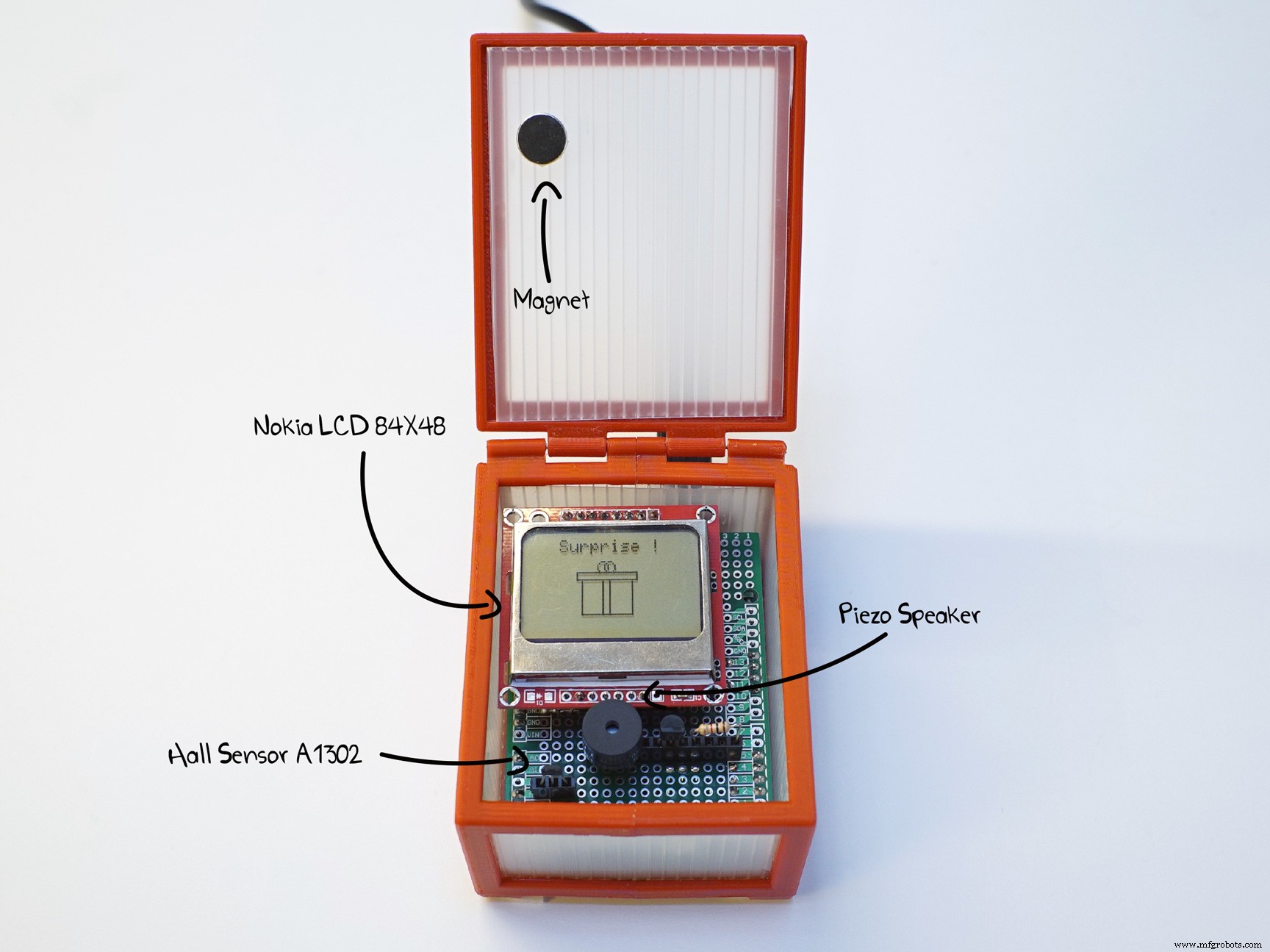
Every time the lid is opened, the hall effect sensor is activated, and gives out a signal for the screen and the piezo speaker to play their turn. Here's a nice explanation about hall effect sensors and how they work.
First step - Collect the componentsIn this magic circuito link we pre-selected the components we used in the project. After clicking generate, you’ll see all the parts you need, including peripherals such as resistors, capacitors, etc.
Note that with circuito.io you create many different combinations for this project with the components you have available.
Here are just a few other combinations we thought of for this project:
- Replace the piezo speaker with an LED
- Replace the hall effect sensor with an Ultrasonic range finder
- Replace the wall power adapter with a 9V battery
- Replace the Nokia screen with an LCD 16x2
If you clicked Generate on the magic link above and scrolled down in the reply, you’ll reach the wiring scheme. Follow the step-by-step guide that will show you exactly how to put together your electronics. It may look complicated, but if you follow the guide one step at a time, it's really simple!

If you scroll down once again in the circuito.io reply, you’ll reach the code section. In this section you’ll have to download the code from circuito.io and extract it to your computer.
Afterwards, you’ll need to open the code with Arduino IDE and upload it to your Arduino.
the code from circuito.io is a sample code. It integrates all the components and their libraries. This code will help you test that your wiring is correct.
Once you’re done with this part, you can copy-paste the code at the end of this tutorial into the firmware.ino tab in the code you got from circuito.io.
Inside the code you’ll see comments that explain each part and function of it, so you can make changes to the values for example, you can change the tune that plays when the box opens, or the pixel-art that appears. Don’t forget to upload the new code to your Arduino once you’re done.
You’re doing great! Now we’ll move on to making the gift box
Making the boxThe box we made is a combination of 3D printed parts and PVC cardboard but you can really go wild here and use different materials to give it a totally different look.
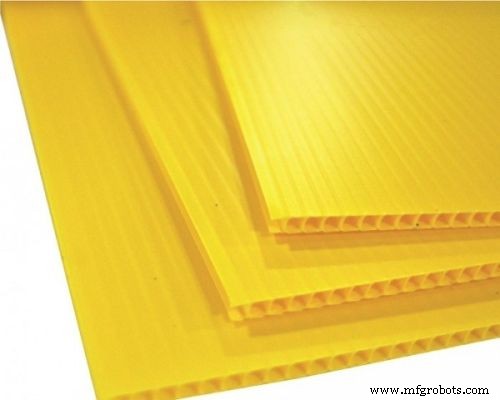
For example you can use wood and glass, you can make the box bigger or smaller, decorate it, make it round, make it in any color you want. It’s really up to you.
If you want to make a box like ours, you have the .STL files right here for download.
Assembly - putting everything togetherOnce you have all the parts ready, it’s time to put everything together.
- Place the Arduino with the shield inside the box.
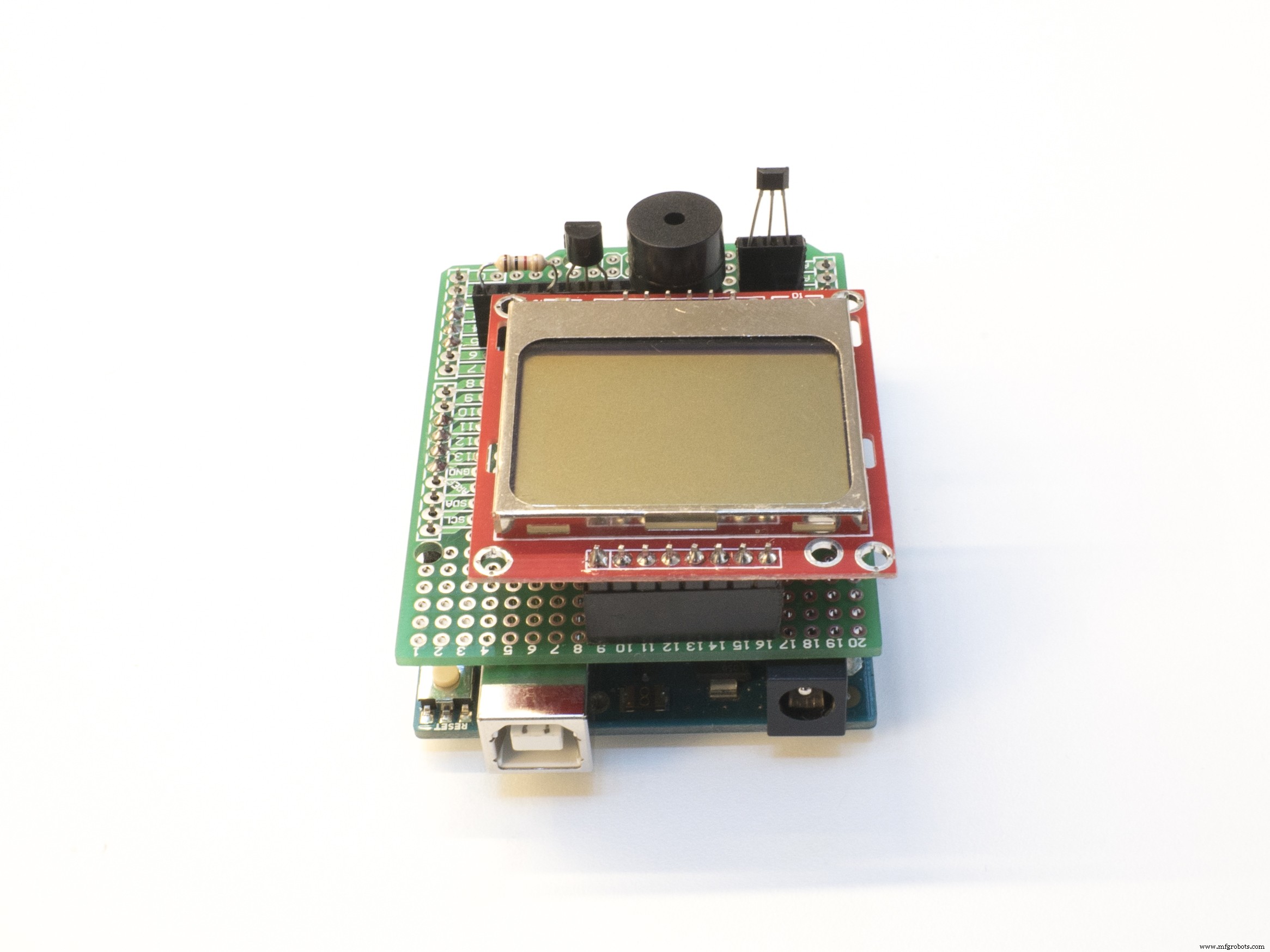
- Glue the magnet onto the box lid.
- Thread a flexible steel wire to connect the lid and the body of the box
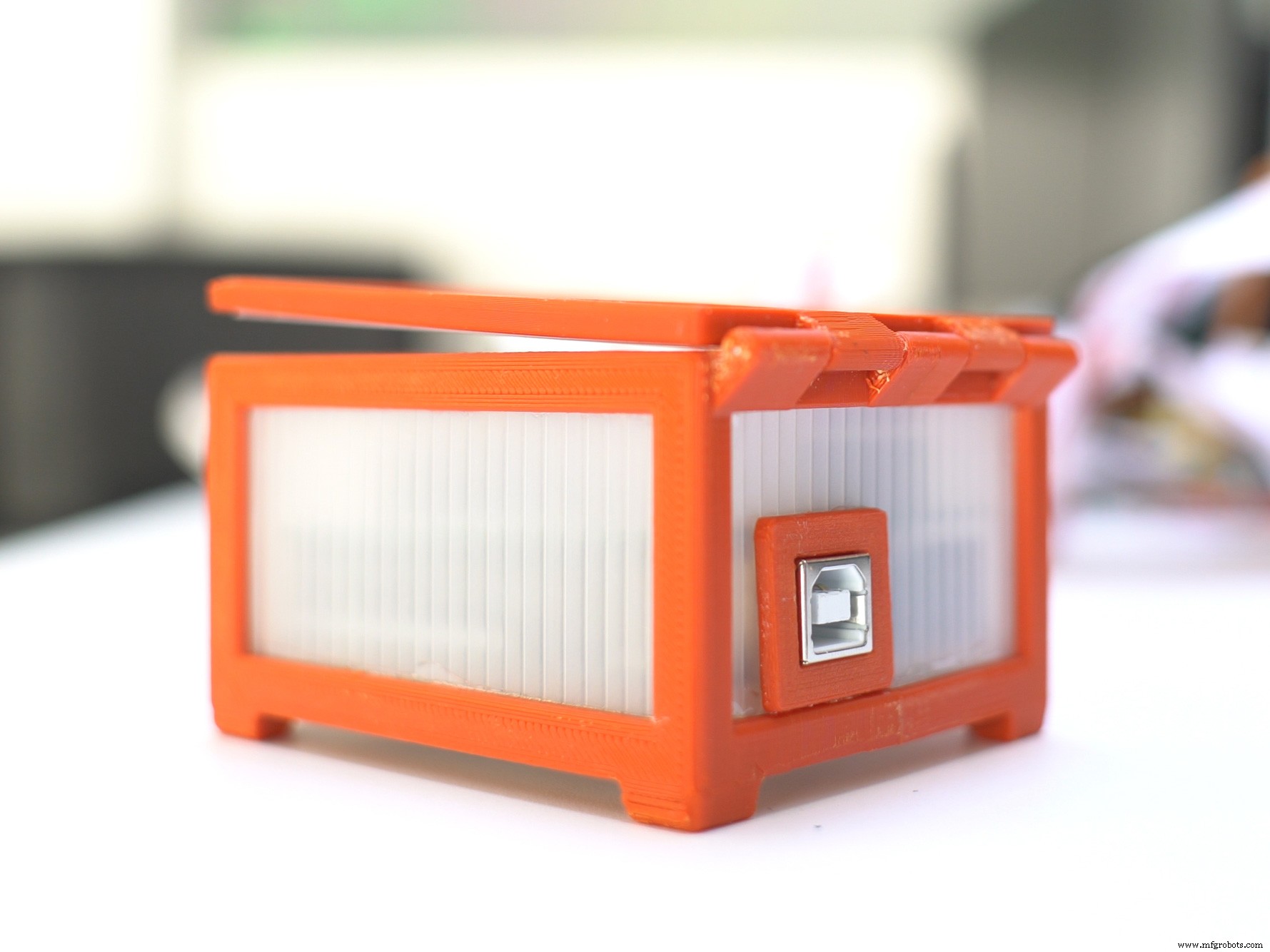
Let us know if you made one by clicking "I made this" or send us pics and videos of your project on our facebook page.
Code
- Giftduino Code
Giftduino CodeArduino
copy and paste this code directly to the firmware tab in the code you downloaded from circuito.io#include "Arduino.h"
#include "HallA1302.h"
#include "AnalogReader.h"
#include "Adafruit_GFX.h"
#include "Adafruit_PCD8544.h"
#include "TimerFreeTone.h"
#include "Speaker.h"
#define HALLA_PIN_VOUT A3
#define NOKIALCD_PIN_DC 4
#define NOKIALCD_PIN_CS 2
#define NOKIALCD_PIN_RST 3
#define PIEZOSPEAKER_PIN_SIG 5
//define Nokia LCD contrast and dimentions(in pixels)
#define LCD_CONTRAST 70
#define LCD_SIZE_COL 84
#define LCD_SIZE_ROW 48
unsigned int piezoSpeakerHoorayLength = 6; // amount of notes in melody
unsigned int piezoSpeakerHoorayMelody[] = {NOTE_C4, NOTE_E4, NOTE_G4, NOTE_C5, NOTE_G4, NOTE_C5}; // list of notes. List length must match HoorayLength!
unsigned int piezoSpeakerHoorayNoteDurations[] = {8 , 8 , 8 , 4 , 8 , 4 }; // note durations; 4 = quarter note, 8 = eighth note, etc. List length must match HoorayLength!
HallA1302 hallA(HALLA_PIN_VOUT);
Adafruit_PCD8544 nokiaLcd(NOKIALCD_PIN_DC, NOKIALCD_PIN_CS, NOKIALCD_PIN_RST);
Speaker piezoSpeaker(PIEZOSPEAKER_PIN_SIG);
/* This code sets up the essentials for your circuit to work. It runs first every time your circuit is powered with electricity. */
void setup() {
// Setup Serial which is useful for debugging
// Use the Serial Monitor to view printed messages
Serial.begin(9600);
Serial.println("start");
//Calibrate sensor
//hallA.calibrate();
//Initialize Nokia instance
nokiaLcd.begin(LCD_SIZE_COL, LCD_SIZE_ROW);
nokiaLcd.setContrast(LCD_CONTRAST); //Adjust display contrast
}
/* This code is the main logic of your circuit. It defines the interaction between the components you selected. After setup, it runs over and over again, in an eternal loop. */
void loop() {
//Get Measurment from hall sensor. Depending on the magnet pole polarity the sensor will return positive or negative values.
int hallAVal = hallA.read();
Serial.println(hallAVal);
//Check if the box was opened
if (abs(hallAVal - 512) < 50)
{
delay(500);//wait 0.5 sec
nokiaLcd.clearDisplay(); //Erase & clear display buffer
nokiaLcd.setRotation(2);
nokiaLcd.setTextColor(BLACK); //Set text color to black, background is white by default
nokiaLcd.setTextSize(2); //set text size
nokiaLcd.setTextSize(1); //set text size
nokiaLcd.print(" Surprise !");
nokiaLcd.setTextSize(2); //set text size
nokiaLcd.drawCircle(37, 15, 3, BLACK);
nokiaLcd.drawCircle(41, 15, 3, BLACK);
nokiaLcd.drawRect(25, 22, 30, 20, BLACK);
nokiaLcd.drawRect(22, 18, 36, 5, BLACK);
nokiaLcd.drawRect(37, 22, 5, 20, BLACK);
nokiaLcd.display(); //display on screen
// The Speaker will play the Hooray tune
piezoSpeaker.playMelody(piezoSpeakerHoorayLength, piezoSpeakerHoorayMelody, piezoSpeakerHoorayNoteDurations);
delay(10000); //wait 10sec
}
}
Custom parts and enclosures
Frame
Top
USB port
Manufacturing process
- Compact Weather Station: Arduino Nano & ESP8266 with BMP280 Barometric Sensor & OLED/Nokia LCD Display
- Build an Arduino‑Powered LEGO Arcade Game Box – DIY Kit with Nano, Battery, LCD, and More
- Build a Remote Text‑Messaging Button with Sigfox & Twilio
- WALTER: An Arduino‑Powered Photovore Insect Robot
- Smart Herb Box Eco System: Alexa‑Enabled Indoor Gardening Kit
- Build Your Own Monster in a Box: Arduino Robotics Project
- How Inclusions Influence Steel Performance and Strength
- Hall Effect Sensor Pinout Explained: A Complete Reference
- Optimal Heat Pump Water Heater: Energy‑Efficient Hot Water Solutions
- Mastering Hall Effect Sensors: Principles, Applications, and Design