



12 Proven Practices for a Successful CMMS Implementation
Implementing a Computerized Maintenance Management System (CMMS) is a strategic initiative that demands meticulous planning, time, and strong people‑management skills. When done correctly, it transforms maintenance operations, drives cost savings, and positions your organization for long‑term reliability success.
Is a CMMS rollout worth the investment? Absolutely. It’s not just a software upgrade—it’s a cultural shift that can redefine how your team operates.
Table of Contents
- What Makes a CMMS Implementation Successful?
- Why Do CMMS Implementations Fail?
- 12 Best Practices for a Successful CMMS Implementation
- How to Keep the Positive Momentum Rolling
- CMMS Implementation: The Start of Something Beautiful
What Makes a CMMS Implementation Successful?
Success begins with a clear purpose. Align the project with your organization’s maintenance goals—whether that’s reducing downtime, cutting costs, or improving safety—and use the CMMS as the engine that drives those outcomes.
Goal Attainment
Define measurable targets and let the CMMS serve as the tool to track progress. Even incremental gains—such as a 10% reduction in unscheduled downtime—validate the investment.
Standardization
Centralizing maintenance data eliminates confusion and creates a single source of truth. Standard processes, integrated workflows, and uniform data entry across all sites enable consistency and scalability.
User Adoption
Effective CMMS use hinges on 100% adoption. A simple metric is the percentage of technicians actively logging work orders and inspections. Continuous training and user feedback loops help achieve this.
Continuous Improvement
Consider the CMMS as a launchpad for digital transformation. Regularly review KPIs, solicit user suggestions, and iterate on processes to sustain momentum.
Why Do CMMS Implementations Fail?
Industry surveys show that 60%–80% of CMMS projects fall short of expectations. Key pitfalls include:
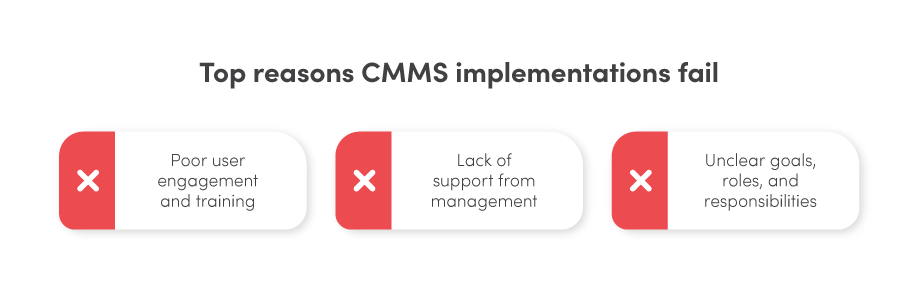
Lack of Executive Support
When leadership does not champion the project—through budget allocation, clear expectations, and active participation—resources dwindle and priorities shift.
Unclear Goals and Roles
Without predefined objectives, teams struggle to measure success, and responsibilities blur, leading to incomplete or inaccurate data entry.
Poor User Engagement and Training
Users who are not consulted during vendor selection or who receive insufficient training will resist the system, limiting adoption and data quality.
12 Best Practices for a Successful CMMS Implementation
Below is a pragmatic roadmap that mitigates risk and accelerates ROI.
1. Secure Management Buy‑In
Craft a compelling business case that quantifies cost savings, productivity gains, and risk reduction. Present ROI figures and case studies to secure executive sponsorship.
2. Prepare for Change
Address fears and misconceptions early. Hold workshops, provide clear communication plans, and involve frontline staff in shaping the new workflow.
3. Define Requirements, Goals, and Metrics
Document functional needs, budget limits, and key performance indicators. Use current maintenance metrics to set realistic, measurable targets.
4. Choose a Reliable CMMS Partner
Beyond features, evaluate vendor support, training resources, and a proven track record in similar deployments. Long‑term partnership is essential.

5. Create a Detailed Project Schedule
Map out milestones—data migration, pilot testing, full rollout—and allocate buffer time for unforeseen challenges.
6. Assemble a Dedicated Leadership Team
Appoint a CMMS champion to oversee the project, coordinate cross‑functional roles, and maintain accountability.
7. Cleanse and Load Data
Harvest accurate equipment, asset, and maintenance data. Remove duplicates and inconsistencies before migration to avoid cascading errors.
8. Deliver Comprehensive Training
Design role‑specific training modules, incorporate hands‑on labs, and schedule refresher sessions to ensure proficiency.
9. Clarify User Responsibilities
Publish a clear user‑role matrix that outlines permissions, tasks, and escalation paths.
10. Conduct User Acceptance Testing
Invite a focused group of end users to validate workflows, security settings, and reporting features before launch.
11. Execute a Thoughtful Go‑Live
Communicate the go‑live date well in advance, provide on‑site support, and keep vendor on‑call for immediate issue resolution.
12. Monitor and Optimize Post‑Launch
Track KPIs such as work‑order completion time, asset reliability, and user adoption. Use insights to refine processes and deliver incremental value.
Remember, a successful CMMS deployment is an ongoing journey—not a one‑time event.
How to Keep the Positive Momentum Rolling
After go‑live, the focus shifts to sustaining and expanding benefits.
Manage Growing Pains
Schedule regular check‑ins with your vendor to discuss updates, gather feedback, and troubleshoot emerging challenges.
Conduct a Post‑Implementation Review
Document lessons learned, quantify ROI, and identify improvement opportunities for future projects.
Continuously Refine Processes
Leverage performance reports and user feedback to tweak workflows, update SOPs, and enhance training programs.

CMMS Implementation: The Start of Something Beautiful
A well‑executed CMMS is not a silver bullet, but it is a powerful tool that, when integrated into your maintenance strategy, elevates reliability, reduces downtime, and drives cost efficiency.
Think of the CMMS as a robust database of maintenance intelligence—once the foundation is solid, the possibilities for optimization and innovation are limitless.
Equipment Maintenance and Repair
- Mastering Synthetic Monitoring: Proven Best Practices for Reliable SaaS & Web Performance
- CMMS Integration Best Practices: Insights from Fiix’s Stuart Fergusson (Podcast)
- How Face‑Time Coaching Transforms Maintenance Supervision
- Expert Guide to CMMS Success: Jeff O’Brien Shares Proven Implementation Strategies
- 3 Proven Steps for a Successful CMMS Implementation
- Master Your CMMS Trial: 5 Expert Tips for a Seamless Evaluation
- Mastering Aluminum Welding: Proven Techniques for Strong, Reliable Joints
- Robotic Welding Best Practices: Boost Quality, Speed, and Savings
- Top 6 Proven Strategies for Accurate Warehouse Inventory Tracking
- Top 4 Fixed Asset Tracking Best Practices for Business Efficiency