



7 Proven CMMS Tips to Accelerate Setup and Boost Productivity
Many organizations believe that configuring a Computer‑Aided Maintenance Management System (CMMS) is a time‑consuming, complex process. In reality, with the right guidance, deployment can be straightforward and rapid. Below are seven expert‑backed tactics that will help you master your CMMS in record time.
#1 – Leverage Parts Search to Populate Asset Data
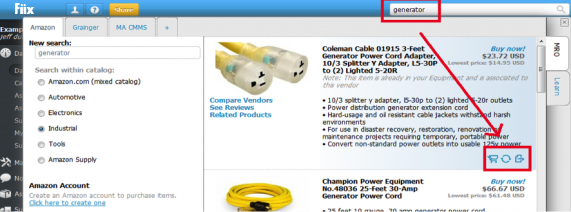
Our parts‑search engine hosts a database of over one million equipment and component records. By selecting Instantly create a new asset and Add missing asset information, you can import complete asset details with a single click—eliminating manual entry. Watch our quick tutorial here to see how swiftly you can populate your CMMS.
#2 – Access Full Meter Reading Histories
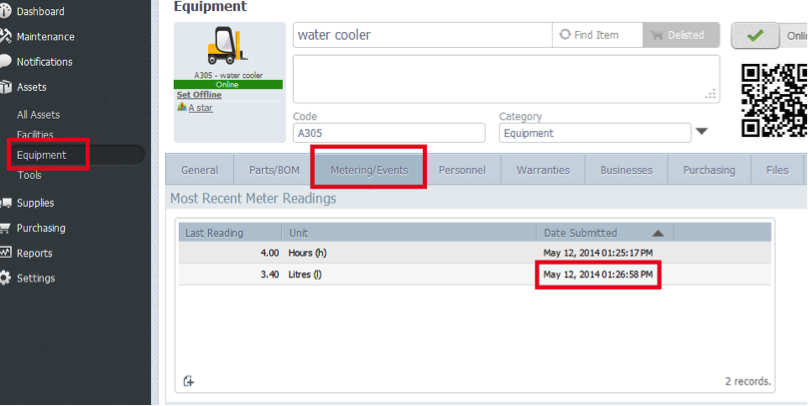
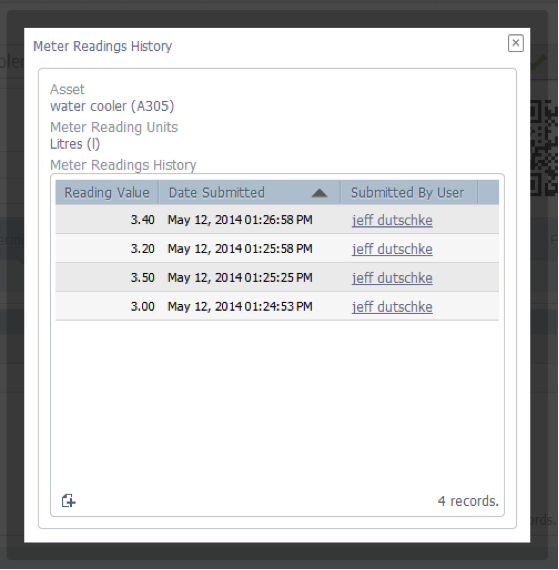
To review every meter reading for an asset, navigate to the asset’s Metering/Events tab. The latest reading appears at a glance. Clicking the unit opens a pop‑up that lists the complete history for that meter type. For example, selecting “Hours” displays the full log:
#3 – View a 13‑Month Overview of Scheduled Maintenance
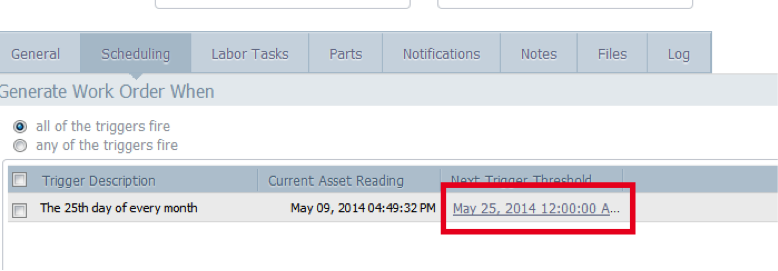
Use the Next Trigger Threshold option to generate a 13‑month schedule of upcoming work orders. This feature is available only when you schedule maintenance based on time intervals.
#4 – Align Overlapping Maintenance Cycles
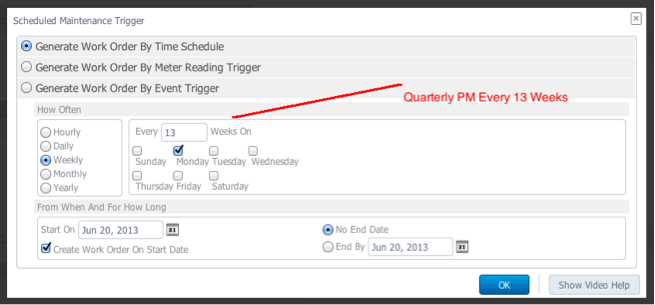
When you have multiple maintenance frequencies (weekly, monthly, quarterly, annual), they may not line up on the calendar, causing downtime spikes. Switch all recurring tasks to a weekly trigger—for example, set the monthly task to “every 4 weeks” and the annual task to “every 52 weeks.” This guarantees all jobs are due on the same day, reducing system downtime to once per week.
#5 – Create Custom Seasonal Maintenance Schedules
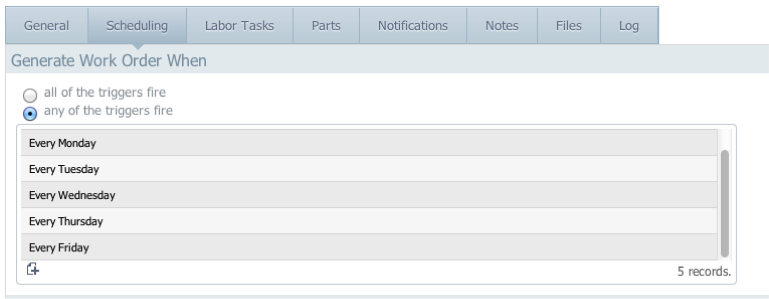
Organizations that operate only part of the week or seasonally need tailored schedules. For instance, if your facility runs Monday–Friday, you can replace the default daily trigger with a weekly trigger that runs only on business days. This keeps inspections and preventive maintenance in sync with actual production activity.
#6 – Capture Collateral Damage with Multi‑Asset Work Orders
When one asset’s failure impacts another—such as a water leak causing an electrical fault—create a Multi‑Asset Work Order that lists both the affected and the causative assets. This consolidates the event history, making root‑cause analysis and future prevention simpler. Learn more about Multi‑Asset Work Orders here.
#7 – Automate Reordering When Stock Falls Below Minimum
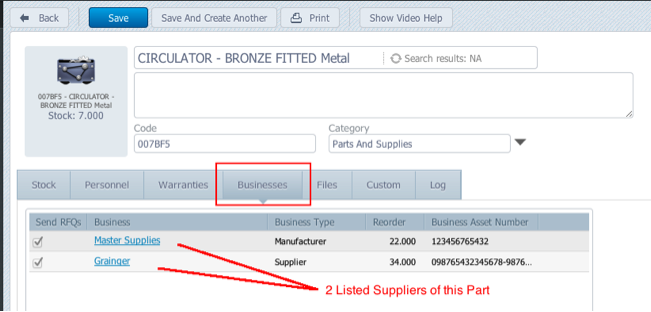
Maintenance teams often need to reorder parts instantly, but financial controls may require multiple quotes for high‑value items. In the Business tab of a part record, list all qualified suppliers and tick the “Send RFQ” box. When inventory drops below the minimum threshold, the system automatically dispatches requests for quotes to all listed suppliers, initiating the procurement process immediately.
Customer Advocate and product specialist Nick Castel demonstrates how to set up RFQs in Fiix in this video.
Further Reading
For additional insights, check out our previous blog post that offers 7 more CMMS Tips and Tricks here.
Equipment Maintenance and Repair
- Essential Cloud Computing Strategies for Startups and Enterprises
- Medical Product Design: Expert Tips & Proven Practices
- 7 Essential Tips for Choosing the Right Asset Management Software
- Cloud vs On‑Premise CMMS: Which System Delivers the Best ROI?
- Master Fiix CMMS: 7 Expert Tips for Rapid Implementation and Efficient Asset Management
- Mastering Inconel Welding: Expert Tips for High‑Performance Applications
- Master Your CMMS Trial: 5 Expert Tips for a Seamless Evaluation
- 7 Proven CMMS Strategies for Optimal Asset Maintenance
- 7-Part CMMS Expert Series: Proven Tips & Tricks for Optimal Maintenance Management
- Mastering Diamond Machining: Proven Tips & Advanced Techniques