



Discover Our New Searchable MRO Parts Database – Effortless CMMS Data Import
Auto‑populate your equipment, parts & supplies
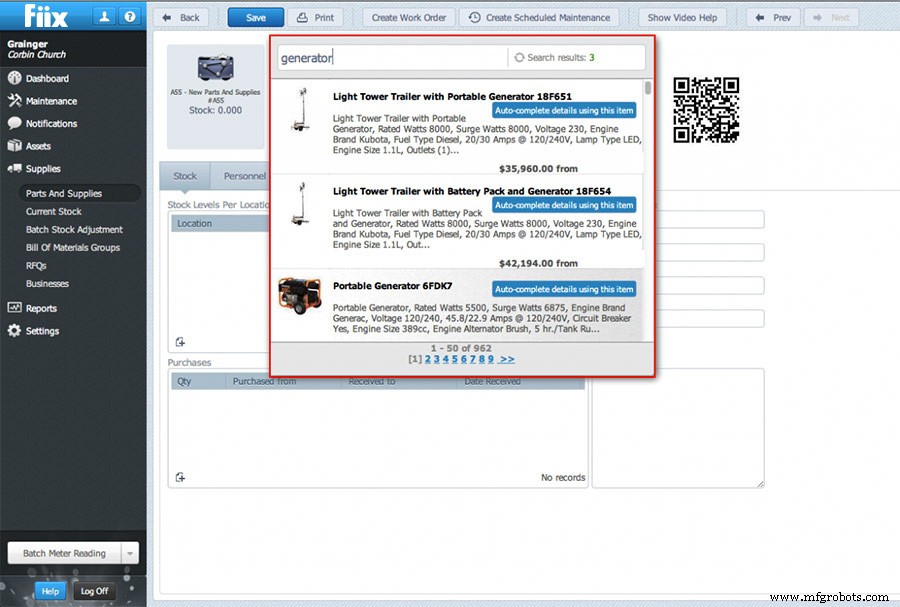
Setting up a CMMS for the first time can be daunting, especially when it comes to populating your equipment and parts catalogues. Our searchable MRO marketplace solves this by pulling accurate data directly from trusted industry databases. When you create a new part, simply use the search bar to locate the item in the MRO network, click Copy to CMMS, and the part record is populated automatically.
How does it work?
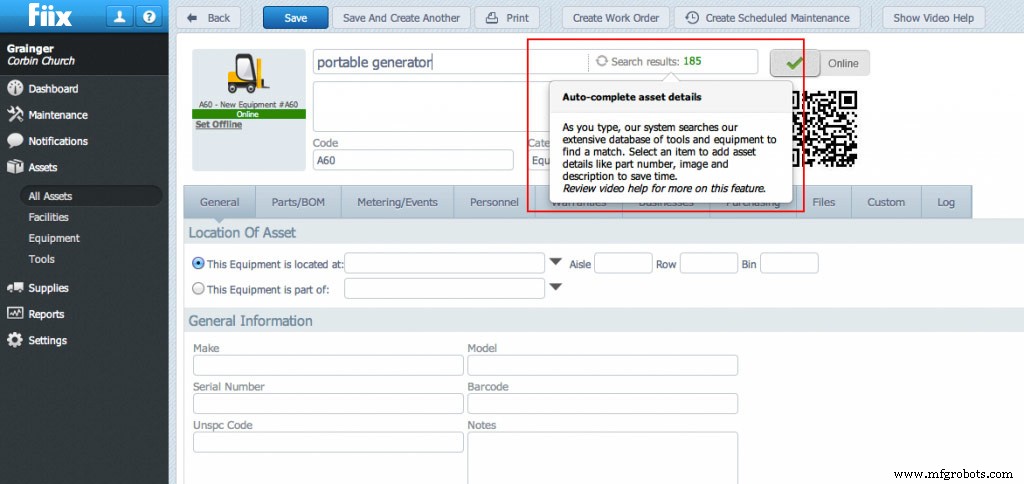
With the feature enabled, a search box appears beside the asset name in the parts record. Start typing the part details, and the system will retrieve matching entries. When you find the right item, click Auto‑complete details using this item to upload the name, description, images, manufacturer, supplier and UNSPSC number straight into your CMMS. This streamlined entry saves hours—sometimes days—of manual data entry and guarantees you have the exact specifications needed for future orders.
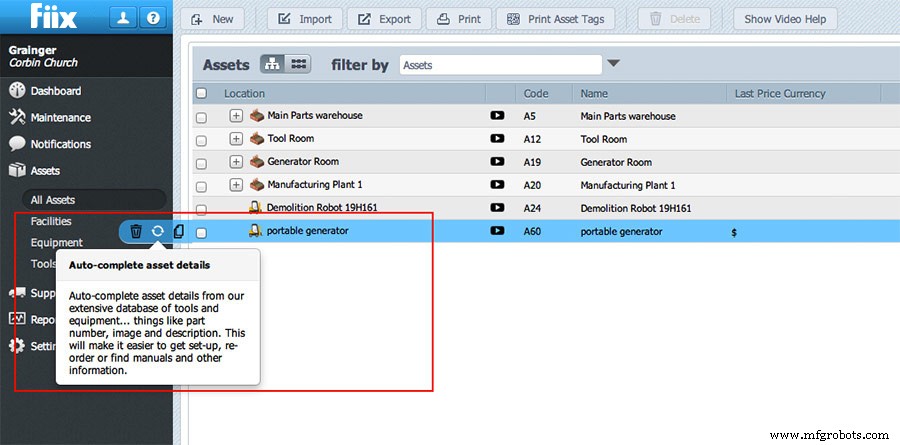
If you already have data in your CMMS that could use a refresh, simply click the sync icon on the asset record. The tool searches the MRO network for the closest match, and you can update the asset record with a single click.
Parts procurement – let’s look at the numbers
According to David Berger of Plant Services, a well‑configured CMMS can reduce replacement parts inventory by 10‑30%. By aligning your spares strategy with real consumption data, you free up capital tied to on‑site stock and lower holding costs. For many small and mid‑size businesses, achieving these savings has been out of reach without expensive, complex inventory systems.
The simple solution
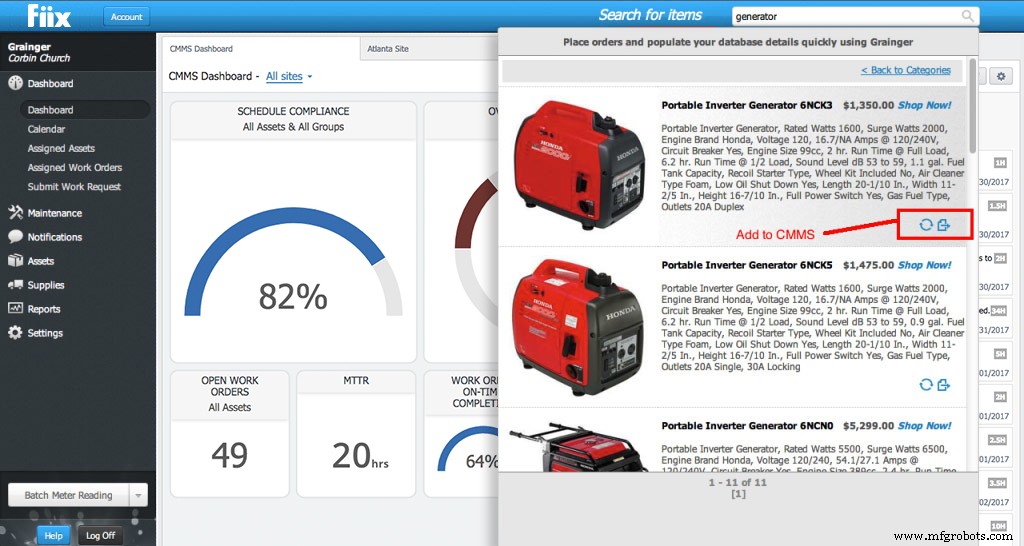
Our new feature lets you search and order indirect inventory spares from the world’s leading iMRO distributors directly within the CMMS. When you locate the part you need, you can sync its details back to the system, ensuring future orders are accurate and timely. This approach delivers the same cost savings as high‑end EAM solutions, but with a fraction of the implementation time and expense.
The search toolbar
This tool also includes a search toolbar at the top of the CMMS, allowing you to add new equipment, parts or supplies without navigating to individual records. Simply click the Add new or Update missing information icons at the bottom right of the item.
Equipment Maintenance and Repair
- Introducing the New Interactive Calendar: Streamline Technician Scheduling
- Introducing Fiix Mobile: The Next Generation CMMS for Field Teams
- Introducing Hyperlinks Everywhere: Seamless Navigation in Fiix CMMS
- Revolutionizing CMMS Adoption: The Power of Inline Training
- Introducing Multi‑Site CMMS: Centralize, Secure, and Scale Your Maintenance Operations
- Featured in MRO Magazine: Repair, Rebuild or Replace
- J/E Bearing & Machine Welcomes New Haas VF5/50XT CNC Mill
- Introducing Onyx – Markforged’s New High‑Performance Carbon‑Fiber‑Filled Nylon
- Blacksmith Launches 2,000‑sqft Kendall Square Office to Accelerate AI‑Driven Adaptive Manufacturing
- Instant Design Validation for Additive & Traditional Manufacturing