


Industrial manufacturing
CNC Machine

Heidenhain M Codes ( Miscellaneous functions) for Heidenhain TNC 640/530/410/426/430/320Heidenhain TNC 320Heidenhain M CodesM CodeDescriptionM0Stop program run (Spindle STOP, Coolant OFF)M1Optional program STOP (Spindle STOP, Coolant OFF)M2Stop program run (Spindle STOP,Coolant OFF,Go to block 1,Cle
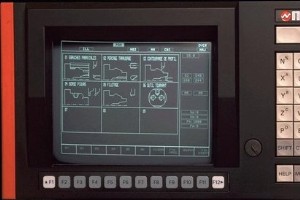
Complete Error codes listing for NUM CNC controls NUM 1000/1020/1040/1050/1060 T and GNUM 1060 CNC controlNUM CNC control ErrorsMiscellaneous Errors and Machine ErrorsError No.Meaning of the error1Unknown character / Axis not recognised by the systemToo many digits after a functionPresence of a sign

All spindles, which have been idle for more than 4 days, must be thermally cycled prior to operation above 6,000 RPM. This will prevent possible overheating of the spindle due to settling of lubrication.This 20-minute warm-up program will bring the spindle up to speed slowly and allow the spindle to
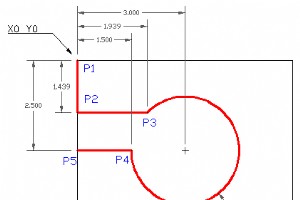
CNC Program example code with drawing to show how an arc can be milled on a cnc milling machine.G02 Circular interpolation Clockwise with I & J is used for arc machining.G2 Circular Interpolation CWG2 X... Y... I... J...ParameterDescriptionXCoordinates of the arc end point in x-axis.YCoordinates
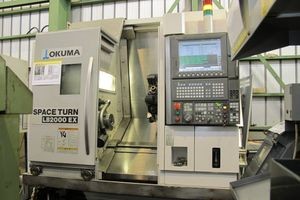
Complete Okuma Lathe G and M Codes list for cnc machinists who work on Okuma cnc lathe machines.Okuma CNC Lathe OSP-P200LOkuma Lathe G CodesG CodeDescriptionG00PositioningG01Linear InterpolationG02Circular Interpolation (CW)G03Circular Interpolation (CCW)G04DwellG20Home Position CommandG21ATC Home P
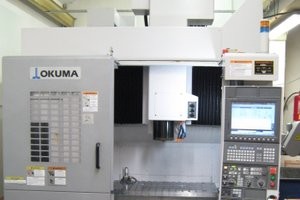
Complete Okuma Mill G and M Codes list for cnc machinists who work on Okuma cnc milling machines.Okuma Mill OSP-P200MOkuma Mill G CodesG CodeDescriptionG00PositioningG01Linear interpolationG02Circular interpolation – Helical cutting (CW)G03Circular interpolation – Helical Cutting (CCW)G0
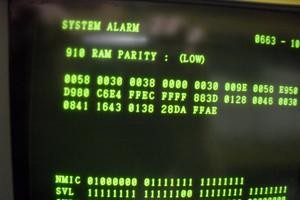
Fanuc 21i Model A Alarm Codes for CNC machinists.Fanuc 21i Model A Alarm CodesFanuc 21i Model A AlarmsProgram errors (P/S alarm)Program errors /Alarms on program and operation (P/S alarm)0 PLEASE TURN OFF POWER1 TH PARITY ALARM2 TV PARITY ALARM3 TOO MANY DIGITS4 ADDRESS NOT FOUND5 NO DATA AFTER ADDR
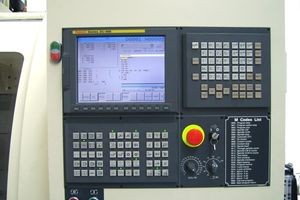
Fanuc 21i Alarm Codes for CNC machinists.Fanuc 21iMBFanuc 21i AlarmsProgram errors (P/S alarm)Program errors /Alarms on program and operation (P/S alarm)0 PLEASE TURN OFF POWER1 TH PARITY ALARM2 TV PARITY ALARM3 TOO MANY DIGITS4 ADDRESS NOT FOUND5 NO DATA AFTER ADDRESS6 ILLEGAL USE OF NEGATIVE SIGN7
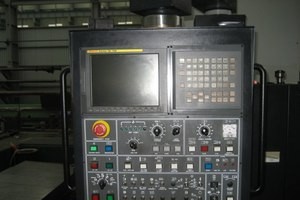
Fanuc 16i 18i Alarms Codes for CNC machinists.These Fanuc alarm code applies to following Fanuc CNC controlsFanuc 16i/18i Model AFanuc 16i/18i Model BFanuc 16iL Model AFanuc 16iP Model AFanuc 16iP/18iP Model BFANUC 18i-MBFanuc 16i 18i AlarmsProgram errors (P/S alarm)0 PLEASE TURN OFF POWER1 TH PARIT
Complete cnc programming example for machinists who work on a Wire EDM machine (Electrical Discharge Machining)CNC Wire Cut IntroductionWire EDM cutting, also known as electrical discharge machining, is a process that uses an electrically energized thin wire to slice through metal. Wire EDM cutting
Complete listings of G code for various cnc mill/lathe machine controls. G code of multiple cnc controls are described with articles and programming examples.G Code for CNC DummiesCNC Machine G CodesCNC Machine G Codes and M Codes – CNC Milling and LatheFanuc G CodesList of G-codes commonly found on

CNC program example to cut Quincunx on a CNC Plasma Cutting Controller.This program example is programmed in G91 Incremental programming.What is a CNC Plasma Cutting MachinePlasma CuttingPlasma cutting is a process that is used to cut steel and other metals of different thicknesses (or sometimes oth
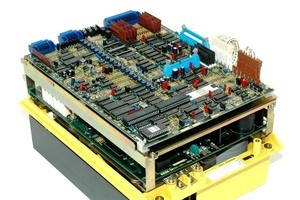
Fanuc spindle alarm codes and Fanuc Spindle Drive Faults.Fanuc AC Spindle Drive Model A06B-6052-H002AC Spindle Drive FaultsAlarm List for A06B-6052-HxxxAlarm List for the following Drives:Model 1 A06B-6052-H001Model 2 A06B-6052-H002Model 3 A06B-6052-H003Alarm #Led DisplayContent of Alarms84211oMo
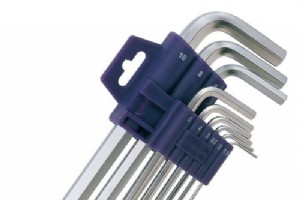
Hex keys or Allen Keys for CNC MachinistsAn Allen Key (also known as hex wrench or hex key or Allen wrench) has a hexagonal cross section to fit screw heads with hexagonal recesses. Pages: 1 2 3 4 5 6 7 8 9 10 11 12
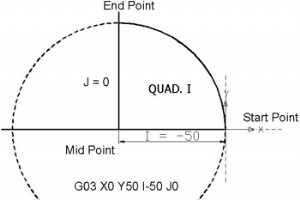
3rd part of Multi-Series Articles “Circular Interpolation Concepts & Programming”.This part briefly explains how cnc machinists can Calculate and Program circular interpolation G02 G03 with the use of I J and K.Read Other Parts of this ArticleCircular Interpolation Concepts & Pro
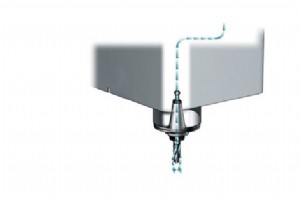
Haas M88 Through-Spindle Coolant OnThe M88 code is used to turn on the through-spindle coolant (TSC) option, an M89 turns the coolant off.Proper tooling, with a through-hole, must be in place before using the TSC system. Failure to use proper tooling will flood the spindle head with coolant and void
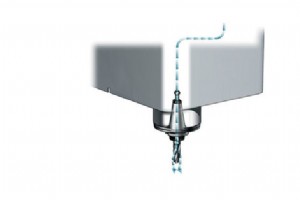
Haas M89 Through-Spindle Coolant OffM89 is used to turn off the Through the Spindle Coolant (TSC) option. When M89 is called, the spindle will stop and the TSC pump will shut off. Turns on purge for the amount of time specified in parameter 237 then turns off purge. Related Haas SettingsHaas Se
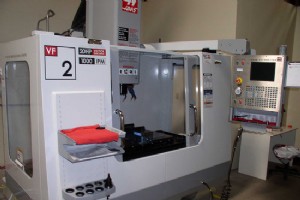
Haas M95 Sleep ModeSleep mode is essentially a long dwell (pause). Sleep mode can be used when the user wants the machine to begin warming itself up so it can be ready for use upon the operators arrival.ProgrammingThe format of the M95 command is:M95 (hh:mm)The comment immediately following the M95
Haas M109 INTERACTIVE USER INPUTM109 M code allows a G-code program to place a short prompt (message) on the screen. A macro variable in the range 500 through 599 must be specified by a P code. The program can check for any character that can be entered from the keyboard by comparing with the decima
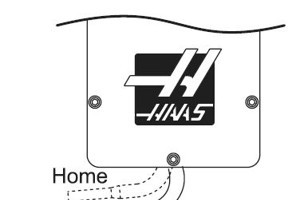
Haas M34 COOLANT SPIGOT POSITION DOWNM34 COOLANT SPIGOT POSITION DOWN, INCREMENT (+1)M34 Increments the current spigot position down one place.Incrementing the spigot position causes the spigot to move down one place from the home position. The home position is designated as zero.M34 Coolant Increme
CNC Machine

Industrial Robots Unveiled: Your Definitive Guide to Automation Across Industries

Master Production Planning: Proven Strategies to Boost Efficiency & Cut Costs
Bürkert Launches Advanced Pressure Controller for Accurate Time-Pressure Dosing

Why Transitioning from 2D Drawings to 3D CAD Files Accelerates Design & Manufacturing

