



Elegoo Saturn 3 Review: Is This 12K Resin Printer Worth Your Investment?
The Elegoo Saturn 3 is the latest evolution in Elegoo’s Saturn line of resin printers, boasting a 10‑inch 12K monochrome LCD and a suite of features designed to elevate the printing experience. In this in‑depth review, we’ll walk through the Saturn 3’s specifications, unboxing, assembly, leveling, software, print quality, customer feedback, and ultimately answer whether it’s a smart purchase.
Key Features of the Elegoo Saturn 3
- 10‑inch 12K Mono LCD (11520×5120 pixels)
- Laser‑carved build plate with improved adhesion
- 3.5‑inch resistive touchscreen for intuitive control
- 9H tempered glass protection for the LCD
- USB plug‑in air purifier (up to 95% fume reduction)
- Voxeldance Tango slicer with Auto‑repair, 2‑D nesting, and support tools
- COB + Fresnel collimating light source for uniform exposure
- Upgraded heat‑dissipation system with 6 copper tubes and 4 fans
- Dual linear Z‑axis rails for precise, stable movement
10‑inch 12K Mono LCD
The Saturn 3’s 10‑inch screen delivers a staggering 19×24 µm XY resolution, enabling highly detailed prints at speeds up to 70 mm/hr. The 9H tempered glass layer protects the display from resin drips and scratches, extending its lifespan.
Laser‑Carved Build Plate
Its laser‑etched surface provides superior first‑layer adhesion, essential for larger prints. Use the recommended bottom‑exposure settings to fully leverage this feature.
3.5‑inch Resistive Touchscreen
The responsive, 3.5‑inch touchscreen offers an intuitive interface that’s beginner‑friendly yet powerful enough for seasoned users. It displays real‑time progress, exposes control, and allows on‑the‑fly adjustments.
9H Tempered Glass Protector
Beyond scratch resistance, the glass layer surpasses typical FEP film in durability, ensuring your LCD remains pristine over years of use.
Plug‑in Air Purifier
Resin fumes are a common concern. The built‑in USB air purifier captures up to 95% of toxic emissions. For extra safety, consider the ELEGOO Mars MATE air purifier, which offers even more robust filtration.
Voxeldance Tango Software
Elegoo ships the Voxeldance Tango slicer free for life. It features Auto‑repair, 2‑D nesting, isolated island detection, and three print modes—static, smooth, and high‑speed—catering to diverse needs. Third‑party slicers like Chitubox or Lychee remain fully compatible.
Fresnel Collimating Light Source
The COB light paired with a Fresnel lens delivers uniform exposure across the screen, ensuring consistent, high‑detail prints with minimal surface artifacts.
Heat Dissipation System
With six double copper tubes and four fans, the Saturn 3 manages heat efficiently, keeping noise low while maintaining performance.
Dual Linear Z‑Axis Rails
Dual rails provide a stable, quiet Z‑axis that minimizes wobble and prevents build‑plate bending during lift movements, translating into cleaner layers.
Specifications
- Screen: 10‑inch LCD (12K, 11520×5120)
- Technology: MSLA Stereolithography
- Build Volume: 218.88×122.88×250 mm (5.4 L)
- Print Platform: Laser‑carved build plate
- Light Source: COB + Fresnel collimator
- Slicers: Chitubox / Voxeldance Tango
- XY Resolution: 19×24 µm
- Z‑Axis Accuracy: 0.02 mm
- Layer Thickness: 0.01–0.02 mm
- Leveling: Ball‑joint manual
- Speed: 70 mm/hr (max)
- Control Panel: 3.5‑inch resistive touchscreen
- Connectivity: USB
- Power: 100–240 V, 50/60 Hz, 24 V 6 A
- Dimensions: 305×273×300 mm
- Weight: 11 kg
Benefits
- High‑quality prints thanks to the 12K LCD and uniform light source
- Plug‑in air purifier reduces fumes by up to 95%
- Sturdy build plate and rubber feet enhance stability
- Quiet operation despite multiple fans
- User‑friendly touchscreen interface
- Improved adhesion for large models
- Tempered glass protects the LCD from scratches
- Dual Z‑axis rails for precise movement
- Clear, illustrated user manual
- Non‑slip hexagonal leveling screws for easy calibration
- Mid‑plate step prevents resin seepage inside the unit
Drawbacks
- No built‑in Wi‑Fi connectivity
- Manual bed leveling required
- Maximum speed lower than some competing models
- Touchscreen UI appears dated compared to newer displays
Unboxing & Assembly
The Saturn 3 arrives in a robust case with foam inserts. Inside you’ll find the pre‑assembled printer, a separate build plate, a resin vat, and a handy toolkit—including gloves, a scraper, masks, a USB flash drive, power adapter, funnel, USB air purifier, screws, leveling card, and Allen keys.
Assembly is straightforward:
- Remove the protective film from the LCD.
- Peel the film from the resin vat, place it over the LCD, and secure it with the supplied screws.
- Install the build plate, tighten the knob, and cover the printer with the anti‑UV lid.
For a visual walkthrough, see Hellstorm Wargaming’s unboxing video.
Leveling Process
Because the Saturn 3 lacks automatic bed leveling, follow these steps:
- Loosen the two screws that hold the build plate to the Z‑axis knob with an Allen key.
- Place a leveling card between the build plate and the LCD.
- On the touchscreen, tap “Move Z‑axis to 0”.
- While the plate is at home, tighten the screws, then gently pull the card to feel resistance.
- Use the “Z‑axis up” button to raise the plate slightly, remove the card, and test the LCD by selecting “Tool → Exposure” (look for the ELEGOO logo).
- Adjust the Z‑zero as needed using 0.1 mm steps until the card offers slight resistance, then confirm to save the position.
Customer Feedback
Early adopters praise the Saturn 3’s print quality and ease of setup. One long‑time Elegoo enthusiast notes, “I’ve used three Elegoo printers, and the Saturn 3 remains my go‑to for both reliability and detail.” Another reviewer highlighted, “It’s a solid addition to my workflow and pairs well with the Mars Pro.”
Review Highlights
- Faux Hammer: Commended the printer’s build quality and crisp detail.
- 3D Jake: Stated the Saturn 3 is a reliable, well‑constructed machine that complements existing setups.
Print Quality Showcase
Yoda
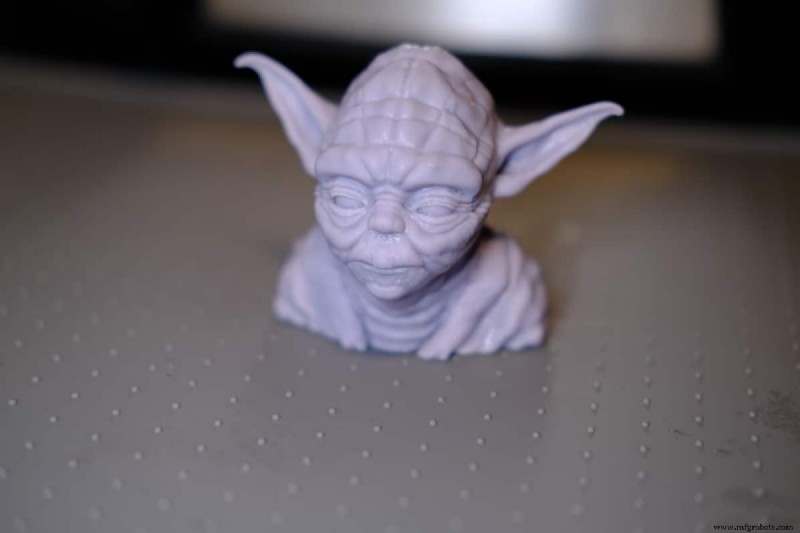
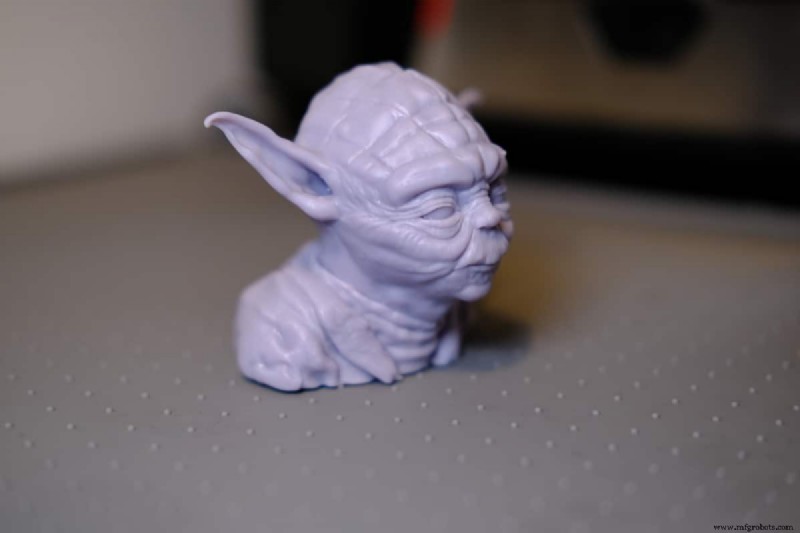
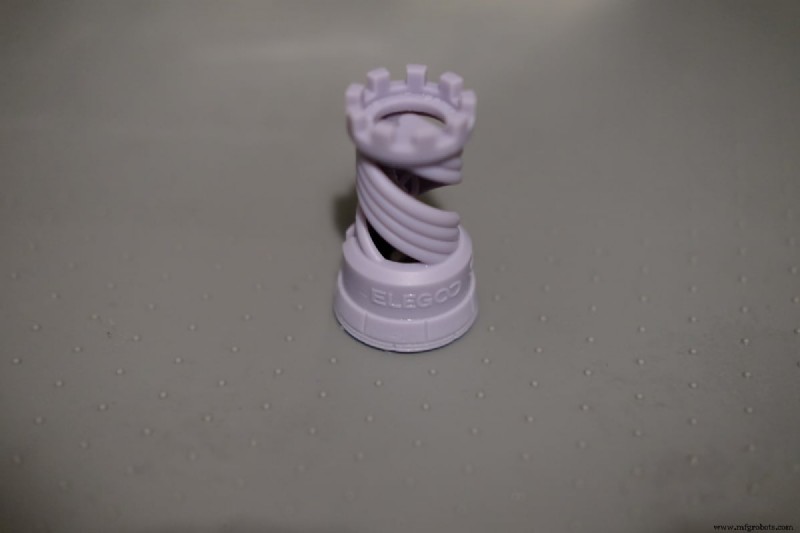
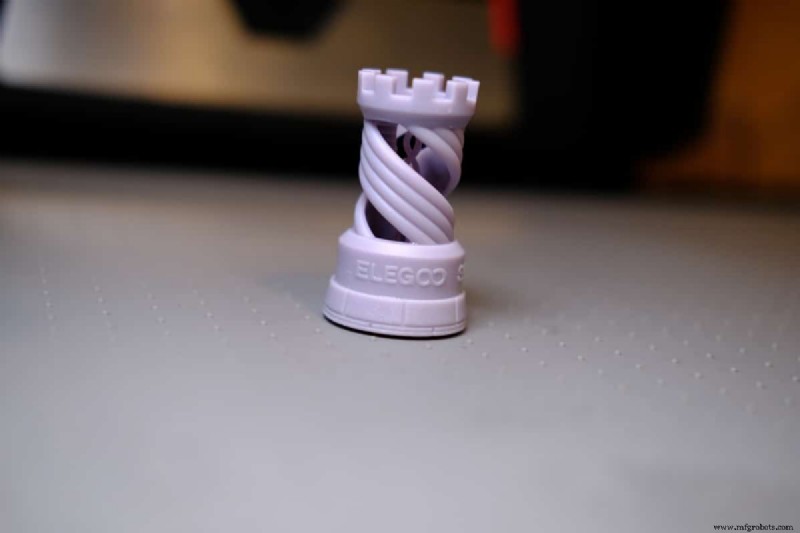
Elegoo Rook
Sauron
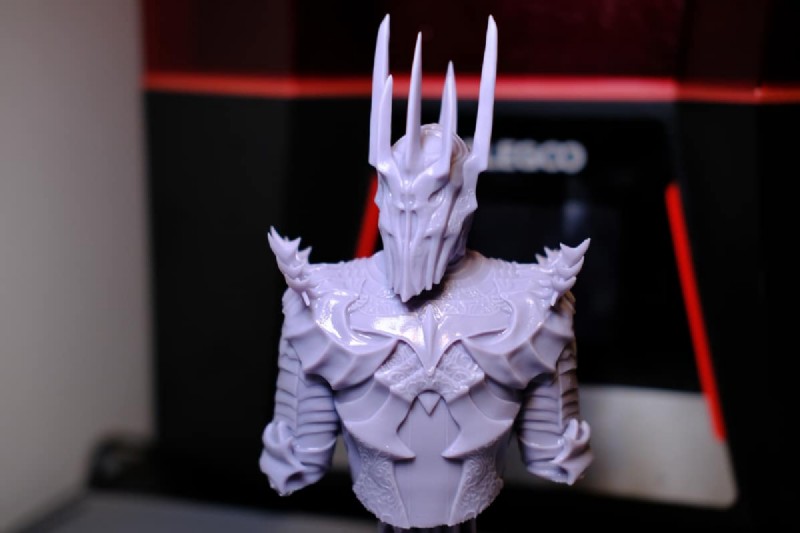
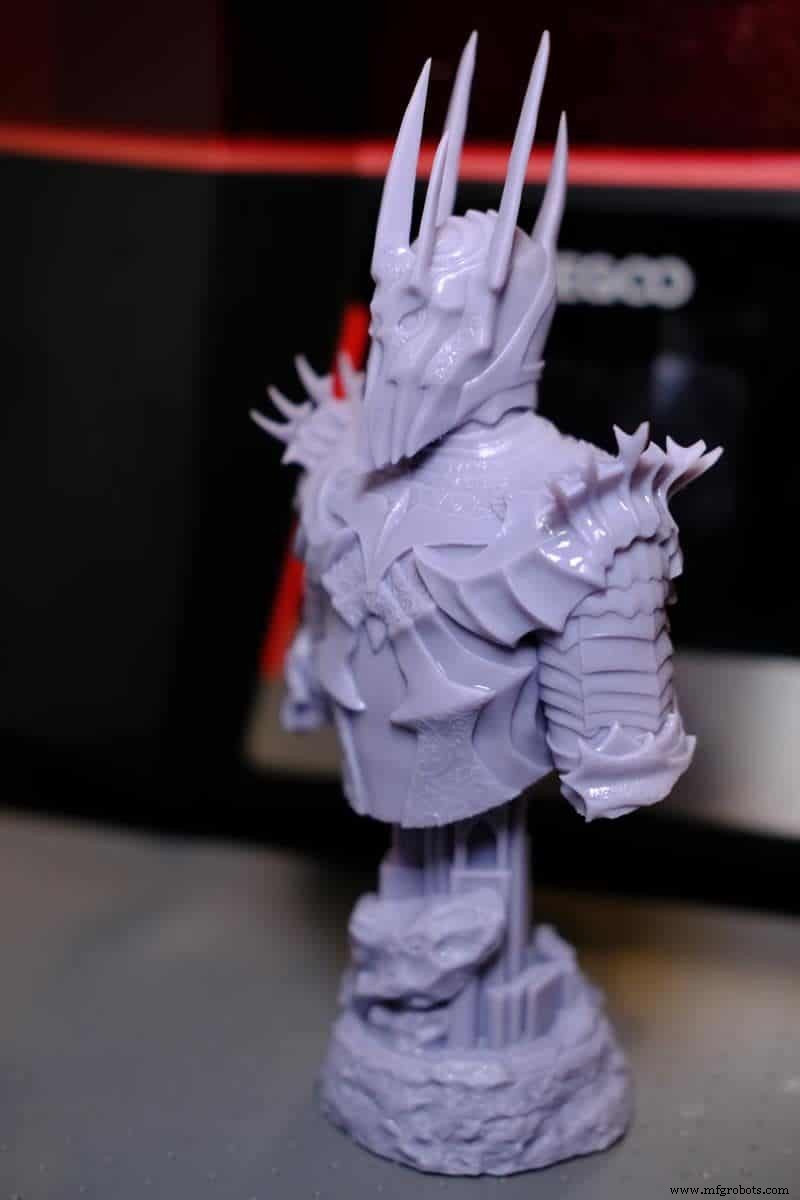
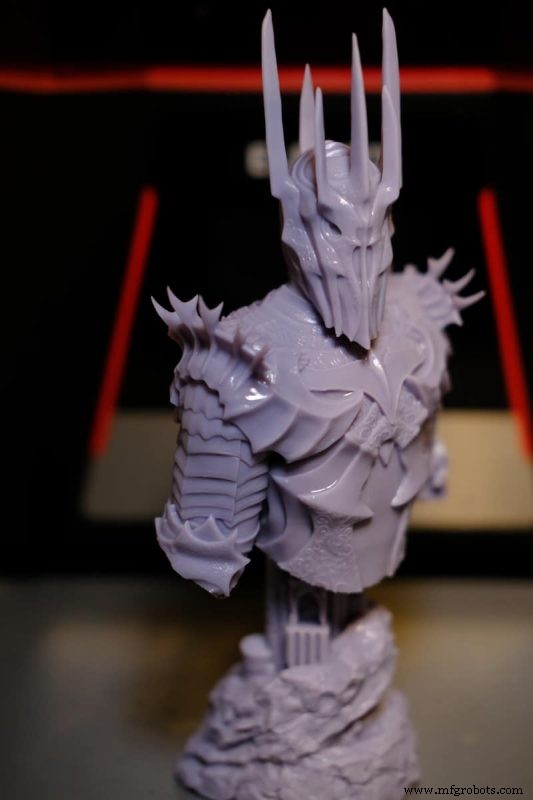
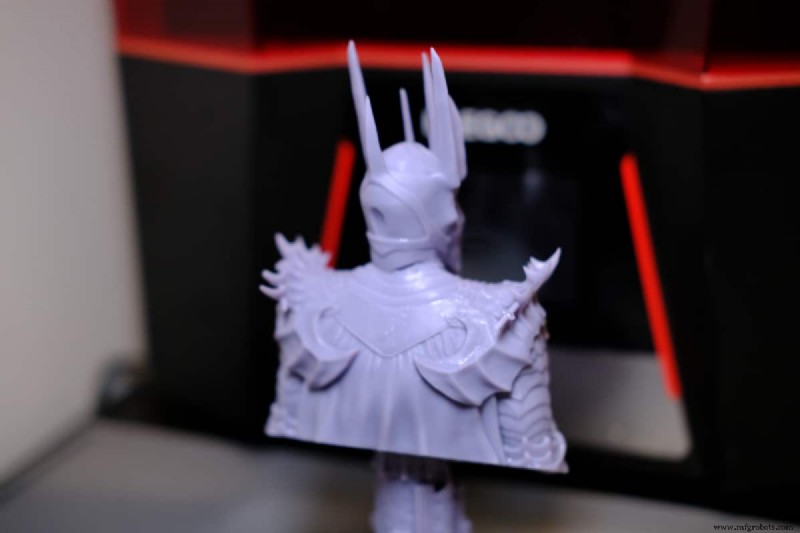
Verdict – Is It Worth the $399?
For newcomers to resin printing, the Elegoo Saturn 3 offers a compelling entry point: a high‑resolution screen, user‑friendly interface, and robust build features—all priced competitively at $399. If you already own the Saturn 2, the incremental improvements may not justify an upgrade, but the Saturn 3 remains a solid choice for hobbyists seeking top‑tier detail without breaking the bank.
—Michael Dwamena, founder of 3D Printerly and author of over 900 3D printing articles.

3D printing
- Understanding 3D Print Warping: Causes, Fixes, and Prevention Tips
- ABS Filament Melting Point: Key Facts for 3D Printing Success
- Expert Guide: 10 Essential Steps to Safely Remove Supports from 3D Prints
- ABS vs PETG: A Comprehensive Comparison of Properties and Performance
- Desktop Metal’s BMD and Microwave Sintering: A New Era for Metal Additive Manufacturing
- Common 3D Printer Filament Feeding Issues & Quick Fixes
- A Comprehensive Guide to Metal 3D Printing Technologies
- Skirt, Brim, and Raft: How to Choose the Best 3D Printing Adhesion Method
- Why 3D‑Printed Synthetic Body Parts Are Revolutionizing Medical Device Development
- Carbon Co-Founder Philip DeSimone on Scaling 3D Printing for High‑Volume Production