



E3.Schematic: Accelerate Electrical Diagram Design with Intelligent, Error‑Free Solutions
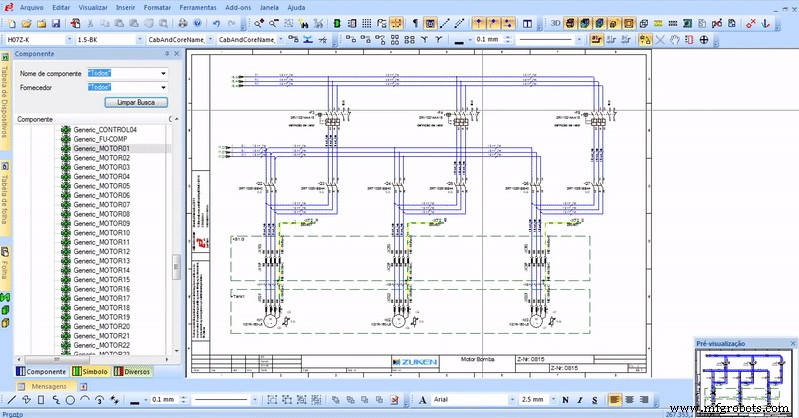
E3.schematic is considered the base module of the E3.series electrical engineering software. It provides an easy-to-use solution for creating and documenting electrical control systems, including schematics, terminal strips and PLCs. Its object-oriented architecture ensures an integrated and consistent design approach, helping to eliminate errors, improve quality and reduce design time. It is, without a doubt, the most used and disseminated tool among the most diverse operations of electrical engineering and automation projects in the world, serving as an initial step towards more complex solutions and additions to industrial processes.
Among its key features is real-time design rule checking (DRCs) used to identify and prevent errors during the design phase of the project. In addition, it has a comprehensive library of components from suppliers such as ABB, Siemens, Schneider and Bosch which assists in the realization of projects with an automatic selection of components. See these and other main features of E3.schematic below.
Design Rule Verification
With the Design Rule Check functionality, any errors made during design are automatically warned. In this way, it is possible to prevent duplication of names, in addition to preventing short circuits and wrong wire gauge distribution from occurring.
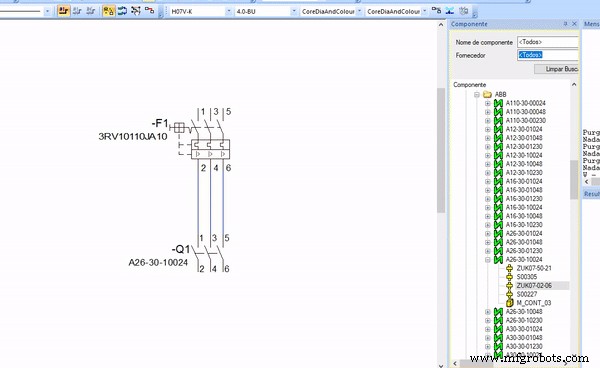
Error warning when inserting wire with section size larger than designated
Try NOW the industry-leading E-CAE E3.series tool in the world with technical training courses!
Click on the banner below:
A warning showing what error was made is displayed on the main screen of the project sheet.
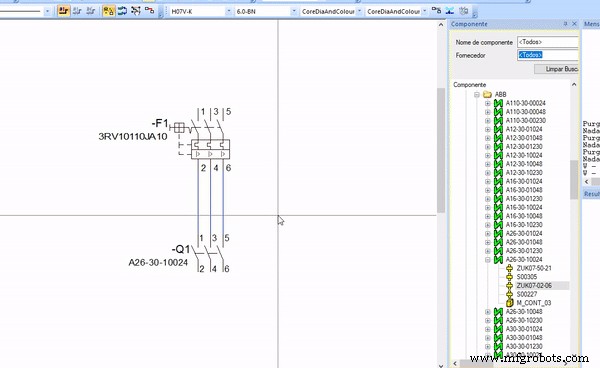
Fixed error evidenced by Design Rule Verification
It is therefore possible to check where the error is and make the correction in real time. By preventing these errors from occurring in the design phase, E³.schematic ensures that design data is always accurate prior to output to fabrication.
Component Library
The vast library of components present in E3.schematic allows, with a simple drag and drop, the insertion of components from leading suppliers in the market such as ABB, Siemens, Schneider, among others.
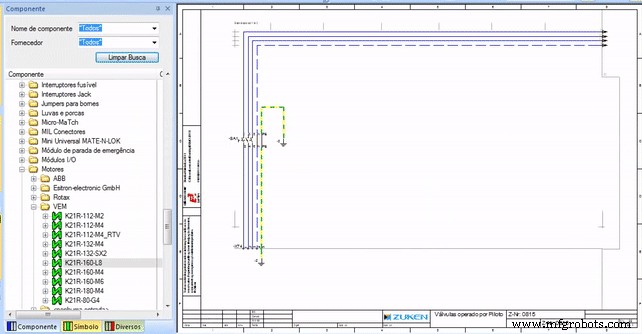
Insertion of components in E3.schematic
Items taken from the component library have all the symbols needed by the designer. For example, a switch added to the design will include the correct coil and all other auxiliary switches, thus preventing the use of non-existent hybrid components and saving significant time.
Connections
E3.Schematic automatically connects devices, just selecting the area where they are. Just select the two devices you want to connect and the E3.Series will add wires from one to the other.
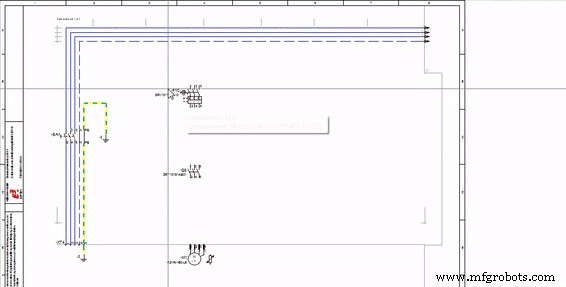
Automatic connections in E3.schematic
Furthermore, when changing the position of the devices, the connections are maintained, just reconfiguring their path as needed by the project.
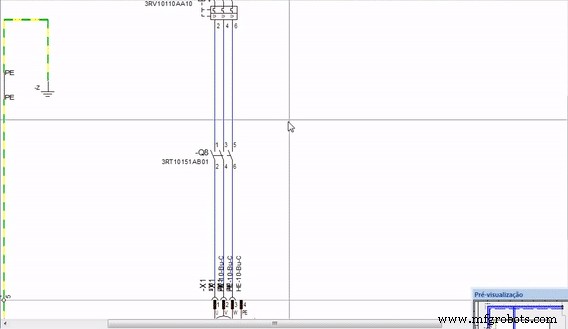
Automatic change of connections in E3.schematic
This way, even changing the position of the devices, the connections are not broken.
Try NOW the industry-leading E-CAE E3.series tool in the world with technical training courses!
Click on the banner below:
Terminals
Terminals added to the schematic are combined using a Terminal Block in E3.schematic.
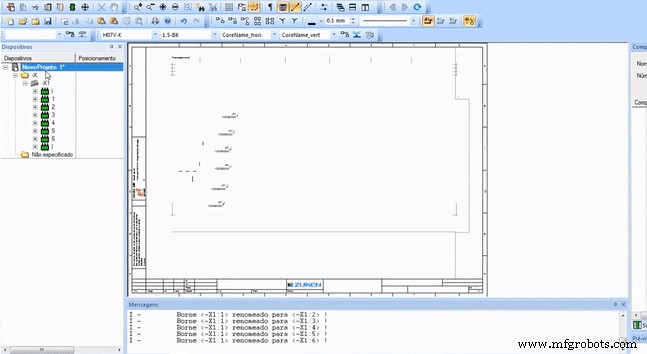
Creation of terminals
The Terminal Block is automatically generated from the terminals inserted in the schematic.
Programmable Logic Controller (PLC)
Integration with Programmable Logic Controllers (PLCs) is native to E3.schematic. PLC data present in the schematic are transferred to an Excel spreadsheet, where changes can be made and sent back to E3. PLC functions, addresses and location information are centrally managed and then updated through the user-friendly interface.
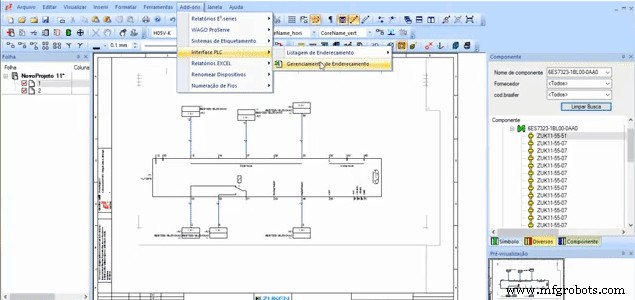
PLC Address Management
In addition, the tool checks for duplicate addresses and allows data export in PLC format. By integrating programming systems with E³.series, this information can be exchanged in both directions. This means the user can minimize data accuracy errors in the design process.
List of Materials (BOM)
The bill of materials generation - with information such as manufacturer, description and device designation - is done automatically while the project is being prepared.
Bill of materials (BOM) generated in E3.schematic
The bill of materials is updated as the design changes, so all information contained in it accurately represents the design.
The search for carrying out projects efficiently and without flaws involves choosing the ideal tool to design. E3.series brings in its base module - E3.schematic - a tool capable of transforming your company's engineering and increasing the productivity of your project team.
Questions or suggestions? Use the button below or the comments right after this article.

Industrial Technology
- Design Electrical Panels Efficiently with E3.panel: Fast, Accurate, and Smart
- Why Modern Electrical Projects Need CAE Software—Moving Beyond Legacy CAD
- E3.series Mastery: Full Training & E3.student Download
- A Comprehensive Overview of the Evolution of Electrical Design
- Mastering Distribution Site Selection: A Strategic Guide for Executives
- Eagle vs Altium: Feature Comparison & Key Differences for PCB Designers
- Mastering Solder Mask Design: 6 Essential Steps for Long-Lasting PCBs
- CD4049 CMOS Hex Inverter IC: Features, Applications & Circuit Diagram – Your Ultimate Guide
- CH304G USB Interface Chip: Features, Applications, and Schematic Overview
- Rubber Duck Antennas: Design, Efficiency, and Electrical Performance Explained