



Build a Universal IR Remote with Arduino: Step‑by‑Step Guide
Components and supplies
 |
| × | 1 | |||
| × | 1 | ||||
| × | 1 | ||||
| × | 1 | ||||
 |
| × | 1 |
Apps and online services
| ||||
|
About this project
What can you do with this project?- Replace all you remote controls with your Arduino.
- Create your own universal IR remote control with Arduino+Bluetooth shield or module.
- Send and receive infrared signals with any protocol.
- Store your IR database in your phone.
- Auto-connect to Arduino.
- Sort and rename each IR button.
- Change icon of each IR button.
- Open source Arduino code.
- You can control most IR devices!
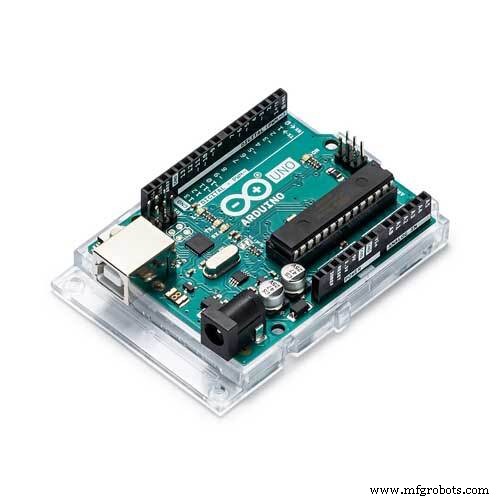
- Arduino board (Uno, Mega, Leonardo, Nano, Pro).
- Infrared LED
- Infrared receiver
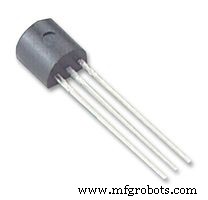
- NPN transistor
- Bluetooth BLE module or shield
- Arduino Sketch (URL provided inside the app)
- This is a DIY solution.
- Upload the Arduino Code to your Arduino.
- Wire the Bluetooth module, IR LED and receiver as per the wiring diagram.
- Open the app, search for Bluetooth modules, select then press connect.
- Enable "IR receiver" button from the app settings tab.
- Bring any remote that you want to hack.
- Start sending command to Arduino and see the magic!
- Bluetooth module or shield (HM-10, TI, CC2541, Bluefruit LE UART or SPI, Feather 32u4 Bluefruit)
- Arduino (Uno, Leo, Mega, Pro, Nano, Micro, Feather Bluefruit)
- IR transmitter (Any kind will work)
- IR receiver ( VS1838b or any compatible IR receiver)
- Bluetooth module or shield (HC-05, HC-06, HM-10, TI, CC2541, Bluefruit LE UART or SPI, Feather 32u4 Bluefruit)
- Arduino (Uno, Leo, Mega, Pro, Nano, Micro, Feather Bluefruit)
- IR transmitter (Any kind will work)
- IR receiver ( VS1838b or any compatible IR receiver)
Code
Arduino Sketch
https://github.com/rabee2050/arduino-irSchematics
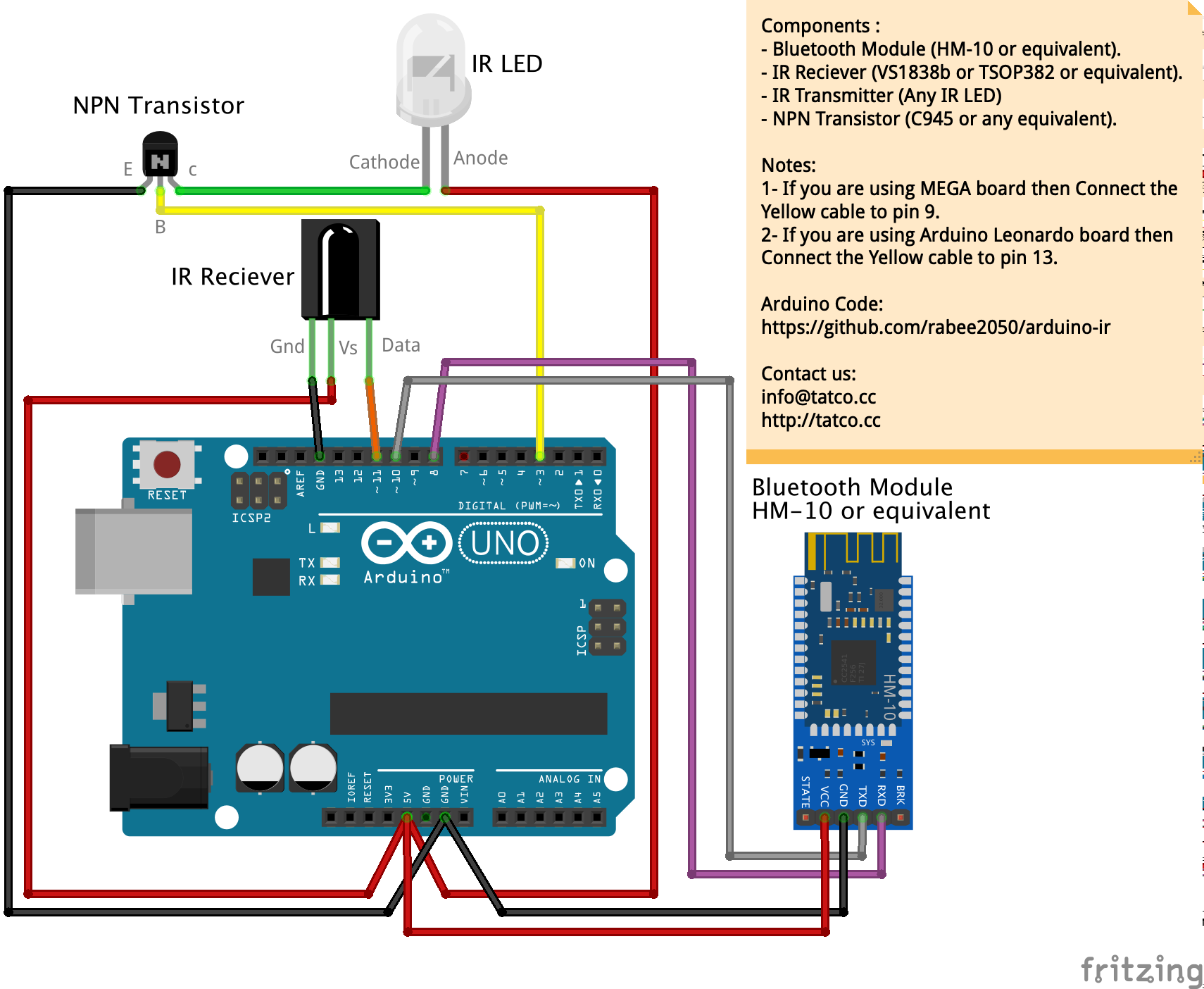
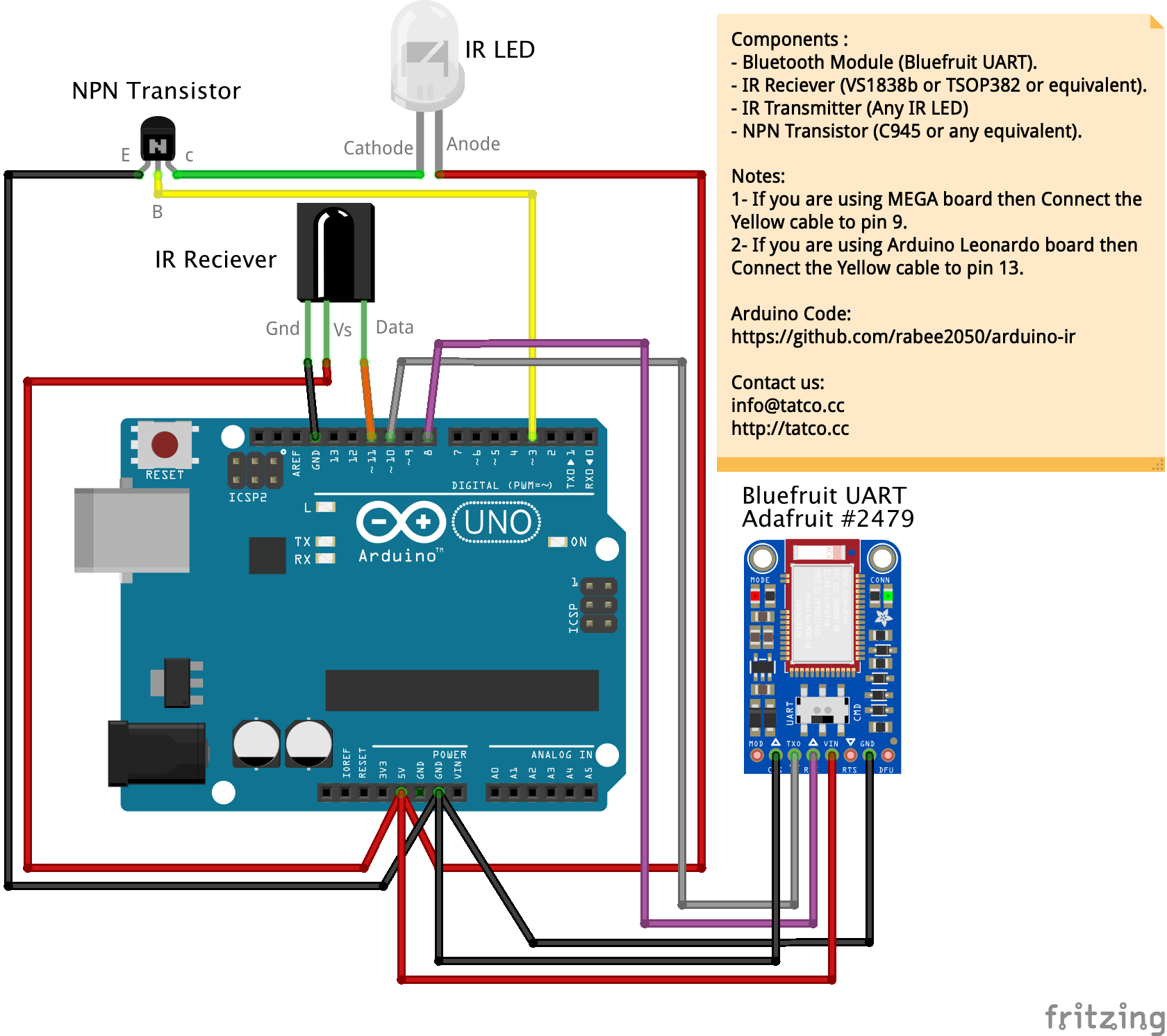 Those modules work with Android only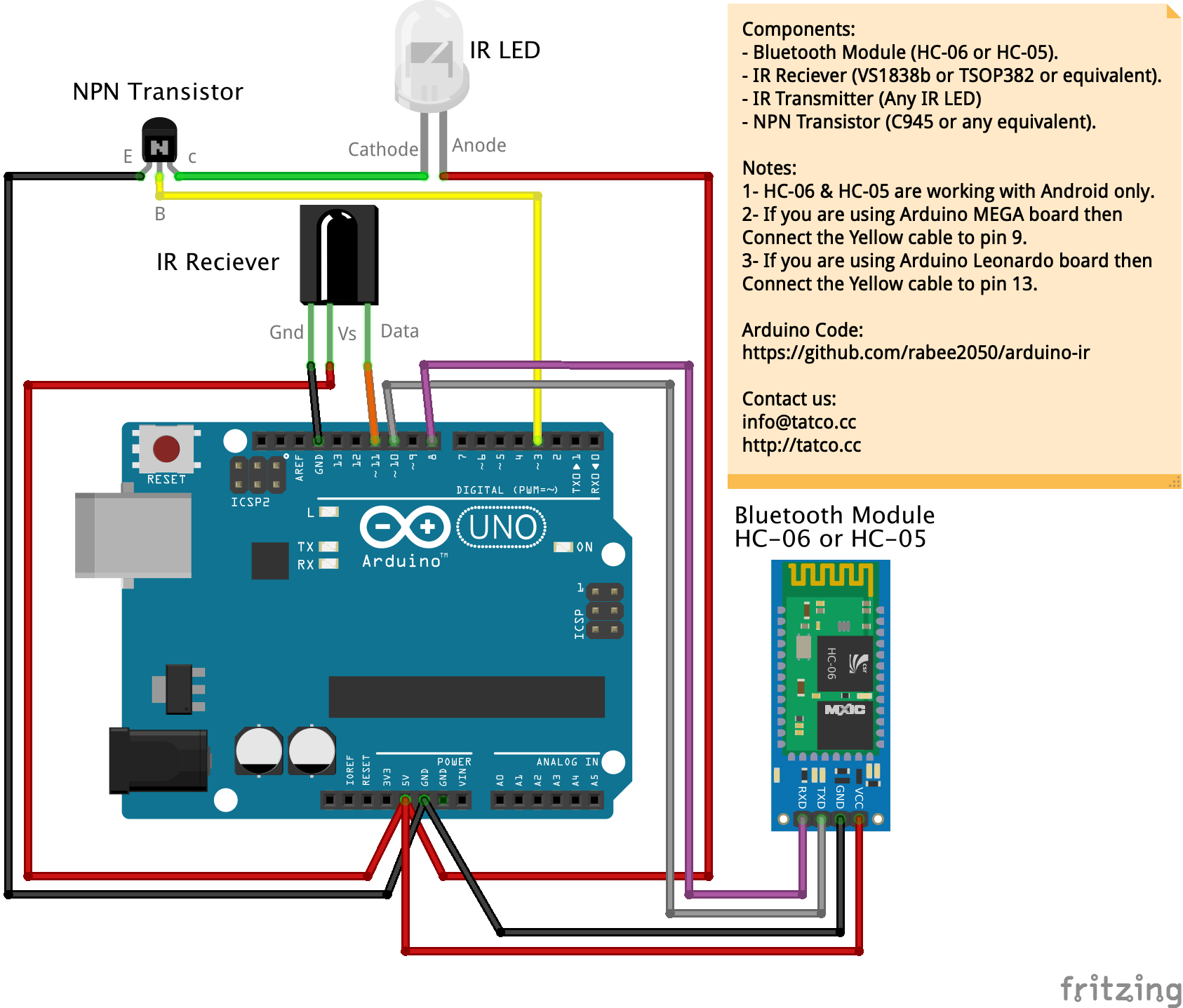
Interactive Gyroscope LED Display with NeoPixel Ring and Arduino
Build a Classic Pong Game on Arduino UNO with OLED Display – Step‑by‑Step Tutorial
Manufacturing process
- Measuring Air Quality with OpenSensors: An Arduino & Python Guide
- Build a Digital Stadiometer: Track Your Height with Arduino and Laser Sensor
- Using a Thermistor Made Easy: Step‑by‑Step Arduino Guide
- Create Musical Tones with Arduino: A Step‑by‑Step Guide
- Connecting Arduino to NMEA‑0183: A Step‑by‑Step Guide
- Master Modbus on Arduino: Step‑by‑Step Guide
- Master Arduino Multithreading with Protothreading: A Step‑by‑Step Tutorial
- Arduino Explained: What It Is and How to Program It
- Build a Simple Arduino Speaker – Step‑by‑Step Guide
- Arduino SD Card 101: Setup, Connection, and Usage Guide