



Connecting Arduino to NMEA‑0183: A Step‑by‑Step Guide
Components and supplies
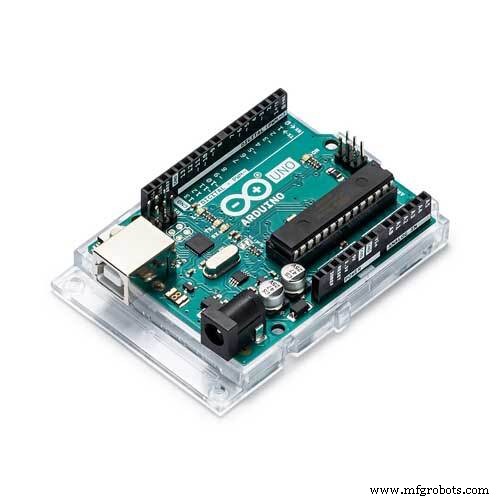 |
| × | 1 | |||
| × | 1 |
About this project
NMEA-0183 is an electrical standard to connect GPS, SONAR, sensors, auto pilot units etc. in ships and boats. In difference to the newer NMEA 2000 standard (based on CAN) the NMEA 0183 is based on EIA RS422 (some older and/or simple systems use RS-232, or a single wire).
I want to show you how to connect an Arduino UNO (or any other Arduino) to any NMEA-0183 device with differential output. Although the standard calls for isolated inputs and outputs its useful to use our RS422/RS485 Arduino Shield with isolated interface.
Connection to NMEA 0183In the picture below you can see a typical device with differential output. The terminals are NMEA OUT+ and NMEA OUT- or TX+ or TX-. The NMEA IN+ and NMEA IN- wires are optional.
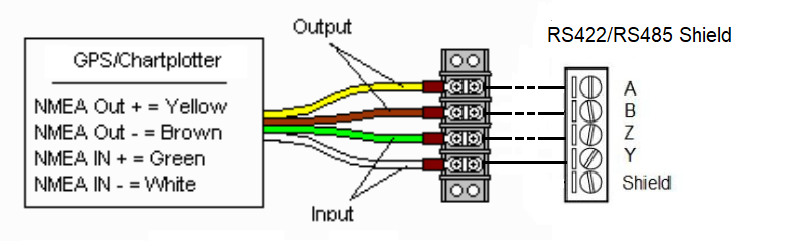
If you have a single transmit wire from your device (most likely labeled TX or NMEA OUT or something like that), then your device uses the RS-232 protocol. In this case you will need a simple RS232 converter.
Jumper Setting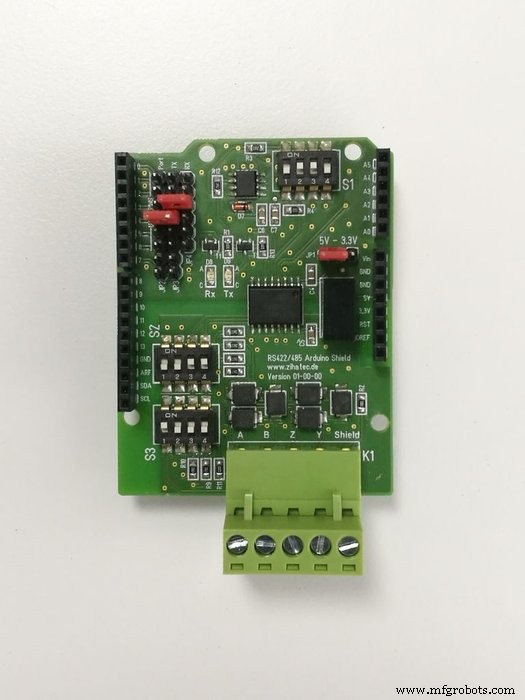
- UART RX to position 2
- UART TX to position 3
- Voltage to position 5V
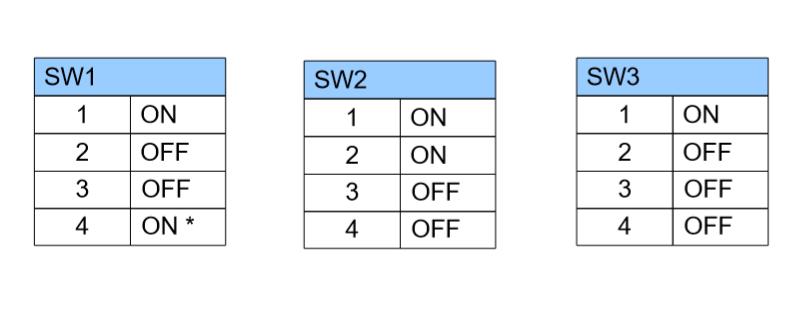
You can find a lot of different NMEA-0183 software stacks for Arduino. A very good solution is the NMEA library by Justin R Cutler
https://github.com/jrcutler/NMEA0183
It's necessary needed to change the pins for the software UART to pin 2 and 3!TakecarethatthebaudrateofthesoftwareuartisthesameasinyourNMEAdevice-typical4800Baud.
Test RunAfter compilation and uploading the program will decode incoming NMEA protocols. You can open the serial monitor to see the decoded protocols.
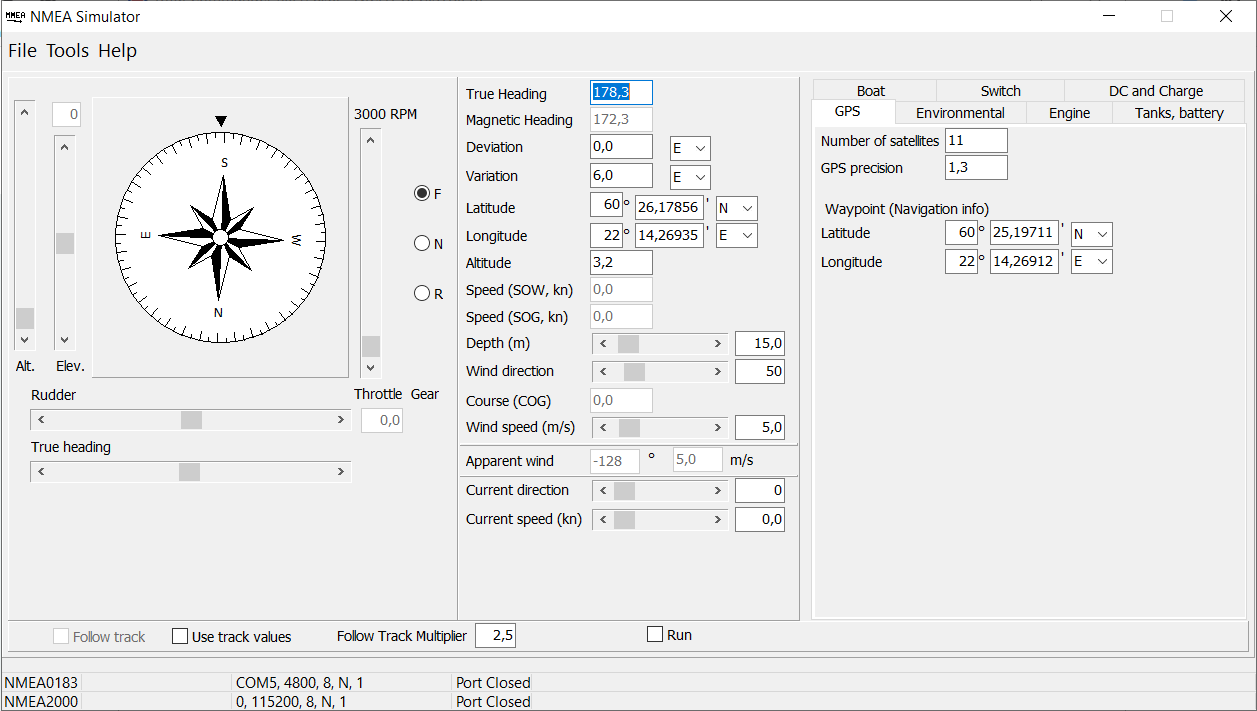
If you have no NMEA device at home, you can also use a Simulator on your PC and a simple USB to RS485 adaptor instead of a real device.
Code
- NMEA 0183 demo
NMEA 0183 demoArduino
Parsing NMEA 0183 protocols#include <NMEA0183.h>
// matches Zihatec RS422/RS485 shield
SoftwareSerial gps(2, 3);
NMEA0183 nmea;
void setup()
{
while (!Serial);
Serial.begin(115200);
gps.begin(4800);
Serial.println("NMEA0183 parser test");
}
void loop()
{
if (gps.available())
{
char c = gps.read();
if (nmea.update(c))
{
Serial.print("NMEA0183 sentence accepted (");
Serial.print(nmea.getFields());
Serial.print(" fields): ");
Serial.write(nmea.getSentence());
Serial.println();
}
}
}
Manufacturing process
- Using a Thermistor Made Easy: Step‑by‑Step Arduino Guide
- Create Musical Tones with Arduino: A Step‑by‑Step Guide
- Master Modbus on Arduino: Step‑by‑Step Guide
- Reliable Arduino-Based Device Tester for Power Blough-R Products
- Master Rotary Encoders with Arduino: How They Work & Step‑by‑Step Integration
- PIR Motion Sensor: Working Principles & Arduino Integration Guide
- Mastering RGB LEDs with Arduino: A Step-by-Step Tutorial
- Light Intensity Sensors: Features, Uses, and Arduino Integration Guide
- Master the 28BYJ-48 Stepper Motor: A Complete Arduino Integration Guide
- Arduino SD Card 101: Setup, Connection, and Usage Guide