



Control LEDs with Alexa via Raspberry Pi – Easy Step‑by‑Step Guide
Components and supplies
 |
| × | 1 | |||
 |
| × | 1 | |||
 |
| × | 2 | |||
 |
| × | 1 | |||
 |
| × | 1 | |||
 |
| × | 1 |
Apps and online services
 |
| |||
 |
|
About this project
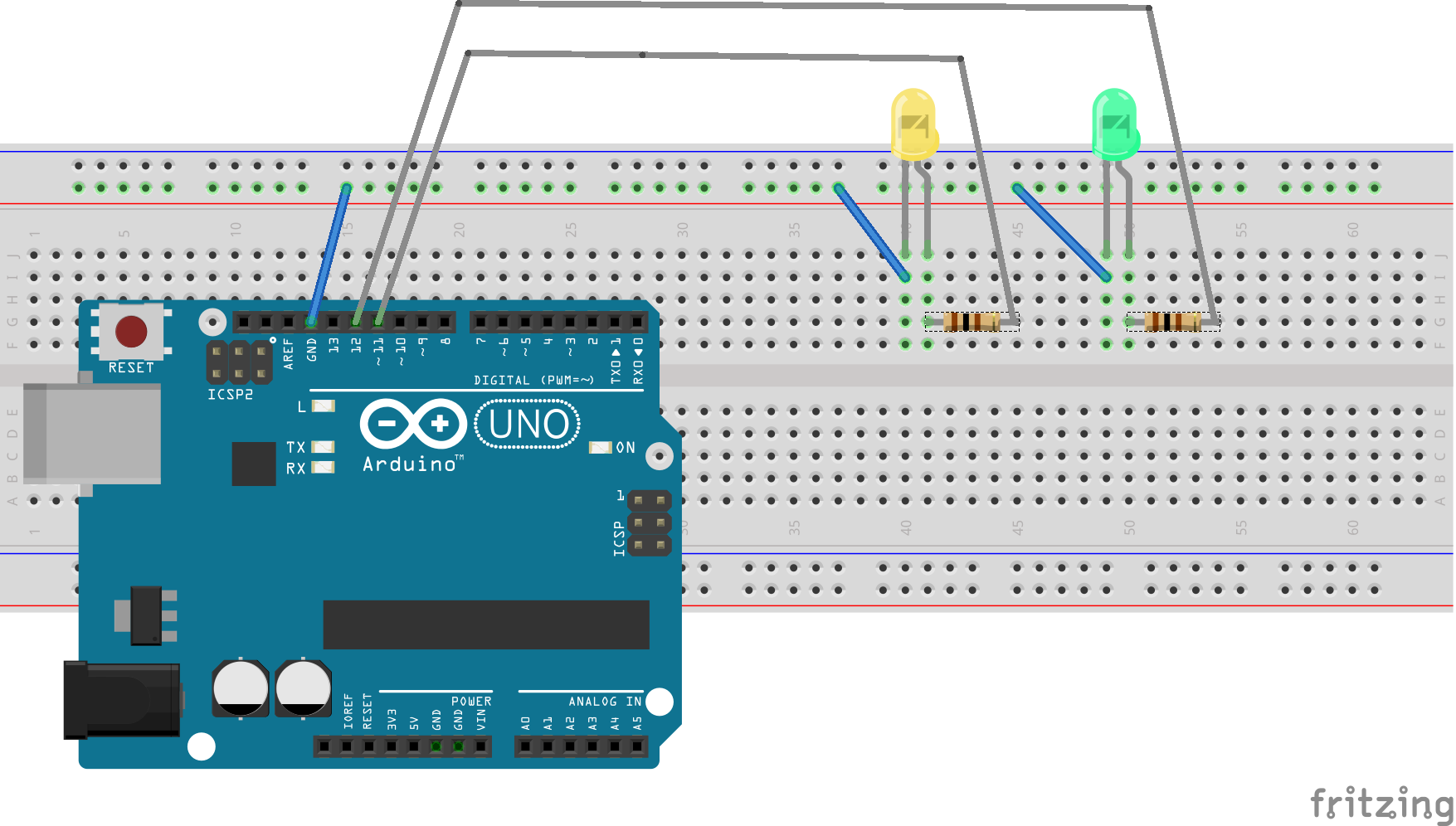
IntroductionIt turns out that it is quite easy to get Alexa communicate with Arduino via Raspberry Pi with Node-RED. All you have to do is installing two Node-RED modules and setup up a Node-RED Flow with Alexa Local and Arduino nodes. Here I have a project which has Alexa turn on and off two LED lights as a demo.
Step 1. Setup Raspberry PiFollow this step to get your Raspberry Pi ready.
Step 2. Install Node-REDFollow this step to install Node-RED.
Step 3. Install the Arduino nodeFollow this step to install the Arduino node for Node-RED. I am using Firmata in this project. You need to upload the Standard Firmata to the Arduino Uno, follow this link to accomplish that.
Step 4. Install the Alexa LocalFollow this step to install the Alexa Local Node-RED module.
Step 5. Setup the Node-RED FlowImport the Node-RED Flow from the code section below.
Testing Time

.

Code
- noderedflow.js
noderedflow.jsJavaScript
import this to node-red editor[{"id":"7cfb7d9e.1371f4","type":"alexa-local","z":"8496b3f6.919b5","devicename":"yellow light","inputtrigger":false,"x":177.10000610351562,"y":175,"wires":[["b9b6f9c0.383058","677a99d9.49b6c8"]]},{"id":"b9b6f9c0.383058","type":"debug","z":"8496b3f6.919b5","name":"","active":true,"console":"false","complete":"true","x":336.10005950927734,"y":233.00000476837158,"wires":[]},{"id":"23e77dc0.c2d532","type":"alexa-local","z":"8496b3f6.919b5","devicename":"green light","inputtrigger":false,"x":157.10000610351562,"y":287,"wires":[["b9b6f9c0.383058","b7bd4e01.3cc47"]]},{"id":"677a99d9.49b6c8","type":"arduino out","z":"8496b3f6.919b5","name":"","pin":"11","state":"OUTPUT","arduino":"4326cda4.263274","x":530.1000633239746,"y":172.6000099182129,"wires":[]},{"id":"b7bd4e01.3cc47","type":"arduino out","z":"8496b3f6.919b5","name":"","pin":"12","state":"OUTPUT","arduino":"4326cda4.263274","x":531.1000366210938,"y":290.6000061035156,"wires":[]},{"id":"4326cda4.263274","type":"arduino-board","z":"","device":"/dev/ttyACM0"}]
Schematics
Turn Your MIDI Keyboard into a Smart Piano Tutor with Arduino, LEDs, and MuseScore
MotionSense: Smart Intrusion Detection with Arduino & ESP8266
Manufacturing process
- Build a Bluetooth‑Controlled Raspberry Pi Robot with Audio Feedback
- DHT11 Temperature & Humidity Sensor Project with LED Indicators and Piezo Speaker
- Build an Android‑Controlled Remote Vehicle with Raspberry Pi Motor Shield
- Find Me: Smart Item Locator with Arduino and Bluetooth
- MobBob: Build Your Own Arduino Robot, Controlled Seamlessly via Android Smartphone
- PiBot: The Arduino‑Powered Piano Robot for Precision Music Performance
- Build a Custom Arduino Joystick Steering Wheel for Gaming
- Control LED Lights with Alexa via Arduino Yun – A Smart Home Tutorial
- PhoneLocator: Securely Locate Your Phone Anywhere
- Controlling 32 LEDs with Arduino Nano and 4x 74HC595 Shift Registers – A Beginner’s Guide