



Resolving Touchscreen Issues on the 2.4″ TFT LCD Shield for Arduino
Components and supplies
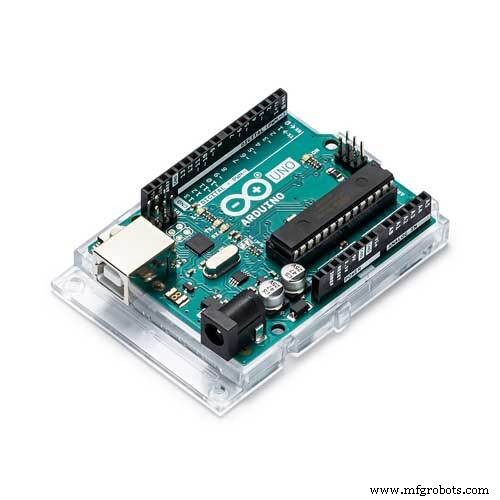 |
| × | 1 |
About this project
Hello, in this tutorial I planned to test different functions of the TFT LCD shield but I encountered few problems and decided to show you some solutions first, so the usual tutorial about this shield will follow up later.
This is the shield I’m using it’s 2.4″ screen, it can work with Arduino Uno, Leonardo, Duemilanove, Mega… and has a slot for SD card you can use it to store BMP pictures and display them.
Wiring: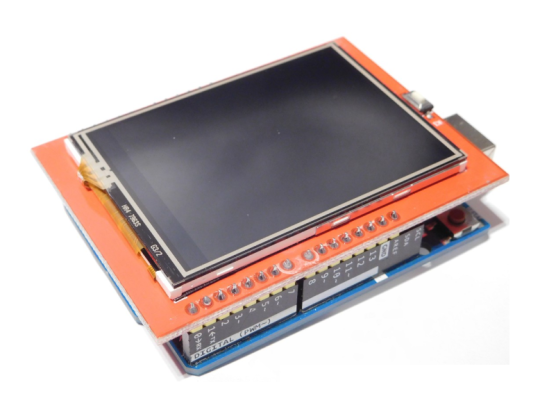
You just plug it on the top of the board :D. (don’t forget the insulation tape around the usb port so it doesn’t make contact with the screen board)
Libraries and codes:So this is where the problems began for me, first you should check for the library that will work for you, to know if a library works or not, download it and open the “graphictest” example, it should show you the different colors and shapes just like in the tutorial video, if you have a white screen you may want to change the library.
This is the one that worked for me: Download here
Unfortunately I don’t own any other version of the shield to test with a different library.
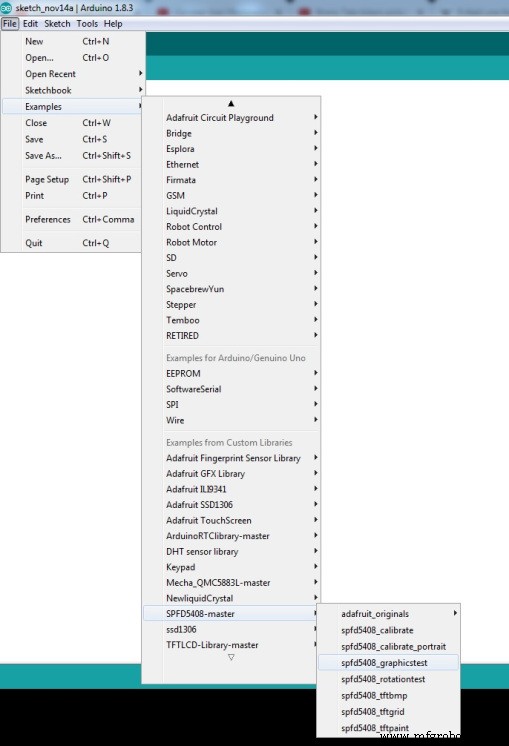
If it works okay, you can now try the “tftpaint” example to try your touch functions, if it works correctly congratulations, but since you came here, you probably have the touch screen problem, and it’s due to manufacturers keep changing the pins locations.
For this open the “tftpaint” example and do some modification in the line shown bellow:
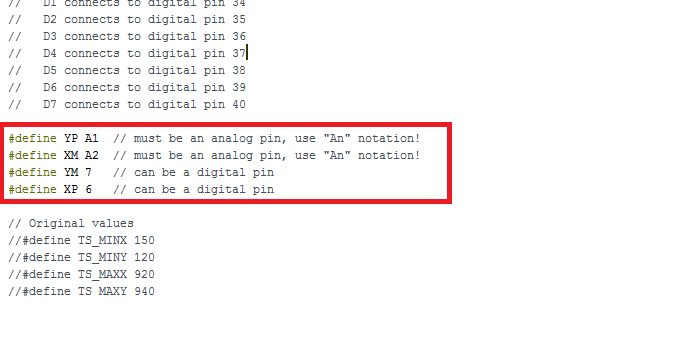
#define YP A1  // must be an analog pin, use "An" notation!
#define XM A2  // must be an analog pin, use "An" notation!
#define YM 7   // can be a digital pin
#define XP 6   // can be a digital pin
#define YP A3 // must be an analog pin, use "An" notation!
#define XM A2 // must be an analog pin, use "An" notation!
#define YM 9 // can be a digital pin
#define XP 8 // can be a digital pin
After this re-upload the code of the paint to your board, and I hope the touch screen is now detected, if it works okay then congratulations otherwise continue the tutorial.
If one of your axis is inverted go to the touch screen library and open it with a proper editor.
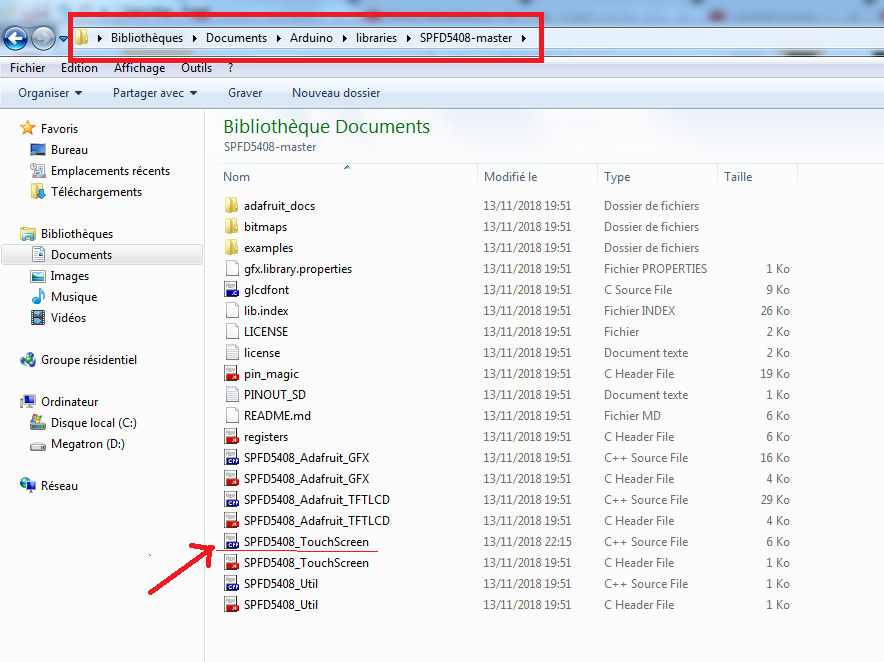
And go to the line 159 and uncomment it
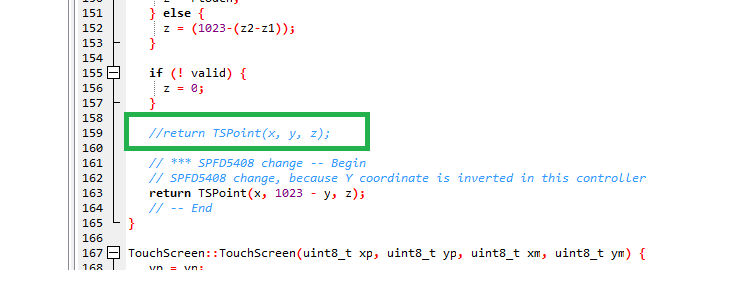
Save the library modifications and re-upload the code, if the touch function now is completely inverted do some other modifications like shown below:
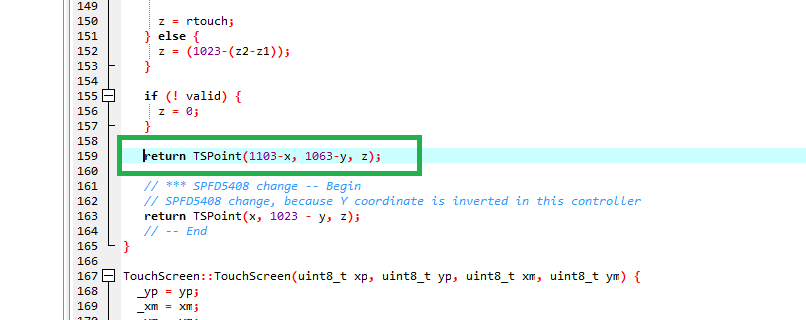
First start with
return TSPoint(1023-x, 1023-y, z);
Then do your adjustement until the point get drawn where you touched it and in the picture, those are the values that worked fine for me.
Remember if one of the directions is still inverted just make it (x) or (1023-x), I hope this works for you if you have the problem.
Code
Github
https://github.com/JoaoLopesF/SPFD5408https://github.com/JoaoLopesF/SPFD5408Schematics
Well..it's a shield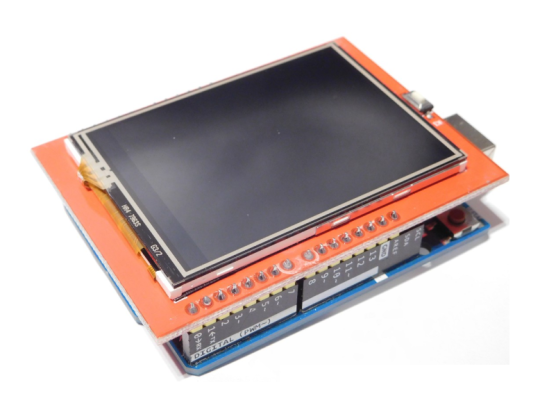
Manufacturing process
- C Preprocessor & Macros: Mastering #include, #define, and Conditional Compilation
- Build Engaging LCD Animation & Gaming with Arduino UNO
- Display JPEG Photos and RGB565 Video on a 2.8″ TFT SPI Display with Arduino Nano
- Display BMP Images from SD Card on Arduino 2.4″ TFT LCD Shield
- High-Performance 2.8” TFT Shield for Arduino Nano – 320×240 SPI Display
- Arduino GPS and TFT Touchscreen Shield Project: Real-Time Location Display
- Arduino TFT LCD Touch Screen Tutorial – Step‑by‑Step Guide
- How TFT LCDs Are Made: A Detailed Manufacturing Process
- Understanding LCD Pricing: Cost Drivers, Market Trends, and Future Outlook
- Preventing and Fixing Defects in TFT LCD Production