



C Preprocessor & Macros: Mastering #include, #define, and Conditional Compilation
C Preprocessor & Macros
Explore the power of C’s preprocessor: learn how to include headers, define constants and functions, and control compilation flow with conditional directives.
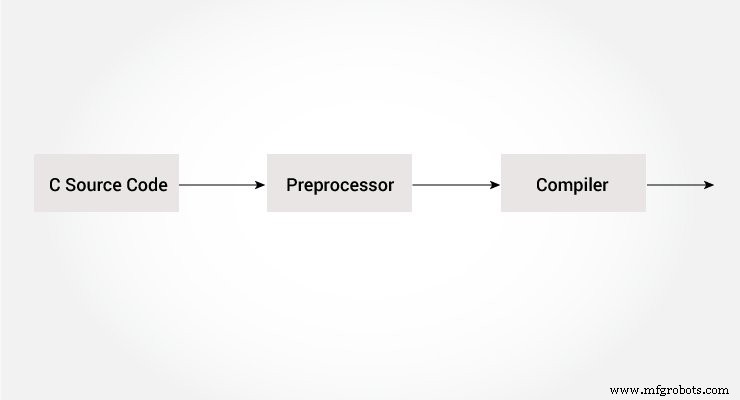
The C preprocessor runs before the compiler, transforming your source code by expanding macros, including header files, and evaluating conditional statements. It’s an essential tool for writing flexible, reusable code.
All preprocessor directives start with a # symbol. For example:
#define PI 3.14Including Header Files: #include
The #include directive inserts the contents of a header file directly into your source file. Common usage:
#include <stdio.h>Without #include <stdio.h>, functions like printf() and scanf() would be undefined. You can also create custom headers:
#include "my_header.h"Custom headers are useful for grouping related function declarations and constants.
Defining Constants and Expressions: #define
A macro replaces a token or expression with a value before compilation. Example:
#define c 299792458 /* speed of light */Using c anywhere in your program expands to 299792458.
Example 1: Defining PI
#include <stdio.h>
#define PI 3.1415

int main() {
    float radius, area;
    printf("Enter the radius: ");
    scanf("%f", &radius);
    area = PI * radius * radius;
    printf("Area=%.2f", area);
    return 0;
}
Function‑Like Macros
Macros can accept arguments, functioning similarly to inline functions:
#define circleArea(r) (3.1415 * (r) * (r))For circleArea(5), the preprocessor expands it to (3.1415 * 5 * 5).
Example 2: Using a Function‑Like Macro
#include <stdio.h>
#define PI 3.1415
#define circleArea(r) (PI * (r) * (r))

int main() {
    float radius, area;
    printf("Enter the radius: ");
    scanf("%f", &radius);
    area = circleArea(radius);
    printf("Area = %.2f", area);
    return 0;
}
Conditional Compilation
Conditional directives let you include or exclude code blocks at compile time, similar to if statements but evaluated before execution.
Common Use Cases
- Targeting different operating systems or hardware.
- Creating debug builds without runtime overhead.
- Maintaining legacy code paths for reference.
Key Directives
#ifdef MACRO
    /* code when MACRO is defined */
#endif
#if EXPRESSION
/* code when EXPRESSION is non‑zero */
#else
/* code when EXPRESSION is zero */
#endif#if EXPRESSION
/* code */
#elif ANOTHER_EXPRESSION
/* alternate code */
#else
/* fallback code */
#endif#if defined BUFFER_SIZE && BUFFER_SIZE >= 2048
/* buffer is large enough */
#endifPredefined Macros
| Macro | Value |
|---|---|
__DATE__ | String of the current compilation date |
__FILE__ | String of the current file name |
__LINE__ | Line number where the macro appears |
__STDC__ | Non‑zero if the compiler follows the ANSI C standard |
__TIME__ | String of the current compilation time |
Example 3: Displaying Compilation Time
#include <stdio.h>
int main() {
    printf("Current time: %s", __TIME__);
    return 0;
}
Output example:
Current time: 19:54:39
Recommended Readings
- Line Control
- Pragmas
- Preprocessor Output
- Other Directives
C Language
- Understanding C# Keywords and Identifiers: Rules, Lists, and Best Practices
- Mastering C# Operator Precedence & Associativity: A Practical Guide
- Mastering C# While and Do‑While Loops: Syntax, Examples, and Best Practices
- Mastering C# Preprocessor Directives: A Practical Guide
- Mastering While and Do‑While Loops in C: Practical Examples
- Understanding C Constants and Literals: Types, Usage, and Best Practices
- Understanding the C Preprocessor (CPP): How It Simplifies Compilation
- C++ Preprocessor: How Directives Shape Your Code
- Mastering C# Constants & Literals: Types, Rules, and Best Practices
- Resolving Touchscreen Issues on the 2.4″ TFT LCD Shield for Arduino