



Intel Curie-Based Motion-Activated Lighting System
Components and supplies
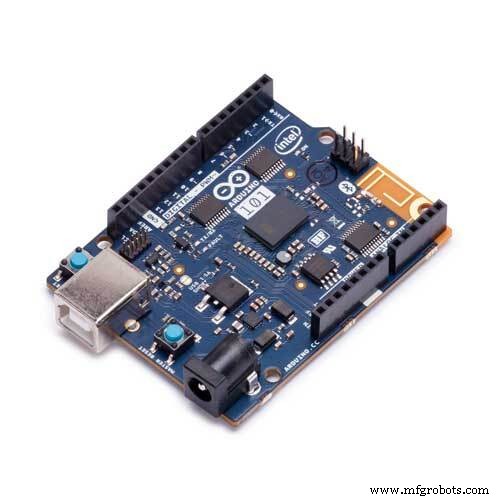 |
| × | 1 |
About this project
Goals- Automatically turn on (and off) lights when footsteps are detected
- Synchronize the flashing of lights with the detected tempo of nearby dancing / tapping
- Output accelerometer/gyroscope readings over USB/Bluetooth for the detection of seismic events
https://github.com/ckuzma/arduino-101-sketches
SketchesTapFlashTest
#include "CurieIMU.h"
void setup() {
 pinMode(LED_BUILTIN, OUTPUT);
 CurieIMU.begin();
 CurieIMU.attachInterrupt(eventCallback);
 CurieIMU.setDetectionThreshold(CURIE_IMU_SHOCK, 1050); // 1.050g = 1050mg
 CurieIMU.setDetectionDuration(CURIE_IMU_SHOCK, 75);   // 75ms
 CurieIMU.interrupts(CURIE_IMU_SHOCK);
}
void loop() {
 // We don't need to put anything in the main loop...
}
static void eventCallback(void) {
 if (CurieIMU.getInterruptStatus(CURIE_IMU_SHOCK)) {
   digitalWrite(LED_BUILTIN, HIGH);
   delay(50);
   digitalWrite(LED_BUILTIN, LOW);
 }
}
- Flashes onboard LED when a tap is detected
- Used to figure out changes to impulse detection
TapBeatMatch
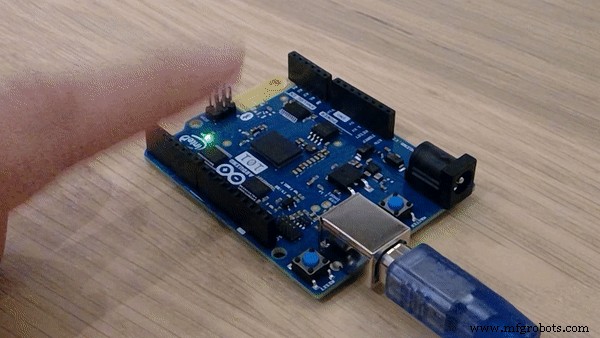
- Synchronizes flashing of onboard LED to the tempo of tapping on tabletop surface near the Arduino 101
- Implemented weighted average to help mitigate noise
- Adjustable shock detection threshold
SeismicReader + Python Visualization Script
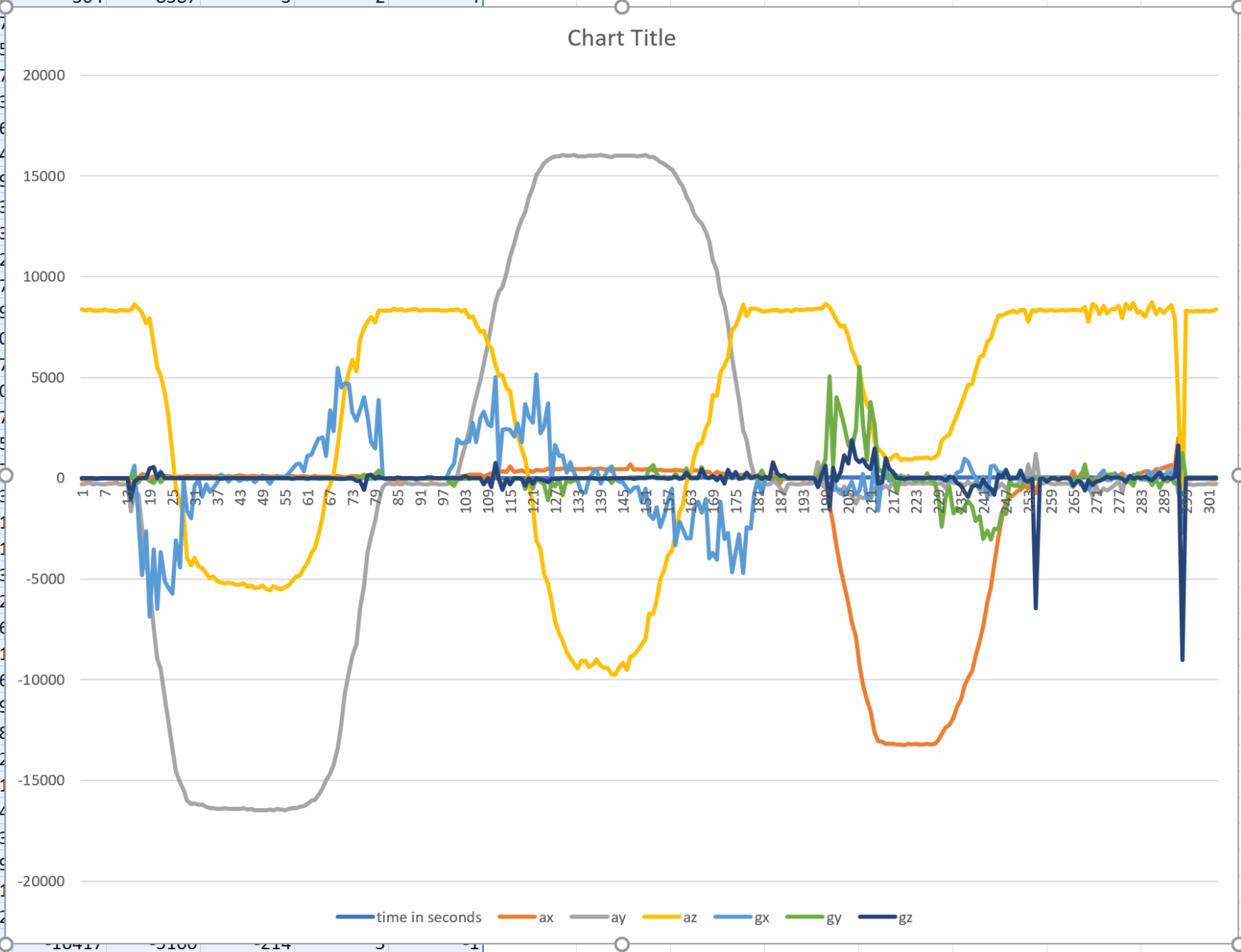
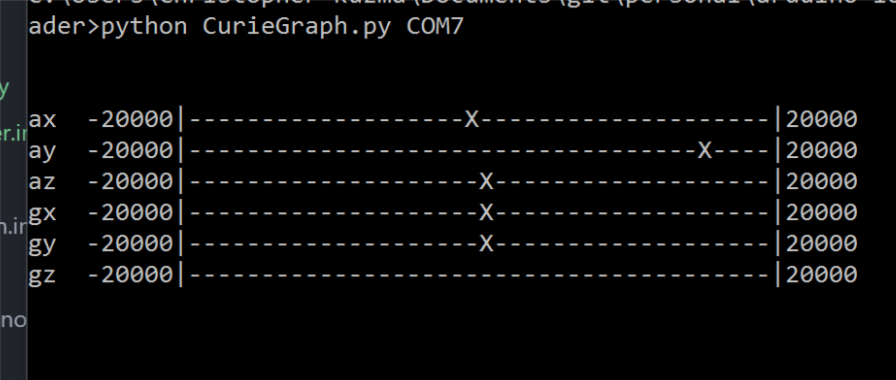
- Arduino 101 board outputs JSON-formatted accelerometer and gyroscope values over Serial, which is then read by a connected computer
- Wrote a small Python script that reads data from the board and graphs it on very simple lines in the terminal / command prompt
- Saves results to a CSV that can be opened in Excel and graphed
- Multiplatform Python 2.x / 3.x usage:
VibrationLighting
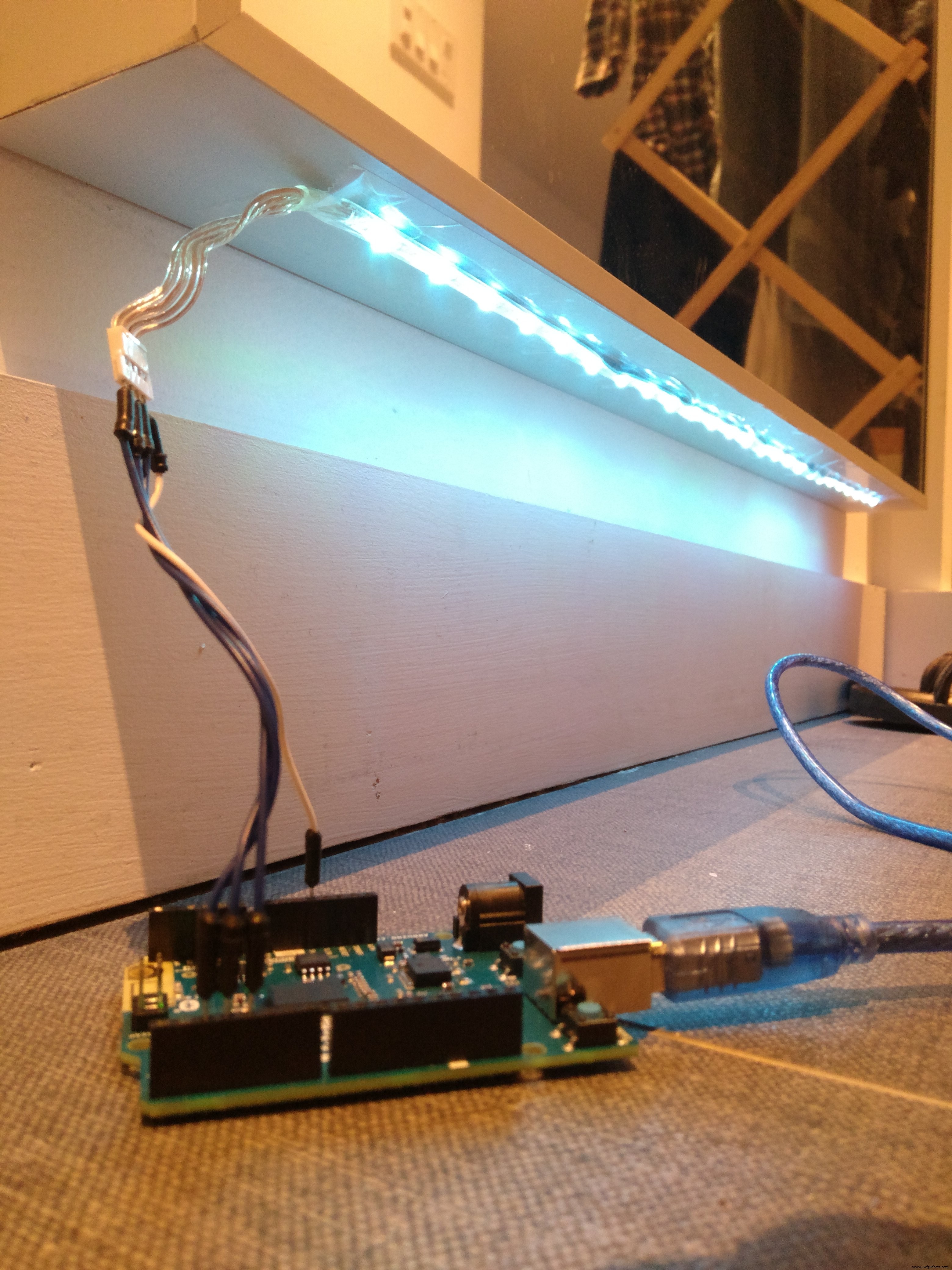
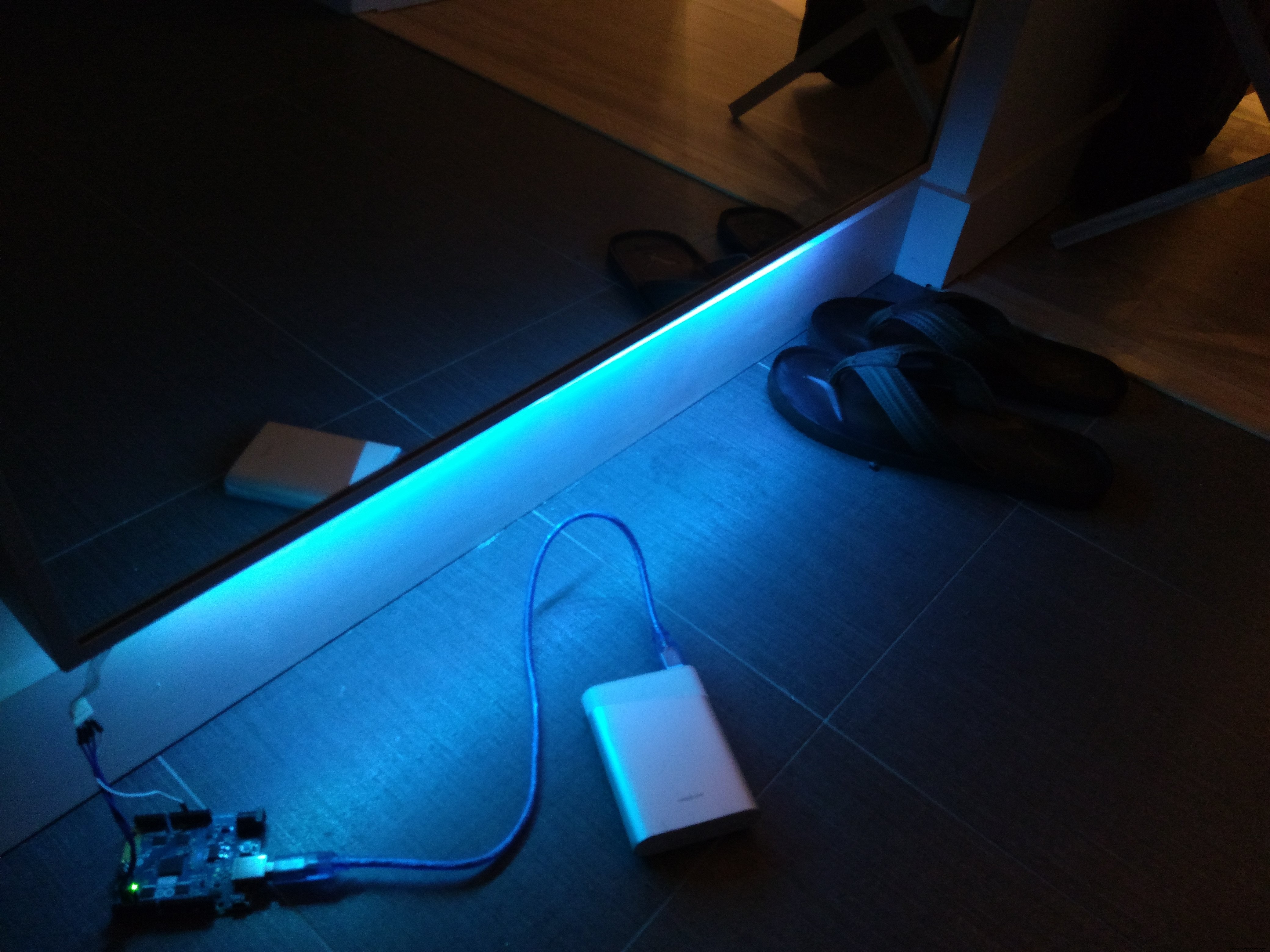
- Originally designed to detect approaching footsteps and activate lighting while someone is nearby, was scaled back to double-tap detection as the signal-to-noise ratio wasn't clean enough for my installation
- LED strip taped underneath the entryway mirror turns on and off when the mirror is knocked on twice in a row
A conversation with Bogdan made me realize that it'd be very easy to modify the Arduino sketch to work with standalone accelerometer + gyroscope sensors connected to nearly any Arduino device, and then use CurieGraph.py
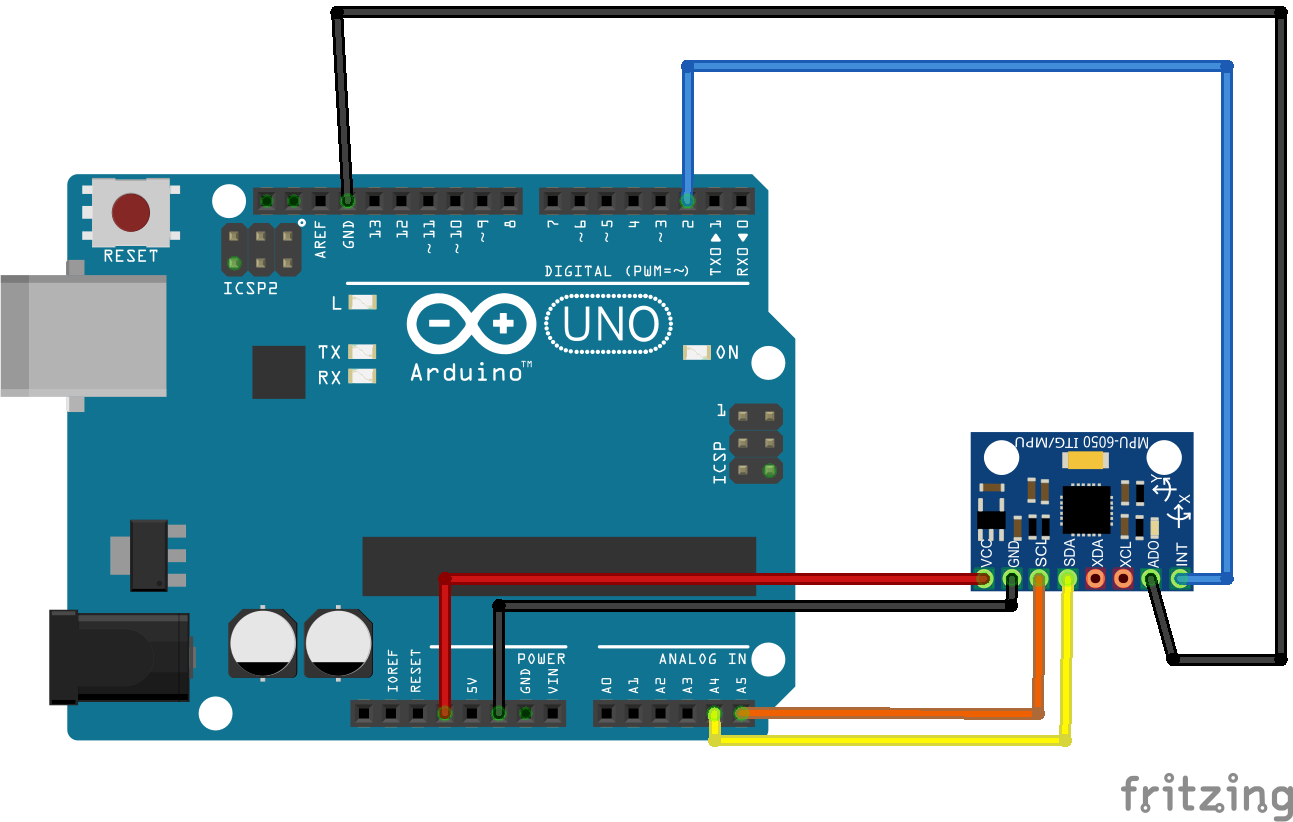
to visualize the data. Seeing as the goal of collecting seismic readings is to prove that it's possible to massively crowd-source data without complicated or specialized equipment, I rummaged in my desk for the "ITG-MTU" / "GY-521" / "MPU-6050" sensor board, and wrote the following Sketch for it. CurieGraph.py might fail to start a couple of times, but usually it catches on properly by the third attempt.
ExternalGyroscope
#include<Wire.h>
const int MPU_addr=0x68;  // I2C address for ITG-MTU
int ax, ay, az, temp, gx, gy, gz;
void setup(){
 Serial.begin(9600);
 Wire.begin();
 Wire.beginTransmission(MPU_addr);
 Wire.write(0x6B);
 Wire.write(0);
 Wire.endTransmission(true);
}
String jsonEncodeValue(String key, float keyVal){
 return "\"" + key + "\":" + String(keyVal) + "";
}
String assembleJson(String keysAndVals){
 return "{" + keysAndVals + "}";
}
void loop(){
 Wire.beginTransmission(MPU_addr);
 Wire.write(0x3B);
 Wire.endTransmission(false);
 Wire.requestFrom(MPU_addr, 14, true);
 ax = Wire.read()<<8|Wire.read();
 ay = Wire.read()<<8|Wire.read();
 az = Wire.read()<<8|Wire.read();
 temp = Wire.read()<<8|Wire.read();
 gx = Wire.read()<<8|Wire.read();
 gy = Wire.read()<<8|Wire.read();
 gz = Wire.read()<<8|Wire.read();
 // temp = temp/340.00+36.53; // Convert temp data to celsius - NOT BEING USED
 String keyVals = jsonEncodeValue("ax", ax) + ",";
 keyVals += jsonEncodeValue("ay", ay) + ",";
 keyVals += jsonEncodeValue("az", az) + ",";
 keyVals += jsonEncodeValue("gx", gx) + ",";
 keyVals += jsonEncodeValue("gy", gy) + ",";
 keyVals += jsonEncodeValue("gz", gz);
 Serial.println(assembleJson(keyVals));
 delay(100);
}
Code
arduino-101-sketches
A collection of sketches written specifically for the Arduino 101, taking advantage of the Intel Curie's accelerometers and gyroscopes.https://github.com/ckuzma/arduino-101-sketchesManufacturing process
- Build a Smart Piggy Bank: Control a Coin Acceptor with Arduino Nano
- Arduino Power Control Center: N-FET, P-FET, Relay & RTC Kit
- Control an LED via Bluetooth with Arduino – Simple DIY Guide
- DIY Arduino Humidifier Controller with Relay – Safe High‑Voltage Setup
- Arduino Web-Controlled Light Bulb: Step-by-Step Guide
- Arduino 101: Build a Pattern‑Matching LED Dress with Intel Curie
- Hysteresis-Based Arduino Temperature Control System
- Gesture‑Controlled Robot Project: Build Your Own Motion‑Sensing Bot
- Arduino UNO Web-Enabled Servo Control with PHPoC WiFi Shield
- Remote Control of a 6‑DOF Arduino Robot Arm via Web Interface