



Arduino Weather Clock – Real-Time Date, Time, Temperature & Humidity Display
Components and supplies
 |
| × | 1 | |||
 |
| × | 1 | |||
| × | 1 | ||||
 |
| × | 1 | |||
| × | 1 | ||||
 |
| × | 1 | |||
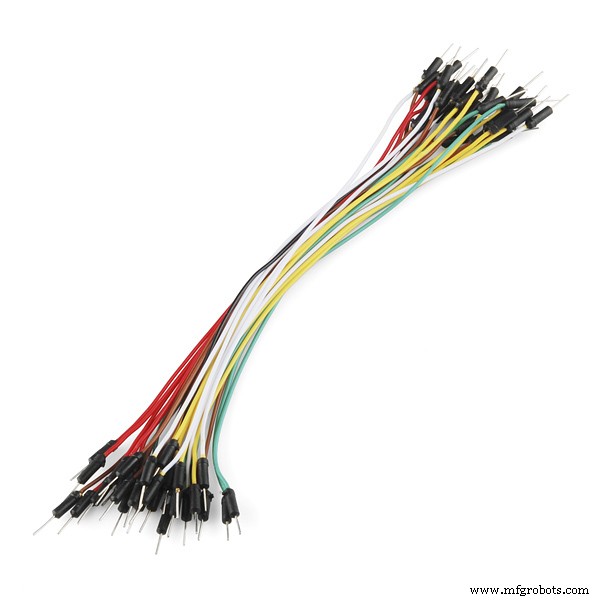 |
| × | 15 |
About this project
Have you ever wanted to make your own interface that can display the time, date, along with the temperature and the humidity? Well it's a lot easier than you'd think.
A few important components are needed, as shown below.
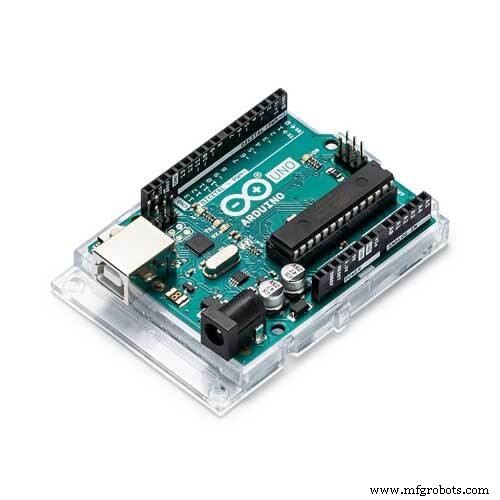
Arduino Uno/Nano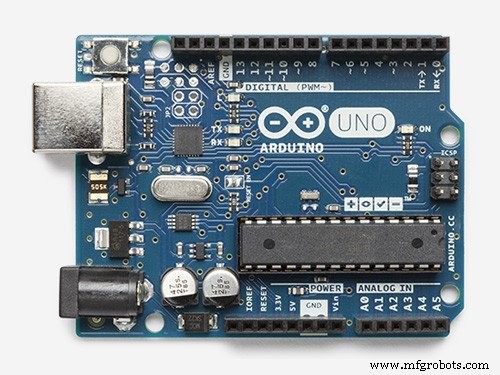
Firstly we will be needing a micro controller. I used an Arduino Uno for my project but an Arduino Nano will also have enough pins.
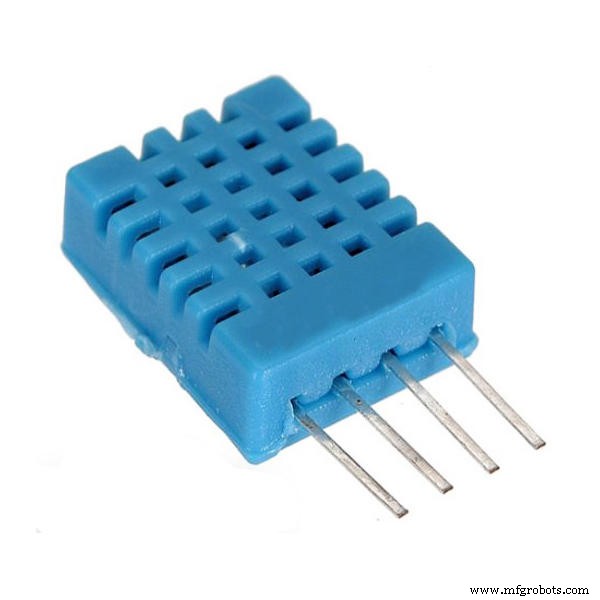
DHT11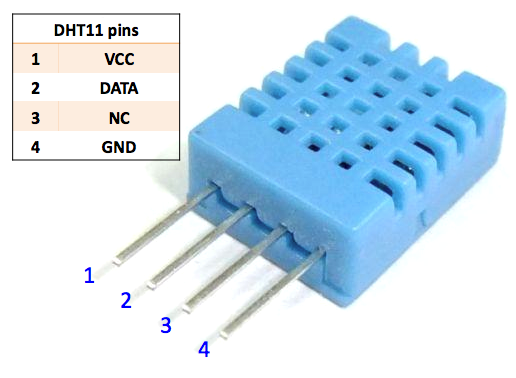
The DHT11 is a very affordable digital temperature and humidity sensor. It uses a capacitive humidity sensor and a thermistor to measure the surrounding air. The timing of the readings is crucial, as it is advisable to take reading every 2 seconds.
There is a small point to keep in mind. After setting the time once, make sure you comment that line, and compile again. This way, the RTC will keep track of the time, and the time will not set to whatever you compiled it to be earlier.
DS3231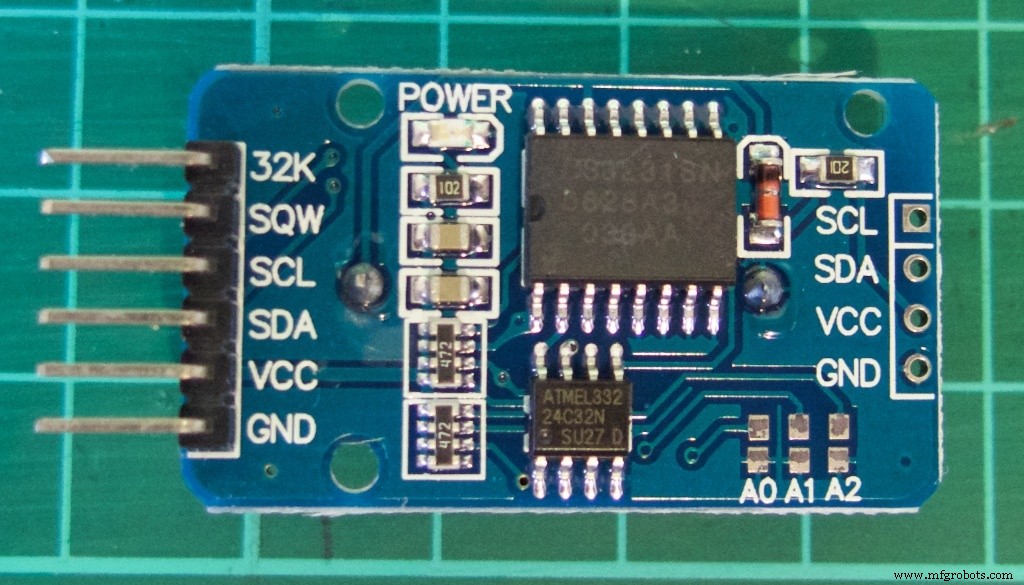
The DS3231 is an RTC module, same as the commonly used DS1307 module. It is considerably cheap and far more accurate that its DS1307 counterpart. It contains an integrated temperature-compensated crystal oscillator (TCXO) and crystal. The device incorporates a battery input, and maintains accurate timekeeping when main power to the device is interrupted.
128x64 OLED graphics display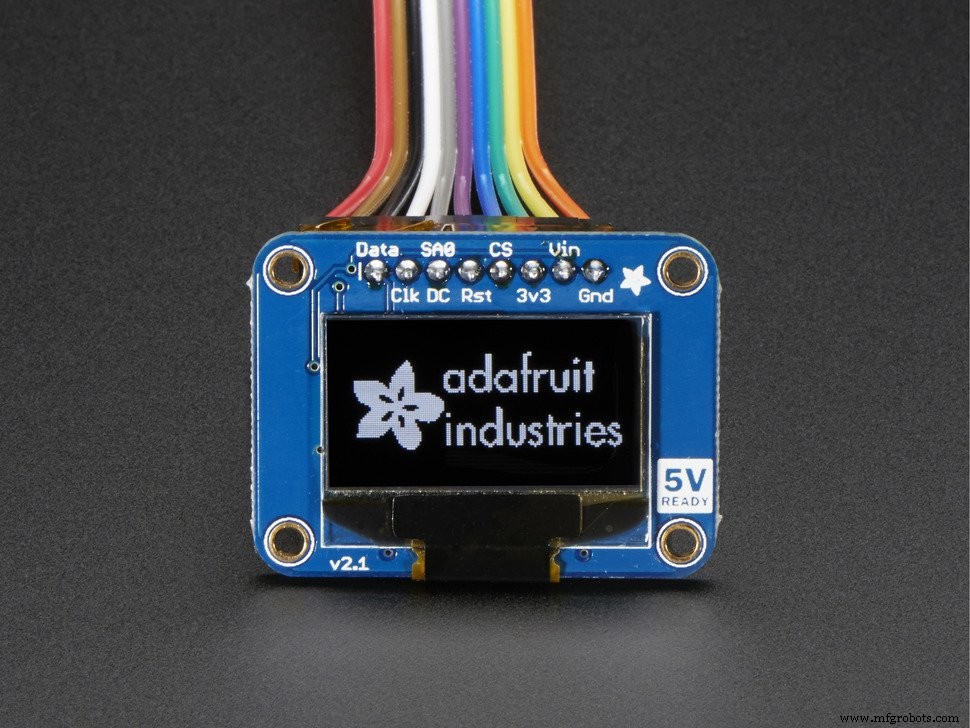
The OLED screen will be displaying our data. This screen size is quite compact and the screen is impressively bright. The Adafruit OLED screen can be controlled using SPI or I2C interface, which can be adjusted at the back of the screen. You can use a more affordable screen as well (there are lots in eBay), but be careful which one you purchase as the screen needs to work with the header files we are going to use via Adafruit's libraries.
Code
- Time_Temp_Humidity_Display.ino
Time_Temp_Humidity_Display.inoArduino
This is the code to compile the project. Remember to add the necessary header files, without with the project will not work.//Greetings hackster.io users!
//Date, Time, Temperature and Humidity Display
/////////////////////////For OLED////////////////////////
#include <SPI.h>
#include <Wire.h>
#include <Adafruit_GFX.h>
#include <Adafruit_SSD1306.h>
// If using software SPI (the default case):
#define OLED_MOSI 9 //MOSI aka SDA
#define OLED_CLK 10 //CLK aka SCL
#define OLED_DC 11
#define OLED_CS 12
#define OLED_RESET 13
Adafruit_SSD1306 display(OLED_MOSI, OLED_CLK, OLED_DC, OLED_RESET, OLED_CS);
#if (SSD1306_LCDHEIGHT != 64)
#error("Height incorrect, please fix Adafruit_SSD1306.h!");
#endif
/////////////////////////////////////////////////////////////
////////////////////////////For DHT//////////////////////////
#include<dht.h>
dht DHT;
#define DHT11_PIN 3
int DHTtimer = 0;
/////////////////////////////////////////////////////////////
////////////////////////////For RTC (DS3231)//////////////////////////
//SDA to A4, SCL to A5
#define DS3231_I2C_ADDRESS 0x68
// Convert normal decimal numbers to binary coded decimal
byte decToBcd(byte val)
{
return( (val/10*16) + (val%10) );
}
// Convert binary coded decimal to normal decimal numbers
byte bcdToDec(byte val)
{
return( (val/16*10) + (val%16) );
}
/////////////////////////////////////////////////////////////
void setup()
{
Wire.begin();
Serial.begin(9600);
//set the initial time here, after setting the time, comment this section
//DS3231 seconds, minutes, hours, day, date, month, year
//setDS3231time(00,24,12,6,3,2,17);
display.begin(SSD1306_SWITCHCAPVCC);
display.clearDisplay();
}
////////////////////////////DS3231 coding//////////////////////////
void setDS3231time(byte second, byte minute, byte hour, byte dayOfWeek, byte
dayOfMonth, byte month, byte year)
{
// sets time and date data to DS3231
Wire.beginTransmission(DS3231_I2C_ADDRESS);
Wire.write(0); // set next input to start at the seconds register
Wire.write(decToBcd(second)); // set seconds
Wire.write(decToBcd(minute)); // set minutes
Wire.write(decToBcd(hour)); // set hours
Wire.write(decToBcd(dayOfWeek)); // set day of week (1=Sunday, 7=Saturday)
Wire.write(decToBcd(dayOfMonth)); // set date (1 to 31)
Wire.write(decToBcd(month)); // set month
Wire.write(decToBcd(year)); // set year (0 to 99)
Wire.endTransmission();
}
void readDS3231time(byte *second,
byte *minute,
byte *hour,
byte *dayOfWeek,
byte *dayOfMonth,
byte *month,
byte *year)
{
Wire.beginTransmission(DS3231_I2C_ADDRESS);
Wire.write(0); // set DS3231 register pointer to 00h
Wire.endTransmission();
Wire.requestFrom(DS3231_I2C_ADDRESS, 7);
// request seven bytes of data from DS3231 starting from register 00h
*second = bcdToDec(Wire.read() & 0x7f);
*minute = bcdToDec(Wire.read());
*hour = bcdToDec(Wire.read() & 0x3f);
*dayOfWeek = bcdToDec(Wire.read());
*dayOfMonth = bcdToDec(Wire.read());
*month = bcdToDec(Wire.read());
*year = bcdToDec(Wire.read());
}
void displayTime()
{
byte second, minute, hour, dayOfWeek, dayOfMonth, month, year;
// retrieve data from DS3231
readDS3231time(&second, &minute, &hour, &dayOfWeek, &dayOfMonth, &month,
&year);
// send it to the serial monitor
Serial.print(hour, DEC);
// convert the byte variable to a decimal number when displayed
Serial.print(":");
if (minute<10)
{
Serial.print("0");
}
Serial.print(minute, DEC);
Serial.print(":");
if (second<10)
{
Serial.print("0");
}
Serial.print(second, DEC);
Serial.print(" ");
Serial.print(dayOfMonth, DEC);
Serial.print("/");
Serial.print(month, DEC);
Serial.print("/");
Serial.print(year, DEC);
Serial.print(" Day of week: ");
//////////////////////////////////////////////////////////////////
display.setCursor(50,0);
display.print(dayOfMonth, DEC);
display.print(",");
display.setCursor(91,0);
display.print("20");
display.print(year, DEC);
if (hour<10)
{
display.setCursor(40,10);
display.print("0");
display.print(hour, DEC);
display.print(":");
}
if (hour>9)
{
display.setCursor(40,10);
display.print(hour, DEC);
display.print(":");
}
if (minute<10)
{
display.setCursor(58,10);
display.print("0");
display.print(minute, DEC);
display.print(":");
}
if (minute>9)
{
display.setCursor(58,10);
display.print(minute, DEC);
display.print(":");
}
if (second<10)
{
display.setCursor(75,10);
display.print("0");
display.print(second, DEC);
}
if (second>9)
{
display.setCursor(75,10);
display.print(second, DEC);
}
//////////////////////////////////////////////////////////////////
//////////////////////////////FOR DAY OF WEEK/////////////////////
switch(dayOfWeek){
case 1:
Serial.println("Sunday");
display.setTextSize(1);
display.setTextColor(WHITE);
display.setCursor(20,0);
display.print("Sun");
break;
case 2:
Serial.println("Monday");
display.setTextSize(1);
display.setTextColor(WHITE);
display.setCursor(20,0);
display.print("Mon");
break;
case 3:
Serial.println("Tuesday");
display.setTextSize(1);
display.setTextColor(WHITE);
display.setCursor(20,0);
display.print("Tue");
break;
case 4:
Serial.println("Wednesday");
display.setTextSize(1);
display.setTextColor(WHITE);
display.setCursor(20,0);
display.print("Wed");
break;
case 5:
Serial.println("Thursday");
display.setTextSize(1);
display.setTextColor(WHITE);
display.setCursor(20,0);
display.print("Thur");
break;
case 6:
Serial.println("Friday");
display.setTextSize(1);
display.setTextColor(WHITE);
display.setCursor(20,0);
display.print("Fri");
break;
case 7:
Serial.println("Saturday");
display.setTextSize(1);
display.setTextColor(WHITE);
display.setCursor(20,0);
display.print("Sat");
break;
}
//////////////////////////////FOR MONTH/////////////////////
switch(month)
{
case 1:
display.setTextSize(1);
display.setTextColor(WHITE);
display.setCursor(70,0);
display.print("Jan");
break;
case 2:
display.setTextSize(1);
display.setTextColor(WHITE);
display.setCursor(70,0);
display.print("Feb");
break;
case 3:
display.setTextSize(1);
display.setTextColor(WHITE);
display.setCursor(70,0);
display.print("Mar");
break;
case 4:
display.setTextSize(1);
display.setTextColor(WHITE);
display.setCursor(70,0);
display.print("Apr");
break;
case 5:
display.setTextSize(1);
display.setTextColor(WHITE);
display.setCursor(70,0);
display.print("May");
break;
case 6:
display.setTextSize(1);
display.setTextColor(WHITE);
display.setCursor(70,0);
display.print("Jun");
break;
case 7:
display.setTextSize(1);
display.setTextColor(WHITE);
display.setCursor(70,0);
display.print("Jul");
break;
case 8:
display.setTextSize(1);
display.setTextColor(WHITE);
display.setCursor(70,0);
display.print("Aug");
break;
case 9:
display.setTextSize(1);
display.setTextColor(WHITE);
display.setCursor(70,0);
display.print("Sep");
break;
case 10:
display.setTextSize(1);
display.setTextColor(WHITE);
display.setCursor(70,0);
display.print("Oct");
break;
case 11:
display.setTextSize(1);
display.setTextColor(WHITE);
display.setCursor(70,0);
display.print("Nov");
break;
case 12:
display.setTextSize(1);
display.setTextColor(WHITE);
display.setCursor(70,0);
display.print("Dec");
break;
}
/////////////HOUR HAND///////////////
float x1, y1, a, b;
const float pi = 3.14;
a=((hour-15)*30);
b = (a*pi)/180;
x1=40+(9*cos(b));
y1=41+(9*sin(b));
display.drawLine(40,41, x1, y1, WHITE);
/////////////MINUTE HAND///////////////
// float x1, y1, a, b;
// const float pi = 3.14;
a=((minute-15)*6);
b = (a*pi)/180;
x1=40+(17*cos(b));
y1=41+(17*sin(b));
display.drawLine(40,41, x1, y1, WHITE);
/////////////SECOND HAND///////////////
//float x1, y1, a, b;
a=((second-15)*6);
b = (a*pi)/180;
x1=40+(19*cos(b));
y1=41+(19*sin(b));
display.drawLine(40,41, x1, y1, WHITE);
////////////////PARTS OF THE ANALOG CLOCK THAT WILL NOT BE MOVING////////////////
display.drawCircle(40, 41, 22, WHITE);
display.drawCircle(40, 41, 1, WHITE);
display.drawLine(40, 20, 40, 25, WHITE); //12
display.drawLine(40, 63, 40, 58, WHITE); //6
display.drawLine(62, 41, 57, 41, WHITE); //3
display.drawLine(19, 41, 24, 41, WHITE); //9
display.drawLine(50, 24, 47, 28, WHITE); //1
display.drawLine(57, 31, 53, 34, WHITE); //2
display.drawLine(60, 51, 54, 48, WHITE); //4
display.drawLine(51, 58, 48, 54, WHITE); //5
display.drawLine(29, 58, 32, 54, WHITE); //7
display.drawLine(21, 51, 25, 48, WHITE); //8
display.drawLine(22, 31, 27, 33, WHITE); //10
display.drawLine(30, 23, 32, 28, WHITE); //11
}
void ReadTempAndHum ()
{
int chk = DHT.read11(DHT11_PIN);
display.setTextSize(1);
display.setTextColor(WHITE);
display.setCursor(70,45);
display.print("Temp: ");
display.print(DHT.temperature, 0);
display.print("C");
display.setCursor(70,56);
display.print("Hum: ");
display.print(DHT.humidity, 0);
display.print("%");
Serial.print(" Humidity: " );
Serial.print(DHT.humidity, 1);
Serial.print("%");
Serial.print(" | Temperature: ");
Serial.print(DHT.temperature, 1);
Serial.println("C");
}
void loop() {
displayTime(); // display the real-time clock data on the Serial Monitor,
DHTtimer = DHTtimer + 1;
//To ensure that the DHT is read only every 2 seconds, we make a count that goes for 2 seconds
if (DHTtimer > 1)
{
display.fillRect(70, 45, 128, 64, BLACK);
ReadTempAndHum ();
DHTtimer = 0;
}
delay(1000);
display.display();
//The portion of the screen that shows the time and date are cleared
display.fillRect(0, 0, 64, 64, BLACK);
display.fillRect(0, 0, 128, 20, BLACK);
}
Custom parts and enclosures
adafruit_ssd1306-master_KOASsXZpW2.zipadafruit-gfx-library-master_2IU6g1UpF6.zipdht_library_Xgke1ZhPls.zipdht-sensor-library-master_Al4SeQRvaS.ziparduinortclibrary-master_hKLoSjCilY.zipSchematics
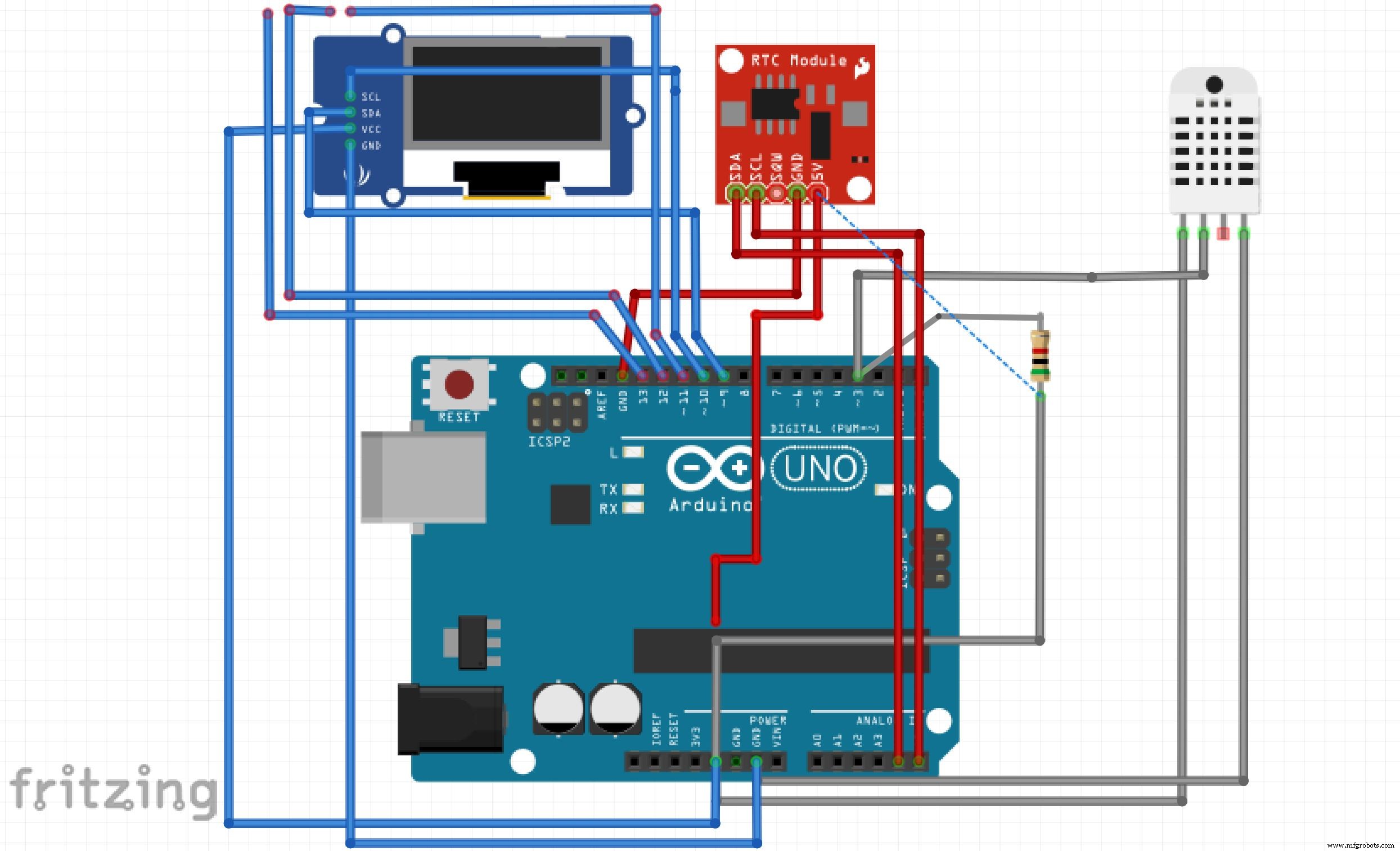
Note: I could not find the proper OLED screen on Fritzing. If you need further clarification on where the pin outs from the OLED go, check the comments on the code.breadboard_diagram_QvhPKCpIo5.fzzNote: I could not find the proper OLED screen on Fritzing. If you need further clarification on where the pin outs from the OLED go, check the comments on the code.schematic_XKU0jQoWbx.fzzManufacturing process
- Retrieve Current Date and Time in Python: A Practical Guide
- Seamless Temperature & Humidity Monitoring on Raspberry Pi with EzTemp
- Ensuring Timely Production of New Vaccines and Biologics
- Mastering Java Date and Time: Constructors, Methods & Best Practices
- Comprehensive Guide to Date and Time in C++
- Arduino Temperature & Humidity Logger Using DHT11 and Ethernet Shield
- Display BME280 Temperature, Humidity & Pressure on a Nextion Touchscreen
- Real-Time Arduino Weather Clock: OLED Display for Time, Date & Temperature
- Bolt IoT: Advanced Humidity & Temperature Monitoring with DHT11 and Arduino
- Premium Walnut‑Case Humidity & Temperature Sensor Kit – Arduino + NeoPixel + TFT Display