



Easily Convert Strings to Integers in Java: A Step‑by‑Step Guide
In Java, converting a numeric string to an integer is a common task, yet it can trip up beginners if not handled correctly. Below you’ll find clear, concise examples using the two most frequently used methods: Integer.parseInt() and Integer.valueOf(). Both perform the same conversion, but they differ slightly in return type and performance.
- String to Integer using
Integer.parseInt() - String to Integer using
Integer.valueOf()
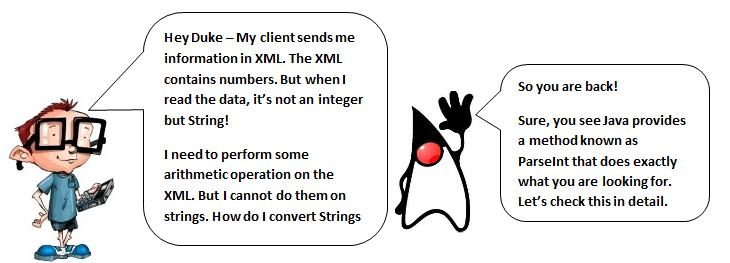
Assume you have a string that represents a number:
String strTest = "100";
If you attempt a numeric operation directly on the string, Java will throw a compile‑time error because it treats the variable as text, not a number:
class StrConvert{
  public static void main(String []args){
    String strTest = "100";
    System.out.println("Using String:" + (strTest/4));
  }
}
Output:
/StrConvert.java:4: error: bad operand types for binary operator '/'
    System.out.println("Using String:" + (strTest/4));
To perform arithmetic, you must first convert the string to an integer.
Example 1: Convert String to Integer using Integer.parseInt()
The parseInt method returns a primitive int. It’s fast and ideal when you don’t need an object reference.
Syntax:
int iTest = Integer.parseInt(strTest);
Full example:
class StrConvert{
  public static void main(String []args){
    String strTest = "100";
    int iTest = Integer.parseInt(strTest);
    System.out.println("Actual String:" + strTest);
    System.out.println("Converted to Int:" + iTest);
    // Now you can perform arithmetic
    System.out.println("Arithmetic Operation on Int: " + (iTest/4));
  }
}
Output:
Actual String:100
Converted to Int:100
Arithmetic Operation on Int: 25
Example 2: Convert String to Integer using Integer.valueOf()
The valueOf method returns an Integer object. Thanks to autoboxing, you can assign it directly to an int variable, but the method is slightly slower due to object creation.
Full example:
public class StrConvert{
  public static void main(String []args){
    String strTest = "100";
    int iTest = Integer.valueOf(strTest); // autounboxing to int
    System.out.println("Actual String:" + strTest);
    System.out.println("Converted to Int:" + iTest);
    System.out.println("Arithmetic Operation on Int:" + (iTest/4));
  }
}
Output:
Actual String:100
Converted to Int:100
Arithmetic Operation on Int:25
Handling Invalid Numbers: NumberFormatException
If the string does not represent a valid integer, both parseInt and valueOf throw a NumberFormatException. This safeguards your program from silent failures.
Example:
public class StrConvert{
  public static void main(String []args){
    String strTest = "Guru99";
    int iTest = Integer.valueOf(strTest);
    System.out.println("Actual String:" + strTest);
    System.out.println("Converted to Int:" + iTest);
  }
}
Output:
Exception in thread "main" java.lang.NumberFormatException: For input string: "Guru99"
Best practice is to validate the string before conversion or wrap the conversion in a try-catch block to handle the exception gracefully.
For deeper insight, consult the official Java documentation: Integer.parseInt and Integer.valueOf.
Java
- Mastering Java Strings: Creation, Methods, and Best Practices
- Mastering String Representations in Java Enums
- Mastering Java StringWriter: Usage, Methods, and Practical Examples
- Java String length() Method: How to Get a String’s Size (Example)
- Mastering Java's String compareTo() Method: Syntax, Use Cases, and Practical Examples
- Mastering Java's split() Method: A Practical Guide with Code Examples
- Converting a Char to a String in Java – Practical Examples and Best Practices
- Reverse a String in Java Using Recursion – Step‑by‑Step Guide
- Java Strings Class: Mastering String Creation & Manipulation
- Java 8 Overview: New Functional, Streaming, and Date-Time APIs