



Mastering Java StringWriter: Usage, Methods, and Practical Examples
Java StringWriter Class
Discover how Java’s StringWriter writes character data to an in‑memory buffer, along with key methods and real‑world examples.
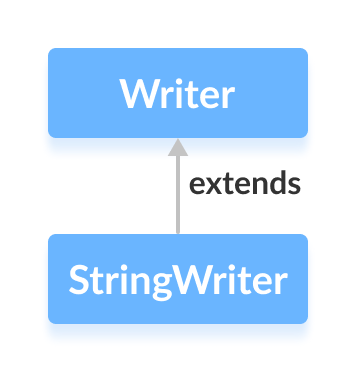
The StringWriter class, located in the java.io package, extends the abstract Writer class and allows developers to write character data into a mutable string buffer. This buffer can be expanded as needed and later converted to a standard String via toString().
Note: In Java, a string buffer behaves like a mutable string, meaning its content can be modified. The toString() method is used to retrieve its current value as an immutable String.
Create a StringWriter
To instantiate a StringWriter, import the class first:
import java.io.StringWriter;Then create the object:
// Creates a StringWriter with the default buffer capacity
StringWriter output = new StringWriter();
You can also specify an initial buffer size if you anticipate a large amount of data:
// Creates a StringWriter with a predefined buffer capacity
StringWriter output = new StringWriter(int size);
The size argument determines the initial capacity of the internal buffer.
Key Methods of StringWriter
The class implements several methods inherited from Writer, enabling flexible data handling.
write() Method
write(int c)– writes a single character.write(char[] cbuf)– writes an array of characters.write(String str)– writes a string.
Example: Using StringWriter
import java.io.StringWriter;

public class Main {
    public static void main(String[] args) {
        String data = "This is the text in the string.";
        try {
            // Create a StringWriter with the default capacity
            StringWriter output = new StringWriter();
            // Write data to the buffer
            output.write(data);
            // Print the content
            System.out.println("Data in the StringWriter: " + output);
            output.close();
        } catch (Exception e) {
            e.printStackTrace();
        }
    }
}
Output
Data in the StringWriter: This is the text in the string.
In this example, the output variable holds the StringWriter instance. The write() method appends the string data to the internal buffer, and the buffer’s content is displayed by calling output.toString().
Accessing Data from the Buffer
getBuffer()– returns the underlyingStringBufferinstance.toString()– returns the buffer’s contents as a plainString.
Example:
import java.io.StringWriter;

public class Main {
    public static void main(String[] args) {
        String data = "This is the original data";
        try {
            StringWriter output = new StringWriter();
            output.write(data);
            StringBuffer sb = output.getBuffer();
            System.out.println("StringBuffer: " + sb);
            String str = output.toString();
            System.out.println("String: " + str);
            output.close();
        } catch (Exception e) {
            e.printStackTrace();
        }
    }
}
Output
StringBuffer: This is the original data
String: This is the original data
close() Method
Calling close() on a StringWriter does not release resources or prevent further writes; the object remains usable after closing.
Additional StringWriter Methods
| Method | Description |
|---|---|
flush() | Ensures all buffered data is written to the string buffer (effectively a no‑op for StringWriter). |
append() | Appends a character or string to the current buffer. |
For the complete reference, consult the official Java documentation.
Java
- Mastering Java Strings: Creation, Methods, and Best Practices
- Mastering Java Anonymous Inner Classes: Definition, Syntax, and Practical Examples
- Mastering Java’s ObjectInputStream: A Comprehensive Guide
- Mastering Java ObjectOutputStream: Serialization, Methods, and Practical Examples
- Mastering Java’s PrintStream Class: Print, Println, and Printf Explained
- Mastering Java Reader Class: Subclasses, Methods, and Practical Example
- Mastering Java Generics – Building Reusable, Type‑Safe Code
- Mastering Java File Operations with java.io – Creation, Reading, Writing & Deletion
- Java Strings Class: Mastering String Creation & Manipulation
- Java 8 Overview: New Functional, Streaming, and Date-Time APIs