



Mastering Java’s PrintStream Class: Print, Println, and Printf Explained
Mastering Java’s PrintStream Class
This tutorial delves into Java’s PrintStream class, covering its creation, core methods, and practical examples.
The PrintStream class, part of the java.io package, extends OutputStream and is designed to output human‑readable text rather than raw bytes.
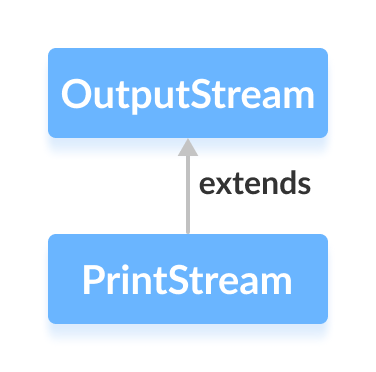
How PrintStream Works
Unlike other streams, PrintStream converts primitive values (int, char, etc.) into formatted text before writing them to the destination. It also never throws IOException; instead, errors are reported via checkError().
Auto‑flush is a key feature: the stream flushes automatically when
- a newline character (
\n) is printed, - the
println()method is called, or - a byte array is written.
Creating a PrintStream
First, import the class:
import java.io.PrintStream;1. From an existing OutputStream
// Example: wrap a FileOutputStream
FileOutputStream fos = new FileOutputStream("log.txt");
PrintStream ps = new PrintStream(fos, true); // true = autoFlush
This writes formatted text to log.txt with optional auto‑flushing.
2. Directly from a filename
PrintStream ps = new PrintStream("log.txt", true);The constructor accepts a boolean for auto‑flush. By default, the stream uses the platform’s character encoding.
3. Specifying a charset
PrintStream ps = new PrintStream("log.txt", true, StandardCharsets.UTF_8);Using Charset lets you choose UTF‑8, UTF‑16, or any supported encoding.
Note: For more details on character sets, see the Java Charset API.
Core Methods of PrintStream
print() and println()
print(Object obj)– outputs the object’s string representation.println(Object obj)– appends a platform‑specific line terminator.
Example: Using System.out
public class Main {
    public static void main(String[] args) {
        System.out.print("Hello World.");
    }
}
Here, System.out is a pre‑configured PrintStream, so its print() method is immediately available.
Example: Writing to a File
import java.io.PrintStream;

public class Main {
    public static void main(String[] args) {
        try {
            PrintStream ps = new PrintStream("output.txt");
            ps.print("This is a text inside the file.");
            ps.close();
        } catch (Exception e) {
            e.printStackTrace();
        }
    }
}
The resulting output.txt contains:
This is a text inside the file.
printf()
Prints formatted text using format specifiers:
System.out.printf("I am %d years old", 25);Here, %d is replaced by the integer value 25.
Example: Using printf() with a File
import java.io.PrintStream;

public class Main {
    public static void main(String[] args) {
        try {
            PrintStream ps = new PrintStream("output.txt");
            int age = 25;
            ps.printf("I am %d years old.", age);
            ps.close();
        } catch (Exception e) {
            e.printStackTrace();
        }
    }
}
After execution, output.txt contains:
I am 25 years old.
Additional PrintStream Methods
| Method | Description |
|---|---|
close() |
Closes the stream and releases system resources. |
checkError() |
Returns true if the stream has encountered an error. |
append() |
Appends the specified character sequence to the stream. |
For comprehensive details, consult the official Java PrintStream documentation.
Java
- Understanding Java’s final Keyword: Variables, Methods, and Classes
- Java instanceof Operator: A Comprehensive Guide
- Mastering Java Inheritance: Concepts, Types, and Practical Examples
- Understanding Java Nested Static Classes: Usage, Differences, and Examples
- Mastering Java Anonymous Inner Classes: Definition, Syntax, and Practical Examples
- Mastering Java’s ObjectInputStream: A Comprehensive Guide
- Mastering Java ObjectOutputStream: Serialization, Methods, and Practical Examples
- Mastering Java Reader Class: Subclasses, Methods, and Practical Example
- Mastering Java Generics – Building Reusable, Type‑Safe Code
- Mastering Java File Operations with java.io – Creation, Reading, Writing & Deletion