



Java InputStreamReader Explained: Methods, Encoding, and Practical Examples
Java InputStreamReader Explained
Discover how Java’s InputStreamReader bridges byte streams to character streams, its core methods, and how to handle encoding correctly.
The InputStreamReader class in java.io converts raw bytes into characters, making it essential for reading text files, network streams, or any byte-based source that represents characters.
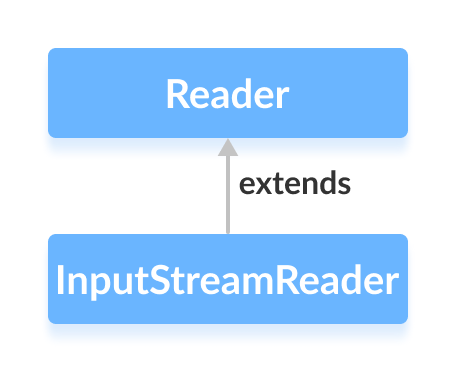
It extends the abstract Reader class and acts as a bridge between byte streams (e.g., FileInputStream) and character streams.
When a character requires multiple bytes—such as UTF‑8 or UTF‑16 encoded text—InputStreamReader reads those bytes together and produces the correct character.
Creating an InputStreamReader
Begin by importing the necessary class:
import java.io.InputStreamReader;
Typical instantiation uses a FileInputStream as the underlying byte source:
FileInputStream file = new FileInputStream("example.txt");
InputStreamReader reader = new InputStreamReader(file);
If you know the file’s encoding, specify it to avoid misinterpretation:
InputStreamReader reader = new InputStreamReader(file, Charset.forName("UTF-8"));
Using Charset guarantees the reader interprets bytes using the intended character set.
Core Methods of InputStreamReader
read()
int read()– Reads a single character.int read(char[] cbuf)– Fills an array with characters.int read(char[] cbuf, int off, int len)– Reads up tolencharacters intocbufstarting atoff.
Example: Reading a text file into a character array.
import java.io.*;

class Main {
  public static void main(String[] args) {
    char[] buffer = new char[100];
    try (FileInputStream file = new FileInputStream("input.txt");
         InputStreamReader reader = new InputStreamReader(file)) {
      reader.read(buffer);
      System.out.println("Data in the stream:\n" + new String(buffer));
    } catch (IOException e) {
      e.printStackTrace();
    }
  }
}
Output
Data in the stream:
This is a line of text inside the file.
getEncoding()
Retrieve the encoding used by the reader:
InputStreamReader defaultReader = new InputStreamReader(file);
InputStreamReader utf8Reader = new InputStreamReader(file, Charset.forName("UTF-8"));
System.out.println("Default encoding: " + defaultReader.getEncoding());
System.out.println("UTF‑8 encoding: " + utf8Reader.getEncoding());
Output
Default encoding: Cp1252
UTF‑8 encoding: UTF-8
When no encoding is specified, getEncoding() returns the platform’s default charset.
Note: Use Charset.forName() for explicit encodings. For more details, see the Java Charset documentation.
close()
Always close the reader after use. The try‑with‑resources construct above handles this automatically, but you can also call reader.close() explicitly.
Other Useful Methods
| Method | Description |
|---|---|
ready() | Checks if the stream is ready for reading. |
mark(int readAheadLimit) | Marks the current position for later reset. |
reset() | Returns to the last marked position. |
For a comprehensive reference, visit the official InputStreamReader page.
Java
- Mastering Java Anonymous Inner Classes: Definition, Syntax, and Practical Examples
- Java InputStream Class – Understanding Core Methods & Practical Example
- Mastering Java FileInputStream: A Practical Guide with Code Examples
- Java ByteArrayInputStream: A Practical Guide to Reading Byte Arrays
- Mastering Java’s ObjectInputStream: A Comprehensive Guide
- Mastering Java ObjectOutputStream: Serialization, Methods, and Practical Examples
- Mastering Java’s PrintStream Class: Print, Println, and Printf Explained
- Mastering Java Reader Class: Subclasses, Methods, and Practical Example
- Mastering Java Scanner: A Comprehensive Guide with Practical Examples
- Mastering Java Generics – Building Reusable, Type‑Safe Code