



Mastering Java BufferedInputStream: Efficient Byte Reading & Advanced Methods
Java BufferedInputStream Class Overview
This tutorial covers the Java BufferedInputStream class, its key methods, and practical examples to improve file I/O performance.
The BufferedInputStream class in the java.io package enhances byte‑level input streams by adding an internal buffer, enabling faster and more efficient data reading.
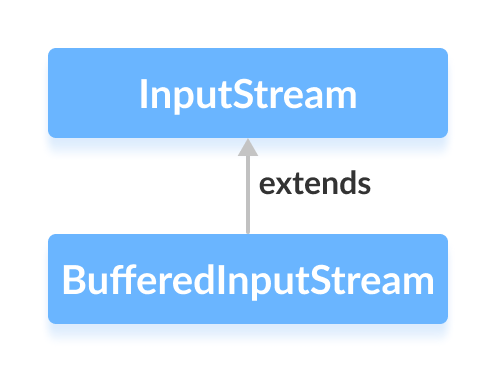
It extends the abstract InputStream class.
How BufferedInputStream Works
BufferedInputStream maintains an internal buffer of 8,192 bytes by default. When a read operation is requested, a block of bytes is fetched from the underlying stream (typically a file) and stored in this buffer. Subsequent read calls then consume bytes from the buffer until it is exhausted, at which point another block is loaded. This reduces costly disk I/O and accelerates data consumption.
Creating a BufferedInputStream
To create a BufferedInputStream, first import the class:
import java.io.BufferedInputStream;
import java.io.FileInputStream;
Then, instantiate it by wrapping a lower‑level stream such as FileInputStream:
FileInputStream file = new FileInputStream("example.txt");
BufferedInputStream buffer = new BufferedInputStream(file);
Optionally, specify a custom buffer size:
int bufferSize = 16_384; // 16 KB
BufferedInputStream buffer = new BufferedInputStream(file, bufferSize);
The larger the buffer, the fewer disk accesses are required—useful for large files or network streams.
Key Methods of BufferedInputStream
read()
int read()– reads a single byte and returns it as an integer (0–255) or-1if the end of the stream is reached.int read(byte[] b)– reads up tob.lengthbytes into the array.int read(byte[] b, int off, int len)– reads up tolenbytes intobstarting at offsetoff.
Example: Reading a text file byte by byte and printing it to the console.
import java.io.BufferedInputStream;
import java.io.FileInputStream;

public class Main {
    public static void main(String[] args) {
        try (BufferedInputStream in = new BufferedInputStream(new FileInputStream("input.txt"))) {
            int byteRead;
            while ((byteRead = in.read()) != -1) {
                System.out.print((char) byteRead);
            }
        } catch (Exception e) {
            e.printStackTrace();
        }
    }
}
Output:
This is a line of text inside the file.
available()
The available() method reports the number of bytes that can be read from the stream without blocking. This can help gauge progress when processing large streams.
FileInputStream file = new FileInputStream("input.txt");
BufferedInputStream buffer = new BufferedInputStream(file);
System.out.println("Bytes available: " + buffer.available());
// ... read data
System.out.println("Bytes remaining: " + buffer.available());
buffer.close();
skip(long n)
Use skip() to bypass a specified number of bytes. It returns the actual number of bytes skipped, which may be less than requested if the end of the stream is reached.
buffer.skip(5); // skip first 5 bytes
close()
Always close the stream (preferably using a try‑with‑resources block) to release system resources. After closing, the stream cannot be reused.
Other Notable Methods
| Method | Description |
|---|---|
mark(int readLimit) | Marks the current position in the stream. Subsequent calls to reset() will return to this point, provided no more than readLimit bytes have been read. |
reset() | Repositions the stream to the last marked position. |
For a complete reference, consult the official Java documentation.
Java
- Mastering Java Anonymous Inner Classes: Definition, Syntax, and Practical Examples
- Mastering Java FileInputStream: A Practical Guide with Code Examples
- Mastering Java’s ObjectInputStream: A Comprehensive Guide
- Mastering Java ObjectOutputStream: Serialization, Methods, and Practical Examples
- Mastering Java’s PrintStream Class: Print, Println, and Printf Explained
- Mastering Java FileReader: Comprehensive Guide & Practical Examples
- Mastering Java FileWriter: A Complete Tutorial
- Mastering Java BufferedReader: Efficient Character Stream Handling
- Java BufferedWriter: Efficient Character I/O Explained
- Mastering Java File Operations with java.io – Creation, Reading, Writing & Deletion