



Mastering Java FileInputStream: A Practical Guide with Code Examples
Java FileInputStream Class
This tutorial walks you through Java’s FileInputStream, covering its core methods, practical usage, and real‑world examples.
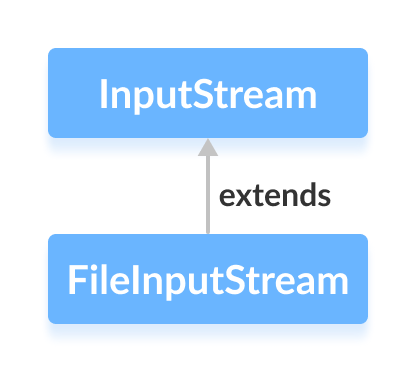
The FileInputStream class, part of the java.io package, allows you to read raw byte data from files. It extends the abstract InputStream class, providing a concrete implementation for file I/O.
Before diving into FileInputStream, ensure you’re comfortable with Java file handling basics.
Creating a FileInputStream
Import the class and instantiate it either with a file path or a File object.
1. Using a file path
FileInputStream input = new FileInputStream("path/to/file.txt");This opens a stream tied to the file at the specified path.
2. Using a File object
File file = new File("file.txt");
FileInputStream input = new FileInputStream(file);
Key Methods of FileInputStream
The class implements all abstract methods from InputStream and adds a few of its own. Below are the most frequently used ones.
read()
int read()– reads a single byte and returns it as anint(or-1on EOF).int read(byte[] b)– fills the provided array with bytes.int read(byte[] b, int off, int len)– reads up tolenbytes intobstarting at offsetoff.
Example: reading a text file byte‑by‑byte.
import java.io.FileInputStream;

public class Main {
    public static void main(String[] args) {
        try (FileInputStream input = new FileInputStream("input.txt")) {
            System.out.println("Data in the file:");
            int byteRead;
            while ((byteRead = input.read()) != -1) {
                System.out.print((char) byteRead);
            }
        } catch (Exception e) {
            e.printStackTrace();
        }
    }
}
Output
Data in the file:
This is a line of text inside the file.
available()
Returns the number of bytes that can be read without blocking.
try (FileInputStream input = new FileInputStream("input.txt")) {
    System.out.println("Available at start: " + input.available());
    input.read();
    input.read();
    input.read();
    System.out.println("Available after 3 reads: " + input.available());
}
Output
Available at start: 39
Available after 3 reads: 36
skip()
Advances the stream by a specified number of bytes, discarding them.
try (FileInputStream input = new FileInputStream("input.txt")) {
    input.skip(5); // skip "This "
    int byteRead;
    while ((byteRead = input.read()) != -1) {
        System.out.print((char) byteRead);
    }
}
Output
is a line of text inside the file.
close()
Closes the stream and releases system resources. Using a try‑with‑resources block (shown above) ensures close() is called automatically.
Additional FileInputStream Methods
| Method | Description |
|---|---|
finalize() | Ensures close() is invoked before garbage collection. |
getChannel() | Returns the FileChannel associated with the stream. |
getFD() | Provides the underlying file descriptor. |
mark(int readlimit) | Marks the current position for later reset. |
reset() | Resets the stream to the last marked position. |
For deeper insight, consult the official Java documentation: Java FileInputStream (official Java documentation).
Java
- Java InputStream Class – Understanding Core Methods & Practical Example
- Java ByteArrayInputStream: A Practical Guide to Reading Byte Arrays
- Mastering Java BufferedInputStream: Efficient Byte Reading & Advanced Methods
- Java InputStreamReader Explained: Methods, Encoding, and Practical Examples
- Mastering Java FileReader: Comprehensive Guide & Practical Examples
- Mastering Java FileWriter: A Complete Tutorial
- Mastering Java BufferedReader: Efficient Character Stream Handling
- Java BufferedWriter: Efficient Character I/O Explained
- Mastering Java Scanner: A Comprehensive Guide with Practical Examples
- Mastering Java File Operations with java.io – Creation, Reading, Writing & Deletion