



Java InputStream Class – Understanding Core Methods & Practical Example
Java InputStream Class
This tutorial demystifies Java’s InputStream class, detailing its primary methods, key subclasses, and a hands‑on example using FileInputStream.
In the java.io package, InputStream is an abstract superclass that represents a byte‑oriented input stream. While you cannot instantiate it directly, its concrete subclasses provide powerful mechanisms for reading data from files, byte arrays, and other sources.
Key Subclasses of InputStream
Practical use of InputStream relies on its subclasses. The most common ones include:
FileInputStream– reads bytes from a file on diskByteArrayInputStream– reads bytes from an in‑memory byte arrayObjectInputStream– deserialises objects from an input stream
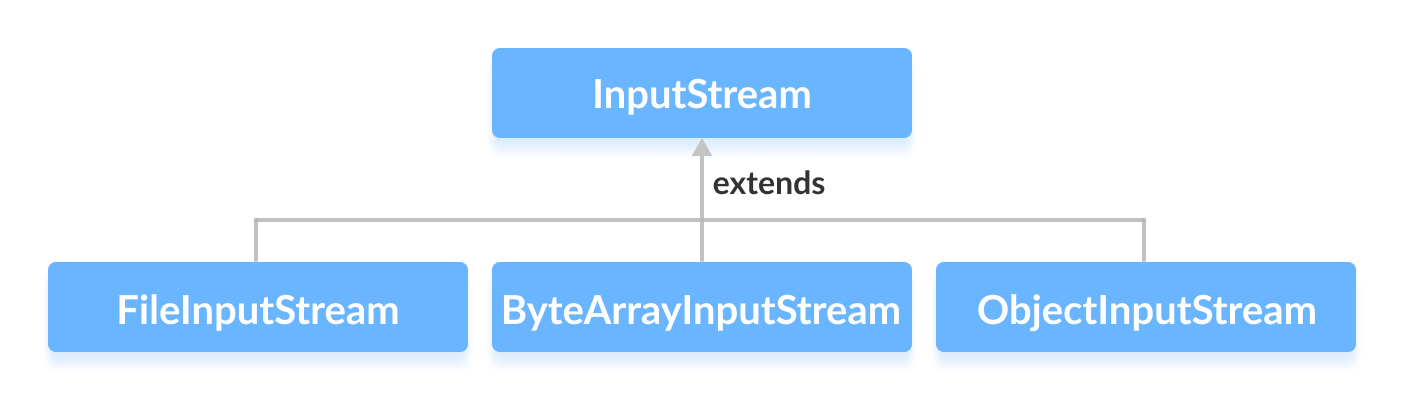
We’ll explore each subclass in dedicated tutorials, but for now let’s focus on FileInputStream.
Creating an InputStream
To create an InputStream, first import the class:
import java.io.InputStream;
Because InputStream is abstract, you instantiate one of its subclasses, for example:
InputStream stream = new FileInputStream("example.txt");
Note that you can substitute FileInputStream with any other concrete subclass.
Core Methods of InputStream
The following methods are common across all InputStream implementations:
int read()– reads a single byte, returning it as anintor-1if the end of the stream is reached.int read(byte[] b)– fills the provided byte array with data and returns the number of bytes read.int available()– reports the number of bytes that can be read without blocking.void mark(int readlimit)– marks the current position in the stream for later resetting.void reset()– returns the stream to the most recent mark.boolean markSupported()– indicates whethermarkandresetare supported.long skip(long n)– skips over and discardsnbytes of input.void close()– closes the stream and releases system resources.
Practical Example: Reading a File with FileInputStream
Assume we have a text file named input.txt containing:
This is a line of text inside the file.
Below is a complete Java program that opens the file, reports the number of available bytes, reads the content into a byte array, and prints the result.
import java.io.FileInputStream;
import java.io.InputStream;

public class Main {
    public static void main(String[] args) {
        byte[] buffer = new byte[100];
        try (InputStream input = new FileInputStream("input.txt")) {
            System.out.println("Available bytes: " + input.available());
            int bytesRead = input.read(buffer);
            System.out.println("Bytes read: " + bytesRead);
            String data = new String(buffer, 0, bytesRead);
            System.out.println("Data read from the file:");
            System.out.println(data);
        } catch (Exception e) {
            e.printStackTrace();
        }
    }
}
Output
Available bytes: 39
Bytes read: 39
Data read from the file:
This is a line of text inside the file.
This example demonstrates how to work with FileInputStream in a try‑with‑resources block, ensuring the stream is automatically closed even if an exception occurs.
For a deeper dive into the API, refer to the official Java documentation: InputStream Javadoc.
Java
- Mastering Java Anonymous Inner Classes: Definition, Syntax, and Practical Examples
- Mastering Java FileInputStream: A Practical Guide with Code Examples
- Java ByteArrayInputStream: A Practical Guide to Reading Byte Arrays
- Mastering Java’s ObjectInputStream: A Comprehensive Guide
- Mastering Java ObjectOutputStream: Serialization, Methods, and Practical Examples
- Mastering Java’s PrintStream Class: Print, Println, and Printf Explained
- Mastering Java Reader Class: Subclasses, Methods, and Practical Example
- Java InputStreamReader Explained: Methods, Encoding, and Practical Examples
- Mastering Java Scanner: A Comprehensive Guide with Practical Examples
- Mastering Java Generics – Building Reusable, Type‑Safe Code