



Java ByteArrayInputStream: A Practical Guide to Reading Byte Arrays
Java ByteArrayInputStream
This article explains how to use Java’s ByteArrayInputStream to read data from byte arrays, covering constructors, key methods, and practical examples.
What is ByteArrayInputStream?
The ByteArrayInputStream class, part of the java.io package, implements InputStream and lets you treat a byte array as an input stream. It internally stores a copy of the supplied array, enabling random access and efficient reading.
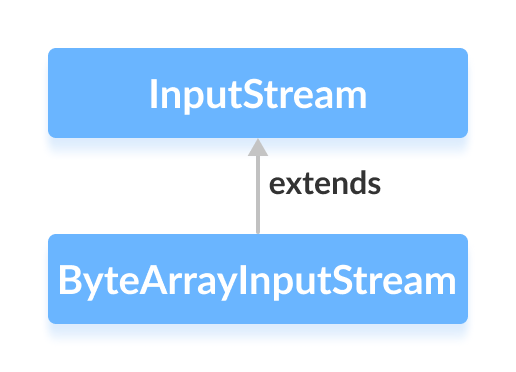
Note: The stream reads from the array itself, not from an external source, so all operations are memory‑based.
Create a ByteArrayInputStream
Import java.io.ByteArrayInputStream and instantiate it. You can read the whole array or a slice.
ByteArrayInputStream input = new ByteArrayInputStream(byte[] arr);ByteArrayInputStream input = new ByteArrayInputStream(byte[] arr, int start, int length);The second constructor reads length bytes starting at index start.
Core Methods
read()
int read()– reads the next byte, or-1if the end is reached.int read(byte[] b)– fills the supplied array with data.int read(byte[] b, int off, int len)– reads up tolenbytes intobstarting at offsetoff.
Example: Reading Bytes
import java.io.ByteArrayInputStream;

public class Main {
    public static void main(String[] args) {
        byte[] array = {1, 2, 3, 4};
        try (ByteArrayInputStream input = new ByteArrayInputStream(array)) {
            System.out.print("Bytes read: ");
            int value;
            while ((value = input.read()) != -1) {
                System.out.print(value + ", ");
            }
            System.out.println();
        } catch (Exception e) {
            e.printStackTrace();
        }
    }
}
Output
Bytes read: 1, 2, 3, 4,
available()
Returns the number of bytes still available without blocking.
import java.io.ByteArrayInputStream;

public class Main {
    public static void main(String[] args) {
        byte[] array = {1, 2, 3, 4};
        try (ByteArrayInputStream input = new ByteArrayInputStream(array)) {
            System.out.println("Initially: " + input.available());
            input.read();
            input.read();
            System.out.println("After 2 reads: " + input.available());
        } catch (Exception e) {
            e.printStackTrace();
        }
    }
}
Output
Initially: 4
After 2 reads: 2
skip()
Advances the stream position by the requested number of bytes.
import java.io.ByteArrayInputStream;

public class Main {
    public static void main(String[] args) {
        byte[] array = {1, 2, 3, 4};
        try (ByteArrayInputStream input = new ByteArrayInputStream(array)) {
            input.skip(2);
            System.out.print("After skip: ");
            int value;
            while ((value = input.read()) != -1) {
                System.out.print(value + ", ");
            }
        } catch (Exception e) {
            e.printStackTrace();
        }
    }
}
Output
After skip: 3, 4,
close()
Closing a ByteArrayInputStream is a no‑op; the stream can still be used afterward. The method is present only for API compatibility.
Other Useful Methods
| Method | Description |
|---|---|
mark(int readlimit) | Marks the current position. |
reset() | Returns to the last marked position. |
markSupported() | Always returns true. |
finalize() | Ensures resources are released (no effect for this class). |
For the full API, see the official Java documentation.
Java
- Mastering Java Arrays: Declaration, Initialization, and Manipulation
- Mastering Java Anonymous Inner Classes: Definition, Syntax, and Practical Examples
- Java InputStream Class – Understanding Core Methods & Practical Example
- Mastering Java FileInputStream: A Practical Guide with Code Examples
- Java ByteArrayInputStream: A Practical Guide to Reading Byte Arrays
- Mastering Java’s ObjectInputStream: A Comprehensive Guide
- Mastering Java ObjectOutputStream: Serialization, Methods, and Practical Examples
- Mastering Java’s PrintStream Class: Print, Println, and Printf Explained
- Java InputStreamReader Explained: Methods, Encoding, and Practical Examples
- Mastering Java Scanner: A Comprehensive Guide with Practical Examples