



Mastering Java ByteArrayOutputStream: Methods, Usage, and Practical Examples
Mastering Java ByteArrayOutputStream
This tutorial explores Java’s ByteArrayOutputStream, its key methods, and practical examples to help you write byte‑level output efficiently.
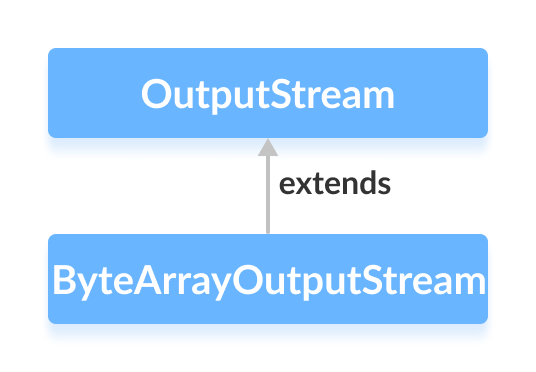
The ByteArrayOutputStream class in the java.io package allows you to write data into an internal byte array that automatically grows as needed. It extends the abstract OutputStream class, making it a versatile tool for in‑memory byte manipulation.
Note: The class maintains an internal buffer that expands on demand, so you typically don’t need to predefine its capacity unless you know the exact size required.
Creating a ByteArrayOutputStream
To create a ByteArrayOutputStream, import java.io.ByteArrayOutputStream and instantiate it. By default, the buffer starts at 32 bytes:
// Default size
ByteArrayOutputStream out = new ByteArrayOutputStream();
You can also specify an initial capacity if you expect a large payload:
// Custom size
ByteArrayOutputStream out = new ByteArrayOutputStream(int size);
The size parameter sets the initial buffer length in bytes.
Key Methods of ByteArrayOutputStream
As an OutputStream implementation, ByteArrayOutputStream offers several essential methods:
write() Method
write(int b)– Writes a single byte to the stream.write(byte[] b)– Writes an entire byte array.write(byte[] b, int off, int len)– Writeslenbytes from the array starting at indexoff.writeTo(ByteArrayOutputStream out1)– Copies the current buffer to anotherByteArrayOutputStream.
Example: Writing Data to ByteArrayOutputStream
import java.io.ByteArrayOutputStream;

class Main {
  public static void main(String[] args) {
    String data = "This is a line of text inside the string.";

    try {
      ByteArrayOutputStream out = new ByteArrayOutputStream();
      byte[] array = data.getBytes();
      out.write(array);
      String streamData = out.toString();
      System.out.println("Output stream: " + streamData);
      out.close();
    } catch (Exception e) {
      e.printStackTrace();
    }
  }
}
Output
Output stream: This is a line of text inside the string.
In this example, write() transfers the byte array into the stream, and toString() retrieves the accumulated data as text.
Accessing Data from ByteArrayOutputStream
toByteArray()– Returns a copy of the internal byte array.toString()– Converts the buffer to aStringusing the platform’s default charset.
Below demonstrates both methods:
import java.io.ByteArrayOutputStream;

class Main {
  public static void main(String[] args) {
    String data = "This is data.";

    try {
      ByteArrayOutputStream out = new ByteArrayOutputStream();
      out.write(data.getBytes());

      byte[] byteData = out.toByteArray();
      System.out.print("Data using toByteArray(): ");
      for (int i = 0; i < byteData.length; i++) {
        System.out.print((char) byteData[i]);
      }

      String stringData = out.toString();
      System.out.println("\nData using toString(): " + stringData);
      out.close();
    } catch (Exception e) {
      e.printStackTrace();
    }
  }
}
Output
Data using toByteArray(): This is data.
Data using toString(): This is data.
Here we cast each byte to a character for display, illustrating how the underlying array maps to text.
close() Method
Calling close() on a ByteArrayOutputStream has no adverse effect; the stream remains usable afterward. This behavior aligns with its design for in‑memory buffers where no external resources need releasing.
Additional Methods
| Method | Description |
|---|---|
size() | Returns the number of bytes written so far. |
flush() | Resets the internal buffer, effectively clearing the stream. |
For more advanced usage, consult the official Java SE documentation.
Java ByteArrayOutputStream (official documentation)
Java
- Mastering Java Anonymous Inner Classes: Definition, Syntax, and Practical Examples
- Java OutputStream: Core Concepts, Methods, and a Practical FileExample
- Java FileOutputStream Class – Comprehensive Guide
- Mastering Java’s ObjectInputStream: A Comprehensive Guide
- Mastering Java ObjectOutputStream: Serialization, Methods, and Practical Examples
- Java BufferedOutputStream: Efficient Byte Writing Explained
- Mastering Java’s PrintStream Class: Print, Println, and Printf Explained
- Java Writer Class – Mastering Character Streams
- Mastering Java’s OutputStreamWriter: Converting Characters to Bytes with Practical Examples
- Mastering Java PrintWriter: Features, Methods, and Practical Examples