



Java Writer Class – Mastering Character Streams
Java Writer Class – Mastering Character Streams
This guide explains the Java Writer API, its key subclasses, core methods, and a step‑by‑step example that writes text to a file.
What Is Writer?
The java.io.Writer abstract class represents a character output stream. Although you cannot instantiate it directly, its concrete subclasses provide powerful, type‑safe ways to write text to files, strings, or network sockets.
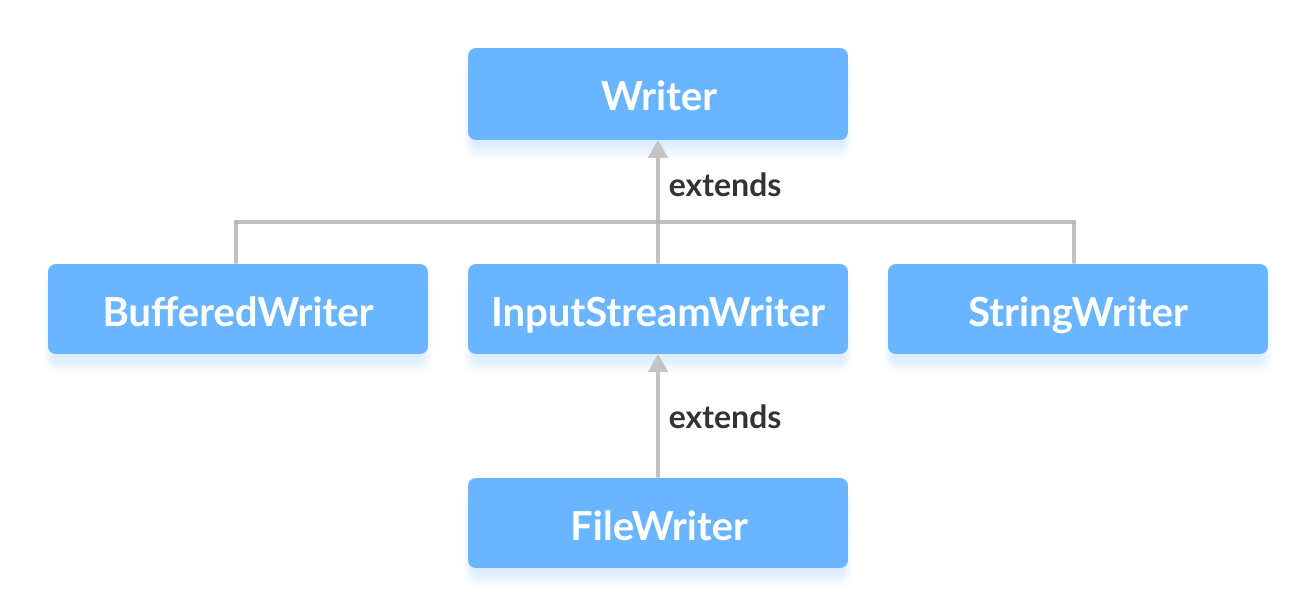
Common Writer Subclasses
- BufferedWriter – Adds buffering for efficient I/O.
- OutputStreamWriter – Bridges byte streams to character streams with a specified charset.
- FileWriter – Simplifies writing characters to a file on the local filesystem.
- StringWriter – Writes to an in‑memory string buffer.
Creating a Writer Instance
To instantiate a Writer, import the package and use a concrete subclass. For example, to write to a file named output.txt:
import java.io.FileWriter;
import java.io.Writer;

Writer output = new FileWriter("output.txt");
Because Writer is abstract, you must use a subclass such as FileWriter, BufferedWriter, or StringWriter.
Tip: Use try‑with‑resources to automatically close the stream and handle exceptions cleanly.
Key Writer Methods
write(char[] cbuf)– Writes an array of characters.write(String str)– Writes a string.append(char c)– Appends a single character.flush()– Forces any buffered data to be written out.close()– Closes the stream and releases resources.
Practical Example: Writing to a File with FileWriter
Below is a complete, production‑ready example that writes a string to output.txt using try‑with‑resources:
import java.io.FileWriter;
import java.io.IOException;
import java.io.Writer;

public class Main {
    public static void main(String[] args) {
        String data = "This is the data in the output file";
        try (Writer output = new FileWriter("output.txt")) {
            output.write(data);
        } catch (IOException e) {
            System.err.println("Error writing to file: " + e.getMessage());
        }
    }
}
Running this program creates output.txt with the following content:
This is the data in the output file
For more details, consult the official Java documentation on Writer.
Java
- Mastering Java Anonymous Inner Classes: Definition, Syntax, and Practical Examples
- Java OutputStream: Core Concepts, Methods, and a Practical FileExample
- Java FileOutputStream Class – Comprehensive Guide
- Mastering Java ByteArrayOutputStream: Methods, Usage, and Practical Examples
- Mastering Java’s ObjectInputStream: A Comprehensive Guide
- Mastering Java ObjectOutputStream: Serialization, Methods, and Practical Examples
- Java BufferedOutputStream: Efficient Byte Writing Explained
- Mastering Java’s PrintStream Class: Print, Println, and Printf Explained
- Mastering Java’s OutputStreamWriter: Converting Characters to Bytes with Practical Examples
- Mastering Java PrintWriter: Features, Methods, and Practical Examples