



Mastering Java’s OutputStreamWriter: Converting Characters to Bytes with Practical Examples
Java OutputStreamWriter Class
Discover how to use Java’s OutputStreamWriter to bridge character and byte streams, complete with real‑world code snippets.
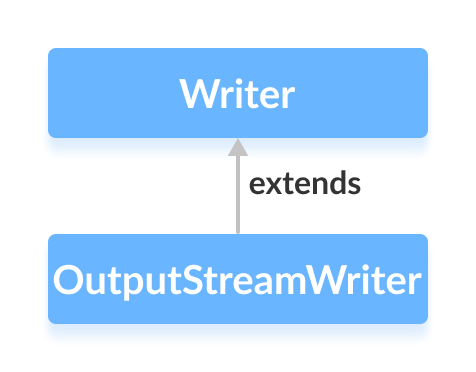
The OutputStreamWriter class, part of java.io, serves as a bridge that translates character data into byte data. It extends the abstract Writer class and works hand‑in‑hand with byte streams such as FileOutputStream.
Because some Unicode characters span multiple bytes, OutputStreamWriter ensures that the character encoding is correctly applied when writing to a byte stream.
Creating an OutputStreamWriter
Begin by importing the necessary classes:
import java.io.OutputStreamWriter;
import java.io.FileOutputStream;
import java.nio.charset.Charset;
Instantiate a FileOutputStream to target a file, then wrap it with an OutputStreamWriter. The default constructor uses the platform’s default charset, but you can explicitly set UTF‑8 or UTF‑16 for consistency across environments:
// Default charset
OutputStreamWriter writer = new OutputStreamWriter(new FileOutputStream("output.txt"));

// Explicit UTF-8
OutputStreamWriter writerUtf8 = new OutputStreamWriter(
    new FileOutputStream("output_utf8.txt"), Charset.forName("UTF-8"));
Key Methods of OutputStreamWriter
OutputStreamWriter implements all abstract methods from Writer. The most commonly used methods are listed below:
write() Method
write(int c)– Writes a single character.write(char[] cbuf)– Writes an array of characters.write(String str)– Writes a string.
Example: Writing Text to a File
import java.io.FileOutputStream;
import java.io.OutputStreamWriter;

public class Main {
    public static void main(String[] args) {
        String data = "This is a line of text inside the file.";
        try {
            FileOutputStream fileOut = new FileOutputStream("output.txt");
            OutputStreamWriter writer = new OutputStreamWriter(fileOut, Charset.forName("UTF-8"));
            writer.write(data);
            writer.flush();
            writer.close();
        } catch (Exception e) {
            e.printStackTrace();
        }
    }
}
Running this program creates output.txt containing:
This is a line of text inside the file.
getEncoding() Method
Use getEncoding() to retrieve the charset currently in use:
FileOutputStream file = new FileOutputStream("output.txt");
OutputStreamWriter defaultWriter = new OutputStreamWriter(file);
OutputStreamWriter utf8Writer = new OutputStreamWriter(file, Charset.forName("UTF-8"));
System.out.println("Default encoding: " + defaultWriter.getEncoding());
System.out.println("UTF‑8 encoding: " + utf8Writer.getEncoding());
Output
Default encoding: Cp1252
UTF-8 encoding: UTF-8
When no charset is specified, the platform default is returned. Explicitly setting the charset guarantees consistent behavior.
Tip: Use Charset.forName() for precise control; see the official Java Charset API for details.
close() Method
Always call close() to release system resources. Once closed, the writer cannot be used again.
Additional Useful Methods
| Method | Description |
|---|---|
flush() | Immediately writes any buffered data to the underlying stream. |
append() | Conveniently appends characters or strings to the writer. |
For a complete reference, consult the official Java OutputStreamWriter Javadoc.
Java
- Mastering Java Anonymous Inner Classes: Definition, Syntax, and Practical Examples
- Java OutputStream: Core Concepts, Methods, and a Practical FileExample
- Java FileOutputStream Class – Comprehensive Guide
- Mastering Java ByteArrayOutputStream: Methods, Usage, and Practical Examples
- Mastering Java’s ObjectInputStream: A Comprehensive Guide
- Mastering Java ObjectOutputStream: Serialization, Methods, and Practical Examples
- Java BufferedOutputStream: Efficient Byte Writing Explained
- Mastering Java’s PrintStream Class: Print, Println, and Printf Explained
- Java Writer Class – Mastering Character Streams
- Mastering Java PrintWriter: Features, Methods, and Practical Examples