



Java FileOutputStream Class – Comprehensive Guide
Java FileOutputStream Class
This tutorial walks through the Java FileOutputStream class, its constructors, key methods, and practical examples.
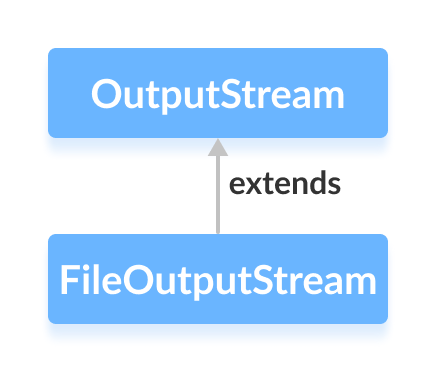
The FileOutputStream class, part of the java.io package, allows you to write raw byte data to files. It extends the abstract OutputStream class and is essential for binary file operations.
Before diving into FileOutputStream, ensure you understand basic Java file handling concepts.
Creating a FileOutputStream
To create a FileOutputStream, import the class from java.io and instantiate it with either a file path or a File object.
1. Using a file path
// With the append flag
FileOutputStream output = new FileOutputStream(String path, boolean append);

// Without the append flag
FileOutputStream output = new FileOutputStream(String path);
The append boolean determines whether data is added to the end of the file (true) or overwrites existing content (false).
2. Using a File object
FileOutputStream output = new FileOutputStream(File fileObject);
This constructor links the stream to the file represented by fileObject.
Key Methods of FileOutputStream
FileOutputStream implements several inherited methods from OutputStream, each tailored for byte operations.
write()
write(int b)– writes a single byte.write(byte[] b)– writes an entire byte array.write(byte[] b, int off, int len)– writeslenbytes frombstarting at offsetoff.
Example: Writing Text to a File
import java.io.FileOutputStream;

public class Main {
    public static void main(String[] args) {
        String data = "This is a line of text inside the file.";
        try {
            FileOutputStream output = new FileOutputStream("output.txt");
            byte[] array = data.getBytes();
            output.write(array);
            output.close();
        } catch (Exception e) {
            e.printStackTrace();
        }
    }
}
Running this program creates output.txt containing the sentence shown above. The getBytes() method converts the string into its UTF‑8 byte representation.
flush()
The flush() method forces any buffered bytes to be written to the file immediately. It’s useful when you need to ensure data persistence before closing the stream.
import java.io.FileOutputStream;
import java.io.IOException;

public class Main {
    public static void main(String[] args) throws IOException {
        FileOutputStream out = new FileOutputStream("flush.txt");
        String data = "This is demo of flush method";
        out.write(data.getBytes());
        out.flush();
        out.close();
    }
}
close()
After calling close(), the stream is no longer usable. It releases system resources and ensures the file handle is properly freed.
Additional FileOutputStream Methods
| Method | Description |
|---|---|
finalize() | Invoked by the garbage collector to guarantee close() is called. |
getChannel() | Returns the associated FileChannel for advanced file operations. |
getFD() | Retrieves the underlying file descriptor. |
For deeper insight, refer to the official Java FileOutputStream documentation.
Java
- Mastering Java Anonymous Inner Classes: Definition, Syntax, and Practical Examples
- Java OutputStream: Core Concepts, Methods, and a Practical FileExample
- Mastering Java ByteArrayOutputStream: Methods, Usage, and Practical Examples
- Mastering Java’s ObjectInputStream: A Comprehensive Guide
- Mastering Java ObjectOutputStream: Serialization, Methods, and Practical Examples
- Java BufferedOutputStream: Efficient Byte Writing Explained
- Mastering Java’s PrintStream Class: Print, Println, and Printf Explained
- Java Writer Class – Mastering Character Streams
- Mastering Java’s OutputStreamWriter: Converting Characters to Bytes with Practical Examples
- Mastering Java PrintWriter: Features, Methods, and Practical Examples