



Java BufferedOutputStream: Efficient Byte Writing Explained
Java BufferedOutputStream: Efficient Byte Writing Explained
Master the BufferedOutputStream class—its design, usage, and core methods—through clear explanations and practical code snippets.
The BufferedOutputStream class, part of the java.io package, wraps another OutputStream to accelerate byte‑level output. By buffering data in memory, it reduces the number of write operations to the underlying device, which can dramatically improve performance, especially for large files.
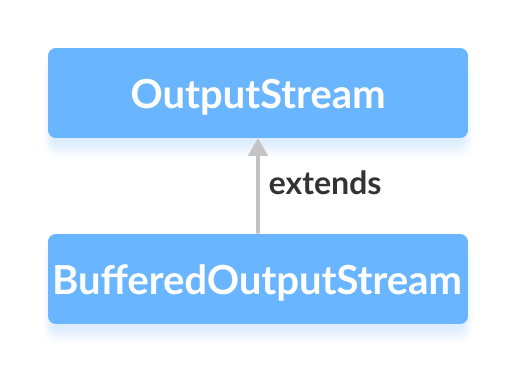
It inherits from the abstract OutputStream class and provides concrete implementations for its methods.
How BufferedOutputStream Works
The stream internally allocates an 8 KiB (8,192 bytes) buffer by default. When write() is called, bytes are first stored in this buffer. Only when the buffer is full, or when flush() or close() is invoked, does the data get flushed to the underlying stream.
Because disk I/O is expensive, this buffering strategy reduces round‑trips and makes byte writes considerably faster.
Creating a BufferedOutputStream
Import the class and then wrap any OutputStream, typically a FileOutputStream:
FileOutputStream file = new FileOutputStream("output.txt");
BufferedOutputStream buffer = new BufferedOutputStream(file);
To control the buffer size, provide a second argument:
BufferedOutputStream buffer = new BufferedOutputStream(file, 16384); // 16 KiB buffer
Choosing a larger buffer can be beneficial for very large writes, but the default 8 KiB works well for most scenarios.
Key Methods of BufferedOutputStream
The class implements the full set of OutputStream methods with buffering support.
write()
write(int b)– Adds a single byte to the buffer.write(byte[] b)– Writes an entire byte array.write(byte[] b, int off, int len)– Writeslenbytes starting at offsetoff.
Example: Writing Text to a File
import java.io.*;

public class Main {
    public static void main(String[] args) {
        String data = "This is a line of text inside the file";
        try (FileOutputStream fos = new FileOutputStream("output.txt");
             BufferedOutputStream bos = new BufferedOutputStream(fos)) {
            bos.write(data.getBytes());
        } catch (IOException e) {
            e.printStackTrace();
        }
    }
}
Running this program creates output.txt containing:
This is a line of text inside the file
Note: String.getBytes() converts the string into a byte array using the platform’s default charset. For deterministic results, specify a charset, e.g., data.getBytes(StandardCharsets.UTF_8).
flush()
Forces any buffered data to be written to the underlying stream immediately. This is useful when you need to ensure data persistence before closing the stream or when writing to a network socket.
BufferedOutputStream bos = new BufferedOutputStream(fos);
bos.write(data.getBytes());
bos.flush(); // guarantees data is sent
close()
Closes the stream, flushing any remaining data and releasing system resources. After calling close(), the stream cannot be used again.
For a comprehensive reference, consult the official Java documentation: BufferedOutputStream API.
Java
- Mastering Java Anonymous Inner Classes: Definition, Syntax, and Practical Examples
- Java OutputStream: Core Concepts, Methods, and a Practical FileExample
- Java FileOutputStream Class – Comprehensive Guide
- Mastering Java ByteArrayOutputStream: Methods, Usage, and Practical Examples
- Mastering Java’s ObjectInputStream: A Comprehensive Guide
- Mastering Java ObjectOutputStream: Serialization, Methods, and Practical Examples
- Mastering Java’s PrintStream Class: Print, Println, and Printf Explained
- Java Writer Class – Mastering Character Streams
- Mastering Java’s OutputStreamWriter: Converting Characters to Bytes with Practical Examples
- Mastering Java PrintWriter: Features, Methods, and Practical Examples