



Java BufferedWriter: Efficient Character I/O Explained
Java BufferedWriter
This guide explains the Java BufferedWriter class, its internal buffering, key methods, and practical code examples.
The BufferedWriter class in the java.io package wraps another Writer to provide efficient character output. By buffering data in memory, it reduces costly disk I/O operations.
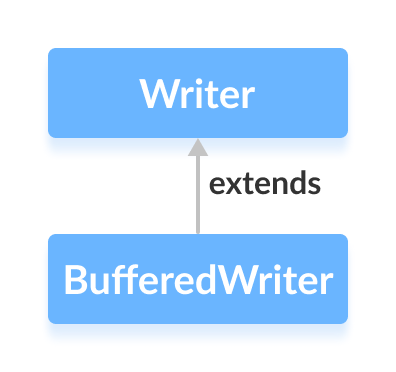
How BufferedWriter Works
The class maintains an internal buffer of 8,192 characters (default size). When you write data, characters are first stored in this buffer. Once the buffer fills or the writer is closed, the contents are flushed to the underlying stream.
This strategy minimizes the number of disk writes, making character output noticeably faster.
Creating a BufferedWriter
Import the class and create a BufferedWriter by wrapping a FileWriter (or any other Writer):
FileWriter file = new FileWriter("output.txt");
BufferedWriter buffer = new BufferedWriter(file);
The buffer defaults to 8,192 characters, but you can specify a custom size:
BufferedWriter buffer = new BufferedWriter(file, 16384); // 16KB buffer
BufferedWriter Methods
write()
write(int c)– writes a single character.write(char[] cbuf)– writes an array of characters.write(String str)– writes a string.
Example: Writing to a File
import java.io.FileWriter;
import java.io.BufferedWriter;

public class Main {
    public static void main(String[] args) {
        String data = "This is the data in the output file";
        try {
            FileWriter file = new FileWriter("output.txt");
            BufferedWriter out = new BufferedWriter(file);
            out.write(data);
            out.close();
        } catch (Exception e) {
            e.printStackTrace();
        }
    }
}
The resulting output.txt contains the specified string.
flush()
Forces the buffered data to be written to the underlying stream immediately.
out.flush(); // writes any buffered characters to the file
close()
Closes the writer and releases system resources. After calling close(), the writer cannot be used again.
Other Useful Methods
| Method | Description |
|---|---|
newLine() | Inserts the platform‑specific line separator. |
append(char c) | Appends a single character. |
append(CharSequence csq) | Appends a character sequence. |
For the complete API, refer to the official Java BufferedWriter documentation.
Java
- Mastering Java Anonymous Inner Classes: Definition, Syntax, and Practical Examples
- Mastering Java FileInputStream: A Practical Guide with Code Examples
- Mastering Java’s ObjectInputStream: A Comprehensive Guide
- Mastering Java ObjectOutputStream: Serialization, Methods, and Practical Examples
- Mastering Java BufferedInputStream: Efficient Byte Reading & Advanced Methods
- Mastering Java’s PrintStream Class: Print, Println, and Printf Explained
- Mastering Java FileReader: Comprehensive Guide & Practical Examples
- Mastering Java FileWriter: A Complete Tutorial
- Mastering Java BufferedReader: Efficient Character Stream Handling
- Mastering Java File Operations with java.io – Creation, Reading, Writing & Deletion