



Introducing Rotating Assets: Streamlined Asset Lifecycle Management
What are rotating assets?
In Fiix CMMS, “rotating assets” refers to pieces of equipment that are swapped in and out of service—such as pumps, control boards, engines, or robotic arms—rather than spinning around. Each item is a distinct unit with its own asset code and serial number. Work orders and location history travel with the asset throughout its life, allowing you to maintain a complete operational record.
Example of a rotating asset
Imagine a facility that operates a cooling system with four identical pumps and one spare. When a pump fails, it is removed, replaced with the spare, and then sent to repair. The repaired pump returns to the storeroom and is ready for the next failure. Because the work‑order history stays with the pump, you always know its maintenance background.
Stock items in Fiix CMMS are treated as consumables and are discarded when their useful life ends. Since consumables cannot be tracked in work orders, any item that requires ongoing tracking must be created as an equipment record.
What can you do with rotating assets?
With the Rotating Assets feature you can:
- Move the asset to another location – Track the asset’s journey across sites while preserving all movement data.
- Assign it to a user – Issue tools or specialized equipment to employees; the asset remains their responsibility until checked back in.
- Assign it to a business – Log loans to vendors, partners, or customers directly on the asset record.
- Assign it to a work order – Dedicate the asset to a specific task, preventing other users from accessing it until the work order closes.
Throughout an asset’s lifetime, all work orders and movements are logged in the asset’s Log tab, giving you a full historical view.
How it works
Rotating Assets is available exclusively in the Enterprise package. Enable it via CMMS Settings > Rotating Assets and configure which users can access the feature.
When enabled, a Move button appears in the More dropdown on every asset record:
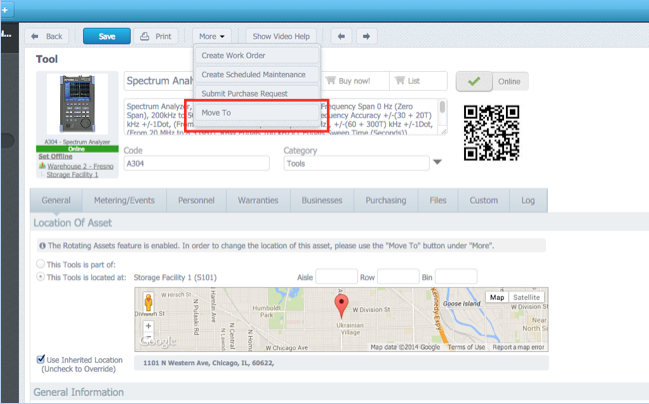
- Move to another location
- Assign to a user
- Assign to a business
- Assign to a work order
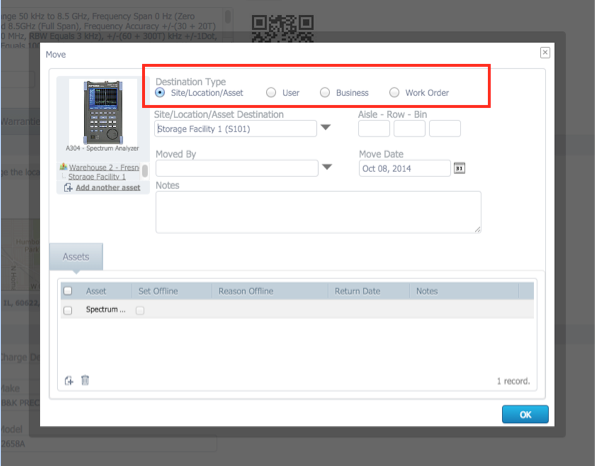
In this example, Supervisor Sam checks out the spectrum analyzer, becoming responsible for its return.
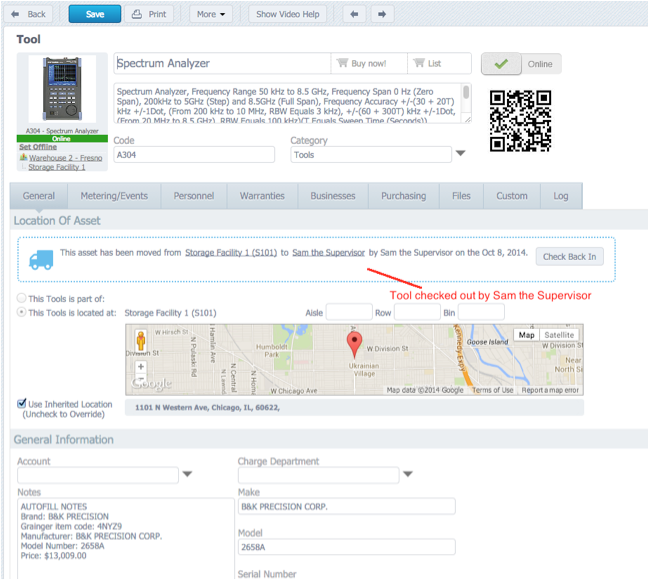
When Sam completes his task, he clicks Check Back In to return the asset to its storage location.
Move Assets on the Work Order Form
Update – October 21st 2015
Now you can rotate assets directly from the work‑order screen. Whether moving to another location, user, business, or the work order itself, the process mirrors the asset record workflow.
Scenario: A technician determines an air‑compressor pump cannot be repaired on site and needs to be rebuilt. By selecting More > Move Asset on the work order, the pump is routed to the repair shop.
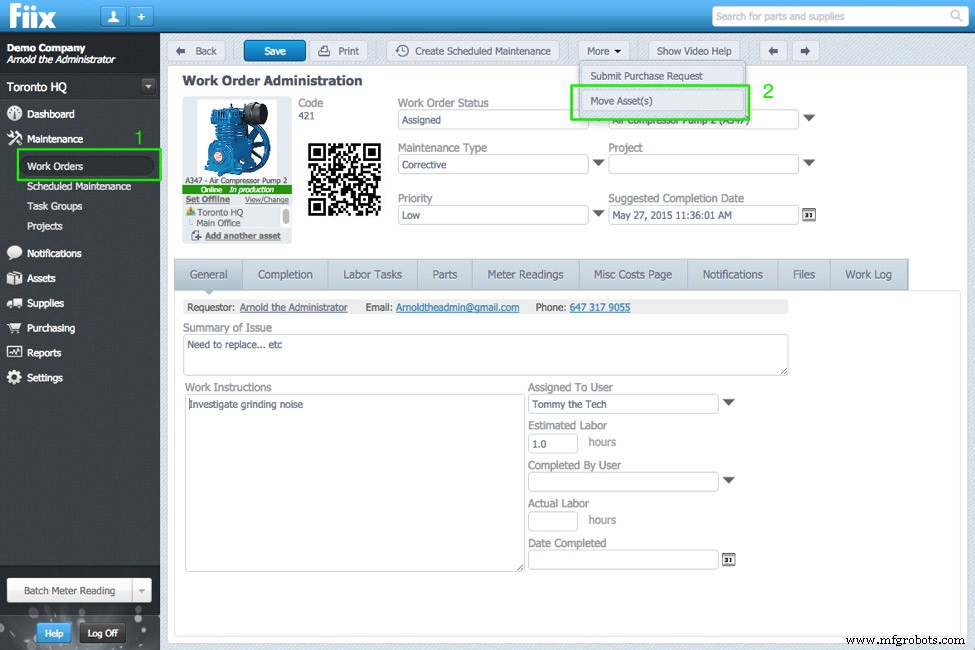
The pop‑up collects move details:
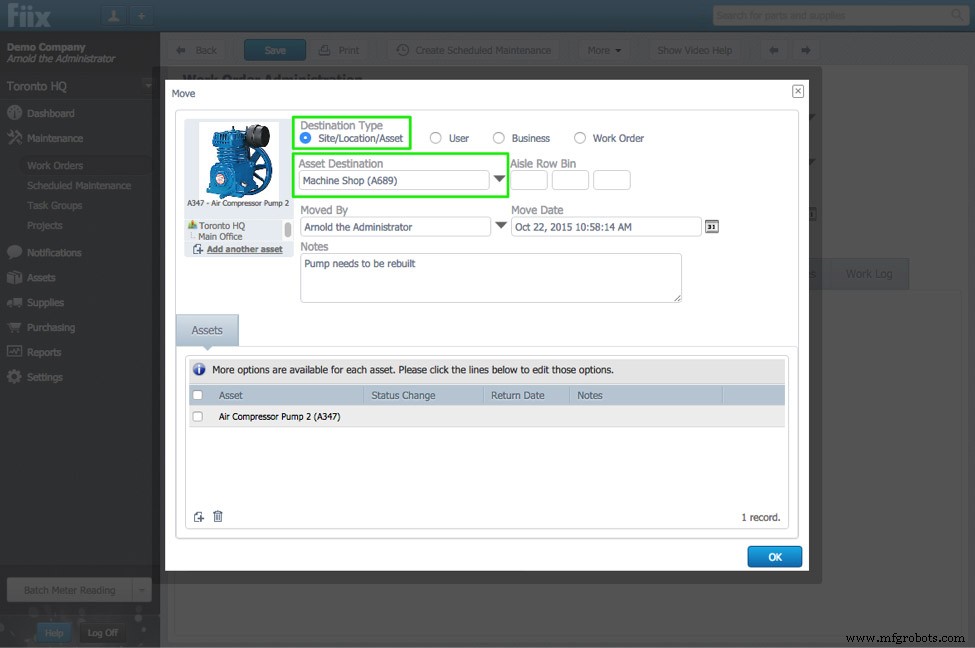
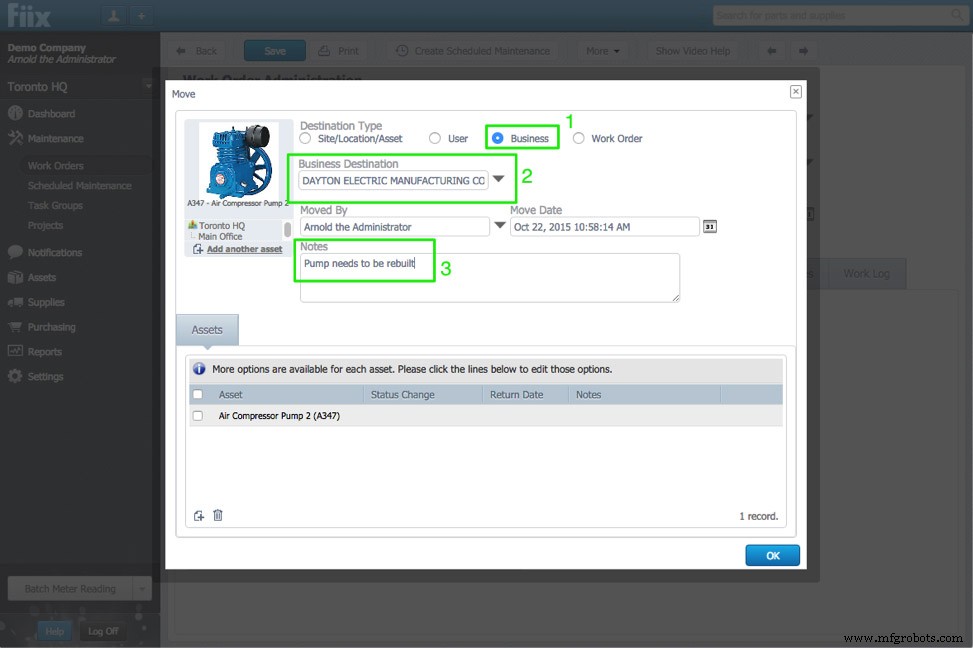
If the pump is rebuilt by a third‑party vendor, simply assign it to that business in the same pop‑up.
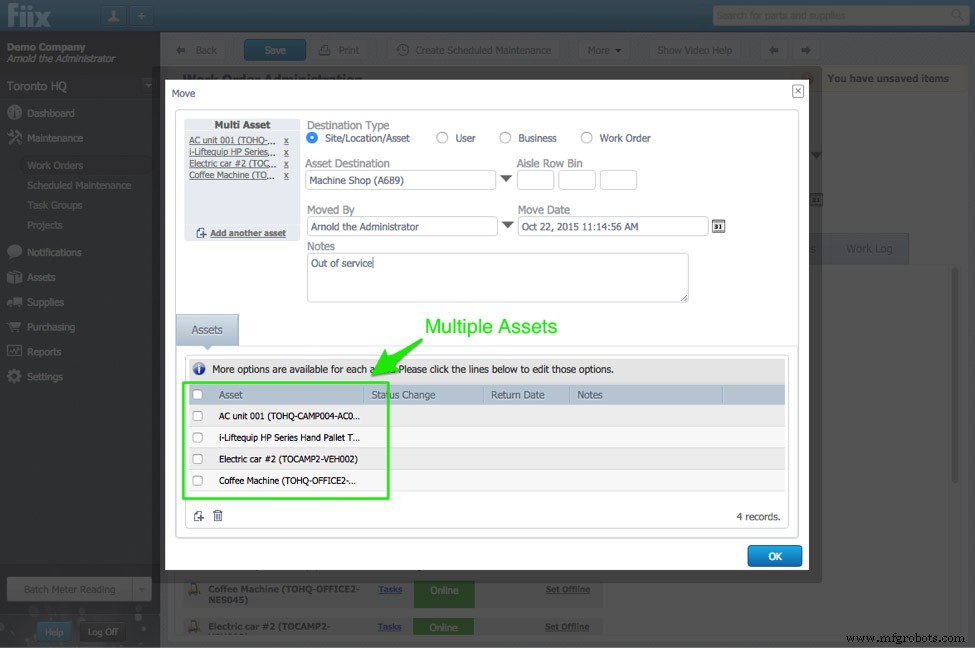
Multiple assets can be rotated simultaneously on a multi‑asset work order. Clicking the Move Asset button loads all available assets for processing.
Embedding asset rotation in the work‑order workflow reduces clicks, keeps technicians focused, and streamlines asset management.
Drag & Drop Assets in Your Asset Hierarchy
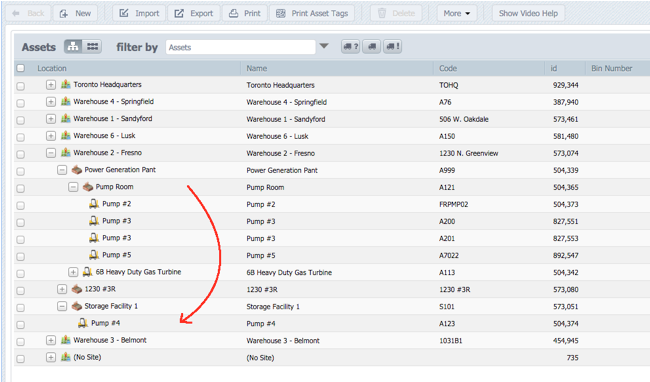
Drag a pump from the storeroom into the production zone to indicate it’s now in use.
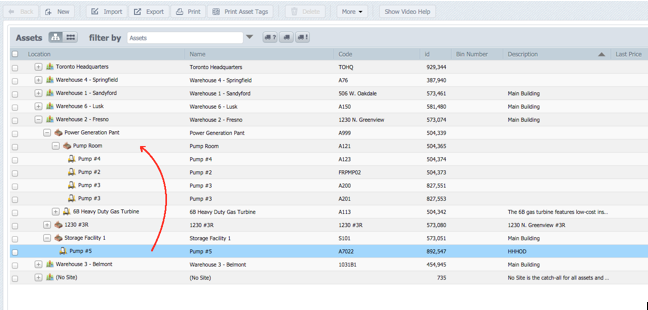
A pop‑up prompts for move data, such as the reason for the move:
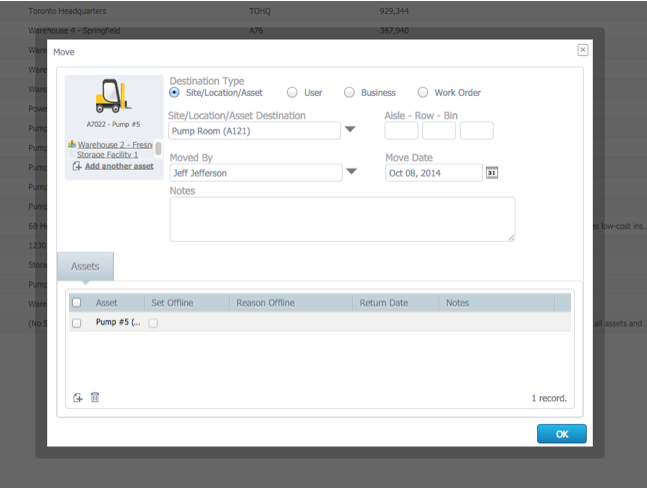
Repeat the process for damaged items: move pump #4 from production back to the storeroom for repair.
Update: March 31st, 2016
Rotating assets now support tool crib management. For a detailed walkthrough, visit our help center article.
Equipment Maintenance and Repair
- Mastering Mobile Asset Management with IBM’s Real‑Time Locator
- GE Digital Unveils Predictive Asset Management Software, Shifting Maintenance from Reactive to Proactive
- RONA & OEE: The Key Metrics for Asset Utilization & Profitability
- Introducing the New Interactive Calendar: Streamline Technician Scheduling
- New Feature: Standard Failure Codes – Streamline Maintenance & Cut Costs
- Introducing Custom Maintenance Reports: Build Tailored Insights in Fiix
- Introducing Hyperlinks Everywhere: Seamless Navigation in Fiix CMMS
- New Feature: Multi‑Asset Work Orders – Streamline Maintenance Inspections
- Revolutionizing CMMS Adoption: The Power of Inline Training
- 14 Must‑Have EAM Features to Optimize Asset Performance