



Introducing Custom Maintenance Reports: Build Tailored Insights in Fiix
In the earliest releases of Fiix, we offered a custom report builder via iReports. Over two years, only two users ever completed a custom maintenance report. The complexity of the tool and the steep learning curve—especially when navigating our extensive database—proved to be significant barriers. To address this, we developed a library of more than 120 ready‑made, data‑driven maintenance reports. These reports can be generated instantly or scheduled for regular delivery to your inbox. While we don’t cover every possible report, our suite satisfies an estimated 90% of our customers’ reporting needs.
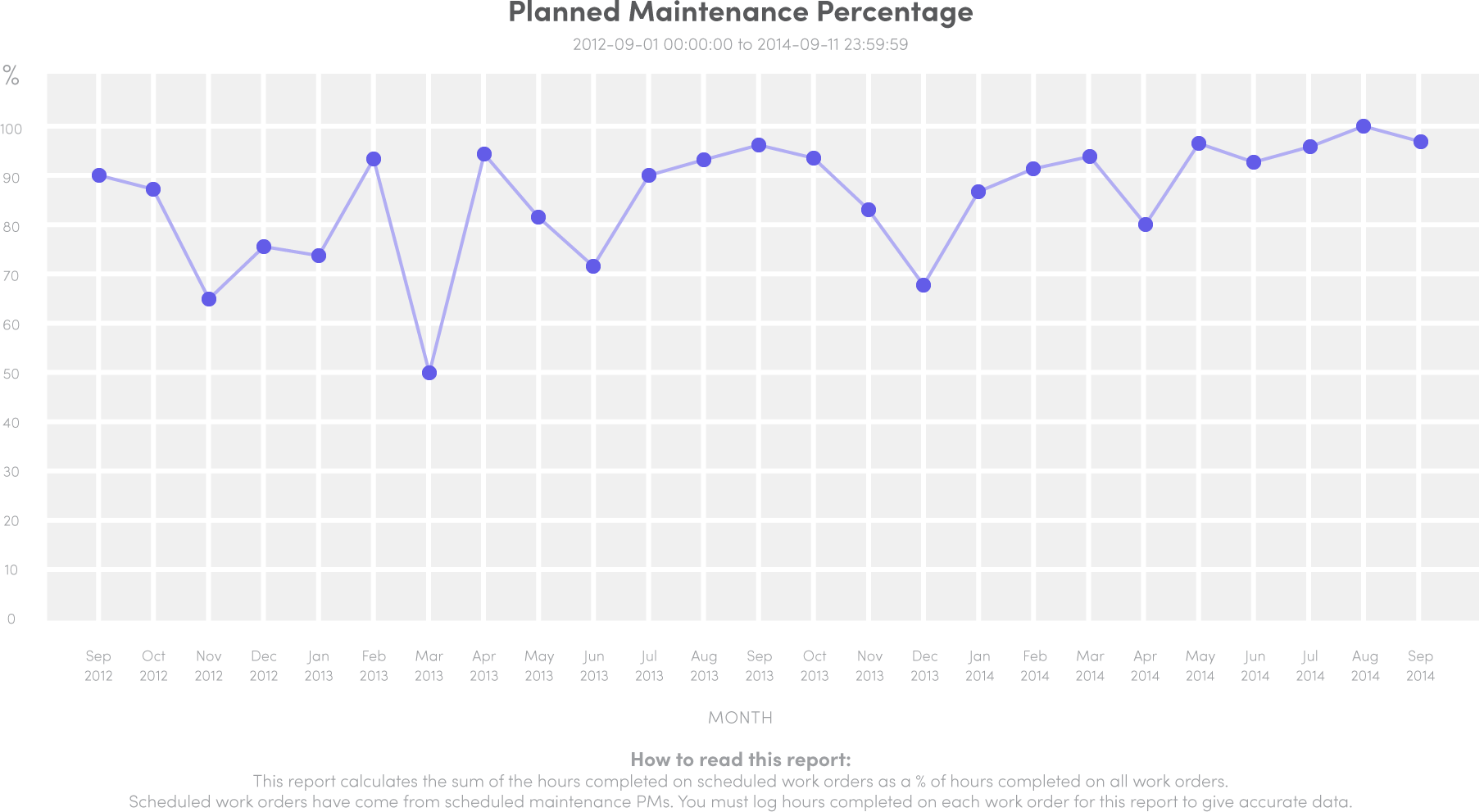
Despite this robust library, many Fiix users still express a strong desire for a self‑service report writer—one that lets them craft reports that align with their unique metrics and business processes.
Reports Writer – Your New Custom Reporting Engine
After months of meticulous coding, our development team is thrilled to unveil the new Custom Maintenance Reports Writer for Fiix. Integrated into the Enterprise package, this tool empowers you to design, build, and deploy a personal library of content‑rich reports tailored to your operational strategy. Create dynamic lists, interactive charts, or a combination of both—all from a single, intuitive query interface. Save templates in your CMMS for quick future use, and schedule them for automated delivery.
- Query any combination of database data with one streamlined SQL query.
- Produce polished reports featuring charts, graphs, and custom layouts.
- Export reports as professional PDF files.
- Craft complex queries and sub‑reports for advanced analysis.
Accessing the Report Writer
The Reports Writer is located under the Reports menu on the left sidebar of your CMMS (Enterprise users only).
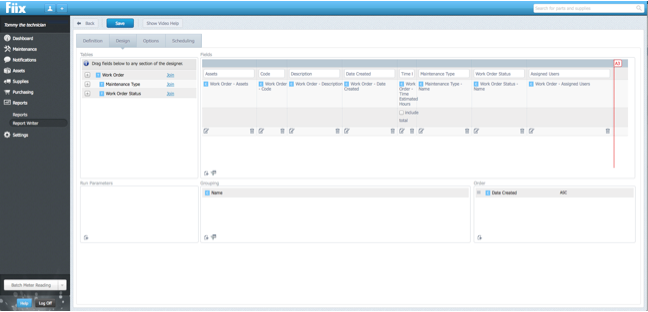
Getting Started with Your Own Report
Building reports requires a solid grasp of SQL and database structures, but you don’t need to be a code wizard to create simple reports. For guidance, refer to our comprehensive Reports Writing documentation available in the FAQ section of the helpdesk.
Personalized Report Writing Training
Accelerate your reporting proficiency by booking one‑on‑one training with a Fiix product expert. Call our training center at +1 855 884 5619, extension 4, to schedule a session. Training pricing is listed on our Training Solutions page.
Why Build and Run Reports?
Reporting transforms raw data into actionable knowledge. By compiling regular reports, you can spot trends, identify recurring issues, and manage finances more effectively. Reports support critical areas such as:
- Monitoring maintenance costs
- Optimizing preventive maintenance schedules
- Analyzing maintenance and repair processes
- Conducting historical job analysis
- Tracking costs by asset or cost centre
- Identifying performance trends
- Graphing meter readings to forecast part replacements
Consistent reporting drives continuous improvement, enhances operational efficiency, reduces costs, and boosts profitability.
Equipment Maintenance and Repair
- Bombardier Unveils Optimized Maintenance Schedule for CSeries Aircraft
- New Year’s Maintenance Reset: Cost‑Effective Strategies for 2024
- Introducing the New Interactive Calendar: Streamline Technician Scheduling
- New Feature: Standard Failure Codes – Streamline Maintenance & Cut Costs
- Feature Update: Custom Report Builder Enhancements for CMMS
- Introducing Rotating Assets: Streamlined Asset Lifecycle Management
- Enhanced Visibility and Tracking for Scheduled Maintenance in CMMS
- Introducing Hyperlinks Everywhere: Seamless Navigation in Fiix CMMS
- New Feature: Multi‑Asset Work Orders – Streamline Maintenance Inspections
- Revolutionizing CMMS Adoption: The Power of Inline Training