



Enhanced Visibility and Tracking for Scheduled Maintenance in CMMS
Over the past month, we have refined the scheduled maintenance scheduling tab in your CMMS, delivering clearer, real‑time insight into upcoming maintenance events.
For those new to scheduled maintenance, our 5‑minute introductory video explains how to create maintenance plans and set triggers. In this post, we detail the enhancements made since that release.
Enhanced Visibility for Scheduled Maintenance Triggers
First, we enhanced the visibility of upcoming work‑order triggers—whether they’re time‑based, meter‑based, or event‑based—so you always know when the next job will be generated.
Time‑Based Triggers
Consider a time‑based schedule set to trigger a work order every Monday. After activating the plan, you may want to verify when the next job is scheduled.
The scheduling tab now displays the current time and the next trigger directly. Clicking the “Next Trigger” link reveals a chronological list of all upcoming work‑order dates. The list is now positioned inline with the trigger, improving readability.
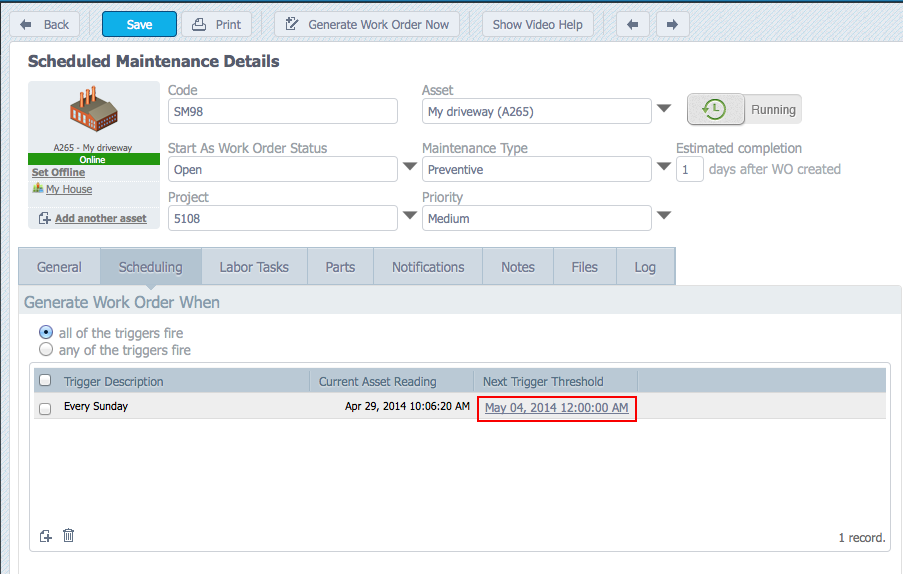
See the current time and the next trigger time for a work order
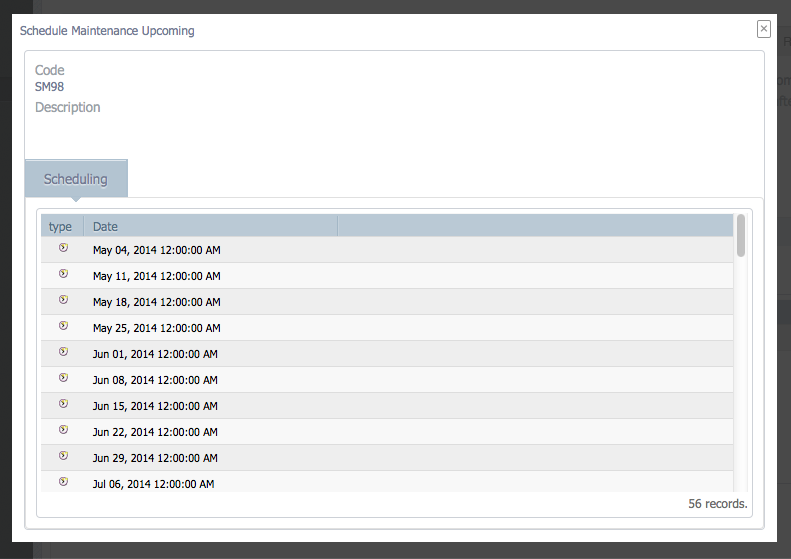
Click on the hyperlink to see the list of all future scheduled trigger times
Meter‑Based Triggers
For meter‑based schedules—such as a vehicle that triggers a work order every 10,000 km—the interface now shows the current meter reading and the reading that will trigger the next job.
Clicking the current reading hyperlink opens a history of all meter readings for the asset. Meter readings that triggered a maintenance job are highlighted in yellow and cannot be deleted. You can also add new meter readings from this screen.
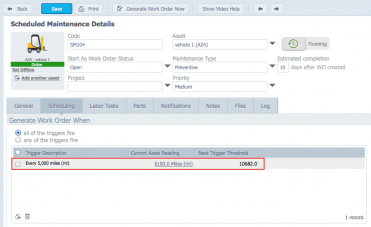
See the last meter reading and the next trigger point
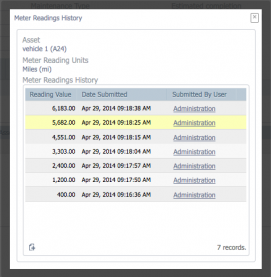
Click the hyperlink to see previous meter readings. You can add new meter readings here too. Yellow readings indicate that a work order was created as a result of the meter reading.
This visibility is in addition to a new ability to set fixed or float meter based triggers, helping you manage your maintenance intervals more precisely.
Event‑Based Triggers
Event‑triggered work orders fire whenever a specified event occurs on the asset. These triggers are also displayed on the scheduling tab, giving you a clear record of when the next event‑based job will be created.
An Improved Scheduled Maintenance Log
Beyond trigger visibility, we have enhanced the scheduled maintenance log to give you a comprehensive audit trail of all changes and activities.
Every time a work order is generated, a trigger is modified, or a potential conflict prevents a new job, the log captures the event. The example below shows a burst of activity on April 29 2014, including a manual work order that prevented an automatic trigger from firing.
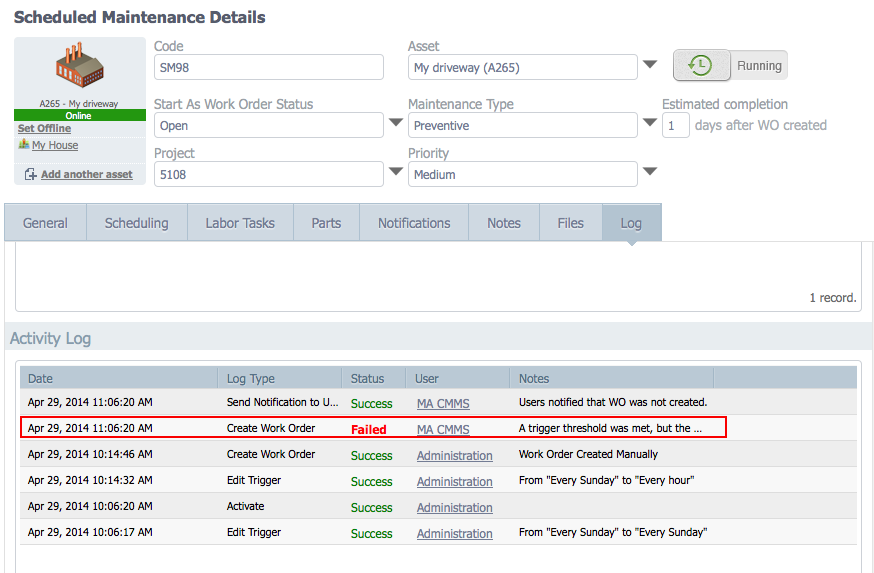
See the log of changes to each scheduled maintenance
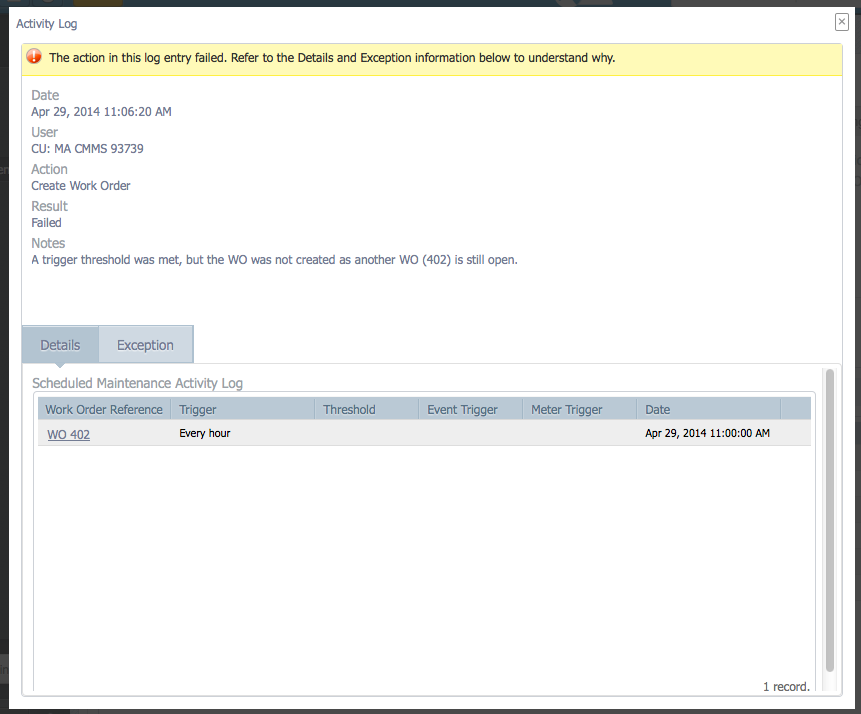
Review the details of each log item
These enhancements empower you to set up scheduled maintenance with confidence, realizing the cost savings and reliability benefits of a proactive maintenance strategy.
Equipment Maintenance and Repair
- Scheduled vs. Unscheduled Maintenance in Manufacturing: Which Approach Drives Efficiency?
- Global Landscape of Maintenance: Trends, Practices, and Future Directions
- How SKF Bulgaria’s SRCM & RBI Approach Optimised the Country’s Largest Refinery
- Timken Launches Comprehensive 170‑Page Bearing Maintenance Manual
- Bombardier Unveils Optimized Maintenance Schedule for CSeries Aircraft
- New Year’s Maintenance Reset: Cost‑Effective Strategies for 2024
- U.S. Navy Launches Advanced P‑8A Poseidon Maintenance Training Facility
- Understanding Scheduled Maintenance Critical Percent (SMCP): Prioritize Tasks for Peak Reliability
- Introducing Custom Maintenance Reports: Build Tailored Insights in Fiix
- Understanding Scheduled Maintenance: Definition, Benefits, and Best Practices