



Top CMMS Features & Their 2021 Usage: Expert Insights
Across diverse industries, the same set of core CMMS features consistently drive maintenance success. These features are tightly interwoven: a robust preventive‑maintenance schedule, automated work‑order creation, precise asset tracking, and actionable dashboards are all essential for a proactive maintenance strategy. When any one of these pillars is missing, the entire system falters.
In this article we will:
- provide a concise overview of core CMMS functionalities;
- present a data‑driven infographic based on our 2019 client usage of Limble CMMS (directly view the infographic);
- discuss which CMMS capabilities are set to dominate in 2020 and beyond.
For a deeper dive into CMMS fundamentals, see our guide on What is a CMMS System and How Does it Work?
A Quick Overview of Core CMMS Software Features
Below we break down the most common maintenance domains and highlight the top features within each category.
1. Asset Management
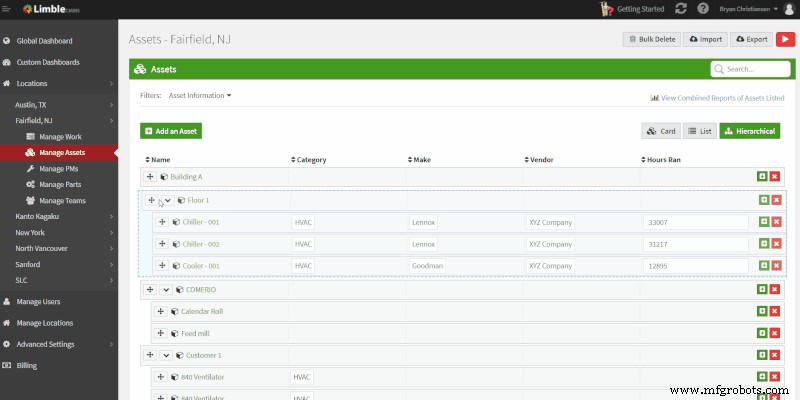
Instant access to detailed asset data is critical for informed decision‑making. It enables real‑time visibility into health, maintenance costs, and operational performance.
- Maintenance Logs & Reports – capture every event: breakdowns, repairs, PMs, MTTR, MTBF, and condition‑monitoring data.
- Centralized Asset Card – a single view that consolidates asset information, work orders, PM schedules, logs, and reports.
- Hierarchical Asset Organization – parent‑child structuring that simplifies navigation and reporting.
2. Managing Maintenance Work
Maintenance actions translate into tasks within a CMMS. Most tasks fall into Work Orders, Preventive Maintenance (PM), or Work Requests.
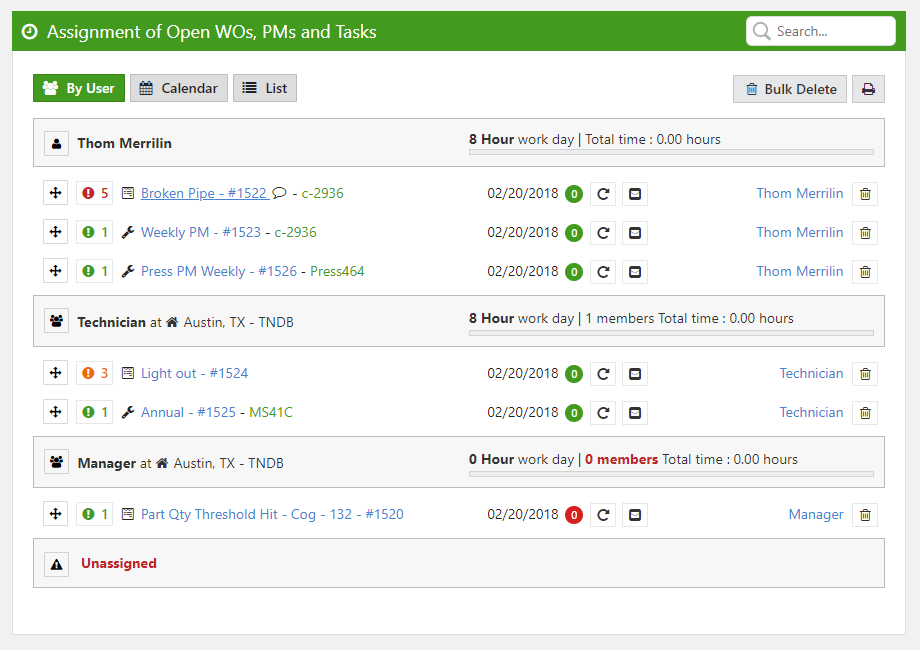
- Task Calendar – view current and upcoming work at a glance.
- Priority Management – set and adjust task priority dynamically.
- Automatic Work Logging – completed WOs and PMs are auto‑logged to the asset’s maintenance record.
- Work‑Request Portal – streamline the intake of maintenance requests from operators or other stakeholders.
- Work Dashboard – monitor in‑progress tasks, due dates, and priority levels.
3. Preventive Maintenance
While predictive maintenance is growing, preventive maintenance remains the most widely adopted strategy due to its lower cost and simplicity.
- Automatic PM Scheduling – schedule by time, mileage, or sensor thresholds.
- Drag‑and‑Drop Calendar – quickly visualize all open work and upcoming PMs.
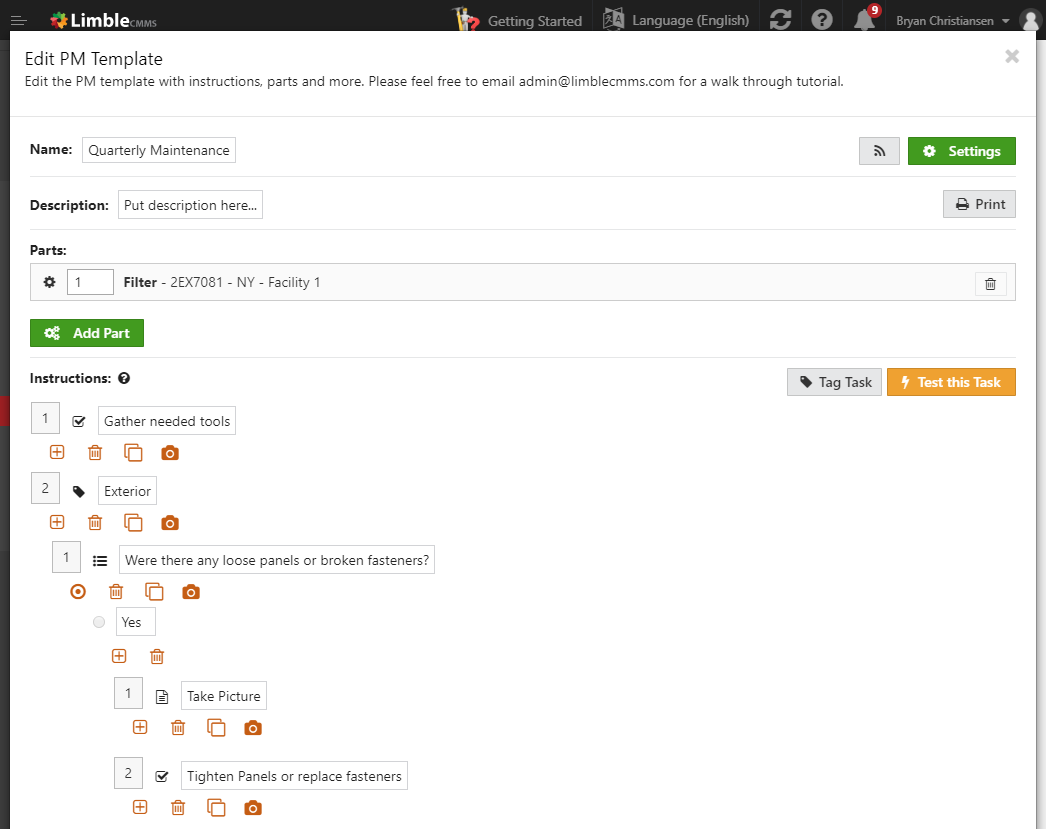
- Task Template Builder – design repeatable workflows so technicians follow a consistent process.
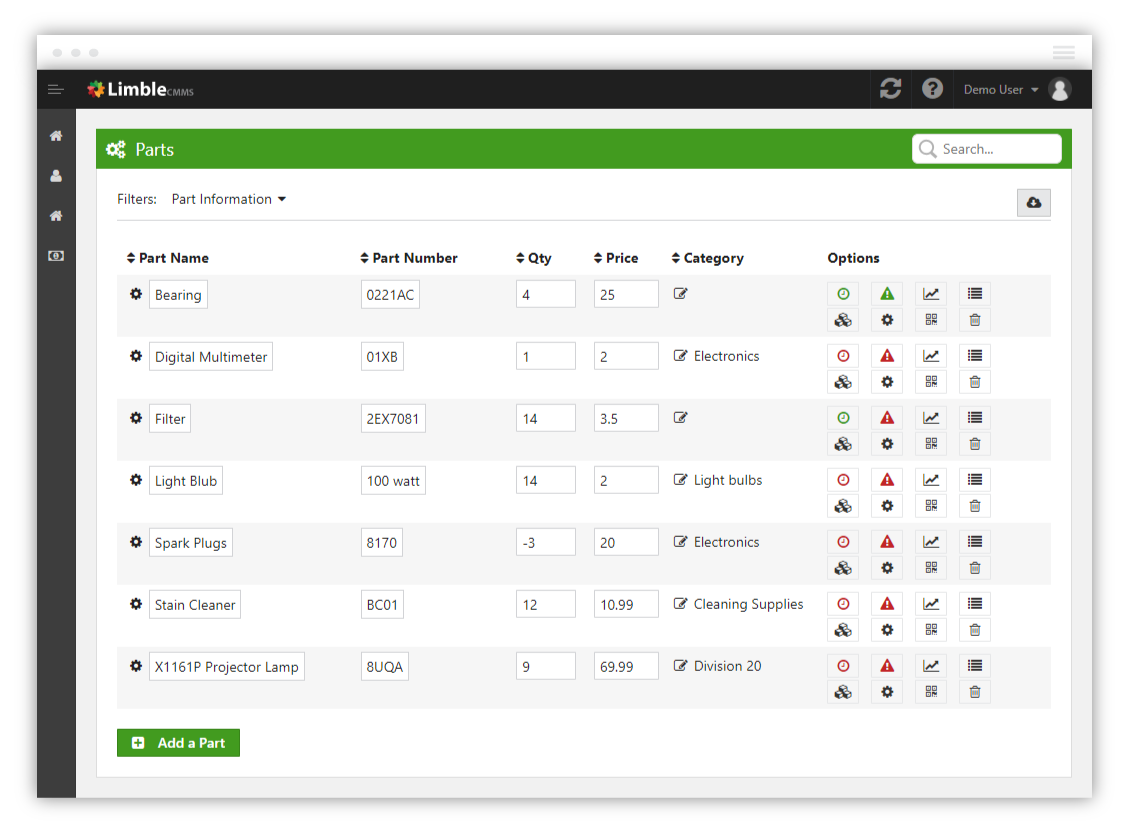
4. Spare Parts Inventory Management
Efficient inventory control is essential; otherwise, technicians must improvise, leading to downtime and cost overruns.
- Barcode / QR Code Lookup – track parts quickly and accurately.
- Annual Forecasting – optimize stock levels based on historical usage.
- Instant Alerts – email or push notifications when part quantities hit thresholds.
- Automatic Usage Tracking – inventory updates automatically when parts are used in WOs or PMs.
5. Reporting
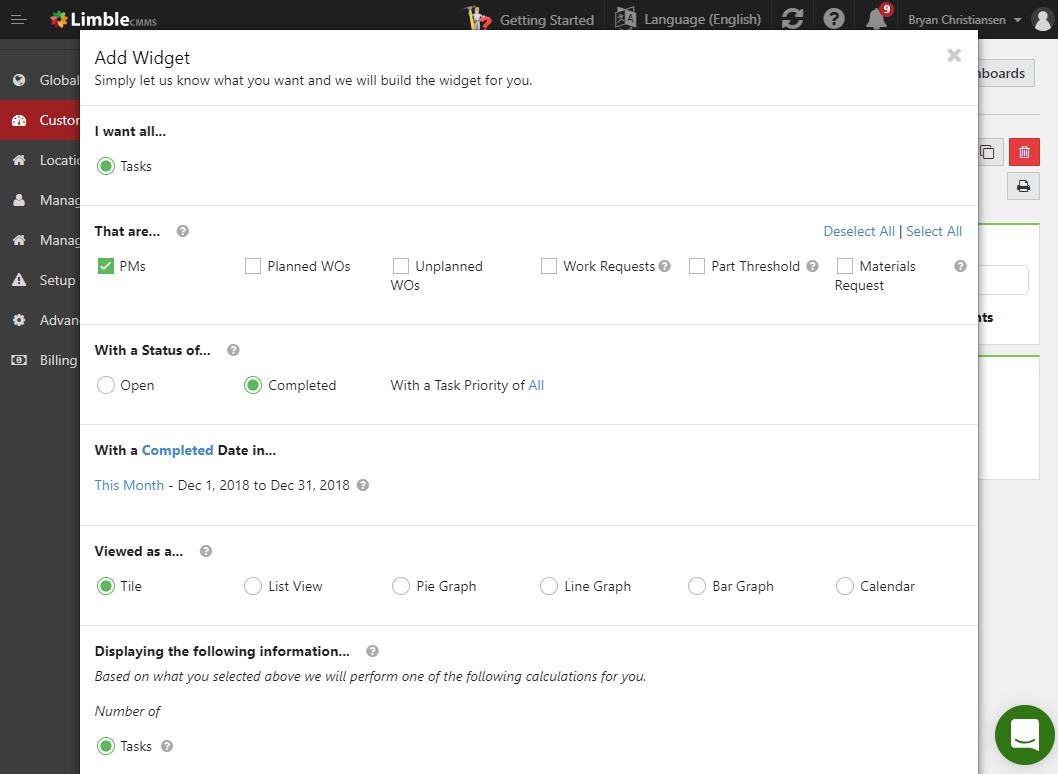
Maintenance managers need both high‑level dashboards and granular reports to drive decisions.
- Dashboard Overview – track critical KPIs in real time.
- Auto‑Generated Reports – up‑to‑date summaries of maintenance metrics.
- Custom Report Builder – create tailored analyses to uncover cost‑saving opportunities.
Accurate reporting depends on reliable data entry; ensure your CMMS is populated with current information.
Most Requested CMMS Features in 2018
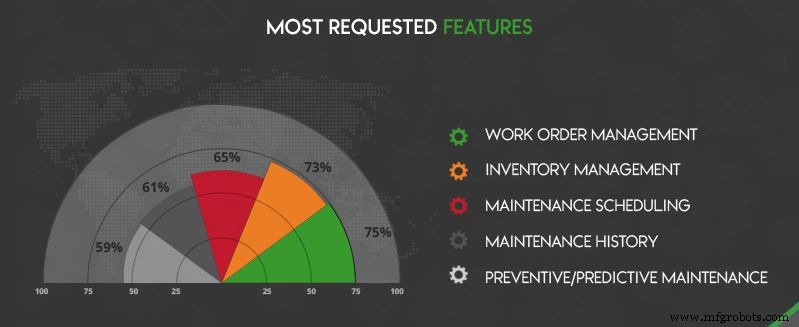
Our 2017–2018 research compiled client requests and identified the five most demanded features. The data highlighted that 65% of businesses prioritized the ability to schedule maintenance.
CMMS Features Usage Statistics
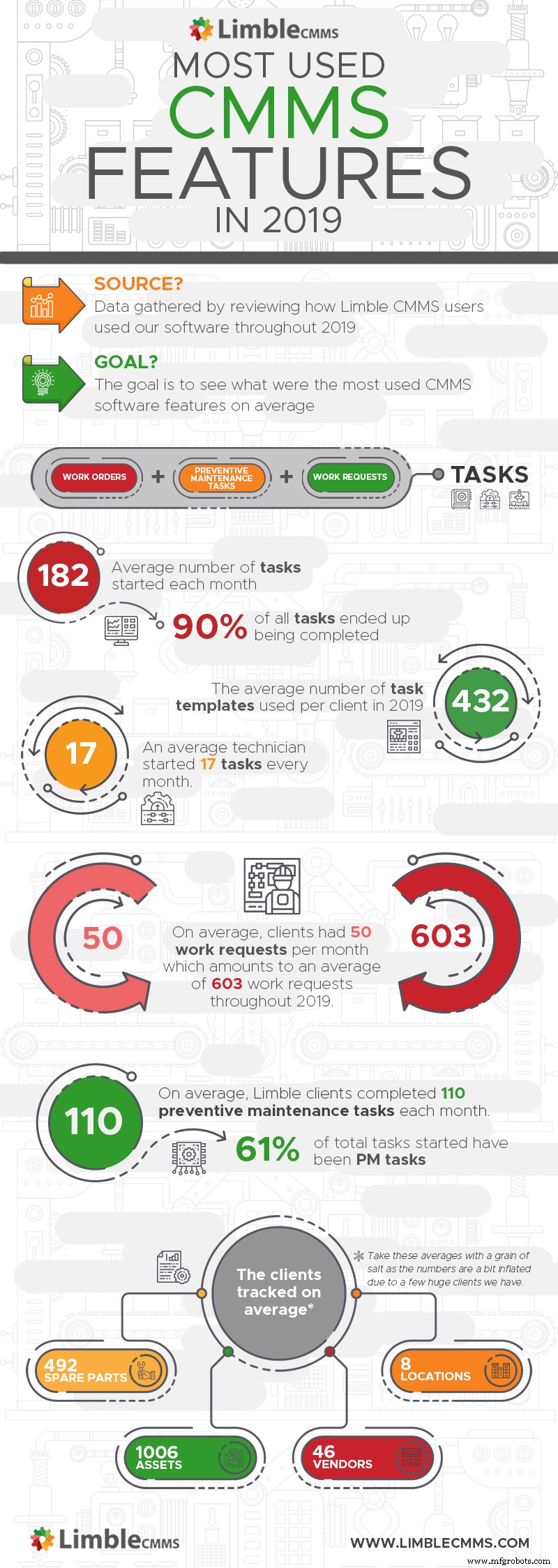
The analysis confirms that the features most frequently requested in 2018 remain the ones most actively used today:
- All organizations heavily rely on work‑management features (WOs, work requests, task templates).
- Preventive maintenance dominates overall activity, yet reactive work remains significant.
- Many assets that never undergo PMs are still entered into the system.
- Inventory management is widely adopted, largely due to its cost‑saving automation.
These findings reflect a balanced use of core features across small, medium, and enterprise‑size businesses.
Must‑Have CMMS Software Features for 2020 and Beyond
Despite evolving tools and workflows, the core goal remains: maximize productivity while minimizing cost. The following trends will shape the CMMS landscape:
- Mobile‑Friendly Platforms – desktop‑only solutions are becoming obsolete. Field technicians need on‑the‑go access to tasks, asset data, and reports.
- User‑Friendly Interfaces – as the workforce ages, intuitive design is key to rapid adoption.
- Condition‑Monitoring Sensor Integration – predictive maintenance relies on real‑time sensor data; seamless integration is essential.
- Enterprise‑Grade Integrations – enterprises increasingly demand connectivity with ERP, EAM, APM, and HR systems to unlock Industry 4.0 benefits.
Conclusion
Whether you’re new to CMMS or looking to refine your strategy, these insights clarify what core features to prioritize and how the market is evolving. Have questions about Limble’s capabilities? Leave a comment below or email us directly.

How To

CMMS Resources

Industries That Use CMMS
Equipment Maintenance and Repair
- Understanding Grommets: Types, Uses, and How They Protect Your Gear
- How Dyes Work: Types, Applications, and Fastness Explained
- Coaching Cards: A Proven Tool for Sustaining Change Management Success
- Enabling Process Redesign and CMMS Success: A Practical Guide
- CMMS Failure Codes: What They Are and How to Use Them Effectively
- Non‑Destructive Testing (NDT): Principles, Applications, and Industry Benefits
- Carbon Fiber vs Aluminum: Choosing the Right Material for Your Design
- Eddy Current Brakes Explained: How They Work & Where They're Used
- Compactors in Construction: Types, Functions, and Their Crucial Role in Foundation Stability
- 1‑2‑3 Blocks Explained: Essential Tools for Precision Machining