



Designing Object Models for 3D Printing: CAD, Scanning, and Photogrammetry Explained
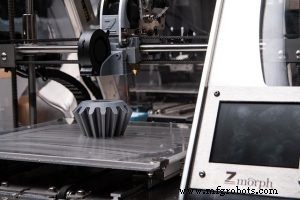
Creating a reliable digital model is the cornerstone of successful 3D printing. Before a printer can lay down material layer by layer, the object’s geometry must be defined in a digital file—typically an STL or OBJ. For professionals and hobbyists alike, the question is: what tools give you the most control, accuracy, and confidence that the final print will match your intent?
Computer‑Aided Design (CAD)
CAD remains the industry standard for 3D‑printable model creation. Software such as SolidWorks, Fusion 360, and Autodesk Inventor let users sculpt precise 3D geometry—or even 2D sketches that automatically extrude—within a virtual sandbox. After the design is finished, the file is exported to STL and validated for printability. Validation tools catch common pitfalls: non‑manifold edges, inverted normals, and holes that could cause a failed print. Because CAD programs offer parametric modeling and version control, engineers can iterate quickly and maintain a single source of truth for each part.
3D Scanning
When replicating an existing object, a 3D scanner can capture its shape directly. Handheld laser or structured‑light scanners create dense point clouds that are then processed into a mesh. This method is invaluable for reverse engineering, rapid prototyping, and capturing organic forms that would be difficult to model from scratch. Although less common than CAD, many modern printers can accept 3D‑scanned files, provided the mesh is cleaned and repaired before printing.
Photogrammetry
Photogrammetry converts a series of photographs into a 3D model. By stitching overlapping images, the software reconstructs the object’s geometry and texture. This technique is especially useful for large or complex items where a scanner’s field of view is limited. Once the mesh is generated, it is typically refined in a mesh editor before being exported for printing.
While all three approaches—CAD, scanning, and photogrammetry—are viable, CAD dominates due to its precision, widespread printer support, and robust error‑checking capabilities. Regardless of the method chosen, always verify your mesh before slicing to avoid costly print failures.
Industrial equipment
- Three Essential Stages of 3D Printing Explained
- How Bridges Stabilize Overhangs in 3D Printing
- How Desktop 3D Printers Are Reshaping Industrial Manufacturing
- Assessing the Maturity of Metal 3D Printing Technologies
- Five Transformative 3D Printing Business Models and Their Real‑World Impact
- Mastering 3‑D Print Orientation: Tips for Surface Finish, Strength, and Support Efficiency
- Understanding Offset Printing: A Comprehensive Guide
- Master 3D Printing: A Complete Guide to Creating STL Models
- Step‑by‑Step Guide: Convert STL to G‑Code for Reliable 3D Printing
- Step-by-Step Guide to Creating STL Files for 3D Printing