



How Desktop 3D Printers Are Reshaping Industrial Manufacturing

Over the past decade, desktop 3D printing has evolved from a hobbyist niche into a cornerstone of modern industry.
By dramatically reducing cost and lead time, these machines are now essential for rapid prototyping, tooling, and even end‑use parts across a range of sectors.
RepRap: Democratizing 3D Printing at Home
In 2018 the RepRap project marked its 10th anniversary. Originating in 2005, RepRap (Replicating Rapid Prototyper) aimed to produce a low‑cost, self‑replicating printer that could manufacture many of its own parts. Led by Dr. Adrian Bowyer of the University of Bath, the open‑source initiative galvanized the DIY community and seeded a wave of inexpensive desktop printers.
The movement spurred companies like MakerBot (founded 2009) to offer DIY kits and, later, consumer‑grade machines such as the Replicator 2. While the 2012 release coincided with a consumer hype boom, the industry soon realized that operating a 3D printer required a steep learning curve, limited material options, and design expertise—barriers that hindered mainstream adoption.
Consequently, many early manufacturers exited the market, but a handful pivoted successfully toward professional and enterprise customers.
From Consumer Gimmick to Industrial Asset
Desktop 3D printing has grown from a handful of hobbyist systems to a robust industrial segment. According to the Wohlers Report, sales rose from 1,816 units in 2009 to over 500,000 in 2017. The affordability and compact footprint of desktop printers make them attractive for in‑house rapid prototyping and low‑volume production.
Ultimaker: Scaling from DIY Kits to Factory‑Grade Machines
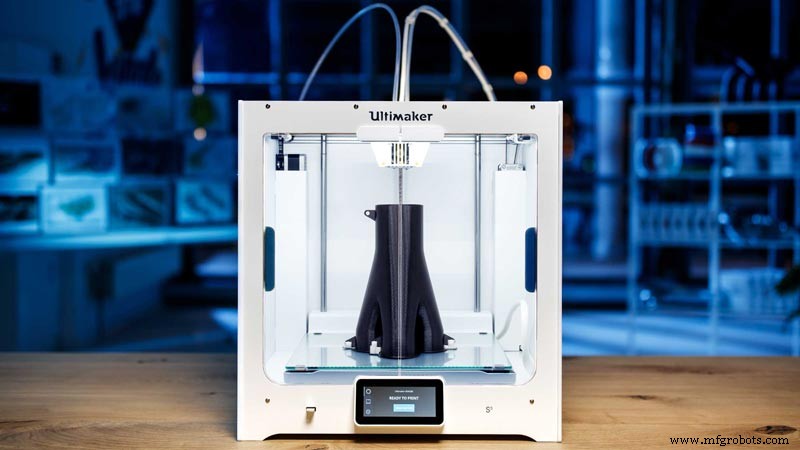
Founded in 2011, Ultimaker initially sold kits like the Ultimaker Original, which offered a 21 × 21 × 20.5 cm build volume at 20‑µm resolution. While suitable for hobbyists, the printer lacked speed, material flexibility, and build size needed for industrial use.
By 2013 Ultimaker released the Ultimaker 2 and later the Ultimaker 3, introducing dual‑extrusion and a 10‑cm larger build volume. The 2018 S5 model expanded the build envelope to 33 × 24 × 30 cm and supported temperatures up to 280 °C, enabling high‑temperature engineering plastics.
Use case: Heineken – Heineken’s Spanish brewery uses S5 printers to produce custom tools and spare parts, reporting 70–90 % cost savings and increased production uptime. The company also redesigned a sensor‑mounted metal part using 3D printing, reducing defects on conveyor belts.
Formlabs: Bringing SLA to the Desktop

Founded in 2012, Formlabs launched the Form 1 SLA printer on Kickstarter, targeting professional users. The Form 2, released in 2015, offered a 14.5 × 14.5 × 17.5 cm build volume and a powerful optical engine for high‑resolution prints.
Recognizing that post‑processing can bottleneck production, Formlabs introduced the Form Wash and Form Cure stations, automating cleaning and curing steps. In 2017 the company unveiled the Form Cell—a scalable, automated production line comprising five Form 2 printers and integrated wash/cure modules managed by a robotic gantry.
Use case: Northwell Health – Northwell Health employs Form Cell to produce patient‑specific anatomical models and surgical guides. Personalized models reduce operating‑room time, yielding estimated annual savings of up to $1.75 million.
Today Formlabs is the world’s largest seller of SLA printers, with over 40,000 units sold. The company has expanded into powder‑based SLS with the Fuse 1 and continues to innovate with its Form 3 and Form 3L lines.
RIZE: Simplifying Industrial Desktop Printing
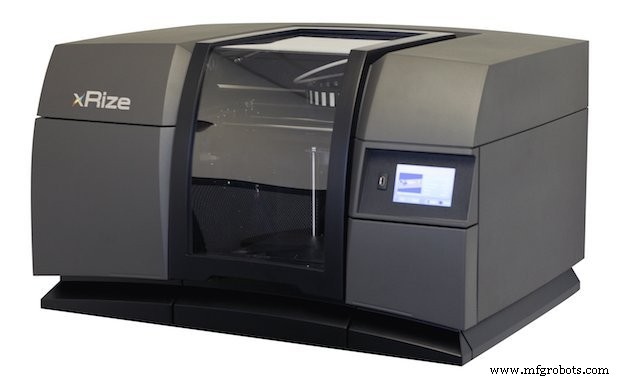
RIZE focuses on safety, simplicity, and sustainability. Its Augmented Deposition process blends FFF and material jetting to embed text or graphics directly onto parts, while the XRIZE printer offers full‑color output.
By jetting a release ink between part and support material, RIZE printers allow quick, tool‑free support removal and use emission‑free, office‑grade materials. These features make RIZE attractive for product‑development teams that need rapid, on‑site prototyping.
Use case: Boston Engineering – Boston Engineering operates RIZE printers from a standard office, cutting prototype turnaround from 2–3 days to under 24 hours.
Engineering‑Grade Materials on a Desktop
Desktop printers now support a wide spectrum of engineering materials beyond PLA and ABS, opening doors to functional prototypes, low‑cost tools, and spare parts.
Markforged: Continuous Carbon‑Fiber Reinforced Printing
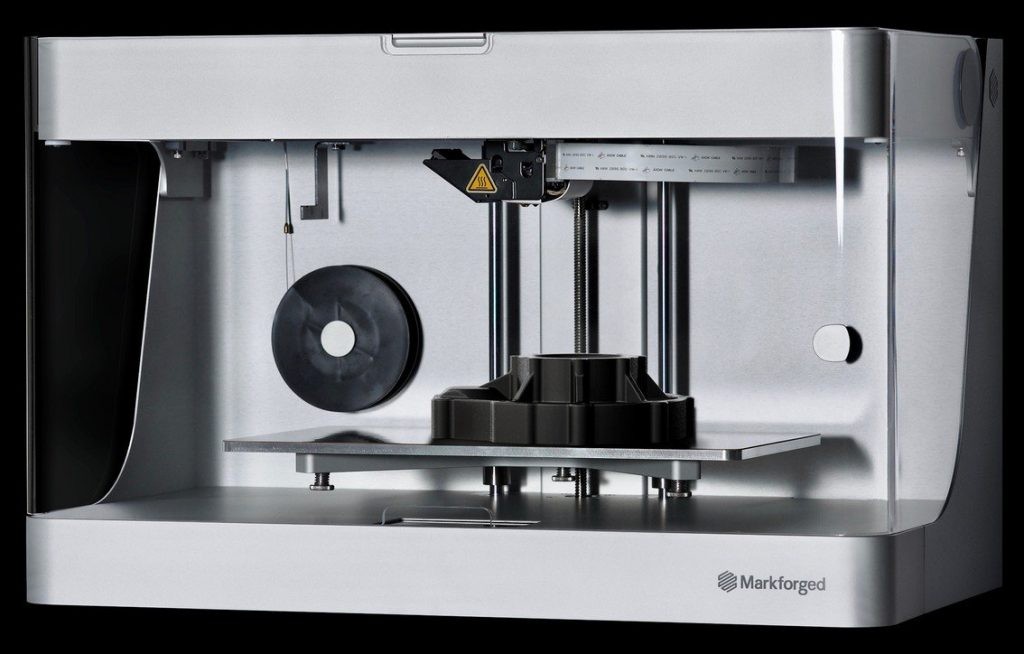
Markforged pioneered continuous fiber reinforcement with its Mark One in 2014. Using Continuous Filament Fabrication (CFF), the printer deposits strands of carbon fiber, fiberglass, or Kevlar alongside a nylon base, producing parts up to eight times stronger than ABS and 20 % stronger than aluminum.
Upgrades such as the Mark Two, Onyx series, and industrial X3/X5/X7 systems continue to expand capabilities. Siemens Gas & Power used Markforged to print a custom saw housing, reducing lead time from three weeks to a few days and saving $8,000 on a single tool.
By 2018 Markforged had shipped 2,500 printers, underscoring the market demand for high‑performance desktop fabrication.
Metal Printing in the Office
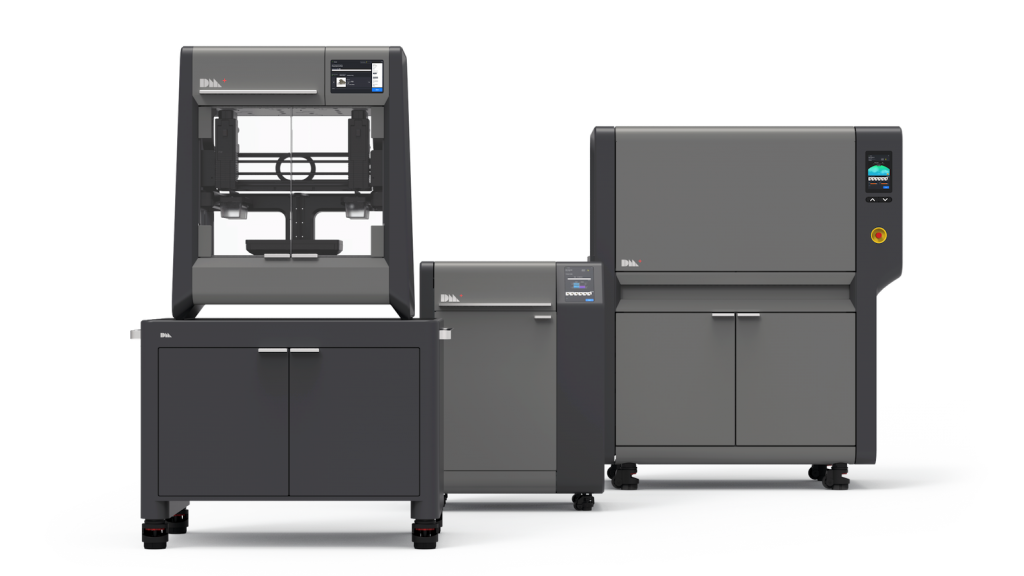
Desktop Metal and Markforged introduced extrusion‑based metal printers that encapsulate metal powder in a polymer matrix. After printing, the green parts are sintered in a furnace, producing fully dense metal parts.
Priced under $200,000, these machines—Desktop Metal’s Studio System and Markforged’s Metal X—offer 90 % lower cost and 30 % faster turnaround compared to third‑party services, making metal prototyping and tooling accessible to small‑to‑medium enterprises.
Built‑Rite leverages Desktop Metal’s Studio System to create quick‑turn mold assembly components, illustrating the feasibility of in‑house metal manufacturing.
Managing Printer Fleets Efficiently
While a single desktop printer is easy to handle, scaling to multiple units introduces logistical challenges: request triage, file repair, cost estimation, and job scheduling. Manual processes can erode productivity and inflate overhead.
Automation software—such as AMFG—provides web‑based request portals with instant quoting, automated file conversion, and real‑time status updates. Integrated with printers, these tools streamline workflow, reduce errors, and free up engineering teams to focus on design rather than administration.
The Road Ahead
Desktop 3D printing continues to advance at a rapid pace. New materials, enhanced performance, and sophisticated software are pushing the technology beyond prototyping into full‑scale manufacturing. As printers achieve higher quality, speed, and reliability, they will become ubiquitous—from office desks to production floors—driving cost savings, product innovation, and digital transformation across industries.
3D printing
- Designing Object Models for 3D Printing: CAD, Scanning, and Photogrammetry Explained
- How Bridges Stabilize Overhangs in 3D Printing
- How 3D Printing Is Revolutionizing Defence – Benefits, Challenges, and Future Applications
- How 3D Printing is Revolutionizing Automotive Production – 2021 Insights
- How 3D Printing is Revolutionizing Spare Parts Management – 2021 Update
- How 3D Printing Transforms Metal Casting: 3 Key Benefits
- Assessing the Maturity of Metal 3D Printing Technologies
- Revolutionizing Indian Dentistry: How 3D Printing Transforms Patient Care
- Revolutionizing Manufacturing: AR & IIoT Empower Workers & Boost Efficiency
- A Step-by-Step Guide to Launching Your 3D Printing Project