



Master SG‑90 Servos: Precise Arduino Control for Mini‑Size Motors
We are all fascinated with the mechanics behind RC vehicles. This is because of how easy it is to change the gear, velocity, and acceleration. What you may not know is that a major component is a micro servo. However, only a few devices can control objects with such high precision as the SG 90 Servos.
However, these hardware devices don’t work independently. Often, you need a microcontroller such as an Arduino, Raspberry Pi, etc. As we advance, you learn about SG90 servo and how to put it to use.
What are SG 90 servos?
SG 90 servos are lightweight motors that rotate 90 degrees in every direction. Also, the output power is high and works like standard servos, although smaller.
Servo Motor Wire Configuration
| Wire Number | Name/Color of wire | Description |
| 1 | GND/Brown | This brown wire connects the micro servo to the ground. |
| 2 | Vcc/Red | The +5V here is the power pin that supplies the motor. |
| 3 | PWM/Orange | This orange wire carries the PWM signal to drive the micro servo. |
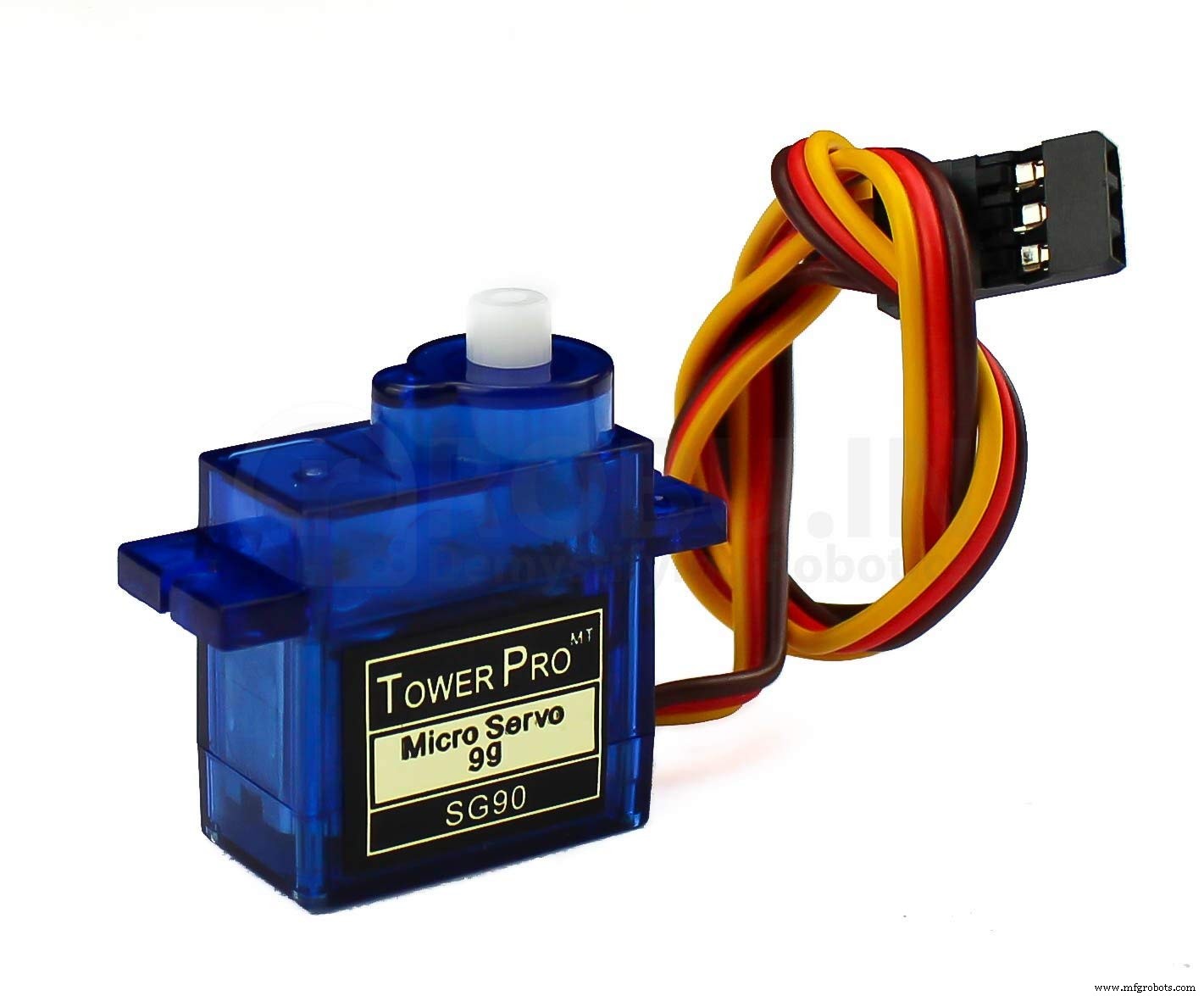
(Servo Motor showing all three wires)
SG-90 Features
- The average weight of the SG90 is 9 grams.
- The dimensions of the device are 31 x 11.8 x 22.2 mm.
- It has a stall torque of 1.8kgf.cm.
- Also, it has an operating voltage rated 4.8V.
- As well, the operating speed is 0.1s/60 degrees.
- It has a dead band width of 10µs.
- Temperatures between 0℃ and 55℃ are optimal for operation.
- The rotator rotates 0 to 180 degrees.
SG-90 Servo Motor Equivalent
- MG995 High Torque Metal Gear.
- MG90S Metal Gear.
- VTS-08A Analog Servo.
How to choose the right Servo Motor?
- When the project needs more torque
First, hobby servo motors operate within a 4.8V to 6.5V range. A higher voltage, in this case, produces higher torque.
- When the project demands full circle turns
Also, most hobby servo motors only rotate as much as 180 degrees. So, if your project demands more than a half-circle, it is best to go for a 360-degree rotation motor.
- For applications needing stronger gear
Metal gears are a good alternative if your application is long-running and needs a stronger engine.
- For projects pulling more weights
The most common torque rating among servo motors is the 2.5kg/cm in the Towerpro SG90 Motor. This motor, for instance, can pull weights up to 2.5kg from 1cm away.
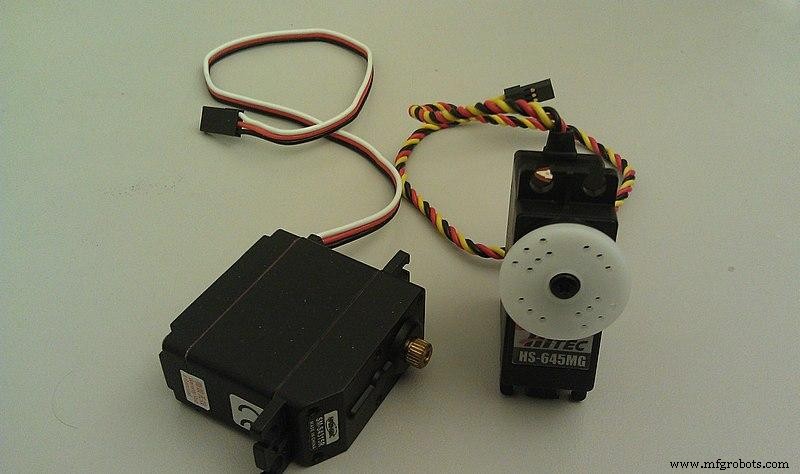
(A view of two hobby servo motors).
How to use sg 90 servos on Arduino?
The required components
To use SG90 servos on Arduino, you need the following components:
- Arduino Uno
- SG90 Servo motor
- Wires
- A Breadboard
Schematic diagram
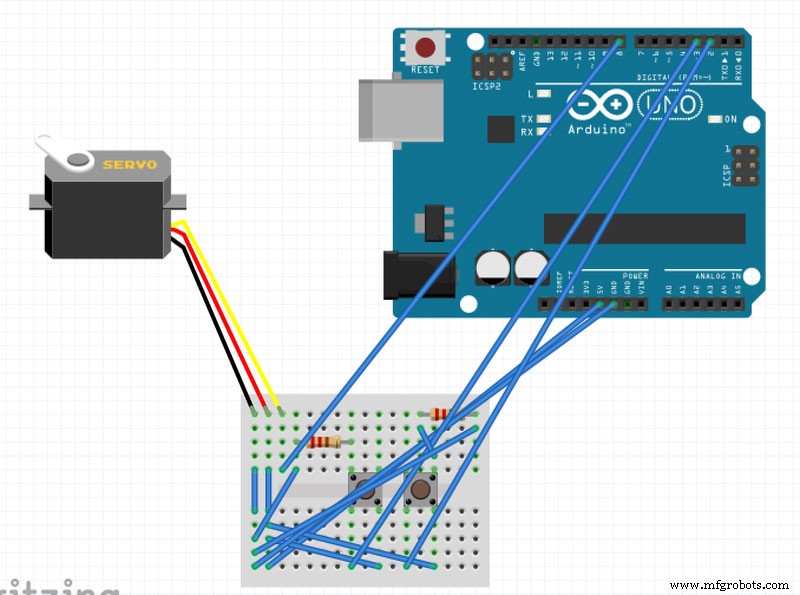
(A servo motor connection to Arduino)
Operational steps
- Firstly, connect the servo signal pin to the Arduino digital pin 8. This connection lets you send servo directions like PWM pulses to the motor.
- Next, you have to write the Arduino code for the application.
Note: If you are using multiple servos, Arduino does not meet the high current demands of the motors to power them. In this case, you need an external power supply.
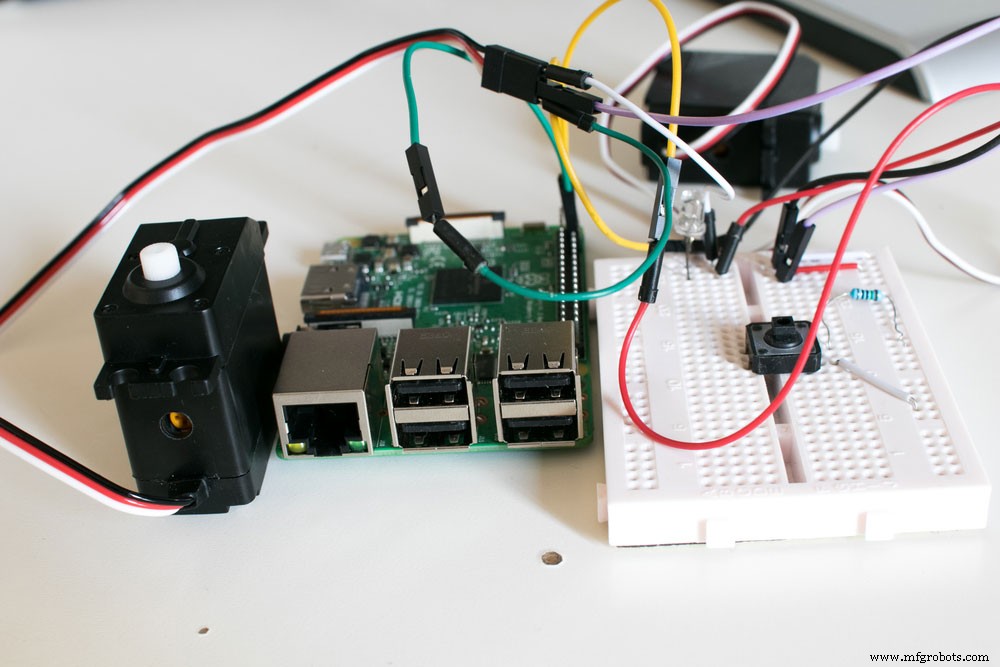
(Servo motor wiring connection).
Application
- Servo motors function as robot actuators in hexapods, biped robots, and robotic arms.
- Also, it is a common part of RC toys’ steering mechanism.
- Robots requiring position control without feedback use this motor.
- Due to its lightweight nature, it is useful in multi-DOF humanoid robots.
Conclusion
In brief, servo motors are an important part of robotic applications. The SG 90 servos, in particular, are lightweight and powerful simultaneously. Unlike DC motors, they have more pins, hence more functionality.
However, learning to use servo motors is one thing. Putting it to practice is another. So, as you begin such projects, you must seek professional help in a community for developers. Contact us today.
Industrial Technology
- Control Multiple Servos via Bluetooth: Arduino & Android App
- Build a Gesture‑Controlled Robot at Home with Arduino and MPU‑6050
- IQ Motion Control Introduces Advanced, Cost‑Effective Servo Motors for Robotics & Industrial Applications
- Master Arduino Servo Motor Control: Step‑by‑Step Guide
- Master WS2812B LED Control with Arduino – Step‑by‑Step Guide
- Master Stepper Motor Control with Arduino & A4988 Driver – Step-by-Step Guide
- Master DC & Servo Motor Control with Arduino – Step-by-Step Tutorial
- Control Your Electric Water Heater with Switches: A Step‑by‑Step Guide
- Connecting an L293D Motor Driver to a DC Motor with Arduino – Step‑by‑Step Guide
- Choosing the Right Hydraulic Motor: Key Factors and Practical Tips