



Step‑by‑Step Guide to Deploying a Barcode System in Your Warehouse

Fixed Asset Market Manager
Table of Contents
- Why Use Barcodes in a Warehouse?
- Step 1: Create an Initial Barcode Plan
- Step 2: Configure the Centralized Software Platform
- Step 3: Select Barcode Symbologies
- Step 4: Design Barcode Labels
- Step 5: Establish Barcode Inventory Processes
- Final Thoughts on Implementing Barcodes in Your Warehouse
- Frequently Asked Questions
Key Takeaway
Successfully deploying a warehouse barcode system hinges on careful planning, the right technology choices, and comprehensive staff training. This foundation drives higher inventory accuracy, faster order processing, and measurable cost savings.
Warehouse managers are increasingly adopting automation to stay competitive. Among the most reliable and cost‑effective tools is barcode scanning, which delivers instant, error‑free data capture.
A typical warehouse handles shipping, receiving, replenishment, picking, and packing—all at once. Barcodes give every rack, container, or item a unique identifier that simplifies movement both inside and outside the facility.
In this guide, we walk through a five‑step process to implement barcodes effectively and sustainably.
Barcode technology is a proven enabler of efficient inventory management. Before, during, and after deployment, several critical factors must be considered to ensure a smooth transition.
Why Use Barcodes in a Warehouse?

Manual spreadsheets and hand‑written counts introduce errors and slow response times. Barcoding eliminates these pitfalls by enabling real‑time data capture.
By labeling every location, rack, pallet, and container, you enable semi‑automated cycle counts and effortless transfer of inventory across departments.
Key benefits include:
- Faster order processing
- Lower clerical and operating costs
- Reduced errors
- Higher inventory and cycle count accuracy
- Scalability for future growth
- A professional, organized layout
With a centralized Warehouse Management System (WMS), barcodes support perpetual inventory control and real‑time visibility of product details such as size and weight.
Want a FREE Warehouse Labeling Checklist?
Download our free PDF checklist that covers the essential questions and best practices for any labeling project. Get started faster and ensure your warehouse management system is fully optimized.
Step 1: Create an Initial Barcode Plan

The first step is to map out a comprehensive plan that aligns all components—hardware, software, labeling, and workflow.
Determine Inventory Barcode Needs
Compile a master list of all SKUs, variants, and potential future items. Whenever possible, use the manufacturer’s existing barcode and import it into your system. Every item must have a unique code and a designated storage location, and a clear process for scanning upon receipt and dispatch.
Review the Warehouse Layout
Assess rack heights, aisle widths, and transit routes. For elevated storage, consider long‑range scanners or duplicate ground‑level labels. Identify key zones such as cold storage, aisles, interior docks, and outdoor loading areas.
Examine the Product Supply Chain
Determine how bulk containers—totes, pallets, IBCs—are handled. Ensure distinct barcodes for containers versus individual items, and review symbology compatibility across suppliers and retailers.
Align Existing Warehouse Control Systems
Identify current processes that can be streamlined or replaced by barcoding. Engage staff early to build buy‑in and evaluate existing software platforms for compatibility.
Step 2: Configure the Centralized Software Platform

Barcodes must integrate with your core system—WMS, CMMS, or EAM. Verify the platform supports your chosen symbologies and scanner types.
Select scanners based on connectivity (computer‑attached, mobile, wireless), range, battery life, ruggedness, and charging method. Ensure the hardware can reach all labeled locations.
Step 3: Select Barcode Symbologies
Choose a format that matches your data and environment. 1D codes (UPC, EAN, Code 39) are ideal for retail and industrial items, while 2D codes (QR) offer higher capacity for detailed data.
- UPC (1D numeric) – 12‑digit code used globally for retail goods.
- EAN (1D numeric) – Similar to UPC, common in Europe and for ISBN/ISSN.
- Plessey (1D alphanumeric) – Flexible, used in grocery and library settings.
- Code 39 (1D alphanumeric) – Widely used in automotive, defense, and non‑retail sectors.
- QR Code (2D) – Stores up to 2,509 numeric or 1,520 alphanumeric characters, great for links and detailed metadata.
Consider registering with GS1 to maintain global standards and avoid duplicate identifiers.
Step 4: Design Barcode Labels

Match label type to application. Common choices include:
- Single‑Level Labels – Polyester for racks; cold‑storage or magnetic variants available.
- Multi‑Level Labels – Color‑coded tiers for multi‑row racks.
- Wrap‑Around Labels – Ideal for long‑range scanning (up to 50 ft).
- Container Labels – Metalphoto® Aluminum or durable polyester for hazardous or high‑wear items.
- Pallet Labels – Metalphoto® Aluminum for heavy handling.
- Floor Labels – Peel‑and‑stick or screw‑down for ground‑level markings.
Key considerations before ordering:
- Substrate Material – Choose metal or plastic based on environment (cold, moisture, abrasion).
- Size – Larger labels for distant scanning; smaller for tight spaces.
- Attachment Method – Adhesive, screws, bolts, or magnetic backing depending on movement needs.
For niche applications, collaborate with a label manufacturer to tailor solutions.
Step 5: Establish Barcode Inventory Processes
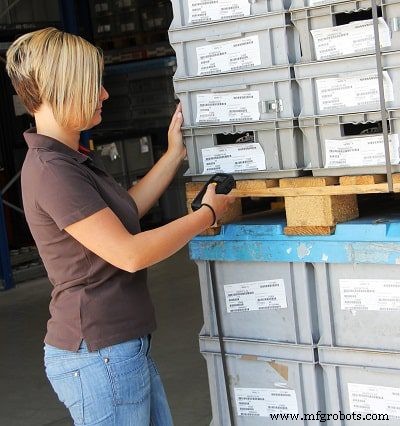
Implement clear procedures for label application, data updates, and scanning. Position labels to avoid obstruction and enable quick capture.
A centralized WMS provides real‑time visibility, allowing managers to track KPIs such as safety stock, turnover, and cycle times. Use these insights to set priorities, measure outcomes, and deliver targeted training.
Schedule regular data reviews to catch issues early and refine workflows during the initial rollout.
Final Thoughts on Implementing Barcodes in Your Warehouse
With strategic planning and meticulous execution, a barcode system can transform warehouse operations—reducing manual effort, cutting costs, and delivering strong ROI.
Frequently Asked Questions
Industrial Technology
- Master B2C-Style Online Sales for Industrial Products
- Reduce Over-Engineering: Switching Metal Parts to Advanced Plastics
- Building a Safer Future: Advancing Smart Food Safety Solutions
- Building Supply‑Chain Resilience: Rethinking Pricing & Sales Strategies Post‑COVID
- Conventional vs. Electron Flow: What Engineers Use and Why
- Insert Molding vs. Overmolding: Selecting the Optimal Multi‑Material Injection Process
- Microwave Motion Sensors: Types, How They Work, and Security Benefits
- Defining the Ideal Production Control Tool: Key Features & Best Practices
- Unlock More Leads: How Your Website Drives Sales Growth
- MPU‑9250: Advanced 9‑Axis Motion Sensor for Arduino Projects