



Arduino Tic Tac Toe with MAX7219 LED Matrix and Cardboard Enclosure
Components and supplies
 |
| × | 1 | |||
| × | 1 | ||||
| × | 1 |
Necessary tools and machines
 |
|
Apps and online services
 |
|
About this project
Hi Hackster Community.
I'm Simone Adobs and this is my third project that I've released on Hackster. This is my first project where I create a structure with cardboard, paper and hot glue gun, that contains Arduino and other components.
This is a short video that shows you how the Tris works:
Here you can see the project from all views:
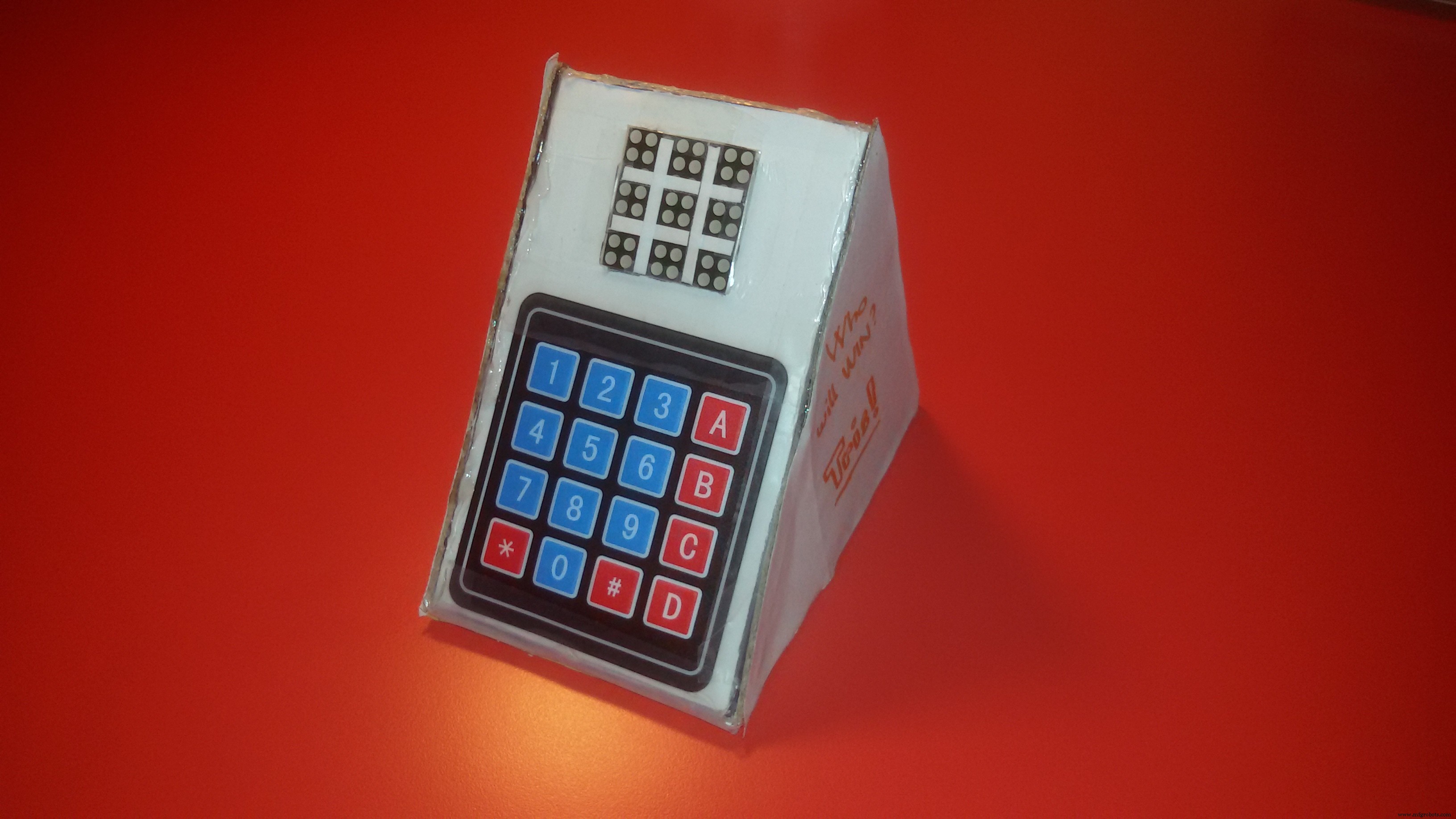
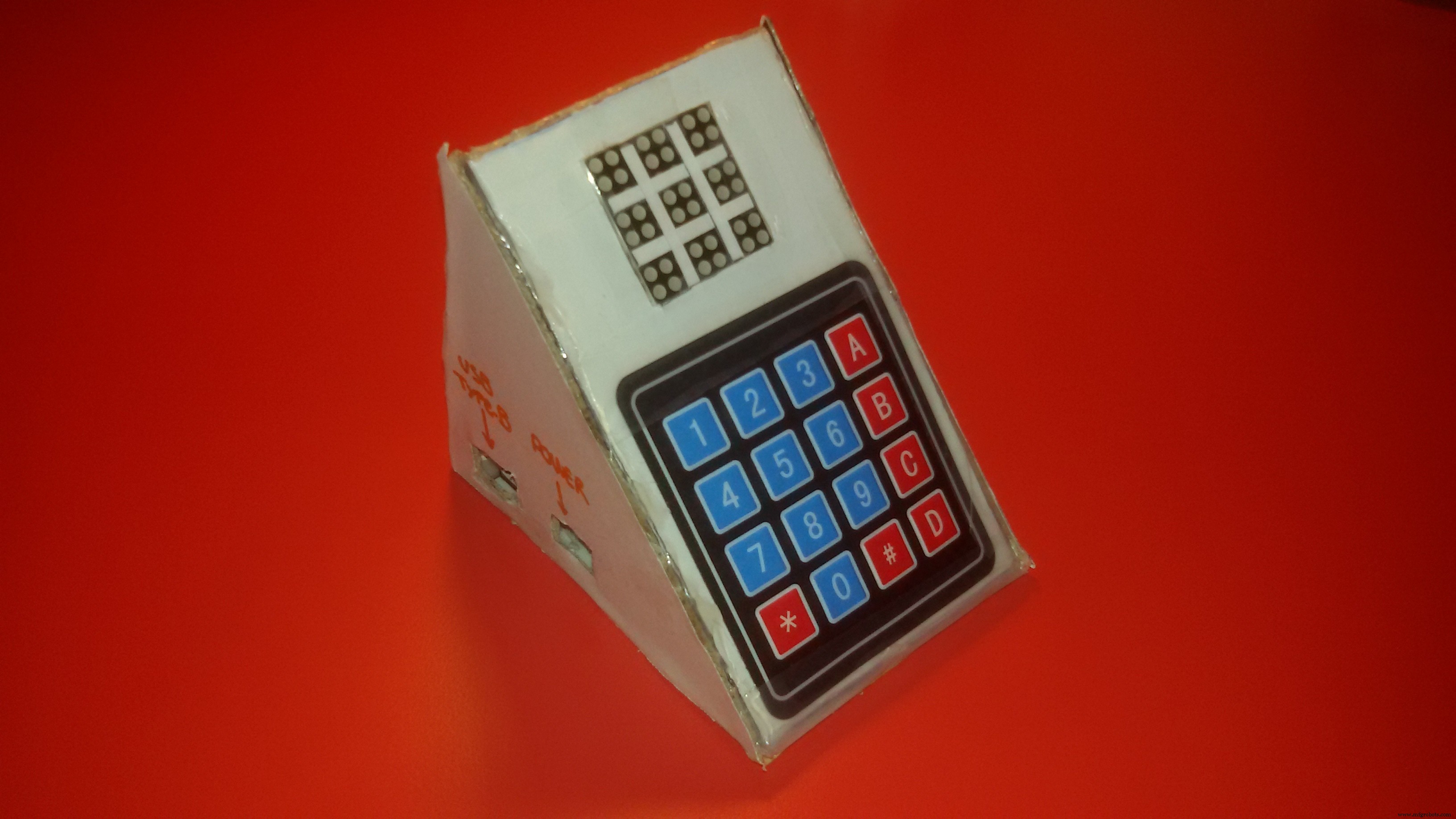
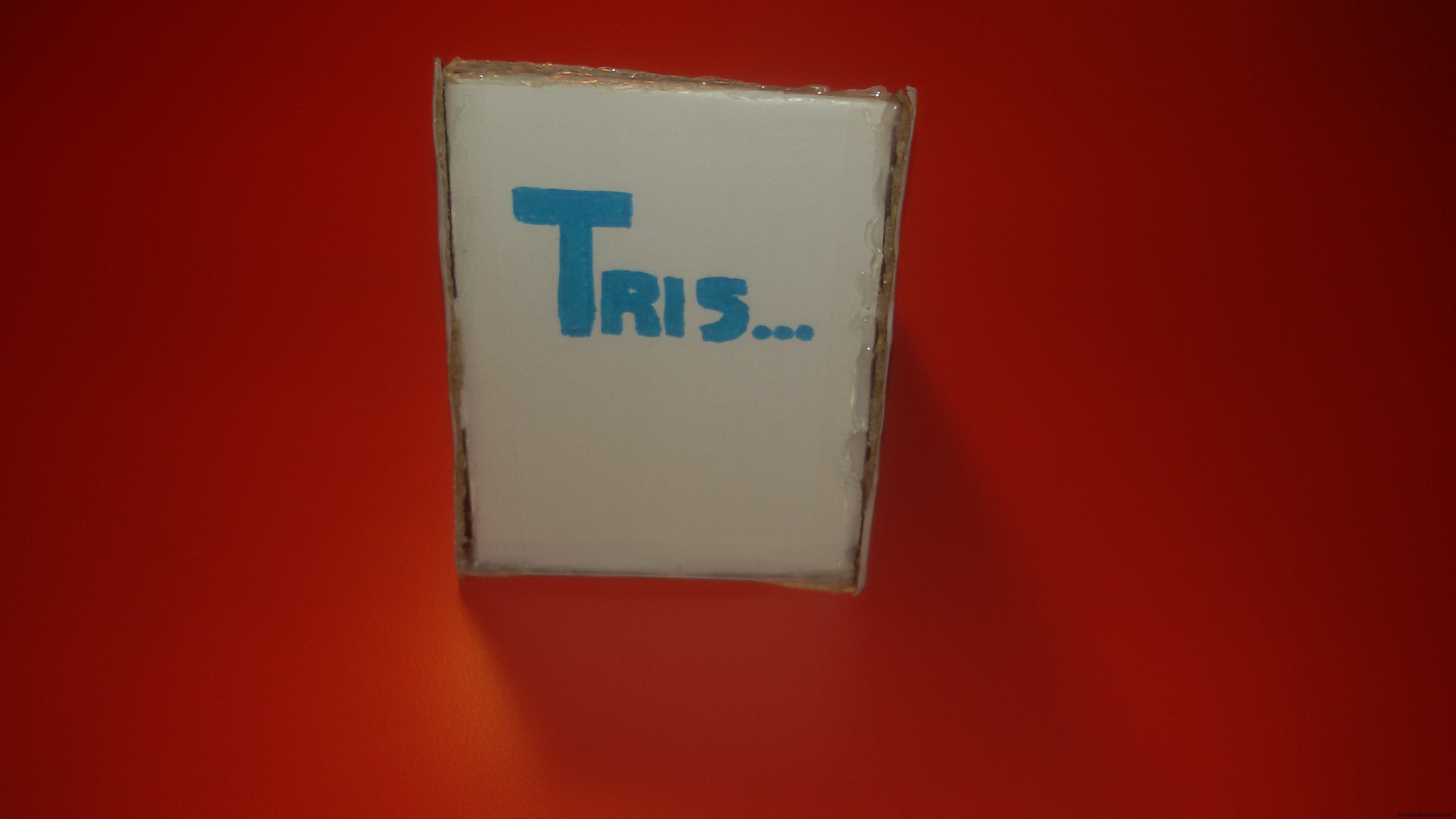
I hope you will like it, because I spent some hours on it! Now let's start with the project.
How does the Tris work?The answer is very simple: when you click a number on the Keypad, Arduino will turn on the corresponding square.
- Can I switch players?
When you turn on a square, instantly Arduino will switch to the next player's turn.
- Does Arduino recognize when I win?
When a player wins, Arduino writes on the LED Dot Matrix:
- "1" if the winner is the player 1;
- "2" if the winner is the player 2.
When the game is finished, can I restart Arduino from a button?
You can restart the game if you click the button "0" on the keypad - Arduino restarts itself.
How can I recognize a player?You can easily recognize a player because, although the LED Dot Matrix is only red, every player has a specific pattern formed by 2x2 LED:
- Player 1 has this pattern: "\"
- Player 2 has this other pattern: "/"
For any questions, suggestions, criticisms or code explanation, feel free to comment below. If you like this project leave a like and take a look to my other projects!
Try to make another structure or personalize my structure and send me a photo of it!
Have a NICE DAY!
Simone from Italy <3
Code
- Tech-Tris
Tech-TrisC/C++
#include <Keypad.h>
#include <LedControl.h>
#include <avr/io.h>
#include <avr/wdt.h>

#define Reset_AVR() wdt_enable(WDTO_30MS); while(1) {}

LedControl lc=LedControl(12,10,11,1);

bool player1=true,q1=false,q2=false,q3=false,q4=false,q5=false,q6=false,q7=false,q8=false,q9=false;
int row,col,rowPlays,colPlays,result,player,winner;
char hexaKeys[4][3] = {
  {'1','2','3'},
  {'4','5','6'},
  {'7','8','9'},
  {'*','0','#'}
};
int plays[3][3] = {
  {0,0,0},
  {0,0,0},
  {0,0,0}
};
byte rowPins[4] = {8, 7, 6, 5};
byte colPins[3] = {4, 3, 2};

Keypad customKeypad = Keypad( makeKeymap(hexaKeys), rowPins, colPins, 4, 3);

void setup() {
  lc.shutdown(0,false);
  lc.setIntensity(0,0);
  lc.clearDisplay(0);
}

void loop() {
  int customKey = customKeypad.getKey();
  painting(customKey);
  win(result);
  if (winner==1) {
    lc.clearDisplay(0);
    while (winner==1) {
      char customKey = customKeypad.getKey();
      if (customKey=='0') {
        Reset_AVR();
      }
      lc.setLed(0,1,4,true);
      lc.setLed(0,2,5,true);
      lc.setLed(0,3,6,true);
      lc.setLed(0,4,7,true);
      lc.setLed(0,4,6,true);
      lc.setLed(0,4,5,true);
      lc.setLed(0,4,4,true);
      lc.setLed(0,4,3,true);
      lc.setLed(0,4,2,true);
      lc.setLed(0,4,1,true);
      lc.setLed(0,4,0,true);
      lc.setLed(0,5,0,true);
      lc.setLed(0,6,0,true);
      lc.setLed(0,3,0,true);
      lc.setLed(0,2,0,true);
    }
  }
  else if (winner==2) {
    lc.clearDisplay(0);
    while (winner==2) {
      char customKey = customKeypad.getKey();
      if (customKey=='0') {
        Reset_AVR();
      }
      lc.setLed(0,2,0,true);
      lc.setLed(0,3,0,true);
      lc.setLed(0,4,0,true);
      lc.setLed(0,5,0,true);
      lc.setLed(0,2,1,true);
      lc.setLed(0,2,2,true);
      lc.setLed(0,2,3,true);
      lc.setLed(0,2,4,true);
      lc.setLed(0,3,4,true);
      lc.setLed(0,4,4,true);
      lc.setLed(0,5,4,true);
      lc.setLed(0,5,5,true);
      lc.setLed(0,5,6,true);
      lc.setLed(0,5,7,true);
      lc.setLed(0,4,7,true);
      lc.setLed(0,3,7,true);
      lc.setLed(0,2,7,true);
    }
  }
}

int round_player() {
  if (player1) {
    player1=false;
    result=1;
  }
  else {
    player1=true;
    result=2;
  }
  return result;
}

void win(int player) {
  if (plays[0][0]==player && plays[0][1]==player && plays[0][2]==player) {
    winner=player;
  }
  else if (plays[1][0]==player && plays[1][1]==player && plays[1][2]==player) {
    winner=player;
  }
  else if (plays[2][0]==player && plays[2][1]==player && plays[2][2]==player) {
    winner=player;
  }
  else if (plays[0][0]==player && plays[1][0]==player && plays[2][0]==player) {
    winner=player;
  }
  else if (plays[0][1]==player && plays[1][1]==player && plays[2][1]==player) {
    winner=player;
  }
  else if (plays[0][2]==player && plays[1][2]==player && plays[2][2]==player) {
    winner=player;
  }
  else if (plays[0][0]==player && plays[1][1]==player && plays[2][2]==player) {
    winner=player;
  }
  else if (plays[0][2]==player && plays[1][1]==player && plays[2][0]==player) {
    winner=player;
  }
}

void switch_on_led(int col, int row, int colPlays, int rowPlays) {
  if (player1) {
    lc.setLed(0,col,row,true);
    lc.setLed(0,col+1,row-1,true);
  }
  else {
    lc.setLed(0,col,row-1,true);
    lc.setLed(0,col+1,row,true);
  }
  plays[rowPlays][colPlays]=round_player();
}

void painting(int bottone) {
  switch (bottone) {
  case 49:
    if (!q1){
      switch_on_led(0,7,0,0);
      q1=true;
    }
    break;
  case 50:
    if (!q2) {
      switch_on_led(3,7,0,1);
      q2=true;
    }
    break;
  case 51:
    if (!q3) {
      switch_on_led(6,7,0,2);
      q3=true;
    }
    break;
  case 52:
    if (!q4) {
      switch_on_led(0,4,1,0);
      q4=true;
    }
    break;
  case 53:
    if (!q5) {
      switch_on_led(3,4,1,1);
      q5=true;
    }
    break;
  case 54:
    if (!q6) {
      switch_on_led(6,4,1,2);
      q6=true;
    }
    break;
  case 55:
    if (!q7) {
      switch_on_led(0,1,2,0);
      q7=true;
    }
    break;
  case 56:
    if (!q8) {
      switch_on_led(3,1,2,1);
      q8=true;
    }
    break;
  case 57:
    if (!q9) {
      switch_on_led(6,1,2,2);
      q9=true;
    }
    break;
  case 48:
    Reset_AVR();
    break;
  }
}
Schematics
tris_1Nd6QnEjNE.fzz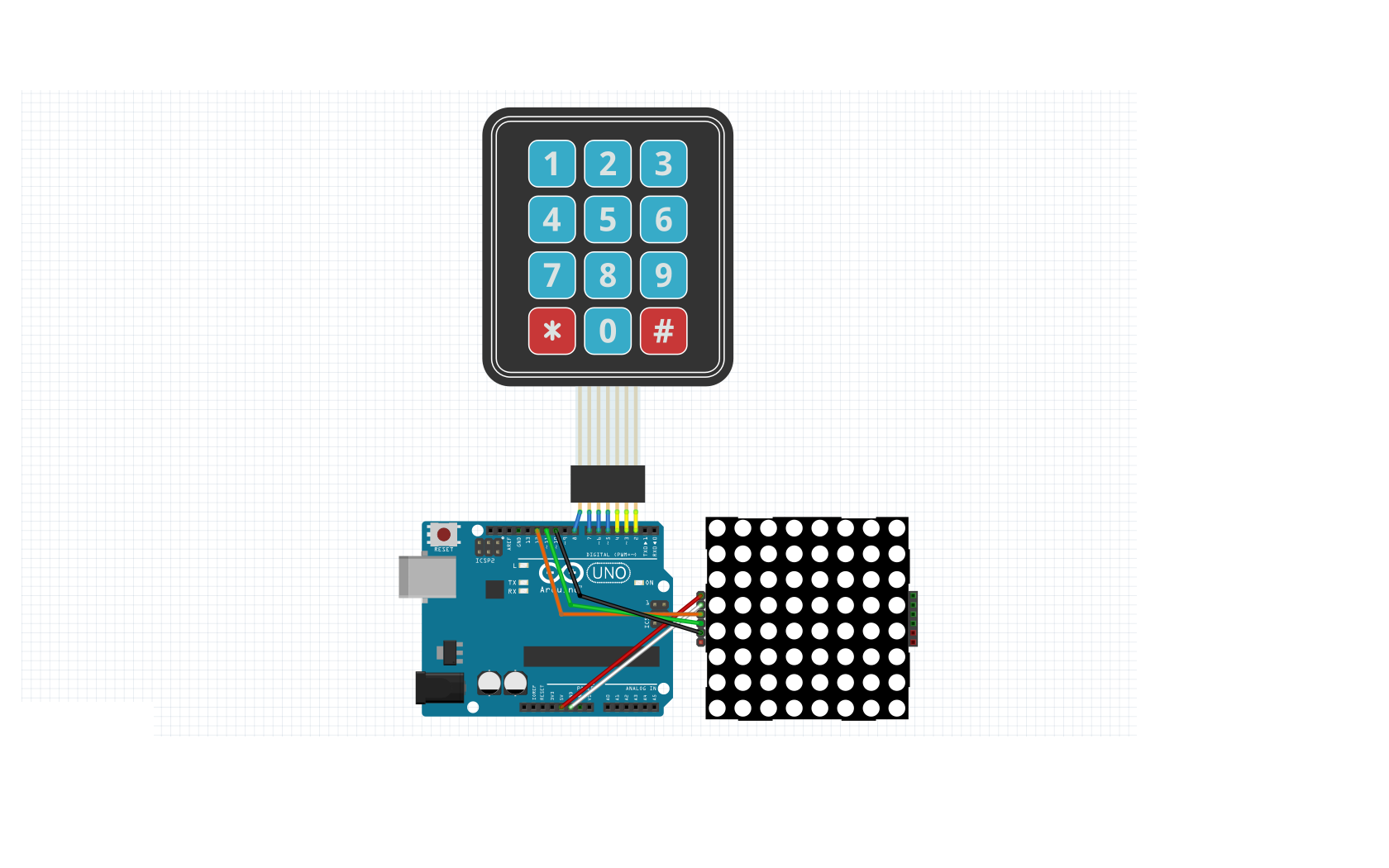
Manufacturing process
- Create a Stunning Monitor Ambilight System with Arduino
- Build a Classic Pong Game on Arduino UNO with OLED Display – Step‑by‑Step Tutorial
- Arduino Audio Frequency Detector – Measure Loudest Sound Peaks with High‑Sensitivity Module
- Build a Reliable Arduino Countdown Timer with SparkFun 7‑Segment Display
- Build Your Own RC Porsche Car with Arduino: A Step‑by‑Step Guide
- Detecting Object Colors with Arduino Nano and TCS3200 Sensor
- Bluetooth‑Controlled Servo Motor with Arduino Uno & HC‑05
- Arduino-Powered Indoor Garden: Smart, Automated Plant Care
- Build an Arduino Color Sorter: Simple Guide with TCS3200 & Servos
- Build an Arduino Radar System with Ultrasonic Sensor & Servo – Step‑by‑Step Guide