



Capacitive Touch‑Sensing 3‑D Printed Prosthetic Hand – Arduino‑Controlled Actuation
Components and supplies
 |
| × | 1 | |||
| × | 1 | ||||
| × | 2 | ||||
 |
| × | 1 | |||
 |
| × | 1 |
Apps and online services
 |
|
About this project
In this project I’ve come with an idea that can be implemented to existing 3D-printed prosthetic hands. In existing electrically powered prosthesis I couldn’t find the use of capacitive touch sensing technology for the actuation of fingers. This project combines two very cool things, Arduino with capacitive touch sensing for the actuation and remix of e-NABLE Phoenix hand design.
Basically the Phoenix hand is a body powered hand. What I’ve done on this project is that I converted it into an electrically powered prosthesis by choosing required part design.
The advantage of capacitive touch sensing is, through touch you can actuate the fingers easily. Currently this model cannot control individual fingers and more development is required in weight carrying capacity and grasping capacity.
Gather the Parts: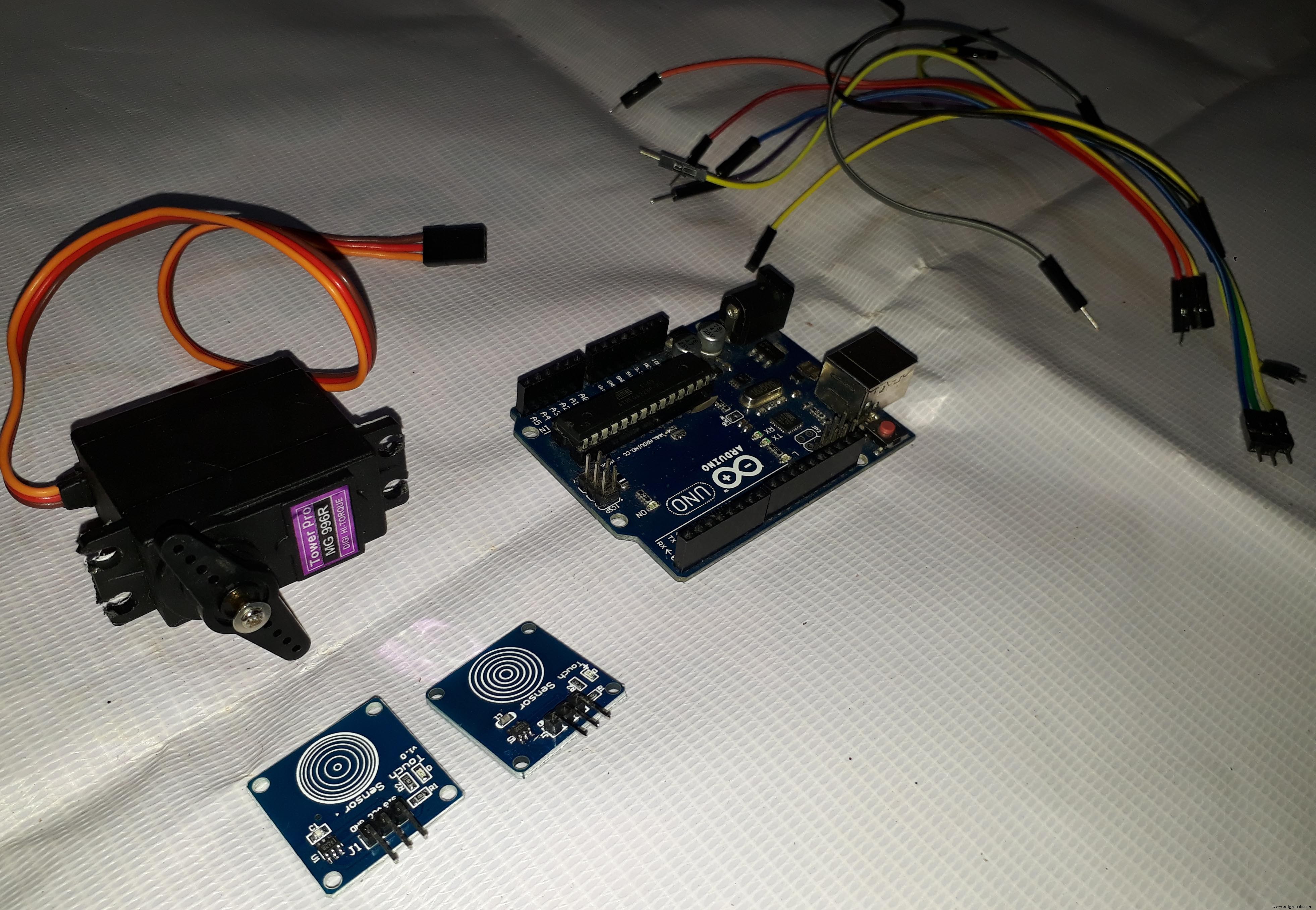
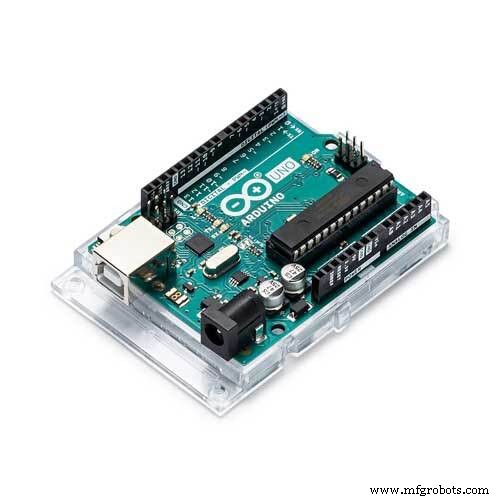
- Arduino Uno
- TTP223 Touch Sensor -2
- MG996R Servo Motor
Assembly of Phoenix Hand:
The Assembly details of Phoenix hand is mentioned in the following steps...
I have used flexor as fishing line and extensor as rubber bands
Tools:
- 3D printer
- Glue gun
This project uses previously designed e-NABLE Phoenix hand .
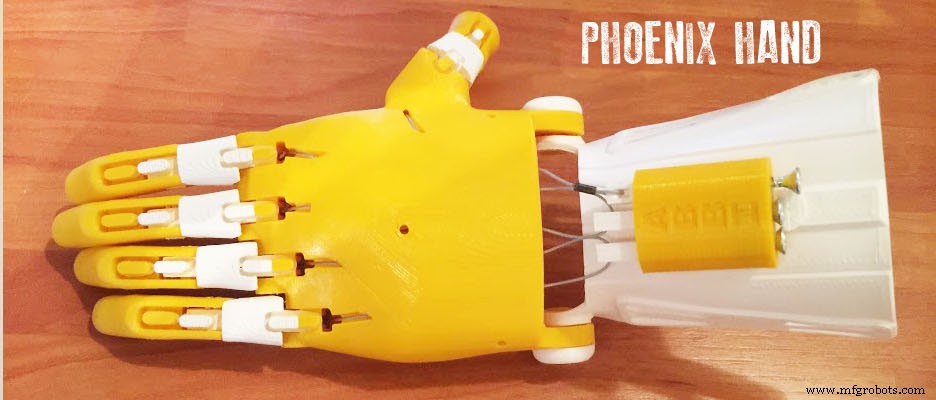
As per my requirements I have printed only the following parts
Fingers
- finger_phalanx.stl -4 pieces
- fingertip_long.stl -2 pieces
- fingertip_short.stl -2 pieces
- thumb_phalanx.stl -1 piece
- thumbtip.stl -1 piece
Palm
- palm_right_new_supports.stl -1 piece
Snap Pins
- fingertip_pin.stl - 4 pieces
- knuckle_pin_long.stl -1 piece
- knuckle_pin_short.stl -2 pieces
- thumb_knuckle_pin.stl - 1 piece
- thumbtip_pin.stl - 1 piece
Since there are already detailed instructions on how to build this, I won’t go into detail
For printing I used a Flsun 3D printer. In total, it took 10-12 hours to print
(note:these parts are for a right hand)
Assembly of Hand:The build process of Phoenix hand is already available, so I won’t go into too much detail. If you have any doubt, please leave a comment.
I have used flexor as fishing line and extensor as rubber band.
**some smoothing may be required for smooth fit
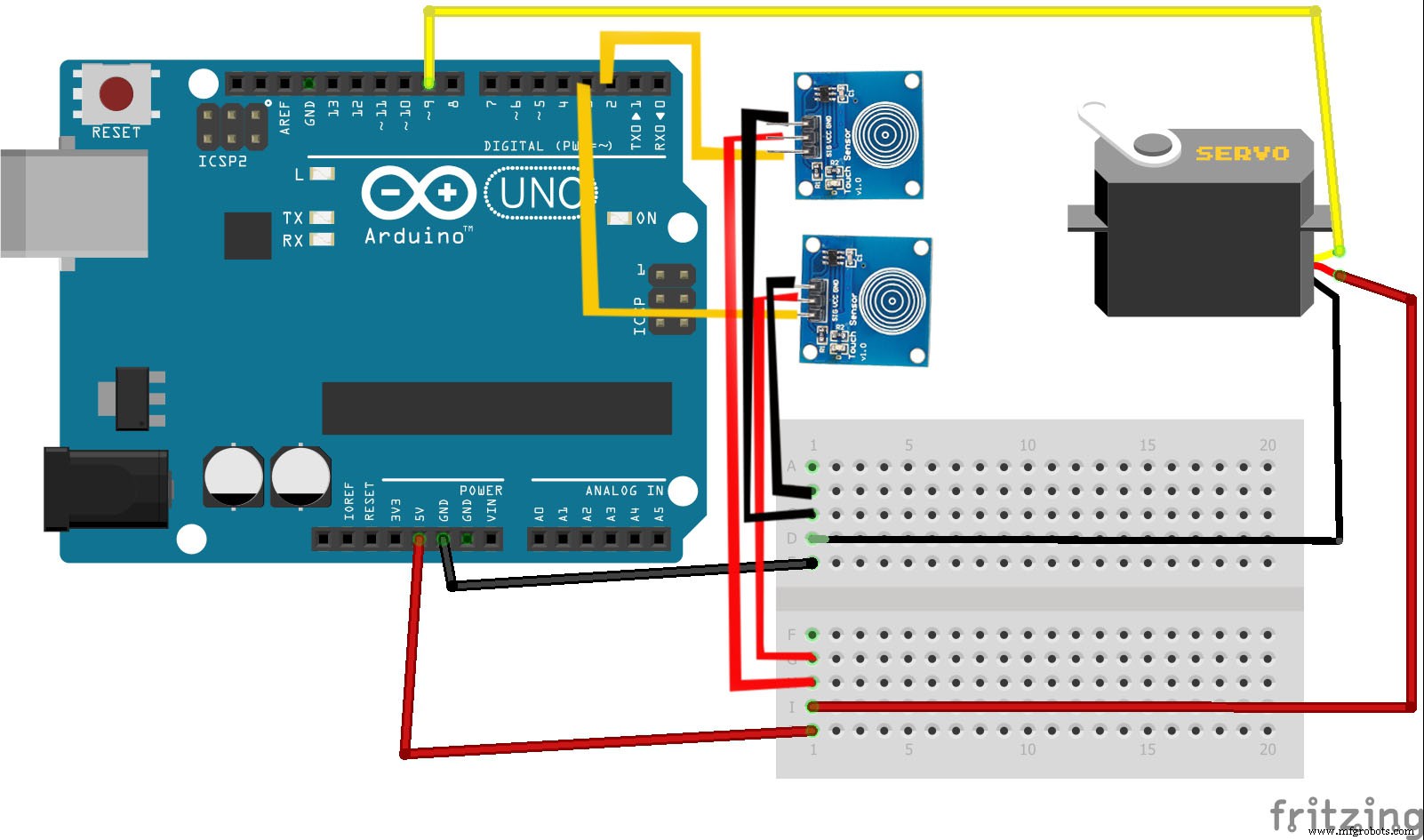
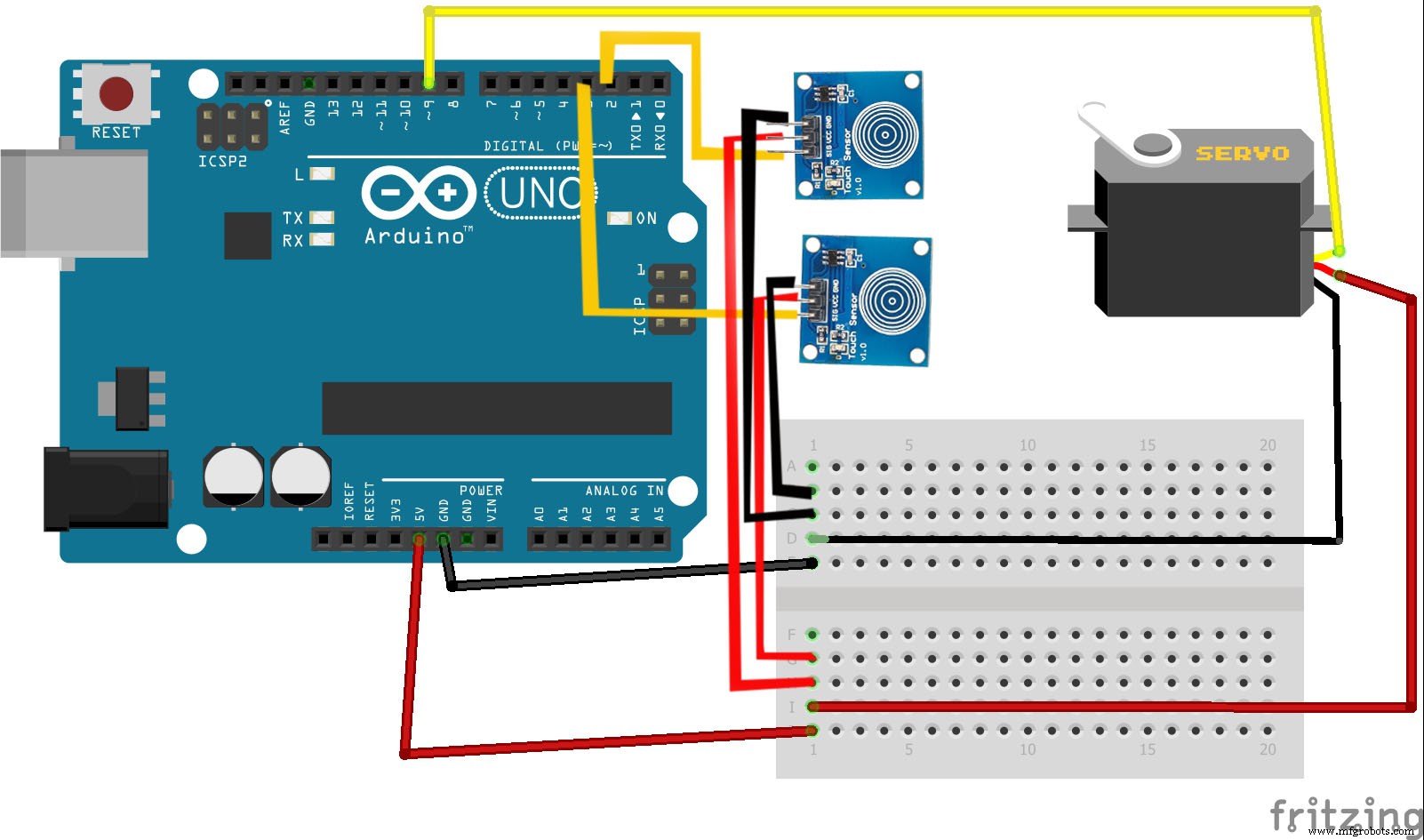
Electronic Parts:The actuation is controlled through 2 touch sensors(TTP223), The input from touch sensor opens and closes the fingers through servo motor.
Circuit Diagram and Arduino Code:
Happy making!
Thank you so much for reading if you need any more information feel free to ask in comments, and I'll do my best answer you.
Code:
#include <Servo.h>
Servo myservo;
#define CTS1Pin 2 // Pin for capactitive touch sensor 1
#define CTS2Pin 3 // Pin for capactitive touch sensor 2
int pos;
void setup()
{
  myservo.attach(9);  // attaches the servo on pin 9 to the servo object
}
void loop()
{
int CTSValue1 = digitalRead(CTS1Pin);
int CTSValue2 = digitalRead(CTS2Pin);
if (CTSValue1 == HIGH)
{
   for (pos = 0; pos <= 180; pos += 1)
   myservo.write(pos);
    delay(15);
  }
  if(CTSValue2==HIGH)
  {
   for (pos = 180; pos >= 0; pos -= 1)
   myservo.write(pos);
   delay(15);
  }
}
Code
- Arduino Sketch
Arduino SketchArduino
#include <Servo.h>
Servo myservo;
#define CTS1Pin 2 // Pin for capactitive touch sensor 1
#define CTS2Pin 3 // Pin for capactitive touch sensor 2
int pos;
void setup()
{

   myservo.attach(9);  // attaches the servo on pin 9 to the servo object
}

void loop()
{
int CTSValue1 = digitalRead(CTS1Pin);
int CTSValue2 = digitalRead(CTS2Pin);

if (CTSValue1 == HIGH)

 {
    for (pos = 0; pos <= 180; pos += 1)
    myservo.write(pos);
     delay(15);

   }
   if(CTSValue2==HIGH)
   {
    for (pos = 180; pos >= 0; pos -= 1)
    myservo.write(pos);
    delay(15);

   }

}
Schematics
Manufacturing process
- Capacitive Accelerometers Explained: From Mass‑Spring Mechanics to Signal Conditioning
- 3D‑Printed Prosthetics: Transforming Access and Affordability for Amputees
- Crafting a Custom 3D‑Printed Steering Wheel for a Go‑Kart: Lighter, Comfortable, and Modifiable
- MarkForged Mechanical Features #1: Mastering 3D Printed Living Hinges
- Human-Centric Supply Chain Transformation: Boost Efficiency & Resilience
- Build a Portable Capacitive Touch Piano with Arduino – Step‑by‑Step Guide
- Integrating a DFRobot Capacitive Fingerprint Sensor with Arduino or ESP8266
- Smart 3D Printed Pet Feeder Powered by Arduino Nano
- Capacitive Touch Panel Production: Materials & Step‑by‑Step Manufacturing Process
- Professional Guide: Dyeing 3D Printed Polyamide Parts for Vibrant Color and Durability