



Build a Reliable Smart Energy Monitor with Arduino UNO – Step‑by‑Step Guide
Components and supplies
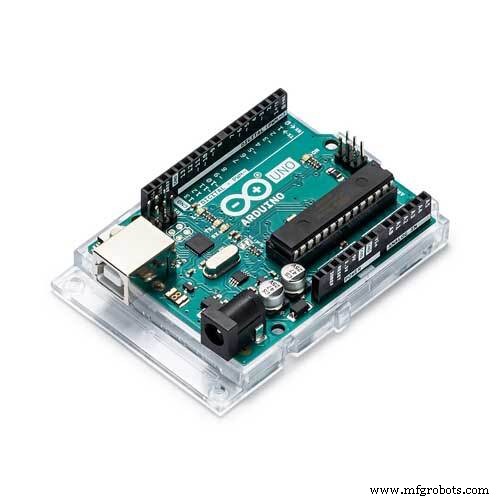 |
| × | 1 | |||
| × | 1 | ||||
| × | 1 | ||||
| × | 1 |
Apps and online services
 |
|
About this project
Update :This project is EOF (aka Obsolete) .
in my project .
Note:In the attachments section , you will find a technical eBook explains the Project processes from Zero to Hero.
So I built my Smart meter model (MM-93) based on Arduino with some awesome features, hope you like and enjoy the project. This videos explain a lot of details about the project fabrications:
MM-93 Features:- Multi-inputs: You can measure all electrical parameters for Utility input and do the same for Renewable Source like solar or wind turbine at the same time.
- Multi- Outputs: We built our source code to handle up to 5 inputs measuring and 5 out measuring you just need to add more CTs and PTs for each additional input / outputs as we will discuss that in Hardware section.
- Measures all load parameters (V, I, PF, P, Q).
- USB Communications: So easily to interface our (MM-93) to Computer and establish stable and safe communication between your PC and (MM-93).
- Support Terminal Commands: After connecting (MM-93) to your PC, you can ask it to send you any input/ output measurements through the Serial monitor.
For example:
Command “U”: (MM-93) will send you all the measurements of the Utility Input.
- KWh Meter: Counts KWh consumed by each load and for each Source.
- Data Logger: Saving all readings with time line from the moment when (MM-93) starting until you shut it down.
- Data Plotting using Mat lab: You can plot and analyze all the measurements using Mat lab/Simulink with a quiet simple modification, just install Mat lab / Simulink Arduino supporting package.
For more details, Download my technical eBook which explains the Project processes from Zero to Hero.
ConclusionsReady for helping you with your questions, here is my CONTACT INFO:
- Linkedin Profile: linkedin.com/in/mohamed-maher-37b167a5
- Phone: +201060449214 (Mobile)
- Email: mrjoe767@gmail.com
Regards ♥
Schematics
Smart Plug: 120V Arduino‑Based Smart Outlet with Real‑Time Clock
Arduino Nano Fingerprint Sensor Project – Step‑by‑Step Tutorial
Manufacturing process
- Create a Stunning Monitor Ambilight System with Arduino
- Build a Reliable Arduino Energy Monitor & Data Logger – Step‑by‑Step Guide
- Smart Blinds: Automated Light Control with Arduino & Solar Power
- Arduino Tic Tac Toe with MAX7219 LED Matrix and Cardboard Enclosure
- Build a Reliable Arduino Countdown Timer with SparkFun 7‑Segment Display
- DIY Sump Level Monitor with Arduino Nano, MPXV5010DP & OLED Display
- Advanced Home Monitoring System with Arduino Mega and IoT Sensors
- Octopod: A Smart IoT Automation Solution for Home and Industry
- Build Your Own Arduino‑Powered Mars Perseverance Rover Replica – Step‑by‑Step Guide
- Build a Smart Arduino Vending Machine: A Complete DIY Mechatronics Guide