



Control the Chrome Dinosaur Game with Arduino: Real‑Life Hardware Project
Components and supplies
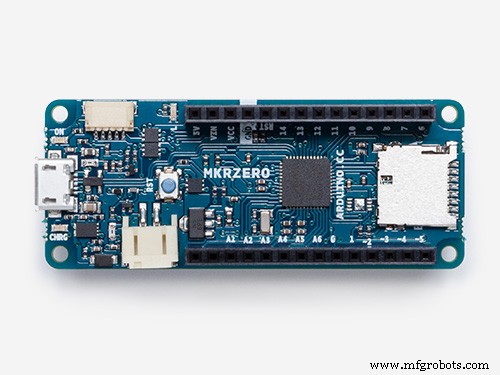 |
| × | 1 | |||
 |
| × | 1 | |||
| × | 1 | ||||
| × | 1 | ||||
 |
| × | 2 | |||
 |
| × | 1 |
Apps and online services
 |
|
About this project
About and VideoThe Chrome Dinosaur Game is a hidden game in the Chrome browser that you can play when the internet goes down. The objective of this game is to simply avoid obstacles by either jumping or ducking.
This device can control the Dinosaur Game in real life by jumping and ducking when you physically jump and duck.
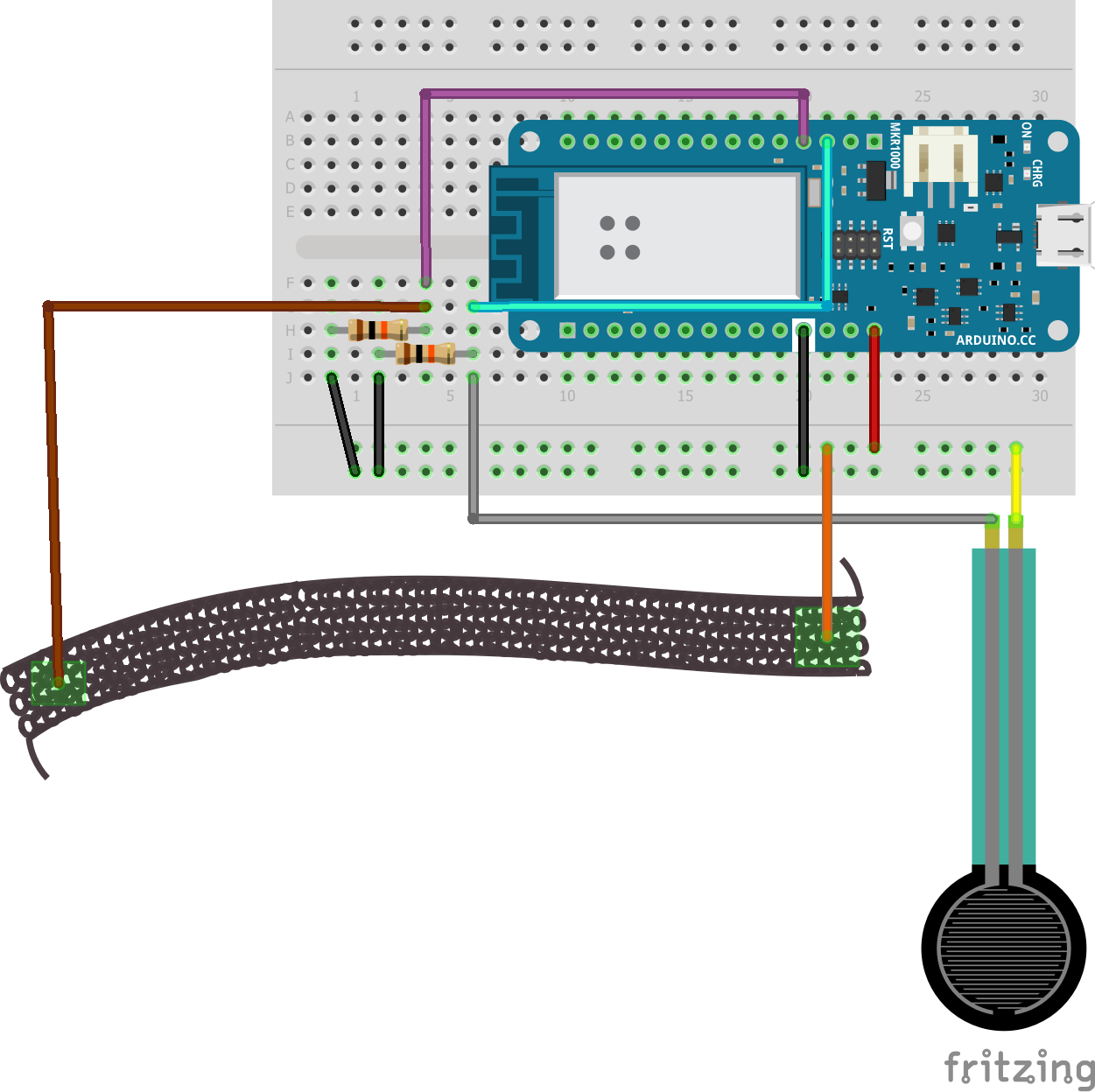
It does this with a force sensing resistor and stretch sensor (a conductive rubber cord) to detect jumping and ducking and uses an Arduino MKR board since it supports the Keyboard library (other boards that can be used as a keyboard are the Leonardo, Esplora, Zero, Due and the MKR Family).
Instructions1.) Build the circuit using the schematic in the "Schematics" section on the bottom of the page.
2.) Upload the code which can be found in the "Code" section on the bottom of the page.
3.) Adjust the threshold values in lines 3 and 4.
4.) (Optional) 3D print the belt clip in the "Custom Custom Parts and Enclosures" section on the bottom of the page and glue it to the back of the breadboard.
5.) Plug in the device, turn off the internet connection on your computer, and open Chrome to play the game! Remember to turn the internet connection back on afterwards.
Code
- Code
CodeC/C++
#include <Keyboard.h>

int stretchThreshold = 990;
int forceThreshold = 1000;

void setup() {
  // put your setup code here, to run once:
  Keyboard.begin();
  pinMode(A1, INPUT);
  pinMode(A2, INPUT);
  pinMode(LED_BUILTIN, OUTPUT);
  Serial.begin(9600);
}

void loop() {
  // put your main code here, to run repeatedly:
  int stretchValue = analogRead(A1);
  int forceValue = analogRead(A2);

  Serial.print("stretch: ");
  Serial.print(stretchValue);
  Serial.print(" force: ");
  Serial.println(forceValue);

  if(stretchValue < stretchThreshold){
    digitalWrite(LED_BUILTIN, HIGH);
    Keyboard.press(KEY_DOWN_ARROW);
    delay(200);
    digitalWrite(LED_BUILTIN, LOW);
  }

  if(forceValue < forceThreshold){
    digitalWrite(LED_BUILTIN, HIGH);
    Keyboard.press(' ');
    delay(200);
    digitalWrite(LED_BUILTIN, LOW);
  }

  Keyboard.releaseAll();
}
Custom parts and enclosures
Schematics
Manufacturing process
- DIY Arduino USB Gaming Controller – Build Your Own High-Performance Gamepad
- Transform an Old RC Car into a Joystick‑Controlled Vehicle with Arduino
- Build a Voice‑Controlled Robot with Arduino Nano
- Pixel Chaser: Interactive One-Tap LED Game with Arduino Nano
- DIY Arduino USB Trackpad: Convert an Old Laptop Pad into a Modern Input Device
- DIY LED Roulette Game – Build a One‑Person Arcade with Arduino Nano
- Smartphone‑Controlled Bluetooth Mouse: Build Your Own Virtual Joystick
- T-Rex-duino: Arduino Clone of the Classic Chrome Dinosaur Game
- COVID-19 Real-Time Tracker: Stay Updated with Live Global Data
- Build an Arduino Tic‑Tac‑Toe Game on a Touchscreen: A Step‑by‑Step Tutorial