Industrial manufacturing
Industrial Internet of Things | Industrial materials | Equipment Maintenance and Repair | Industrial programming |
home  MfgRobots >> Industrial manufacturing >  >> Manufacturing Technology >> Manufacturing process

Arduino Blind Stick: Smart Proximity Sensor for the Visually Impaired

Components and supplies
Arduino Blind Stick: Smart Proximity Sensor for the Visually Impaired
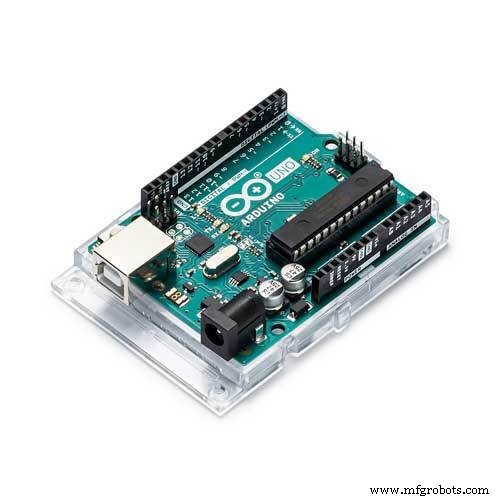
Arduino UNO
×1
Arduino Blind Stick: Smart Proximity Sensor for the Visually Impaired
Solderless Breadboard Full Size
×1
Arduino Blind Stick: Smart Proximity Sensor for the Visually Impaired
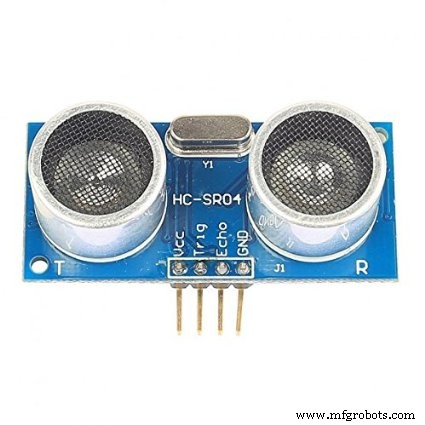
Ultrasonic Sensor - HC-SR04 (Generic)
×1
Arduino Blind Stick: Smart Proximity Sensor for the Visually Impaired
Buzzer
×1
Arduino Blind Stick: Smart Proximity Sensor for the Visually Impaired
Buzzer
×1
Arduino Blind Stick: Smart Proximity Sensor for the Visually Impaired
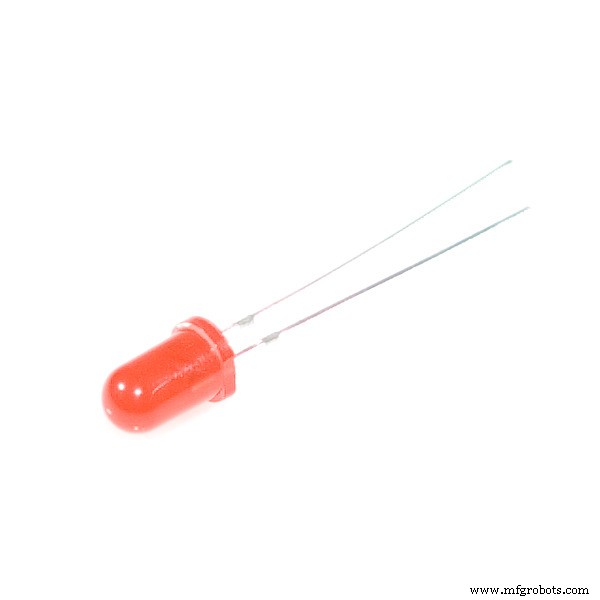
LED (generic)
×1

Necessary tools and machines

Arduino Blind Stick: Smart Proximity Sensor for the Visually Impaired
Tape, Scotch

Apps and online services

Arduino Blind Stick: Smart Proximity Sensor for the Visually Impaired
Arduino IDE

About this project

After seeing the blind people in the street pleasing people to help them walk on street.I felt sad for that, and then T started working on this project.

Code

  • upload this code
upload this codeC/C++
it is in the C/C++ language
/*
 * make a smart stick that helps the Blind
 */
 #define trigPin 9
 #define echoPin 8

 #define Buzzer1 5//active
 #define Buzzer2 7//passive
 #define Led1 6//Vibration

 
int sound = 250;


void setup() {
 Serial.begin (9600);
 pinMode(trigPin, OUTPUT);
 pinMode(echoPin, INPUT);
 pinMode(Buzzer1, OUTPUT);
 pinMode(Buzzer2, OUTPUT);
 pinMode(Led1, OUTPUT);
}

void loop() {
  Serial.begin(9600);

  long duration, distance;
  digitalWrite(trigPin, LOW);
  delay(2);
  digitalWrite(trigPin, HIGH);
  delay(10);
  digitalWrite(trigPin, LOW);
  duration = pulseIn(echoPin, HIGH);
  distance = (duration/2) / 29.1;
  digitalWrite(Buzzer1, LOW);
  digitalWrite(Buzzer2, LOW);
  digitalWrite(Led1, LOW);
  
  if (distance<40) {
    digitalWrite(Led1, HIGH);
    delay(2000);
  }
  if (distance<20) {
    digitalWrite(Led1, HIGH);
    delay(2000);
    digitalWrite(Buzzer1, HIGH);
    delay(2000);
  }
  if (distance<10) {
    digitalWrite(Led1, HIGH);
    delay(2000);
    digitalWrite(Buzzer1, HIGH);
    delay(2000);
    digitalWrite(Buzzer2, HIGH);
    delay(2000);
  }
  }


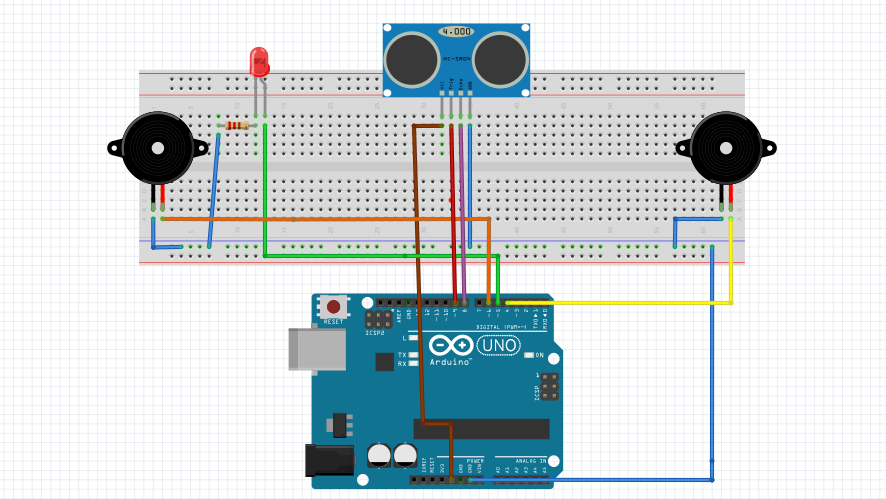
Schematics

first the
ultrasonic sensor
2 buzzer
Led
should be attached to breadboard
then we should connect these components to arduino by wires
after that the circuit should be attached to a stick with a tapeArduino Blind Stick: Smart Proximity Sensor for the Visually Impaired
Manufacturing process

  1. Build an Arduino Iron Man: Components, Sensors, and Step‑by‑Step Guide
  2. Find Me: Smart Item Locator with Arduino and Bluetooth
  3. DIY Arduino Humidifier Controller with Relay – Safe High‑Voltage Setup
  4. Build a Custom Arduino Joystick Steering Wheel for Gaming
  5. Arduino 101: Build a Pedometer with DHT11 Sensor & LCD Display
  6. Build an Arduino RGB Color Mixer – Step‑by‑Step Tutorial
  7. PhoneLocator: Securely Locate Your Phone Anywhere
  8. Blind Stick Navigator – An Arduino-Based Assistive Device for Visually Impaired
  9. Arduino LED Bar Graph Controlled by Potentiometer
  10. Ultrasonic Smart Glasses: Enhancing Mobility for the Visually Impaired