



All-in-One Solar Power Hub: Charge Controller, Inverter, Power Bank & LED Lamp
Components and supplies
| × | 1 | ||||
| × | 1 | ||||
| × | 1 | ||||
| × | 1 | ||||
| × | 1 | ||||
| × | 4 | ||||
| × | 1 | ||||
| × | 1 | ||||
| × | 1 | ||||
| × | 1 | ||||
 |
| × | 1 | |||
| × | 1 | ||||
 |
| × | 1 | |||
 |
| × | 1 | |||
 |
| × | 1 | |||
 |
| × | 1 | |||
 |
| × | 1 | |||
| × | 1 | ||||
 |
| × | 1 | |||
 |
| × | 1 | |||
 |
| × | 1 | |||
| × | 1 | ||||
 |
| × | 1 | |||
 |
| × | 1 |
Necessary tools and machines
 |
| |||
| ||||
 |
|
Apps and online services
|
| |||
|
About this project
About this ProjectI have a few solar panels, 12 Volt batteries, transformers and few more stuff laying around for a while crying out aloud to make some good use of them. Thus the birth of this device - complete small PV solution on a single board. Lets review first which does what, shall we?
- A charge controller is a device which regulates the charging of DC storage/battery from a photovoltaic solar panel and discharging of the battery by the load to prolong battery life.
- An inverter is a device that converts DC form of electricity to AC form for operating AC Loads.
- Power Bank provides 5V DC supply through USB port to gadgets/mobile devices for portable charging or off-grid charging.
- Emergency lamp is a super bright LED light source which can be used during power outage, camping, outdoor activities after dusk.
This device I made has all these features, the last two features are supported independently by the on-board Li-ion battery. With a solar panel (up to 100 Watt), a 12 Volt lead acid battery and a transformer- all the options can be utilized.
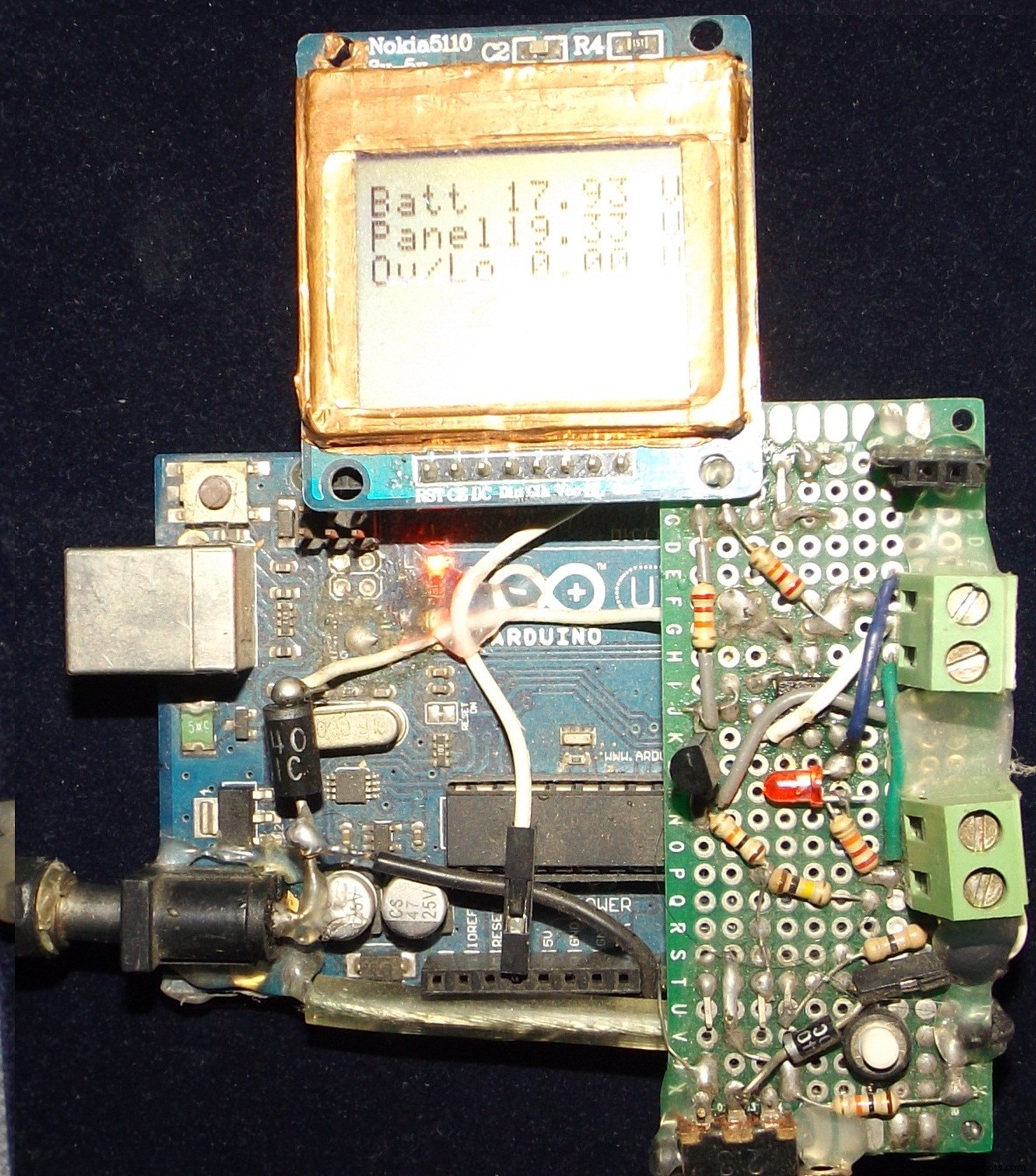
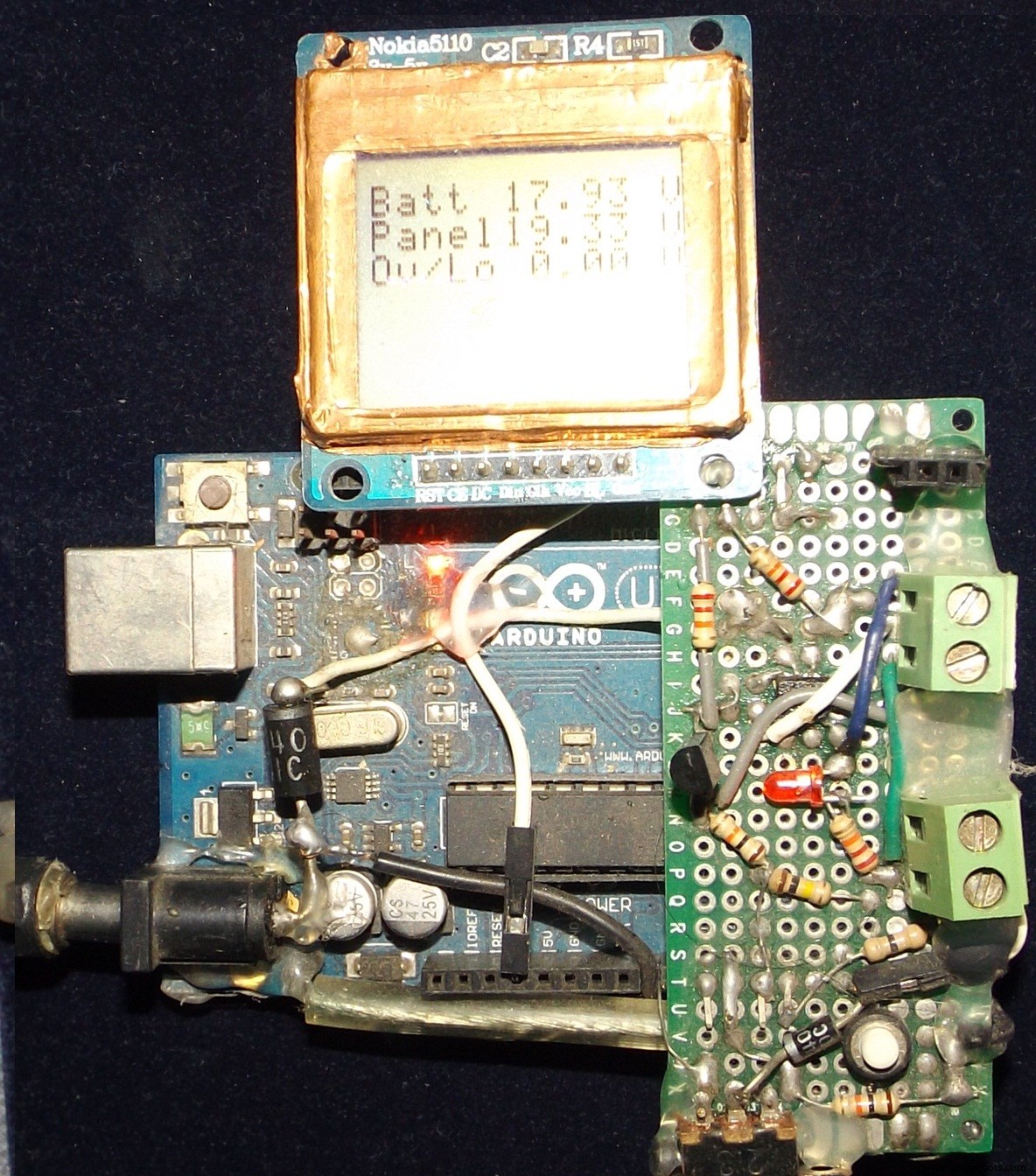
Proto Version on UnoThe first version was developed on Uno Board with minimum hardware and minimum options. The Nokia display was directly mounted and a MOSFETs shield was developed to support charging/discharging of the battery. There is no menu control, no inverter, no PWM charging and cool features! Just on/off charging and showing battery and panel voltage levels. Does the job but got no charm!
Then I developed this new one with following features:
- PWM Solar Charge Controller up to 100 Watt Panel
- Square wave mini 60 Watt Inverter
- Up to three 12 Volts DC load control
- Primary DC load supports auto on/off features
- An independent USB Power Bank
- Buck regulator module
- Emergency on board LED Lamp with Blink and Brightness control
2 button/switch controlled scroll and select based menu for user control, displaying options and status information on the Nokia 5110 display. Very Cool! Back side is Hot-Glue Insulated for short circuit protection against metallic objects!
There are few more convenient features like on/off switch for display backlight, separating the buck for independent operation by switching off from the internal battery.
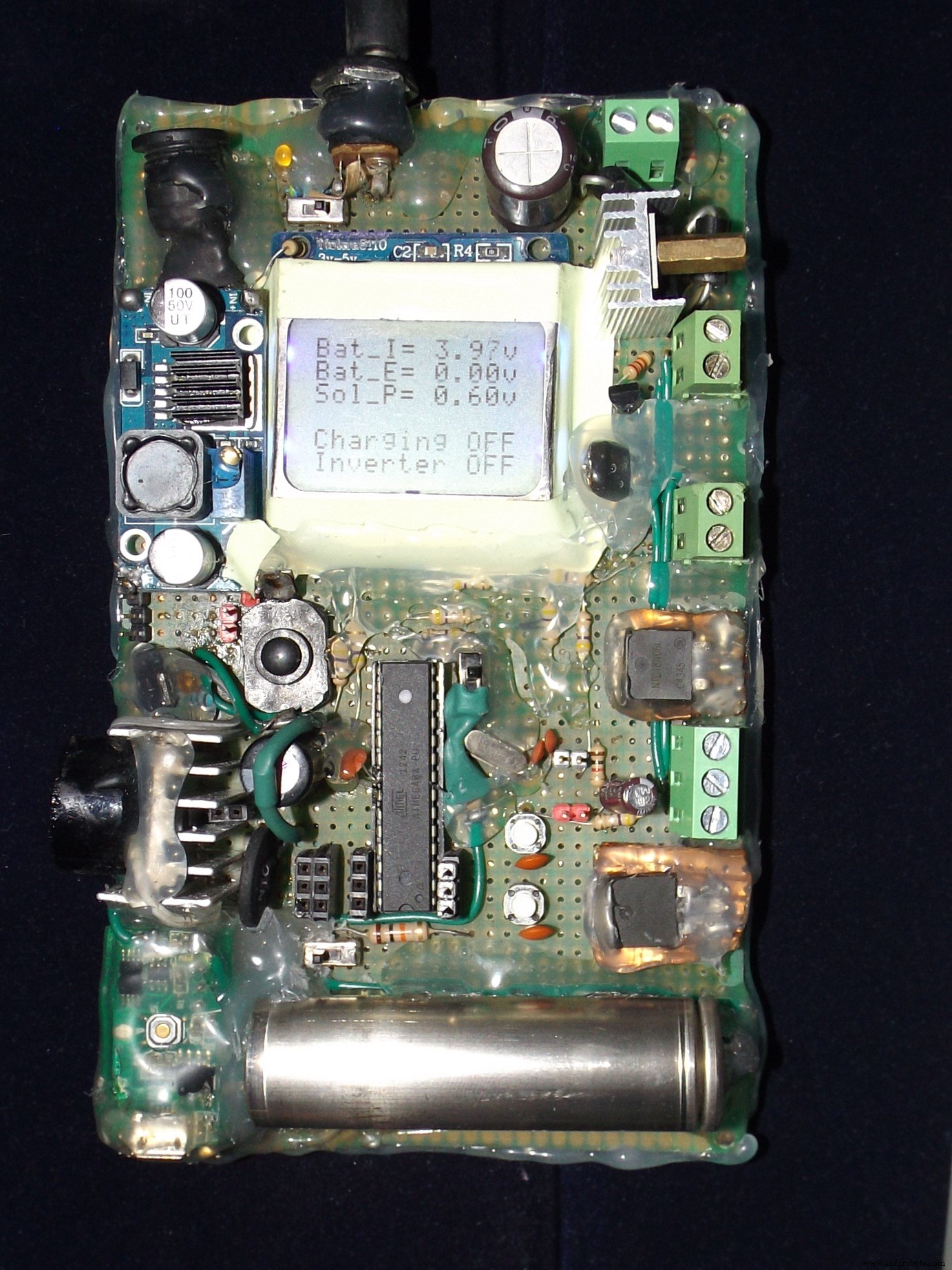
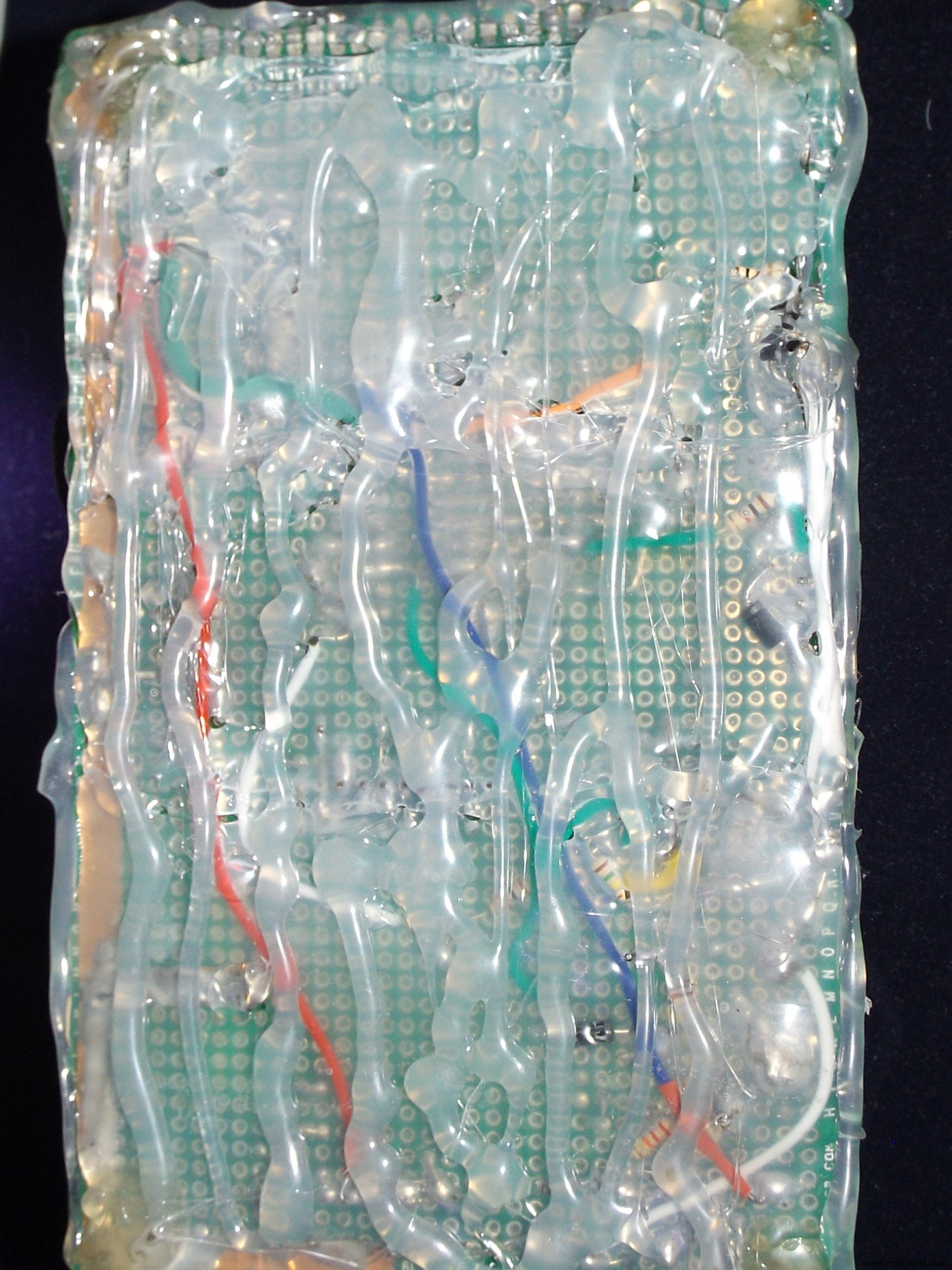
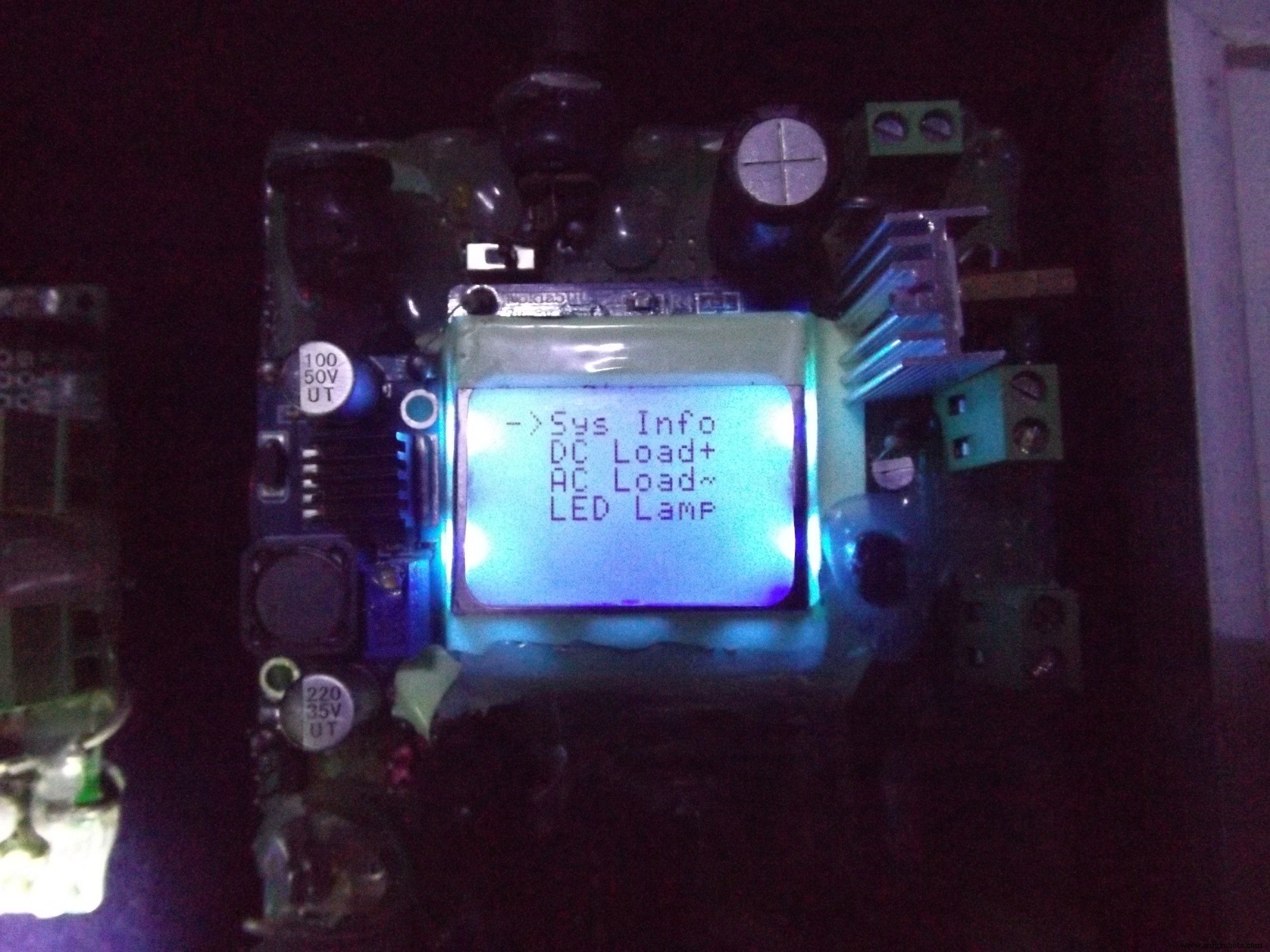
Accessing the menu on Nokia 5110 display with user button is shown here:
Let's learn some technical stuff!Charge controller can be On/Off, PWM or MPPT types. On/Off is the simplest form (my version 1 - picture above) of controller which does not throttle the charging current as the battery voltage approaches it full charge voltage.
Where as PWM gradually decreases the charging current as the battery gets full. PWM controller has following benefits:
- Helps recovering lost battery capacity and de-sulfate a battery
- Increases battery's ability to accept more charge
- Maintain high average battery capacities up to 95%
- Equalize drifting battery cells, so internal cells can achieve same potential
- Reduce battery heating and gassing thus preventing electrolyte loss
- Slows down aging and prolong system life
But PWM can't get most of the electrical power out of PV solar panels, because it drags the panel to operate near battery voltage. MPPT is the solution to this problem which basically is a DC to DC adjustable buck-boost converter, it can convert most of the solar power compared to PWM controller.
Inverters can be square wave, modified sine wave and pure sine wave types. Square wave inverter is very simple in design and good enough small DC loads like AC lamps, CFL lamps, table fans, soldering irons but not recommended for inductive motors, delicate equipments/power supplies because of harmonic distortion.
Modified sine wave is kind of retarded sine wave created form square waves, better than plain square wave inverters. Sine wave inverter are best for all types of load but complex to design hardware, difficult software algorithm to operate and expensive to make.
A buck regulator is a step down DC-DC converter, here I have used a buck module to charge the 4.2 V Li-ion battery that powers the controller (Arduino + display), independent USB power bank, on-board LED lamp.
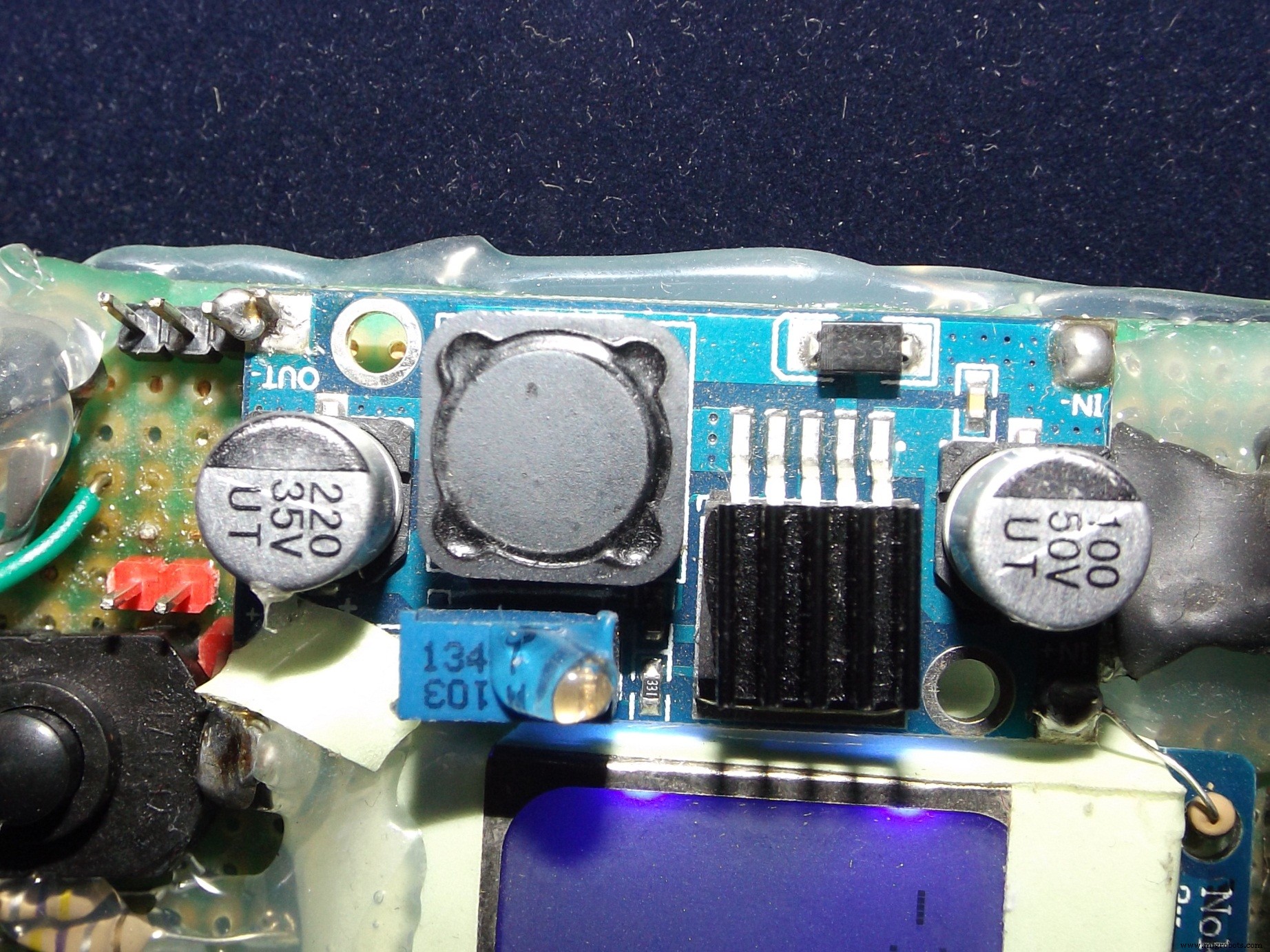
Now USB power bank basically is a DC-DC boost that can convert a range of voltages below 5 (like 3.3 to 4.2 volts range) from a Li-ion or LiPo battery to 5 volts which is the USB bus voltage that can charge mobile devices.
It also has a buck converter to charge that battery. In my project the buck module takes some juice from panel to charge the internal (on board) battery.
Workings of the HardwareBefore we go into details, check this image of everything connected around the device:
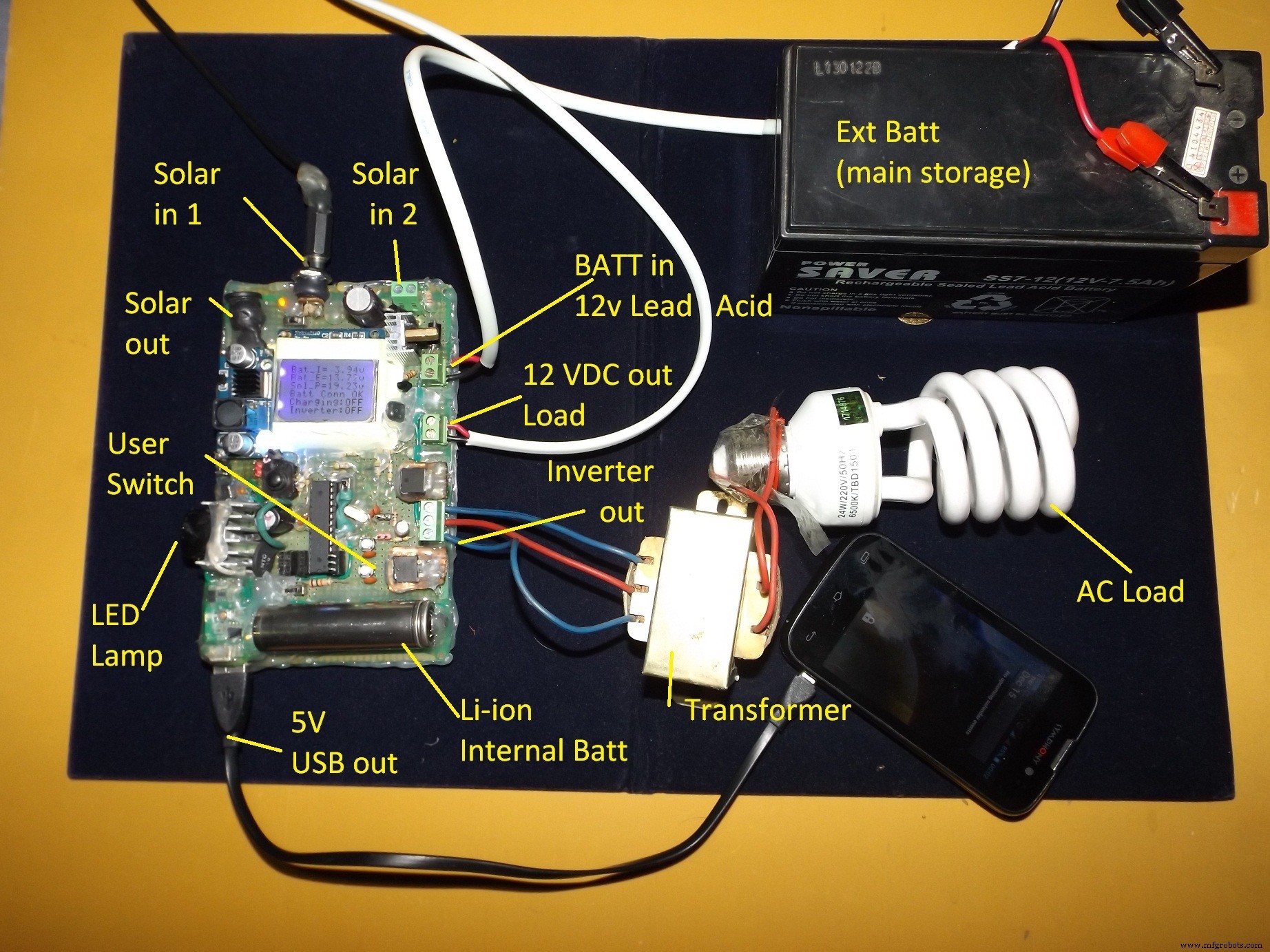
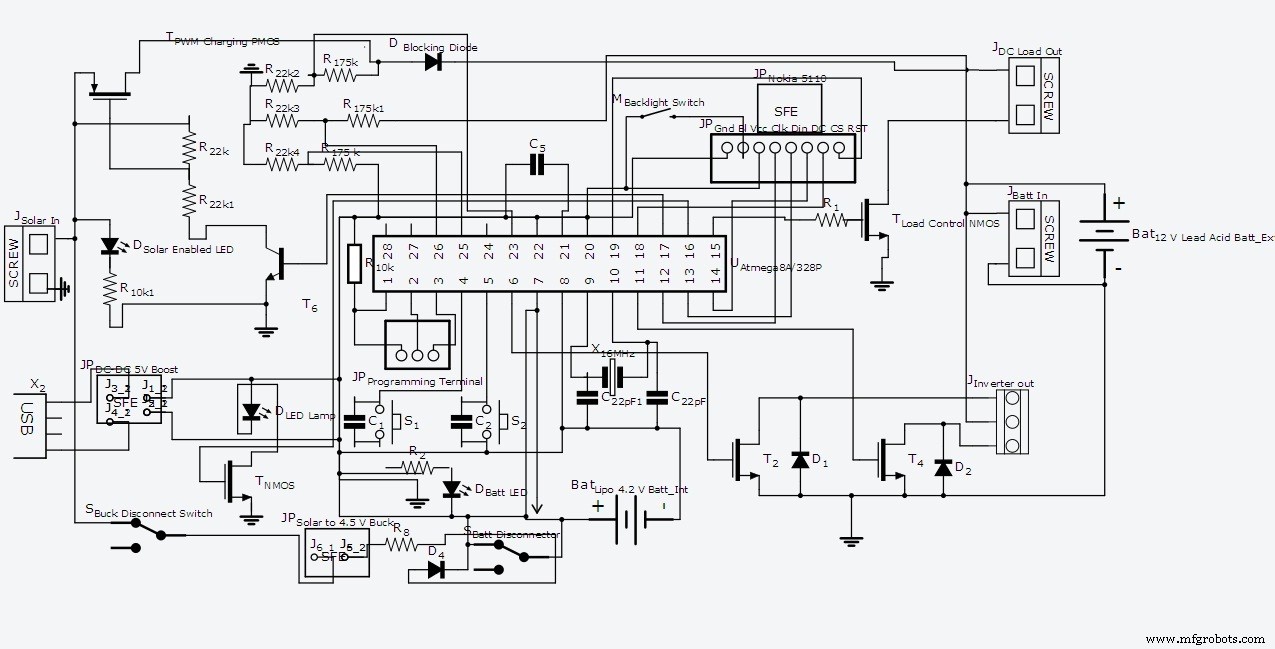
The system has various hardware for serving different purposes. Of course the brain is AVR Atmega8A microcontroller (can be used Atmega328P with minor changes, discussed below) which is programmed in Arduino.
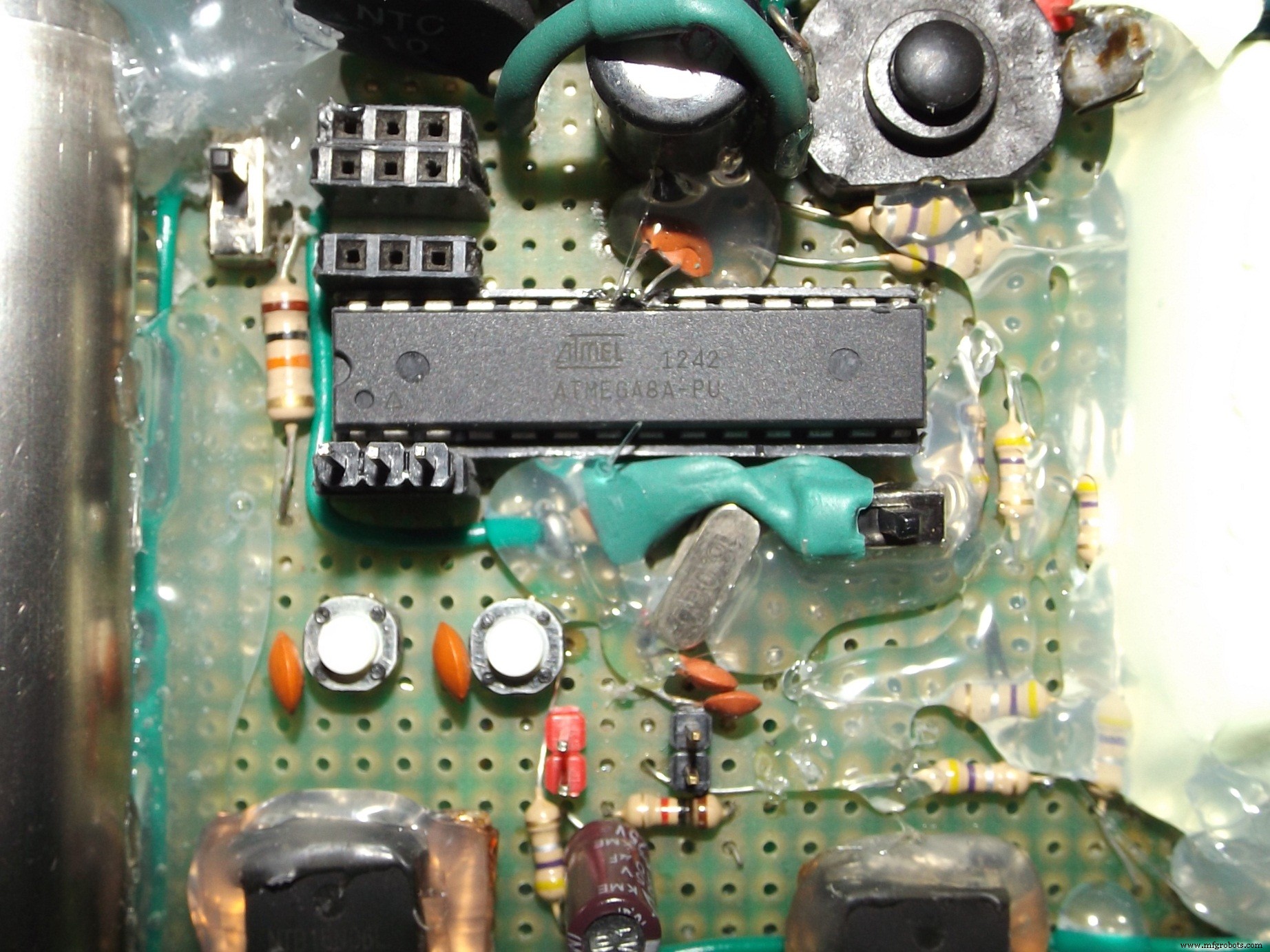
A fresh Atmega8A is burned with Arduino Optiboot8 bootloader, you may buy a Bootloaded Arduino Mini/Atmega328 to avoid the hassle.
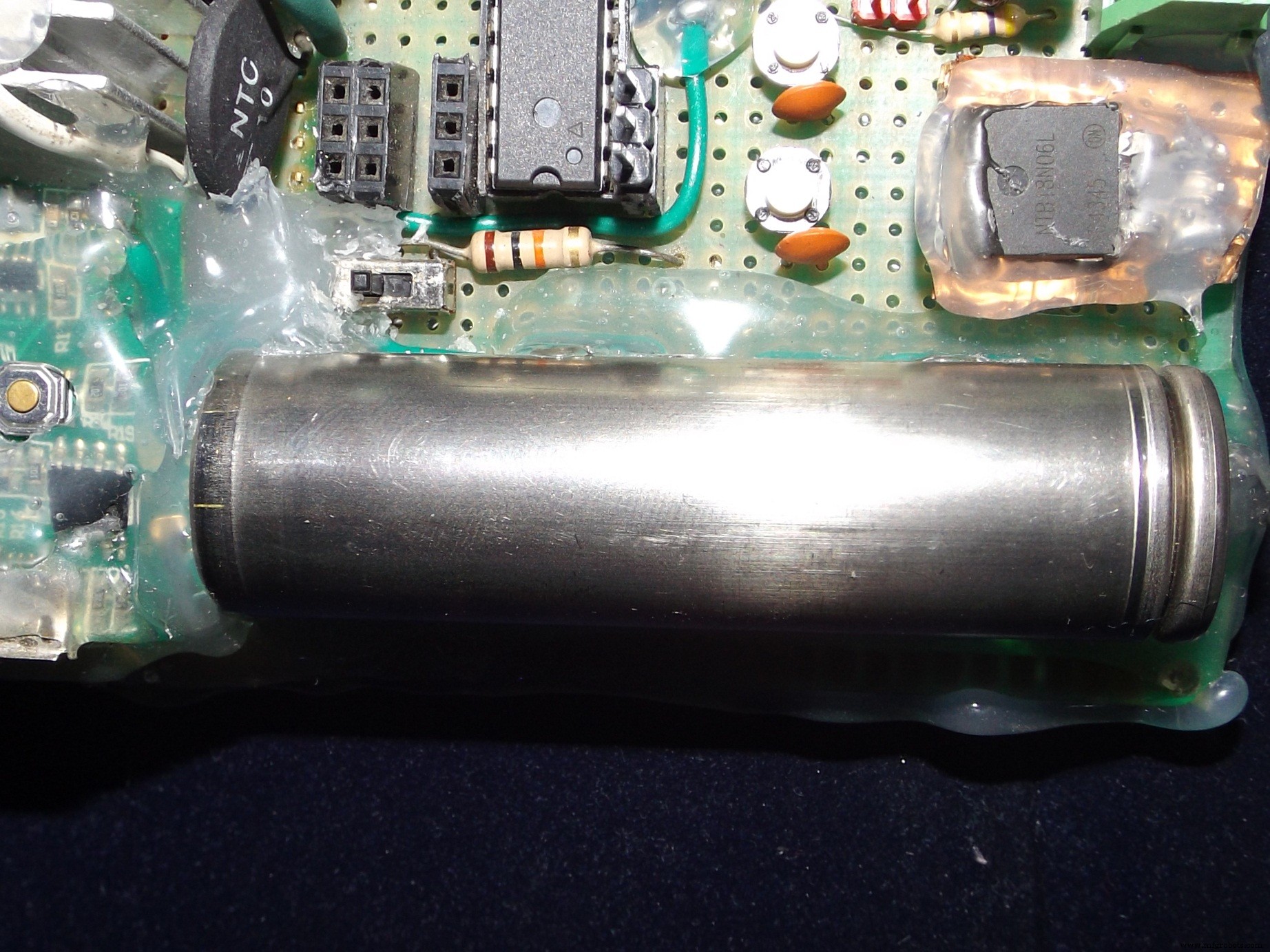
The controller, display, LED lamp and power bank is powered from on board Li-ion battery. Two momentary touch buttons are for accessing the menu on display, which allows user to operate different functions of the device. The switches are hardware de-bounced through smoothing capacitors which are connected in parallel.
A slide switch allows to power up/shutdown the device as required.
The solar charging function is performed by a P-MOSFET driven by 2N2222 transistor based driving circuit which is controlled through PWM from microcontroller. The PWM is controlled based on the external battery voltage level. Current from solar panels flows through P-MOSFET to the lead acid battery. When battery is fully charged the MOSFET is turned off from the microcontroller. After the charging is turned off, battery voltage starts to gradually fall, when it reaches 13.6 volt charging is resumed again with low duty cycle to maintain float charging.
The 12 Volt DC load is controlled through a N-MOSFET by controlling its Gate pin from the Microcontroller.
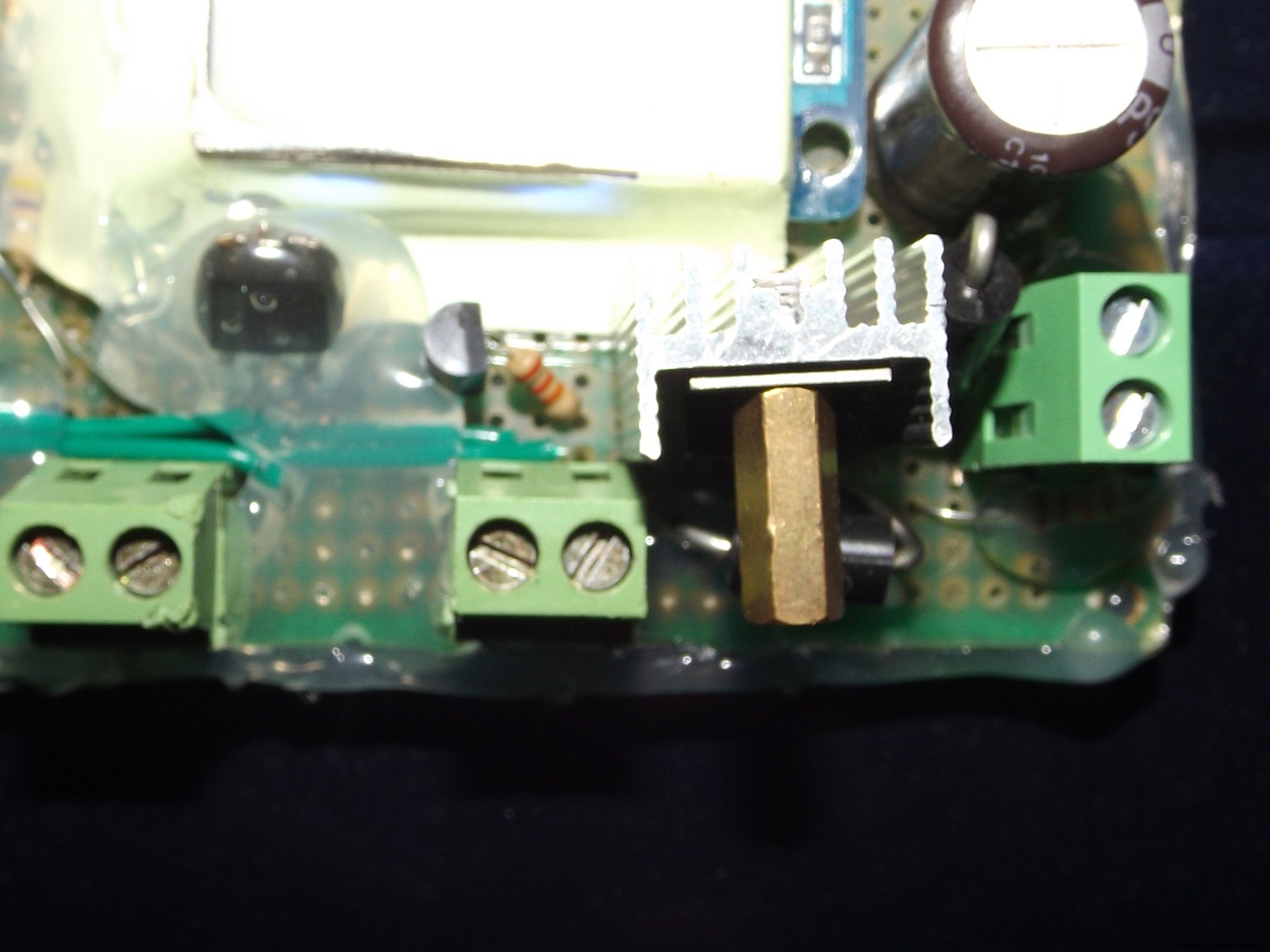
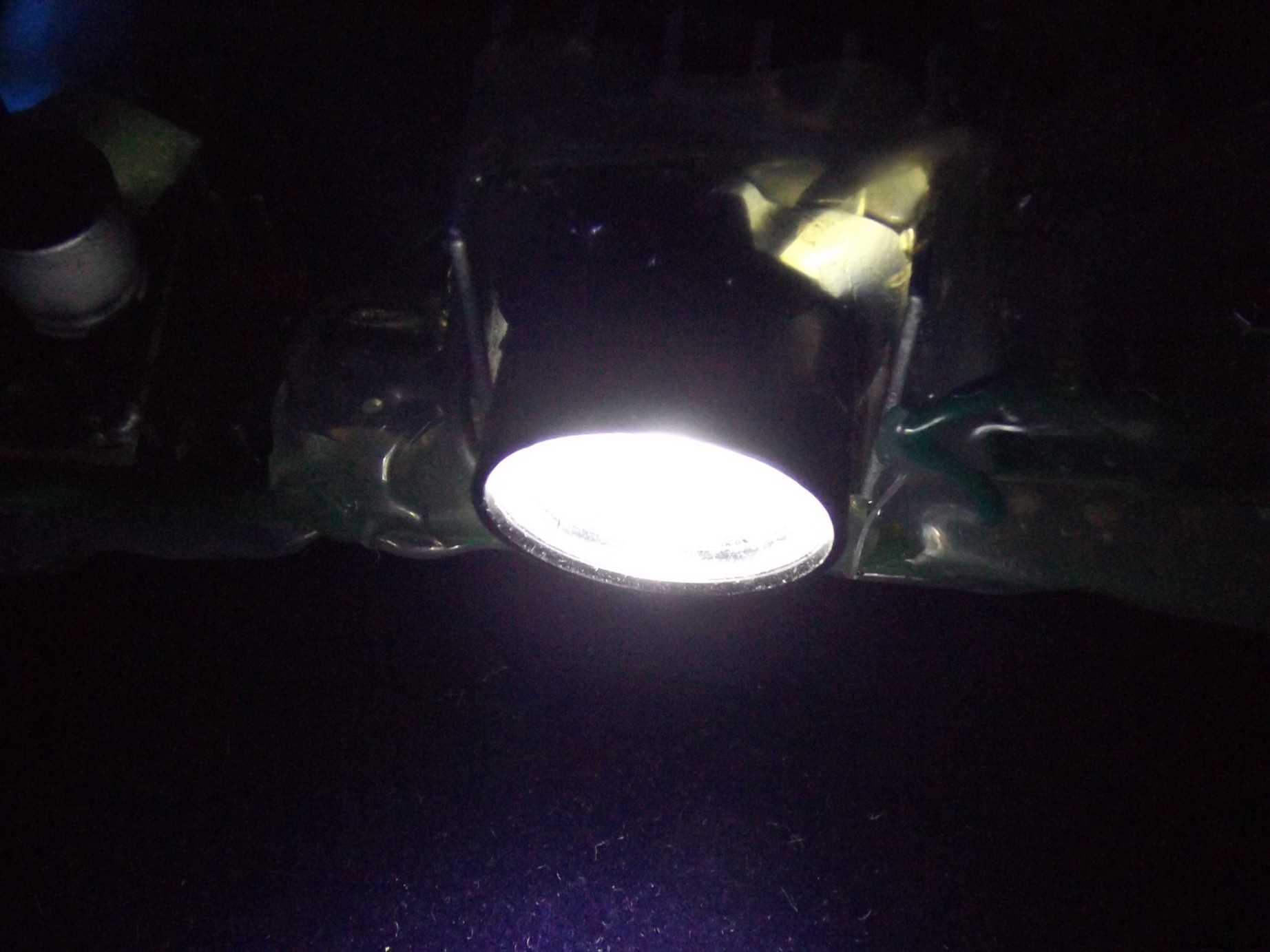
The on-board LED LAMP is also driven through a NMOS. The Gate of this MOSFET is PWM controlled for brightness adjustment of the LED.
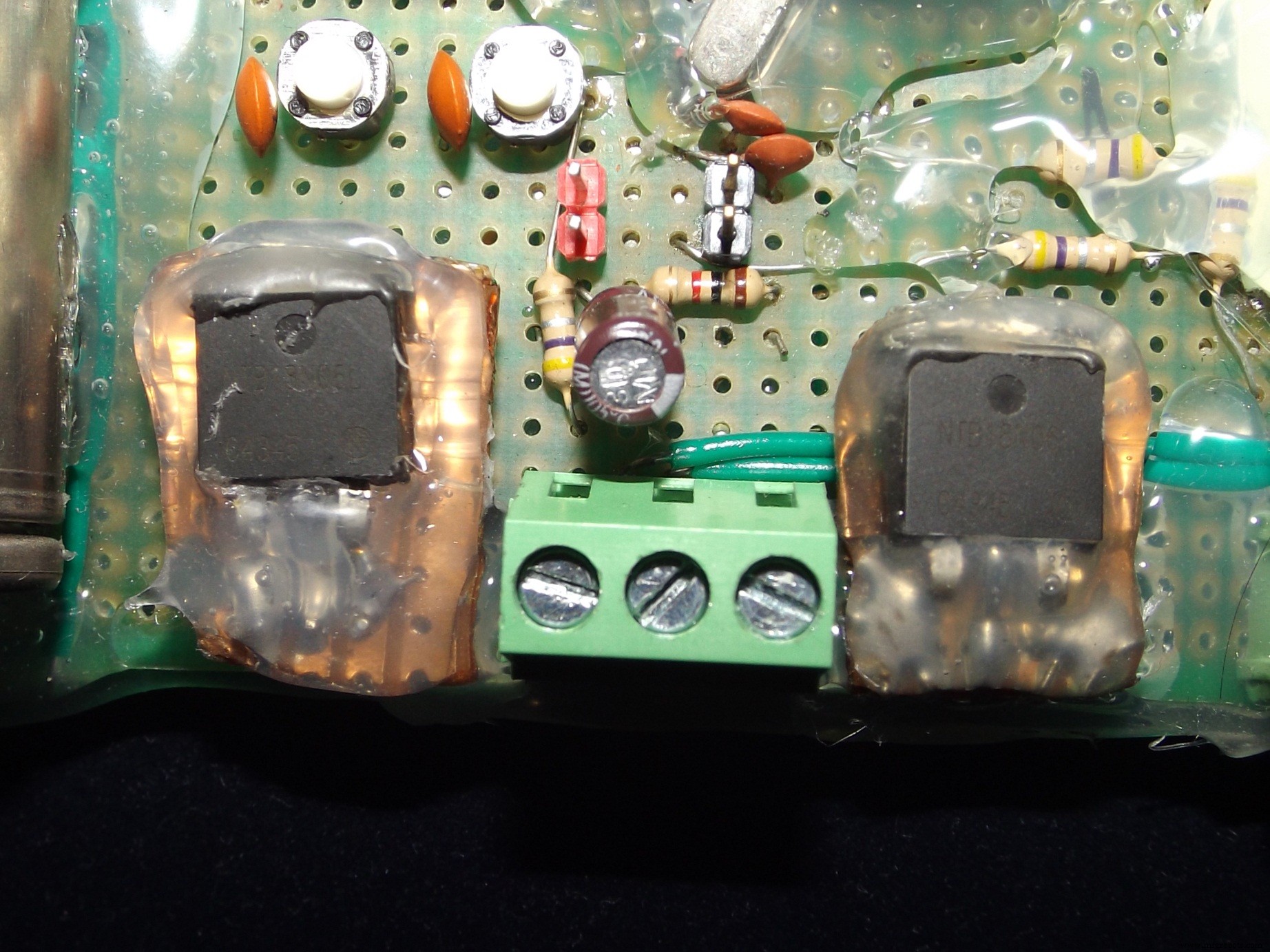
The inverter block is consist of 2 N-MOSFETs which are alternatively turned On/Off to simulate AC. By adding an external center tapped transformer, square wave AC supply can be realized.
Following figure explains the inverter action:
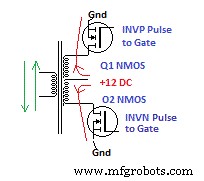
By allowing current to flow through the center tap of a step up transformer's coil in opposite direction alternatively using MOSFETs, AC voltage in secondary can be created. This happens because when the top MOSFET is on and bottom MOSFET is off, current flows upward. But when the top MOSFET is off and the Bottom MOSFET is on, current flows downward.
Both the MOSFETs must be toggled at twice the frequency of AC. Check the next picture to understand it:
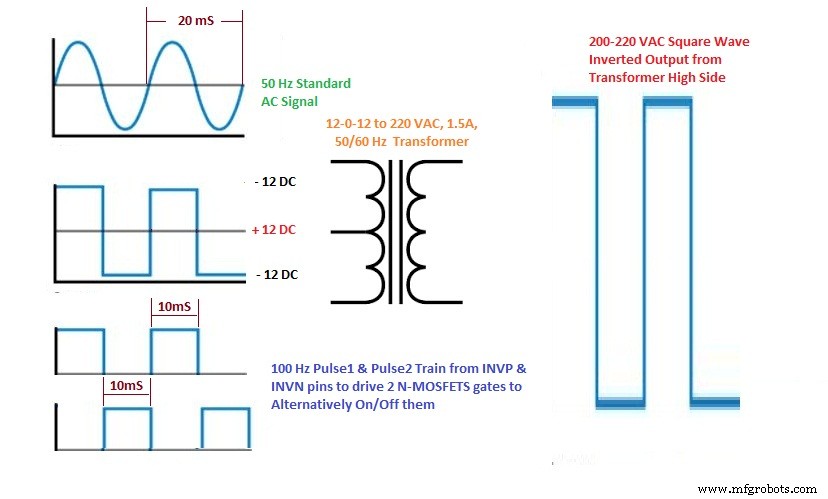
To create 50 Hz AC, an alternating Square Wave is applied on 12-0-12V/220V center tapped transformer's low side. 50 Hz means 20 ms time for each wave.
That's why 20ms/2 = 10 ms or 100 times Toggle the Gate Signals applied to the Transformer driving MOSFETs (inverter MOSFETs).
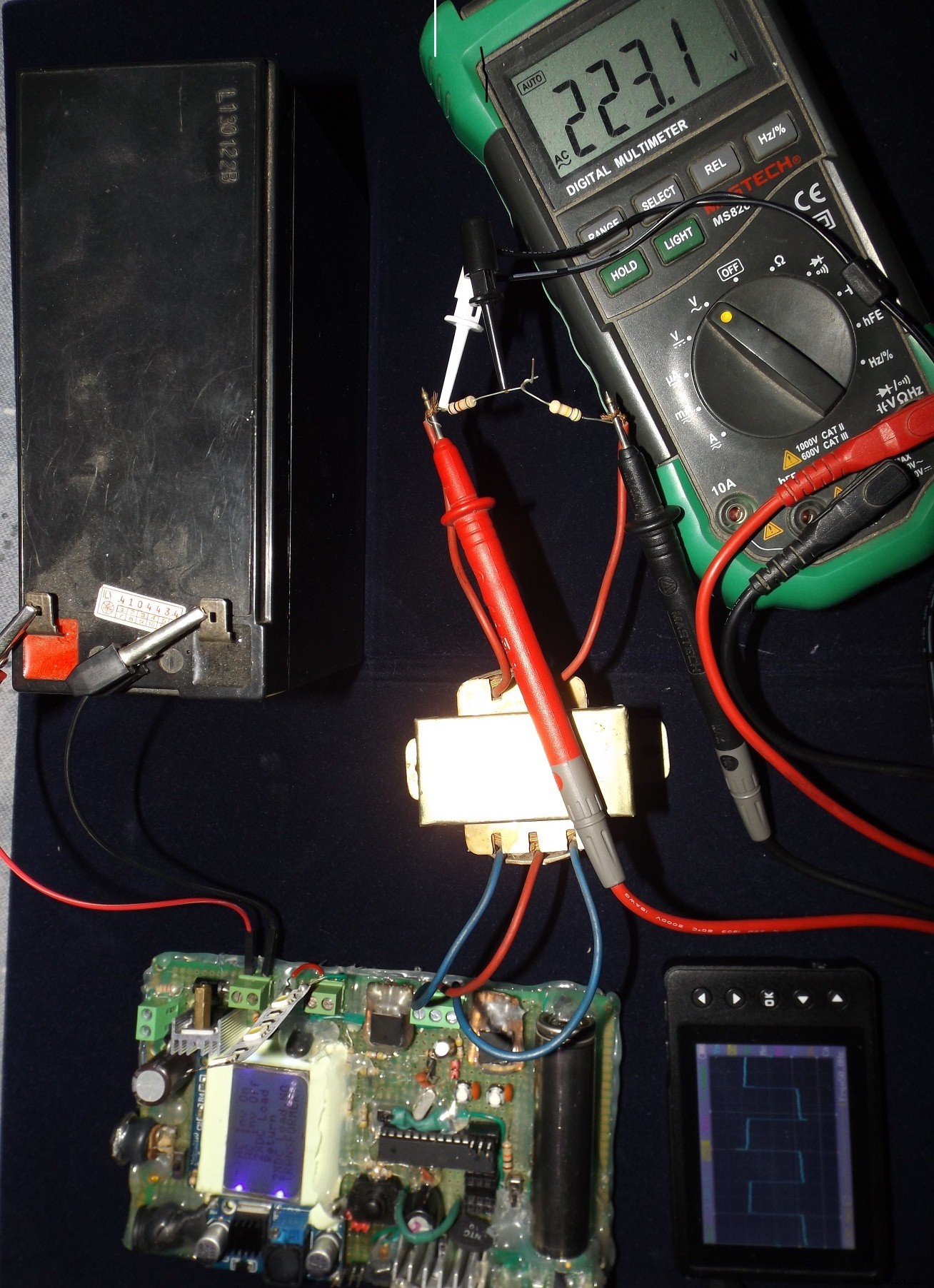
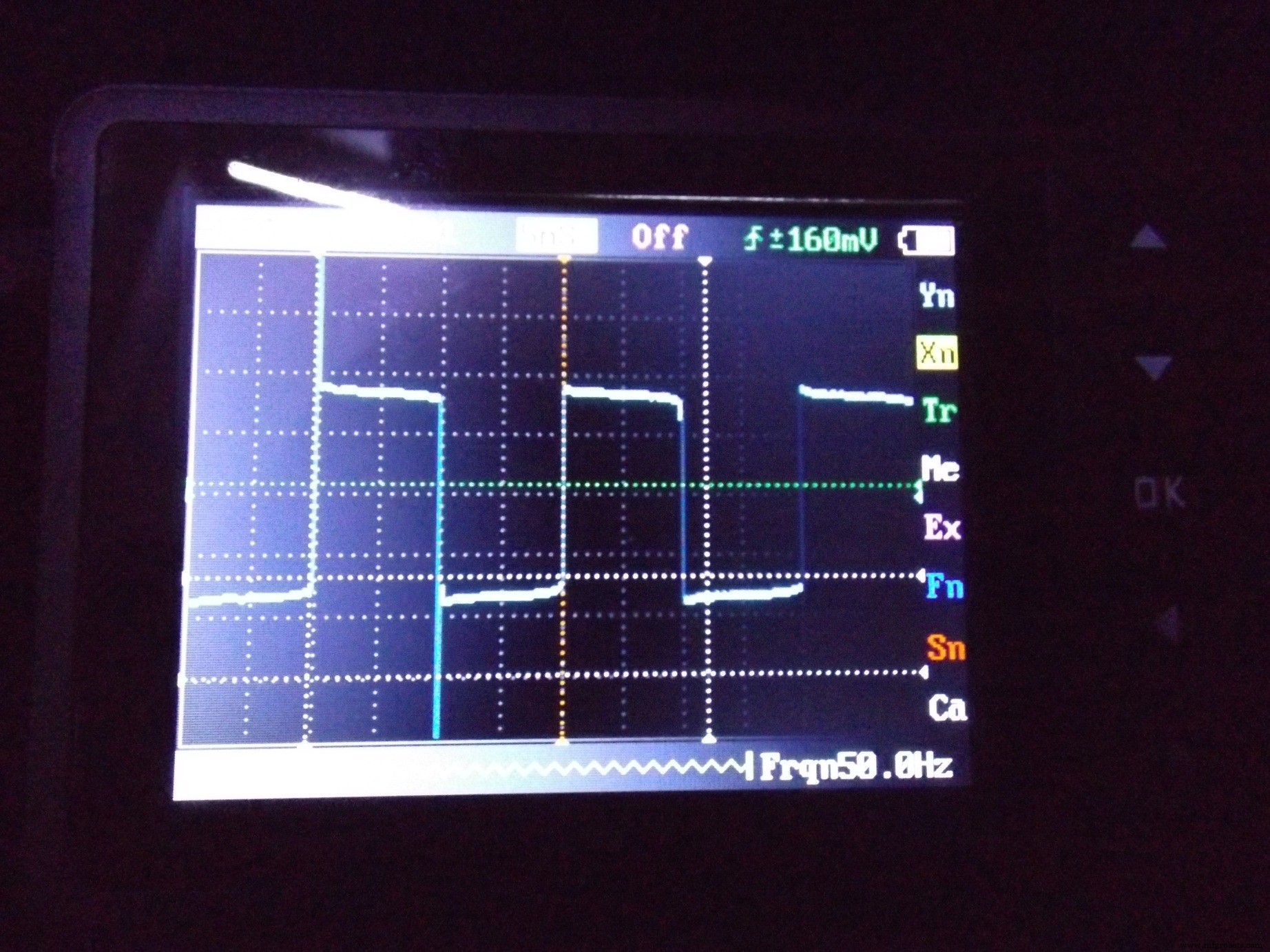
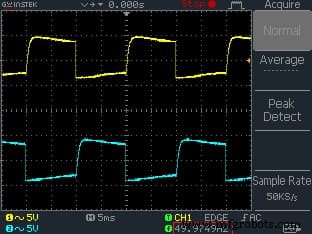
Warning !!! : AC Voltage is Lethal for Human, may cause death/injury ! Never touch HV side of transformer with bare hand !
If inverter function is not used, 2XDC Load option allows to use two more 12 volt DC loads at Inverter terminal.
Magic of the SoftwareTwo sets of code are provided, one is full code in a single Arduino Tab, another is Tabbed Code according to separate functions.
I have generalized group of tasks into a single function.
For example :
Get_ADCVal() will measure Panel, Internal Battery and External Battery voltages, take 20 samples, average those values and update Variable holding voltage information.
Context_Control() will do the User Interaction, Action Control, Info Update on Display related activities.
Charging_Control() , Discharging_Control(), Load_Control() are background functions that act as CLOSE LOOP for the system, monitors battery voltage level, controls Auto Load function, Overcharge/Deep Discharge protection control etc.
User inputs are collected through Interrupt driven momentary press switches. When these switches are pressed, INT0/INT1 related ISR are executed. Two volatile variable dp and ds changes. Another third variable level along with dp (display pointer ->) and ds (display content selector) allows user to travel through menu/sub menu and perform action as required.
16 bit TImer1 of AVR is configured to generate Timer Overflow Interrupt at every 10 ms and flips PIN_INVP and PIN_INVN when Inverter function is On.
All Lcd_....() functions have something to do with display control .
Atmega8A vs Atmega328P (Uno)The system can be easily upgraded to work with Atmega328P/Uno making following changes to the code. Find and replace
 TIMSK with TIMSK1
#define ADC_VREF 2.69 with #define ADC_VREF 1.11
#define ADCVDIV_R1 22 with #define ADCVDIV_R1 8.2
In the hardware part you need to use a 8.2K resistor instead of 22 K to scale down the panel, battery voltages to ADC measurement range.
Action VideosI usually don't read only words about some project, instead I go for the video first. If you are like me, enjoy the videos:
Scope of ImprovementI ran out of Flash Space in Atmega8A. Couldn't add some critical features like :
- Software Controlled Overload/Short Circuit Protection
- Some Graphical Icons and a Logo
- Measurement of Energy and Logging
- Estimation and Alarm for Backup time
- Laptop Charging Option
- Support for 6 Volts System
- Bluetooth Load Control
- Timer Based Load Control
- A RTC Clock for more cool features
- IoT connected solution
If you have plans for making something like this then don't forget to add some of these feature !
Atmega328P(Uno) or Arduino Mega might be a better candidate for including all these options.
Anyway, it does the job, I am happy with it.
Additional Resources- Download Arduino 1. 0. 6 with Atmega8 board support
- Open Arduino.exe , go to Tools > Board > Optiboot8
- Burn bootloader using this method
- Compile and Upload Code
Code
- Single Tab Code
- Full Code
- Bootloaders
Single Tab Code Arduino
#define PIN_SCE   12
#define PIN_RESET 13
#define PIN_DC    8
#define PIN_SDIN  7
#define PIN_SCLK  6

#define PIN_INVP  4
#define PIN_INVN  5


#define PIN_LOAD    9    // 12 v dc load
#define PIN_LAMP  10   // WHITE LED LIGHT
#define PIN_BATTPWM 11 // Drives PMOS for Ext BAtt Charging

#define PIN_BATTint_Sense A2
#define PIN_SOLAR_Sense A0
#define PIN_BATText_Sense A3

#define ADC_VREF 2.695  // internal ref voltage, around 1.11V for Arduino Uno aka Atmega328P, here my Atmega8A gives this !
#define ADCVDIV_R1 22   // 22 K voltage divider lower Resistor
#define ADCVDIV_R2 175  // 175 K voltage divider upper Resistor

//const uint8_t  skulljoke[] PROGMEM ={2,} ;
// PIN 2 & 3 USED AS INTERRUPT SWITCH
// PIN 0 & 1 AS PROGRAMMING
// PIN RESET AS


#define LCD_C     LOW
#define LCD_D     HIGH

#define LCD_X     84
#define LCD_Y     48
uint8_t x=0;
uint8_t level=0;
uint8_t blinker=0;
boolean Load_Auto_Enable=0;

float maxADC_Voltage=0.0;
float BattInt_Voltage=0.0;
float BattExt_Voltage=0.0;
float PV_Voltage=0.0;

volatile int y=0;
volatile uint8_t dp =0;
volatile uint8_t ds =0;
volatile boolean cycle=0;
volatile uint8_t cdc_level =0;


//int i;


void setup(void)
{
  LcdInitialise();
  LcdClear();
   LcdString("*ARDUBOY PV*");
   LcdString(" CONTROLLER,");
   LcdString("AC INVERTER,");
   LcdString("POWER BANK, ");
   LcdString("LAMP THING!!");
  delay(3000);
  analogReference(INTERNAL);
  maxADC_Voltage=(ADC_VREF/ADCVDIV_R1)*(ADCVDIV_R1+ADCVDIV_R2);

  pinMode(PIN_LOAD,OUTPUT);
  digitalWrite(PIN_LOAD,LOW);
  pinMode(2, INPUT_PULLUP);
  attachInterrupt(0, SW1, FALLING);// Interrupt for Swithc 1

  pinMode(3, INPUT_PULLUP);
  attachInterrupt(1, SW2, FALLING);// Interrupt for Swithc 2

}

void loop(void)
{

Get_ADCVal();
Context_Control();
Charging_Control();
Discharging_Control();
Load_Control();
LcdClear();;

}


///////////// ADC ///////////////
void Get_ADCVal(void)
{
int I=0;
int J=0;
int K=0;

for(x=0;x<20;x++)
  {
I=I+analogRead(PIN_BATTint_Sense);
J=J+analogRead(PIN_BATText_Sense);
K=K+analogRead(PIN_SOLAR_Sense);

  }
// average voltage
BattInt_Voltage=I/20.0;
BattExt_Voltage=J/20.0;
PV_Voltage=K/20.0;

BattInt_Voltage=maxADC_Voltage*BattInt_Voltage/1023.0;
BattExt_Voltage=maxADC_Voltage*BattExt_Voltage/1023.0;
PV_Voltage=maxADC_Voltage*PV_Voltage/1023.0;


}


//////////// Display and Control //////////////


void Context_Control(void)
{
   if(ds==0)
  {show_menu();}

  if(ds==1 && dp == 0)
  {show_info(); delay(100);} //LcdClear();Get_ADCVal();}
///////////////////////Enters 1st Sub Menu////////////////////////////
  if(ds==1 && dp == 1)
  {
    level=1;
    dp=0;
    while(level==1)
    {
        int temp=ds;
   LcdClear(); show_load_ctrl();delay(250);
    if (dp==0){ if(ds!=temp){Load_Auto_Enable=0;digitalWrite(PIN_LOAD,LOW);}}
     if (dp==1){if(ds!=temp){Load_Auto_Enable=0; digitalWrite(PIN_LOAD,HIGH);}}
      if (dp==2){ if(ds!=temp){Load_Auto_Enable=1;}}
       if (dp==3){show_load_ctrl();delay(250);level=0;dp=0;ds=0;}
    }
  }
//////////////////////Enters 2nd Sub Menu//////////////////////////////
if(ds==1 && dp == 2)
  {
    level=2;
    dp=0;
    while(level==2)
    {
      int temp=ds;
 show_inv_ctrl();delay(250); LcdClear();
  if (dp==0){ if(ds!=temp){Timer1_Init();}}
     if (dp==1){ if(ds!=temp){Timer1_DeInit();}}
     if (dp==2){ if(ds!=temp){Timer1_DeInit();digitalWrite(PIN_INVP,1);digitalWrite(PIN_INVN,1);}}
  if (dp==3){show_inv_ctrl();delay(250);level=0;dp=0;ds=0;}

    }
  }
 /////////////////////////////////////////////////////////
 ////////////////Enters 3rd Sub Menu/////////////////////////////
if(ds==1 && dp == 3)
  {
    level=3;
    dp=0;
    while(level==3)
    {
      int temp=ds;
      LcdClear(); show_led_ctrl();delay(250);
  if (dp==0){blinker=0;if(ds!=temp) {if(y<=255){y=y+15;analogWrite(PIN_LAMP,y);}}}
  if (dp==1){blinker=0;if(ds!=temp) {if(y>=0){y=y-15;analogWrite(PIN_LAMP,y);}}}
  if (dp==2){if(ds!=temp) {blinker^=1;analogWrite(PIN_LAMP,127);delay(250);analogWrite(PIN_LAMP,0);}}
  if (dp==3){show_led_ctrl();delay(250);level=0;dp=0;ds=0;}
    }
  }
 /////////////////////////////////////////////////////////
//  {show_inv_ctrl();}
//  {show_led_ctrl();}
//}
if(blinker==1)
{analogWrite(PIN_LAMP,0);}
delay(250);
if(blinker==1)
{analogWrite(PIN_LAMP,127);}


}
/////////////////////////// Menu Text to be shown on Nokia 5110 display ///////////////////

void show_menu(void)
{

LcdXY(0,dp);
LcdString("->");
LcdXY(15,0);
LcdString("Sys Info");
LcdXY(15,1);
LcdString("DC Load+");
LcdXY(15,2);
LcdString("AC Load~");
LcdXY(15,3);
LcdString("LED Lamp");
}

void show_info(void)
{

LcdXY(0,0);
LcdString("Bat_I=");
LcdNumtoString(BattInt_Voltage);
LcdString("v");
LcdXY(0,1);
LcdString("Bat_E=");
LcdNumtoString(BattExt_Voltage);
LcdString("v");
LcdXY(0,2);
LcdString("Sol_P=");
LcdNumtoString(PV_Voltage);
LcdString("v");
LcdXY(0,3);
if(BattExt_Voltage >8.0)
{LcdString("Batt Conn OK");}
else
{LcdString("Connect Batt");}


if (PV_Voltage > 10.5 && cdc_level!=3 && cdc_level!=0)
{LcdString("Charging:ON ");}
else
{LcdString("Charging:OFF");}

if (TCNT1 >=45535 )
{LcdString("Inverter:ON");}
else
{LcdString("Inverter:OFF");}


}

void show_load_ctrl(void)
{

LcdXY(0,dp);
LcdString("->");
LcdXY(15,0);
LcdString("Load Off");
LcdXY(15,1);
LcdString("Load On");
LcdXY(15,2);
LcdString("Load Auto");
LcdXY(15,3);
LcdString("Return");
LcdXY(0,4);
LcdString("Must Connect");
LcdString("12V DC Load");

}

void show_inv_ctrl(void)
{

LcdXY(0,dp);
LcdString("->");
LcdXY(15,0);
LcdString("AC Inv On");
LcdXY(15,1);
LcdString("AC Inv Off");
LcdXY(15,2);
LcdString("2XDC Load");
LcdXY(15,3);
LcdString("Return");
LcdXY(0,4);
LcdString("2XDC Load,NO");
LcdXY(0,5);
LcdString("TRANSFORMER!");


}


void show_led_ctrl(void)
{

LcdXY(0,dp);
LcdString("->");
LcdXY(15,0);
LcdString("LED ++");
LcdXY(15,1);
LcdString("LED --");
LcdXY(15,2);
LcdString("LED Blk");
LcdXY(15,3);
LcdString("Return");
LcdXY(0,4);
LcdString("LED DISABLEs");
LcdXY(0,5);
LcdString("When INVR On");


}
////////////// Interrupt ISRs //////////////

void SW1()
{

dp++;
if(dp>3){dp=0;}
}

void SW2()
{

ds^=1;

}

ISR(TIMER1_OVF_vect)
{
  noInterrupts();
  TCNT1  = 45535;
//  TCNT1  = 25535;
  cycle^=1;
  if(cycle==0);
  {
  digitalWrite(PIN_INVP,HIGH);
 delayMicroseconds(1);  // dead band
  digitalWrite(PIN_INVN,LOW);
 delayMicroseconds(1);
  }
  if(cycle==1)
  {
  digitalWrite(PIN_INVP,LOW);
 delayMicroseconds(1);  // dead band
  digitalWrite(PIN_INVN,HIGH);
 delayMicroseconds(1);
  }


  interrupts();
}


/////////////Nokia 5110 Functions //////////

static const byte ASCII[][5] =
{
{0x00, 0x00, 0x00, 0x00, 0x00} // 20
,{0x00, 0x00, 0x5f, 0x00, 0x00} // 21 !
,{0x00, 0x07, 0x00, 0x07, 0x00} // 22 "
,{0x14, 0x7f, 0x14, 0x7f, 0x14} // 23 #
,{0x24, 0x2a, 0x7f, 0x2a, 0x12} // 24 $
,{0x23, 0x13, 0x08, 0x64, 0x62} // 25 %
,{0x36, 0x49, 0x55, 0x22, 0x50} // 26 &
,{0x00, 0x05, 0x03, 0x00, 0x00} // 27 '
,{0x00, 0x1c, 0x22, 0x41, 0x00} // 28 (
,{0x00, 0x41, 0x22, 0x1c, 0x00} // 29 )
,{0x14, 0x08, 0x3e, 0x08, 0x14} // 2a *
,{0x08, 0x08, 0x3e, 0x08, 0x08} // 2b +
,{0x00, 0x50, 0x30, 0x00, 0x00} // 2c ,
,{0x08, 0x08, 0x08, 0x08, 0x08} // 2d -
,{0x00, 0x60, 0x60, 0x00, 0x00} // 2e .
,{0x20, 0x10, 0x08, 0x04, 0x02} // 2f /
,{0x3e, 0x51, 0x49, 0x45, 0x3e} // 30 0
,{0x00, 0x42, 0x7f, 0x40, 0x00} // 31 1
,{0x42, 0x61, 0x51, 0x49, 0x46} // 32 2
,{0x21, 0x41, 0x45, 0x4b, 0x31} // 33 3
,{0x18, 0x14, 0x12, 0x7f, 0x10} // 34 4
,{0x27, 0x45, 0x45, 0x45, 0x39} // 35 5
,{0x3c, 0x4a, 0x49, 0x49, 0x30} // 36 6
,{0x01, 0x71, 0x09, 0x05, 0x03} // 37 7
,{0x36, 0x49, 0x49, 0x49, 0x36} // 38 8
,{0x06, 0x49, 0x49, 0x29, 0x1e} // 39 9
,{0x00, 0x36, 0x36, 0x00, 0x00} // 3a :
,{0x00, 0x56, 0x36, 0x00, 0x00} // 3b ;
,{0x08, 0x14, 0x22, 0x41, 0x00} // 3c <
,{0x14, 0x14, 0x14, 0x14, 0x14} // 3d =
,{0x00, 0x41, 0x22, 0x14, 0x08} // 3e >
,{0x02, 0x01, 0x51, 0x09, 0x06} // 3f ?
,{0x32, 0x49, 0x79, 0x41, 0x3e} // 40 @
,{0x7e, 0x11, 0x11, 0x11, 0x7e} // 41 A
,{0x7f, 0x49, 0x49, 0x49, 0x36} // 42 B
,{0x3e, 0x41, 0x41, 0x41, 0x22} // 43 C
,{0x7f, 0x41, 0x41, 0x22, 0x1c} // 44 D
,{0x7f, 0x49, 0x49, 0x49, 0x41} // 45 E
,{0x7f, 0x09, 0x09, 0x09, 0x01} // 46 F
,{0x3e, 0x41, 0x49, 0x49, 0x7a} // 47 G
,{0x7f, 0x08, 0x08, 0x08, 0x7f} // 48 H
,{0x00, 0x41, 0x7f, 0x41, 0x00} // 49 I
,{0x20, 0x40, 0x41, 0x3f, 0x01} // 4a J
,{0x7f, 0x08, 0x14, 0x22, 0x41} // 4b K
,{0x7f, 0x40, 0x40, 0x40, 0x40} // 4c L
,{0x7f, 0x02, 0x0c, 0x02, 0x7f} // 4d M
,{0x7f, 0x04, 0x08, 0x10, 0x7f} // 4e N
,{0x3e, 0x41, 0x41, 0x41, 0x3e} // 4f O
,{0x7f, 0x09, 0x09, 0x09, 0x06} // 50 P
,{0x3e, 0x41, 0x51, 0x21, 0x5e} // 51 Q
,{0x7f, 0x09, 0x19, 0x29, 0x46} // 52 R
,{0x46, 0x49, 0x49, 0x49, 0x31} // 53 S
,{0x01, 0x01, 0x7f, 0x01, 0x01} // 54 T
,{0x3f, 0x40, 0x40, 0x40, 0x3f} // 55 U
,{0x1f, 0x20, 0x40, 0x20, 0x1f} // 56 V
,{0x3f, 0x40, 0x38, 0x40, 0x3f} // 57 W
,{0x63, 0x14, 0x08, 0x14, 0x63} // 58 X
,{0x07, 0x08, 0x70, 0x08, 0x07} // 59 Y
,{0x61, 0x51, 0x49, 0x45, 0x43} // 5a Z
,{0x00, 0x7f, 0x41, 0x41, 0x00} // 5b [
,{0x02, 0x04, 0x08, 0x10, 0x20} // 5c
,{0x00, 0x41, 0x41, 0x7f, 0x00} // 5d ]
,{0x04, 0x02, 0x01, 0x02, 0x04} // 5e ^
,{0x40, 0x40, 0x40, 0x40, 0x40} // 5f _
,{0x00, 0x01, 0x02, 0x04, 0x00} // 60 `
,{0x20, 0x54, 0x54, 0x54, 0x78} // 61 a
,{0x7f, 0x48, 0x44, 0x44, 0x38} // 62 b
,{0x38, 0x44, 0x44, 0x44, 0x20} // 63 c
,{0x38, 0x44, 0x44, 0x48, 0x7f} // 64 d
,{0x38, 0x54, 0x54, 0x54, 0x18} // 65 e
,{0x08, 0x7e, 0x09, 0x01, 0x02} // 66 f
,{0x0c, 0x52, 0x52, 0x52, 0x3e} // 67 g
,{0x7f, 0x08, 0x04, 0x04, 0x78} // 68 h
,{0x00, 0x44, 0x7d, 0x40, 0x00} // 69 i
,{0x20, 0x40, 0x44, 0x3d, 0x00} // 6a j
,{0x7f, 0x10, 0x28, 0x44, 0x00} // 6b k
,{0x00, 0x41, 0x7f, 0x40, 0x00} // 6c l
,{0x7c, 0x04, 0x18, 0x04, 0x78} // 6d m
,{0x7c, 0x08, 0x04, 0x04, 0x78} // 6e n
,{0x38, 0x44, 0x44, 0x44, 0x38} // 6f o
,{0x7c, 0x14, 0x14, 0x14, 0x08} // 70 p
,{0x08, 0x14, 0x14, 0x18, 0x7c} // 71 q
,{0x7c, 0x08, 0x04, 0x04, 0x08} // 72 r
,{0x48, 0x54, 0x54, 0x54, 0x20} // 73 s
,{0x04, 0x3f, 0x44, 0x40, 0x20} // 74 t
,{0x3c, 0x40, 0x40, 0x20, 0x7c} // 75 u
,{0x1c, 0x20, 0x40, 0x20, 0x1c} // 76 v
,{0x3c, 0x40, 0x30, 0x40, 0x3c} // 77 w
,{0x44, 0x28, 0x10, 0x28, 0x44} // 78 x
,{0x0c, 0x50, 0x50, 0x50, 0x3c} // 79 y
,{0x44, 0x64, 0x54, 0x4c, 0x44} // 7a z
,{0x00, 0x08, 0x36, 0x41, 0x00} // 7b {
,{0x00, 0x00, 0x7f, 0x00, 0x00} // 7c |
,{0x00, 0x41, 0x36, 0x08, 0x00} // 7d }
,{0x10, 0x08, 0x08, 0x10, 0x08} // 7e
,{0x78, 0x46, 0x41, 0x46, 0x78} // 7f
};

void LcdCharacter(char character)
{
  LcdWrite(LCD_D, 0x00);
  for (int index = 0; index < 5; index++)
  {
    LcdWrite(LCD_D, ASCII[character - 0x20][index]);
  }
  LcdWrite(LCD_D, 0x00);
}

void LcdClear(void)
{
  for (int index = 0; index < LCD_X * LCD_Y / 8; index++)
  {
    LcdWrite(LCD_D, 0x00);
  }
}


void LcdInitialise(void)
{
  pinMode(PIN_SCE, OUTPUT);
  pinMode(PIN_RESET, OUTPUT);
  pinMode(PIN_DC, OUTPUT);
  pinMode(PIN_SDIN, OUTPUT);
  pinMode(PIN_SCLK, OUTPUT);
  digitalWrite(PIN_RESET, LOW);
  digitalWrite(PIN_RESET, HIGH);
  LcdWrite(LCD_C, 0x21 );  // LCD Extended Commands.
  LcdWrite(LCD_C, 0xA0 );  // Set LCD Vop (Contrast). //0xB1
  LcdWrite(LCD_C, 0x04 );  // Set Temp coefficent. //0x04
  LcdWrite(LCD_C, 0x14 );  // LCD bias mode 1:48. //0x13
  LcdWrite(LCD_C, 0x20 );  // LCD Basic Commands
  LcdWrite(LCD_C, 0x0C );  // LCD in normal mode.
}

void LcdString(char *characters)
{
  while (*characters)
  {
    LcdCharacter(*characters++);
  }
}

void LcdWrite(byte dc, byte data)
{
//  analogWrite(PIN_BL, 127);
  digitalWrite(PIN_DC, dc);
  digitalWrite(PIN_SCE, LOW);
  shiftOut(PIN_SDIN, PIN_SCLK, MSBFIRST, data);
  digitalWrite(PIN_SCE, HIGH);
}

void LcdXY(int x,int y)
{

    LcdWrite(LCD_C,0x80|x);
    LcdWrite(LCD_C,0x40|y);
}

void LcdNumtoString(float number)
{
  char string[8];
   LcdString(dtostrf(number,5,2, string));

}


////////////// Background Loop Control Functions //////////

// This codelet will automatically enable external load when Sun is Down using PV as Light Sensor
void Load_Control(void)
{
  if (Load_Auto_Enable == 1 && PV_Voltage < 4.5 && cdc_level > 0)
  {digitalWrite(PIN_LOAD,HIGH);}
   if (Load_Auto_Enable == 1 && PV_Voltage >10.5|| cdc_level==0)
  {digitalWrite(PIN_LOAD,LOW);}

}

void Charging_Control (void)

{
//  BattExt_Voltage Level 14.3 Charging off, 13.5 or below Charging on, 10.8 Load off, 12.5 Load on

// this next condition prevenst the attemps of charging during night % night PV is 0 volt !
if (PV_Voltage > 10.5 && BattExt_Voltage >8.0)
{
if (BattExt_Voltage <= 12.5)
  {
    analogWrite(PIN_BATTPWM,255);
    cdc_level = 0;
  }

 if (BattExt_Voltage > 12.5 && BattExt_Voltage <=12.9)
  {
    analogWrite(PIN_BATTPWM,200);
    cdc_level = 1;
  }

 if (BattExt_Voltage > 12.9 && BattExt_Voltage <=13.3)
  {
    analogWrite(PIN_BATTPWM,160);
    cdc_level = 1;
  }
 if (BattExt_Voltage > 13.3 && BattExt_Voltage <=13.6)
  {
    analogWrite(PIN_BATTPWM,120);
    cdc_level = 2;
  }

 if (BattExt_Voltage > 13.6 && BattExt_Voltage <=13.9 && cdc_level == 2)
  {
    analogWrite(PIN_BATTPWM,80);
    cdc_level = 2;
  }
 if (BattExt_Voltage > 13.9 && BattExt_Voltage <=14.3 && cdc_level == 2)
  {
    analogWrite(PIN_BATTPWM,40);
    cdc_level = 2;
  }

// Over Voltage Lockout, while cdc_level is 3, NO Charging ! Charging Resumes when cdc is 2 which is below 13.5 v
 if (BattExt_Voltage > 14.3 )
  {
    analogWrite(PIN_BATTPWM,0);
    cdc_level = 3;
  }
}
else {analogWrite(PIN_BATTPWM,0);cdc_level = 3;}
}


/// Under voltage Lockout
void Discharging_Control (void)
{
if (BattExt_Voltage <= 10.8)
  {
        cdc_level = 0;
   {digitalWrite(PIN_LOAD,LOW);}
  Timer1_DeInit();


  }

}

/////////////// Timer 2 Functions //////////////

// This portion of the code is written in AVR style

void Timer1_Init(void)
{
  noInterrupts();   // disable all interrupts
    pinMode(PIN_INVP,OUTPUT);
    pinMode(PIN_INVN,OUTPUT);

    TCCR1A = 0;
    TCCR1B = 0;

    /*
   ========================================
    50 Hz AC means 20 ms Wave which is formed by 2, 10 ms Pulses from PIN_INVP and PIN_INVN pins
    so both this pin should toggle at 100 Hz !

    Now 100 Hz = .01 sec
    Arduino System Clock 16 MHz = 16000000 cycle
    in 0,01 sec we have 160000 cycles
    using prescaler of 8 (CS11) makes timer count 160000/8 = 20000 timer ticks
    Since the timer 2 is 16 bit Up Counter and it Overflows at 65635 value
    we need to start counting from 65535-20000 = from 45535 value upto 65535

    thus TCNT1 starts at 45535 ..then tick tick tick ... 46000 .... 50000 .............. 65536  !!! Boom Timer Over Flow Interrupt and
    toggle the Inverter driving pins in ISR and start counting from 45535 Again !!! (This happens in the Background)


   ========================================
    */

  TCNT1  = 45535;
  //TCNT1  = 25535;
    TCCR1B |= (1 << CS11);    // 8 prescaler
    TIMSK |= (1 << TOIE1);  // enable timer compare interrupt
  interrupts();
}


void Timer1_DeInit(void)
{
  noInterrupts();   // disable all interrupts

    TCCR1A = 0;
    TCCR1B = 0;
    TCNT1  = 0;
//    TIMSK &= (0 << TOIE1);  // disable timer compare interrupt

  digitalWrite(PIN_INVP,LOW);
  digitalWrite(PIN_INVN,LOW);
   interrupts();
}
Full CodeC/C++
Code Organized & ReadableNo preview (download only).
BootloadersC/C++
No preview (download only).
Schematics
Manufacturing process
- What Is a Solar Inverter? How It Converts Solar Power into Usable Electricity
- Halogen Lamps: Technology, History, and Future – Expert Insight
- Lava Lamp: History, Design, and Manufacturing Secrets
- Integrated Circuits (ICs): Compact, Powerful Chips Powering Modern Electronics
- Solar Cells: From Early Experiments to Modern Photovoltaics – Technology, Production, and Future Outlook
- DIY Cloud Costume: LED Strip, Arduino Nano & SparkFun Parts
- IoT4Car: Capture & Analyze Vehicle Telemetry with Arduino MKR1000
- Ultimate DIY Kegerator: Complete Components & Build Guide
- Valentine's Sunflower: Build a Smart Arduino Project
- Connecting a Solar Panel to 120‑230V AC Load via Inverter & UPS – Step‑by‑Step Guide