



Master Java String Manipulation: Essential Functions, Methods, and Practical Examples
What Are Strings?
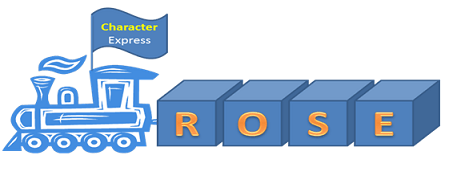
In Java, a String is an immutable sequence of characters, essentially a specialized array that represents text data. For example, the word ROSE can be visualized as:
In this guide you’ll learn:
- What Strings are and why they matter.
- When to use them.
- Common syntax patterns.
- Concatenation techniques.
- Key Java String methods.
Why Use Strings?
Text processing is a core part of software development—menus, dialogs, logs, and APIs all rely on it. The Java String class provides a reliable, type‑safe way to store and manipulate textual data, enabling developers to build user‑friendly interfaces and perform complex string operations with minimal overhead.
String Syntax Examples
Although a string can be created from a character array, the most common declaration is a string literal:
// Using a character array
char[] arrSample = {'R', 'O', 'S', 'E'};
String strSample1 = new String(arrSample);

// Direct string literal
String strSample2 = "ROSE";
The literal form automatically places the string in the String Constant Pool, saving memory and improving performance.
String Concatenation
Concatenation joins two or more strings into one. Java offers two convenient methods:
- Using
concat() - Using the
+operator
Example:
public class SampleString {
    public static void main(String[] args) {
        String str1 = "Rock";
        String str2 = "Star";
        // Method 1: concat
        String str3 = str1.concat(str2);
        System.out.println(str3);
        // Method 2: + operator
        String str4 = str1 + str2;
        System.out.println(str4);
    }
}
Key Java String Methods
Below are essential methods every Java developer should master, each illustrated with clear examples.
length()
String strSample = "RockStar";
System.out.println("Length of String: " + strSample.length());
Output: Length of String: 8
indexOf()
String strSample = "RockStar";
System.out.println("Character at position 5: " + strSample.charAt(5));
System.out.println("Index of 'S': " + strSample.indexOf('S'));
Output:
Character at position 5: t
Index of 'S': 4
charAt()
String strSample = "RockStar";
System.out.println("Character at position 5: " + strSample.charAt(5));
Output: Character at position 5: t
compareTo() & compareToIgnoreCase()
String strSample = "RockStar";
System.out.println("Compare To 'rockstar': " + strSample.compareTo("rockstar"));
System.out.println("Compare To 'ROCKSTAR' (ignore case): " + strSample.compareToIgnoreCase("ROCKSTAR"));
Output:
Compare To 'rockstar': -32
Compare To 'ROCKSTAR' (ignore case): 0
contains()
String strSample = "RockStar";
System.out.println("Contains 'tar': " + strSample.contains("tar"));
Output: Contains 'tar': true
endsWith()
String strSample = "RockStar";
System.out.println("Ends with 'r': " + strSample.endsWith("r"));
Output: Ends with 'r': true
replace() / replaceAll() / replaceFirst()
String strSample = "RockStar";
System.out.println("Replace 'Rock' with 'Duke': " + strSample.replace("Rock", "Duke"));
Output: Replace 'Rock' with 'Duke': DukeStar
toLowerCase() & toUpperCase()
String strSample = "RockStar";
System.out.println("Lower case: " + strSample.toLowerCase());
System.out.println("Upper case: " + strSample.toUpperCase());
Output:
Lower case: rockstar
Upper case: ROCKSTAR
Important Points to Note
- String is final and immutable. Once created, the content cannot change.
- Java’s String Constant Pool stores literal strings, eliminating duplicate instances.
- Strings belong to
java.lang.String; no import required. - Reassigning a reference (e.g.,
h1 = "hello" + "world";) does not delete the original string; it simply points to a new object. - Multiple references can point to the same string literal, sharing the same pool entry.
- Quoting a number (e.g.,
"123") turns it into a string; concatenating with a number will concatenate as text unless you explicitly add the numeric value.
That’s all there is to strings—keep these fundamentals in mind, and you’ll write cleaner, more efficient Java code.
Java
- Java Abstract Classes and Methods: A Comprehensive Guide
- Java Variables and Data Types – A Comprehensive Guide with Examples
- Understanding Java Classes and Objects: Clear Concepts, Practical Examples
- Java String length() Method: How to Get a String’s Size (Example)
- Understanding Java String.charAt(): Syntax, Return Type, Exceptions, and a Practical Example
- Java String.contains() Method: How to Check for Substrings – Practical Examples
- Mastering Java’s String.endsWith(): How to Check String Suffixes with Examples
- Java String toLowerCase() & toUpperCase(): Convert Text Case with Locale Awareness
- Mastering Java's split() Method: A Practical Guide with Code Examples
- Convert JSON to XML in Java with Gson & JAXB – Step‑by‑Step Guide