



How Accurate Maintenance Reports Drive Smarter Operations

How many filters did we use last month? Have our MTTR and MTBF improved after the latest procedure update? What is our planned maintenance percentage? How much did we spend repairing that conveyor belt? All of these insights should be readily available in a well‑structured maintenance report.
The phrase “should be” underscores a common reality: many organizations lack the data or generate reports that are too inaccurate to guide decisions.
It’s time to reverse this trend. With the right tools and practices, everyone can access reliable information and use it to elevate maintenance operations.
What Is a Maintenance Report?
A maintenance report is a concise document that records past maintenance actions and quantifies their impact on cost, assets, and overall business performance. It typically tracks the KPIs that the department deems most valuable.
For a report to be truly useful it must be:
- Concise: brief yet comprehensive, presenting complex data in an easily digestible format.
- Fact‑Based: accurate, up‑to‑date, and objective, relying on hard data rather than opinion.
- Contextualized: framed within the circumstances that caused downtime—e.g., a supplier delay versus an internal ordering lapse.
Using a CMMS, you can generate reports at the level of parts, assets, floors, locations, employees, shifts, and more. Modern CMMS systems also let you drill down into each metric, uncovering problem areas and providing the context needed for decisive action.
Prerequisites for Accurate Reporting
Consistently accurate reports demand more than access to maintenance records. We identified three essential prerequisites.
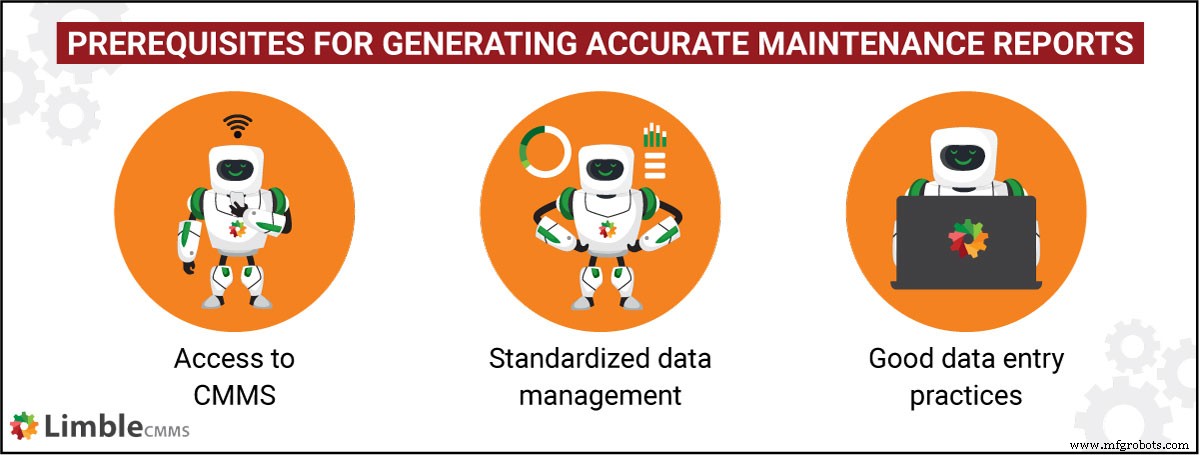
1. Digital Data Hub
A CMMS serves as a centralized repository, automating much of the data entry and reducing human error. Unlike manual tracking, virtually every maintenance action is captured automatically. For example, a work order’s lifecycle—from creation to closure—generates at least 14 data points, including personnel, timing, parts used, and cost calculations.
2. Standardized Data Management
Whether you use a maintenance platform or custom spreadsheets, consistency is key. Follow these steps:
- Define Scope: Track only the data that drives decisions to avoid waste and errors.
- Set Units and Scales: Agree on measurement units and rating scales to ensure comparability.
- Enforce Entry Rules: Specify mandatory fields, acceptable abbreviations, and naming conventions to keep records uniform.
Consistent data practices make locating records and generating reports straightforward.
3. Organizational Commitment
Human error is unavoidable, even with a CMMS. Management must instill a culture of accuracy. When a new technician closes a work order, they should verify parts used and time logged, rather than relying on approximate figures. Accurate data is the foundation of reliable reporting.
What Should a Maintenance Report Include?
While templates vary, a robust maintenance report typically contains:
- Company details (name, logo, address, contact)
- Report title and type
- Reporting period
- Core data—KPIs and performance metrics
- Optional context or insights tailored to the audience
For those seeking specific service reports, a variety of form templates are available. These can feed into the summary reports discussed later.
Common Types of Maintenance Reports
With accurate data, you can generate a range of reports. Key examples include:
- Total Maintenance Cost Breakdown: Parts, labor, vendor, and other cost categories.
- Preventive Maintenance Report: Overview of PM activities, schedules, and completion rates, segmented by location, equipment, or vendor.
- Work Order Report: Summary of ticket intake, creation, status, and resolution.
- Asset History Report: Purchase orders, PMs, WOs, parts, and expenditures linked to each asset.
- Purchase Order Report: Status of POs by vendor, facility, priority, and type.
- Vendor History Report: Vendor performance and associated costs.
- Labor Summary Report: Total hours, overtime, reactive vs proactive work, and individual contributions.
- Performance Report: Metrics such as MTTR, MTBF, planned vs unplanned work, breakdown frequency, and downtime.
Using a CMMS template, you can generate these reports daily, weekly, monthly, or annually with minimal effort.
Automating Reports with Limble CMMS
Limble CMMS lets you create custom fields for virtually any metric you need. Its Custom Report Builder blends those fields with standard ones, enabling endless report variations. Sharing a report takes a single click, and PDFs are ready for distribution.
Customers also love the custom dashboard feature, which aggregates multiple reports into a real‑time, TV‑ready display. Dashboards can cycle automatically, providing live visibility into key metrics.
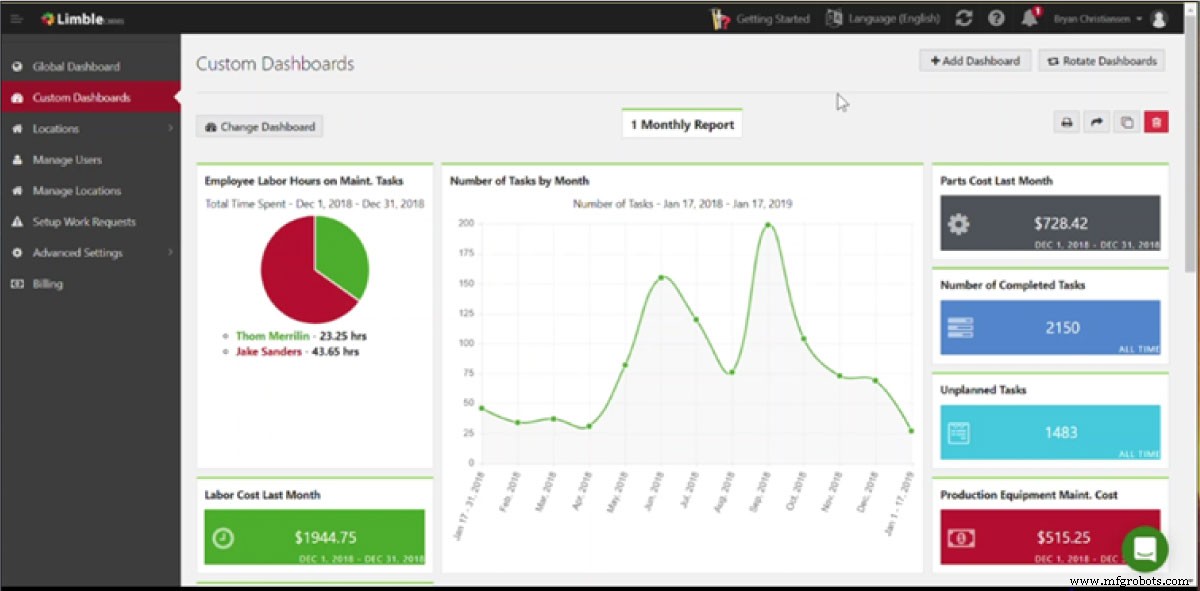
Watch the video below to see Limble’s reporting and dashboard capabilities in action. It demonstrates how flexible and powerful the system truly is.
If you’re ready to save hours each week, explore our pricing page for a 30‑day trial or contact us for a personalized walkthrough of all major features.
Remember: high‑quality reports empower smart decisions.
Equipment Maintenance and Repair
- Preventive Maintenance Software Explained: Features, Benefits, and Implementation Guide
- P‑F Curve Explained: Mastering Reliability‑Centred Maintenance
- Breakdown Maintenance Explained: Rapid Response & Cost Control
- Enhancing Health & Safety in Manufacturing: Proven Strategies for a Secure Workforce
- How Predictive Maintenance Drives Servitization Success
- Condition‑Based Maintenance: How It Works and Its Benefits
- Maintenance Data Explained: The Key to Reliable Asset Management
- Proactive Maintenance Explained: Benefits & How It Differs from Reactive Strategies
- Maintenance Backlog Explained: Strategies to Resolve It
- Precision Maintenance: Definition, Benefits, and Real‑World Examples