



ATtiny85 Mini Arcade: Snake – Build a Handheld OLED Game Console
Components and supplies
 |
| × | 1 | |||
 |
| × | 1 | |||
 |
| × | 1 | |||
 |
| × | 1 |
Necessary tools and machines
 |
| |||
 |
|
Apps and online services
 |
| |||
 |
|
About this project
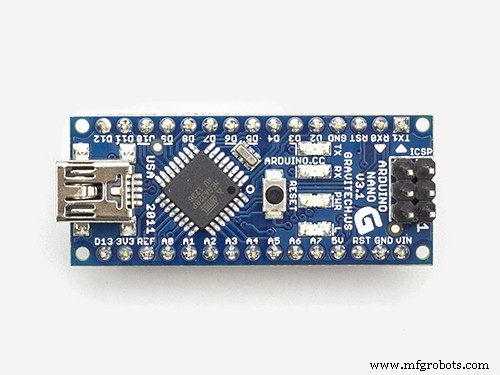
Inspiration and Past ProjectIn December of 2017, I created a Handheld Arduino Pong Console that used an Arduino Nano and OLED screen, along with two buttons.
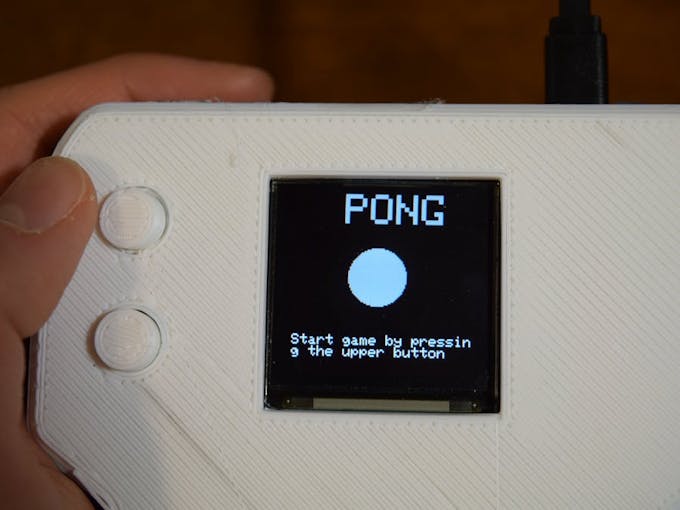
This was fine at the time, but the console was a bit too large and cumbersome. Recently, however, I have been trying to recreate some of my past projects. This time, I wanted to make a very tiny console that people can play snake on.
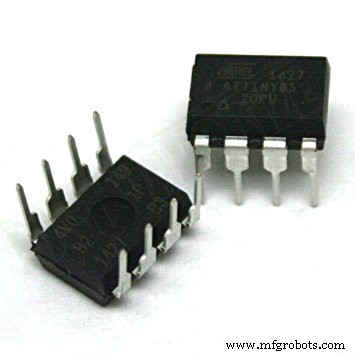
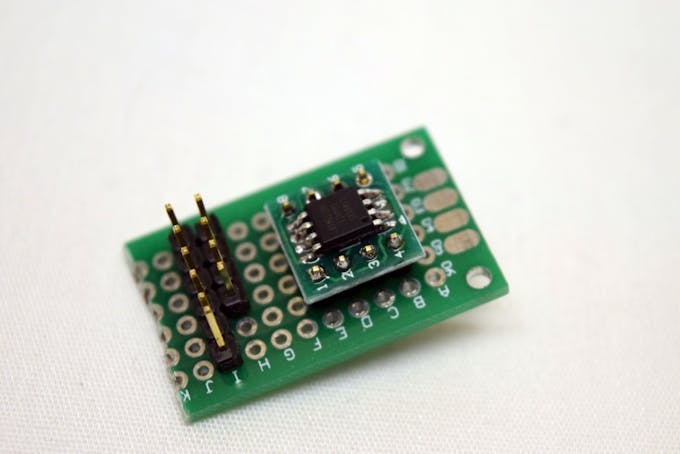
To make the console small, I couldn’t use any Arduino dev board, which is why I went with an ATtiny85.
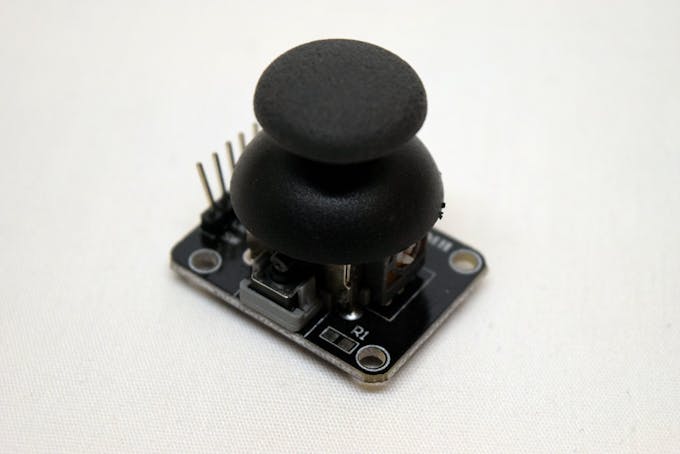
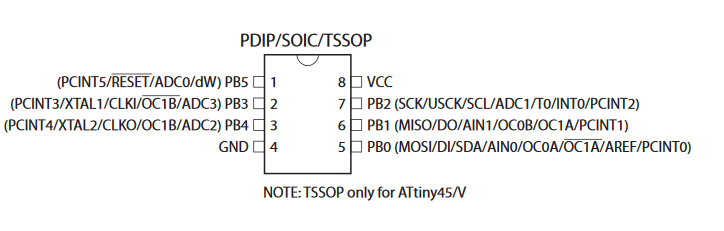
It features enough I/O to run the game, including two ADC pins and, I2C port, and a GPIO pin. I opted to use a simple 2-axis joystick/switch module, as it is easy to interface with and only needs 3 pins for signaling.
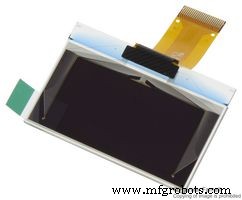
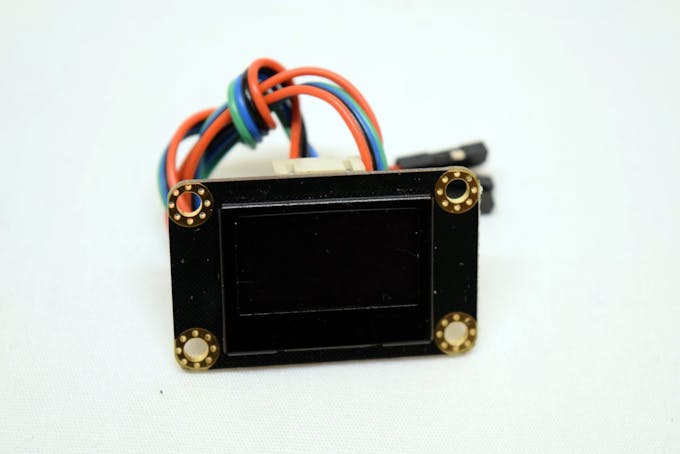
Finally, it was time to decide which display was needed. Since DFRobot’s 128 x 64 OLED screen has a small size but plenty of resolution, I went with it.
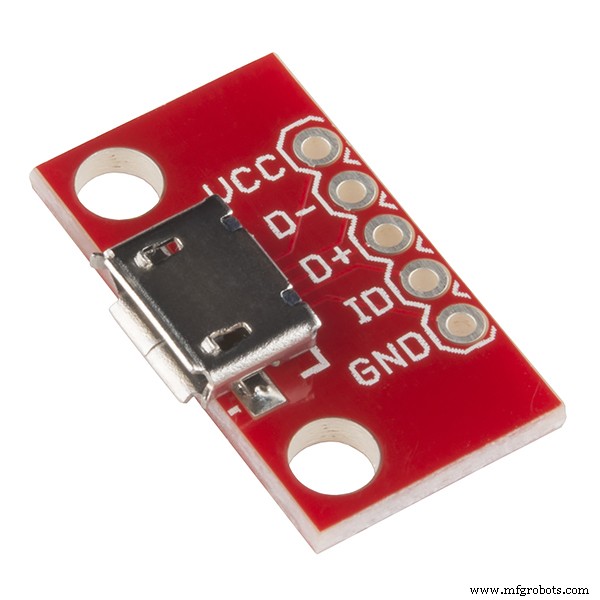
To begin, I attached an ATtiny85 to a SOP-8 to DIP-8 breakout PCB and soldered it to a small piece of perf-board. Next, I soldered on two headers- one for programming and the other for the screen. After doing that, I connected the analog joystick’s pins to the perf-board and wired it accordingly. For the final step, I wired a micro USB breakout board to the rest of the system for power.
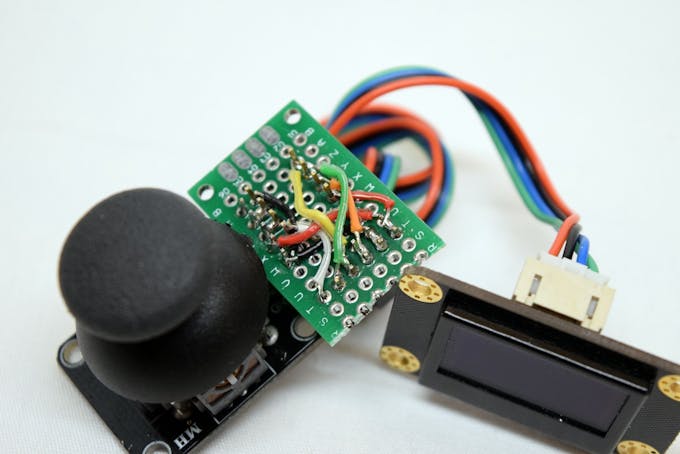
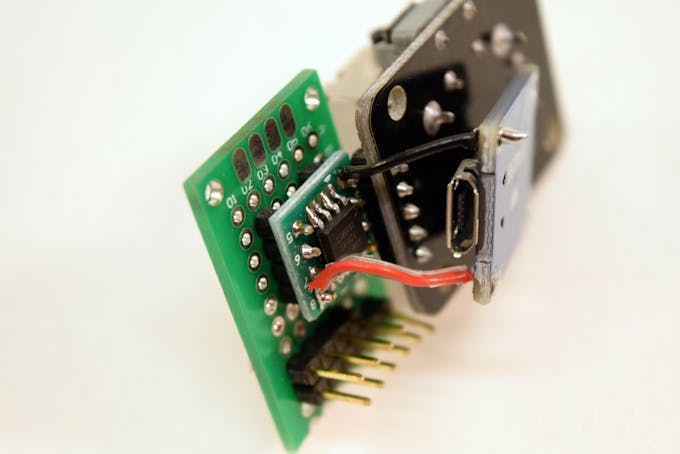
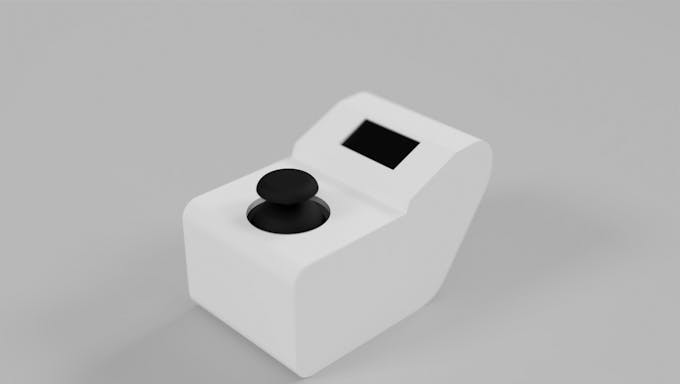
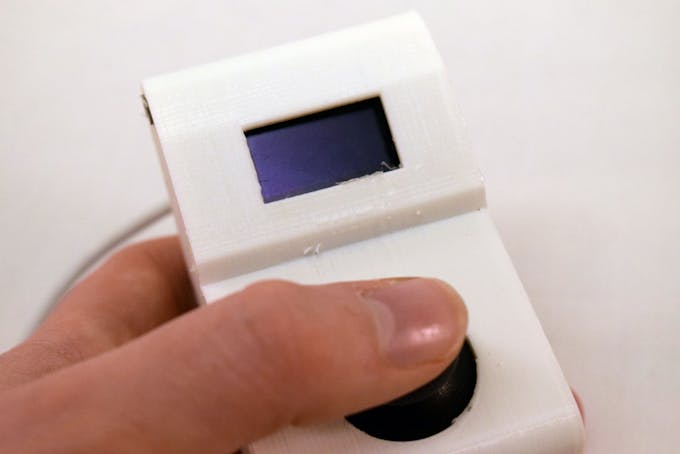
The enclosure was designed in Fusion 360. I began by creating and laying out the components I used in the actual build, then I created an enclosure around them.
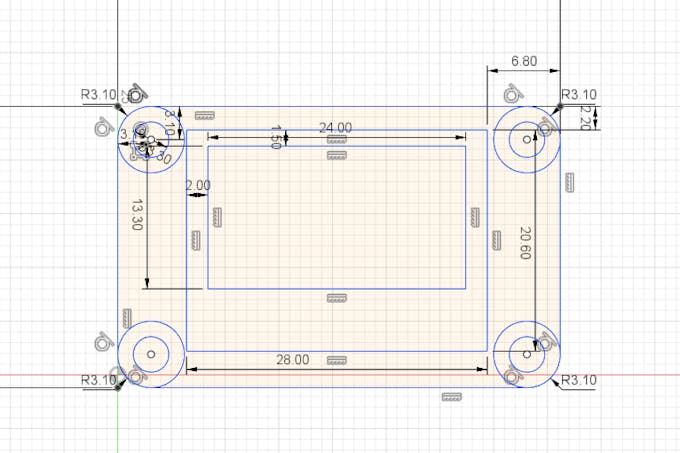
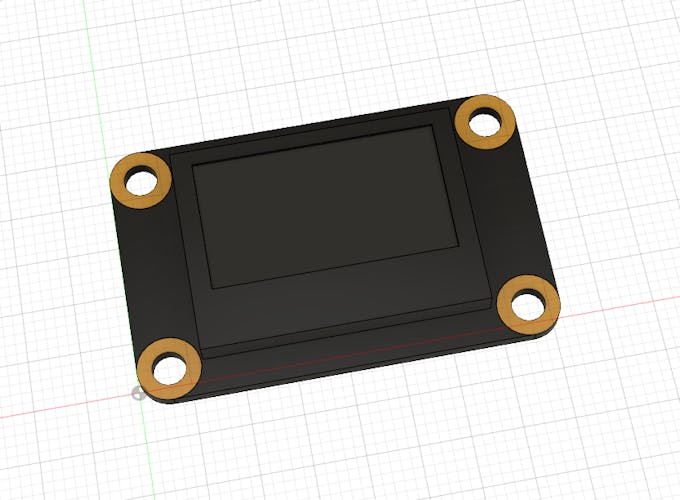
I wanted to mimic an arcade box from the 80’s, but still maintain a very small size. Below are some renders of the enclosure:
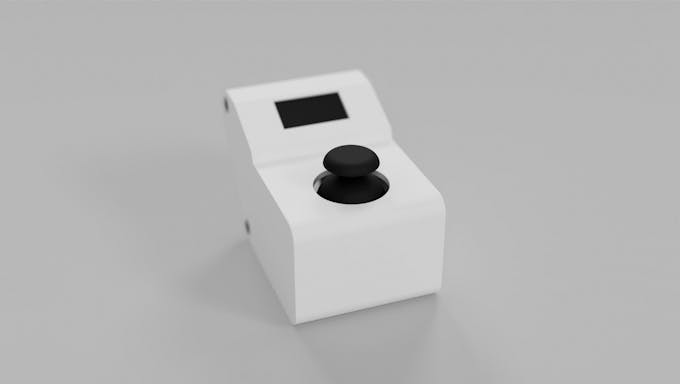
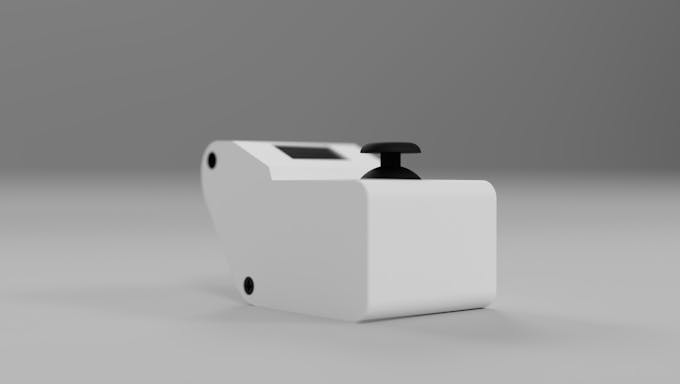
Snake is a fairly easy game to program. I set a maximum snake length of 30 to save on RAM, meaning that once the snake has eaten 29 pixels, the player wins. To keep track of the segments of the snake, I created a 2-dimensional array that stores ordered pairs for each segment.
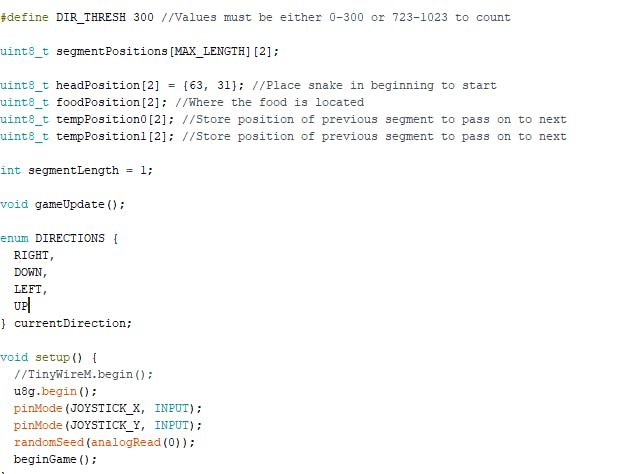
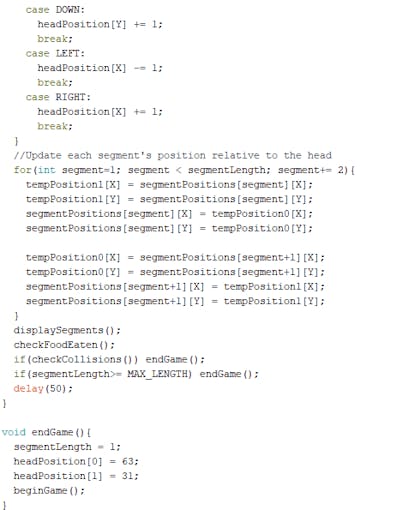
Whenever the head moves to a new location, its previous positions get cascaded downwards. Every time a segment is consumed, a new one is spawned at a random point. Collision checking is done by iterating through the coordinates of each segment and seeing if the head’s coordinates are the same. Additionally, hitting the snake along any of the walls will cause the player to lose as well.
I started by powering on the console and waiting for the screen to load in the food and first segment of the snake. Then I simply piloted the snake by moving the joystick in the correct direction while watching it eat the food. This game is fun to play and is a great boredom killer in a tiny package.
Code
- ATTiny85 Code
ATTiny85 CodeC/C++
Make sure to install U8g2lib first//#include <TinyWireM.h>
#include <U8g2lib.h>
U8G2_SSD1306_128X64_NONAME_1_SW_I2C u8g(U8G2_R0,/* clock=/ 2, / data=/ 0, / reset=*/ U8X8_PIN_NONE);
#define MAX_LENGTH 30 //30 segments max
#define X 0
#define Y 1
#define JOYSTICK_X 2
#define JOYSTICK_Y 3
#define DIR_THRESH 300 //Values must be either 0-300 or 723-1023 to count
uint8_t segmentPositions[MAX_LENGTH][2];
uint8_t headPosition[2] = {63, 31}; //Place snake in beginning to start
uint8_t foodPosition[2]; //Where the food is located
uint8_t tempPosition0[2]; //Store position of previous segment to pass on to next
uint8_t tempPosition1[2]; //Store position of previous segment to pass on to next
int segmentLength = 1;
void gameUpdate();
enum DIRECTIONS {
RIGHT,
DOWN,
LEFT,
UP
} currentDirection;
void setup() {
//TinyWireM.begin();
u8g.begin();
u8g.setPowerSave(0);
pinMode(JOYSTICK_X, INPUT);
pinMode(JOYSTICK_Y, INPUT);
randomSeed(analogRead(0));
beginGame();
}
void loop() {
u8g.firstPage();
do {
gameUpdate();
u8g.setColorIndex(1);
}
while(u8g.nextPage());
}
void beginGame(){
currentDirection = RIGHT;
spawnFood();
delay(1000);
}
bool checkCollisions(){
for(int i=1; i<segmentLength; i++){
if(segmentPositions[i][X] == headPosition[X]){
if(segmentPositions[i][Y] == headPosition[Y]){
return 1;
}
}
}
if(headPosition[X] <= 0 || headPosition[X] >= 128) return 1;
else if(headPosition[Y] <= 0 || headPosition[Y] >= 64) return 1;
return false;
}
void spawnFood(){
int randomX = random(5, 123);
int randomY = random(5, 60);
foodPosition[X] = randomX;
foodPosition[Y] = randomY;
}
void checkFoodEaten(){
if(headPosition[X] == foodPosition[X] || headPosition[Y] == foodPosition[Y]){
segmentLength += 1;
spawnFood();
}
}
void updateDirection(){
int joy_x_val = analogRead(JOYSTICK_X);
int joy_y_val = analogRead(JOYSTICK_Y);
if(joy_x_val <= DIR_THRESH) currentDirection = LEFT;
else if(joy_x_val >= 1023-DIR_THRESH) currentDirection = RIGHT;
else if(joy_y_val <= DIR_THRESH) currentDirection = UP;
else if(joy_y_val >= 1023-DIR_THRESH) currentDirection = DOWN;
}
void displaySegments(){
for(int segment=0; segment < segmentLength; segment++){
u8g.drawPixel(segmentPositions[segment][X], segmentPositions[segment][Y]);
}
u8g.drawPixel(foodPosition[X], foodPosition[Y]);
}
void gameUpdate(){
updateDirection();
tempPosition0[X] = headPosition[X];
tempPosition0[Y] = headPosition[Y];
switch(currentDirection){
case UP:
headPosition[Y] -= 1;
break;
case DOWN:
headPosition[Y] += 1;
break;
case LEFT:
headPosition[X] -= 1;
break;
case RIGHT:
headPosition[X] += 1;
break;
}
//Update each segment's position relative to the head
for(int segment=1; segment < segmentLength; segment+= 2){
tempPosition1[X] = segmentPositions[segment][X];
tempPosition1[Y] = segmentPositions[segment][Y];
segmentPositions[segment][X] = tempPosition0[X];
segmentPositions[segment][Y] = tempPosition0[Y];
tempPosition0[X] = segmentPositions[segment+1][X];
tempPosition0[Y] = segmentPositions[segment+1][Y];
segmentPositions[segment+1][X] = tempPosition1[X];
segmentPositions[segment+1][Y] = tempPosition1[Y];
}
displaySegments();
checkFoodEaten();
if(checkCollisions()) endGame();
if(segmentLength>= MAX_LENGTH) endGame();
delay(50);
}
void endGame(){
segmentLength = 1;
headPosition[0] = 63;
headPosition[1] = 31;
beginGame();
}
Custom parts and enclosures
Schematics
Manufacturing process
- Arduino Digital Dice Project: Build Your Own LCD-based Random Number Generator
- Portable Range Detector – Arduino Nano DIY Kit with HC‑SR04, 18650 Power, and 3D‑Printed Enclosure
- Copper Electroplating Project: Build a Smart System with Arduino UNO
- NeoPixel Matrix Pong on Arduino Nano: Build a Neon Pong Game
- Create Stunning Light Sequences with Arduino Shift Register
- Smart Plug: 120V Arduino‑Based Smart Outlet with Real‑Time Clock
- Build a Mini Piano with Arduino UNO – Step-by-Step Tutorial
- Arduino Tennis Game – Build a Virtual Racquet Experience with NeoPixel, Sensors, and Bluetooth
- Build a Compact CNC Machine with Arduino UNO
- Smart Alzheimer’s Companion: Arduino-Based Alert System