



Arduino Sunflower: Build an Electronic Sun-Tracking Sunflower
Components and supplies
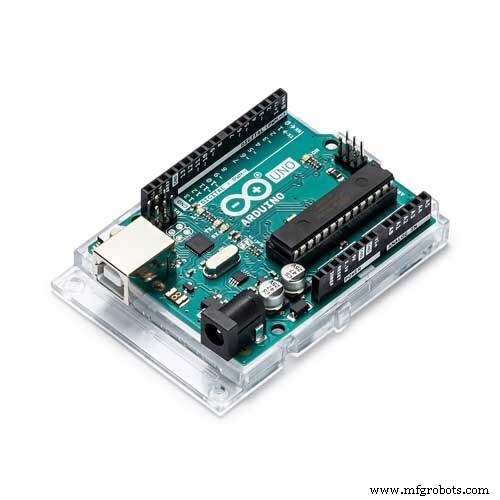 |
| × | 1 | |||
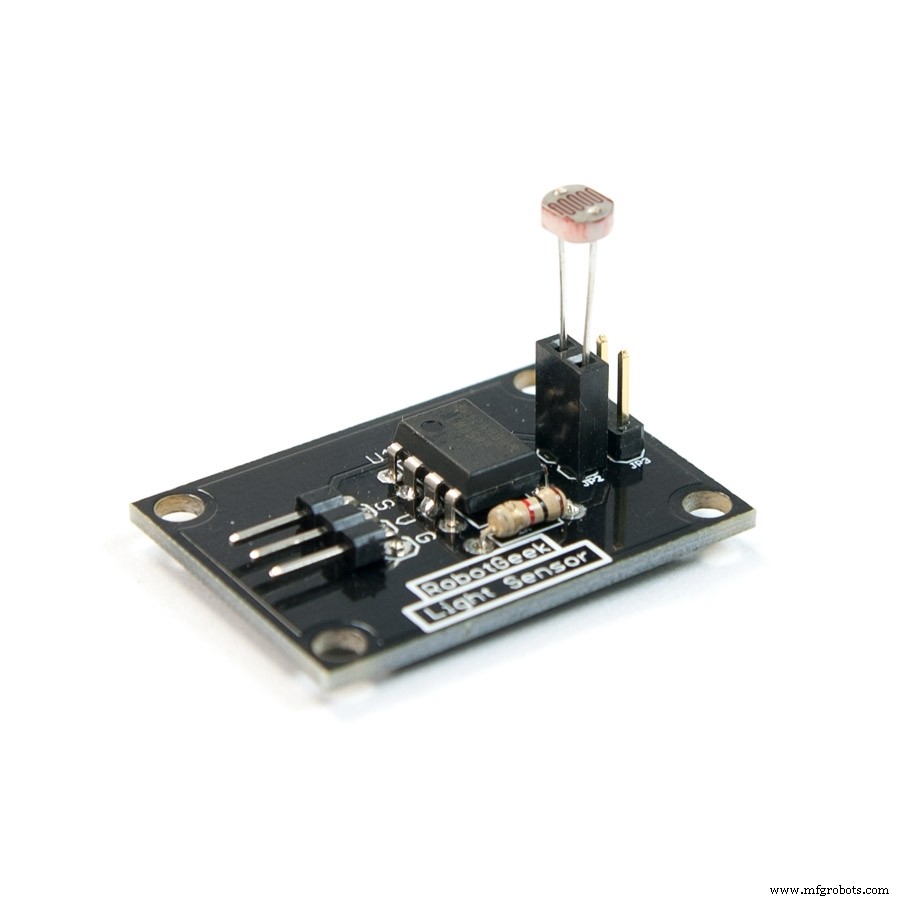 |
| × | 1 | |||
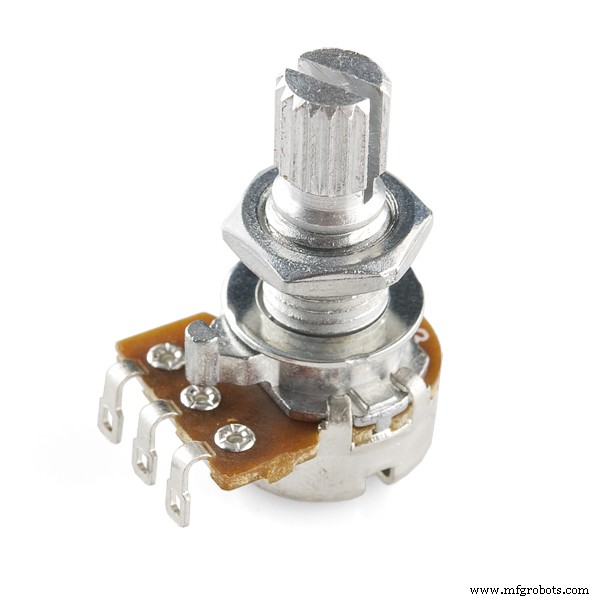 |
| × | 1 | |||
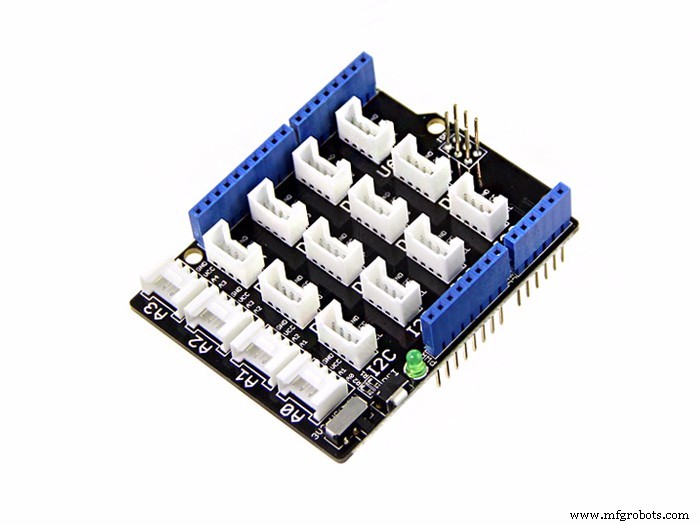 |
| × | 1 |
Apps and online services
 |
|
About this project
A maker is always sensitive to new and funny things. One day, I watched a video in which a sunflower moves along with the sun. I had a sudden insight then. Why can't I make an electronic device imitating this biomechanism.
In the following days, I began to carry out my solar tracker project. I selected the crowtail as the microcontroller board, and picked up the components and accessories in our warehouse. Then I assembled these parts together. At last, I tested it using the LED on my phone. You know what, it worked perfectly.
I was so excited and posted the demo video on the social media. I was surprised that many people liked and shared this video, and some of them even sent me messages saying that they want to make this project, too.
So I redid this project and made a specific tutorial to help more people make it. Here we go.
Step 1: Preparation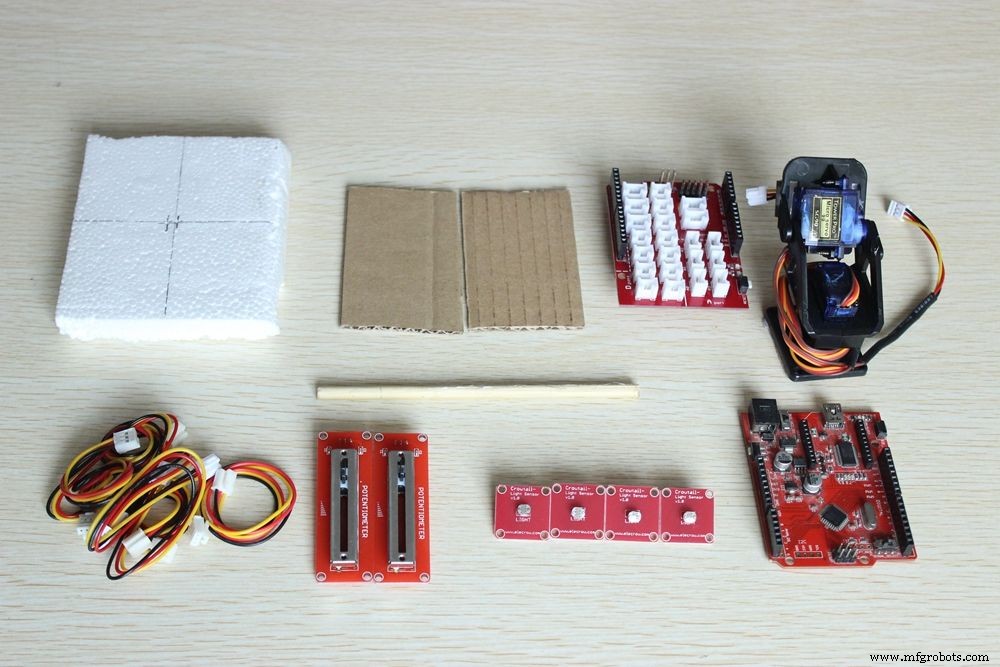
The materials we need are listed below.
- Cardboard x 2
- Styrofoam board x 1
- Stick x 1
- 3 pin crowtail cable x 6
- Crowtail- Linear Potentiometer x 2
- Crowtail- Light Sensor x 4
- Crowtail- Pan- Tilt x 1
- Crowduino With ATMega 328 V1.1 x 1
- Crowtail- Base Shield for Arduino x 1
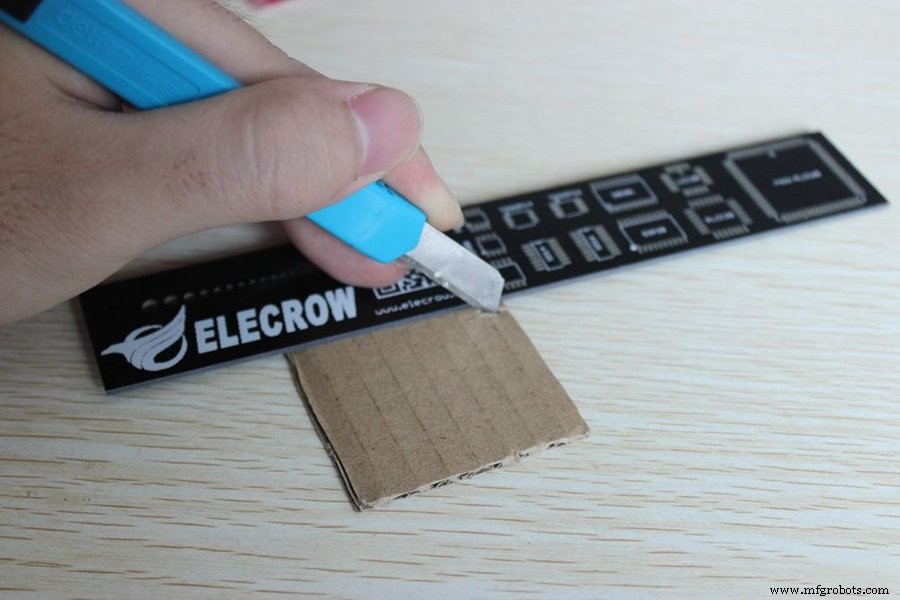
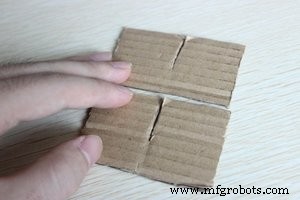
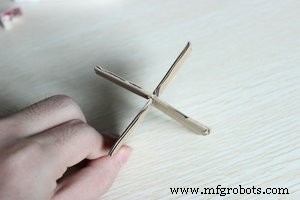
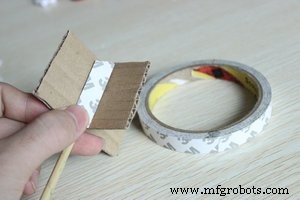
Firstly, we need to cut two pieces of cardboard as the pictures shows, just for two halves of a piece cardboard. Then the pieces of cardboard can be assembled into a cross shape. At last, paste the stick with the cross, it will play a role as "head", and always point to the sun. On the other hand, it can make the device beautiful and stable.
Step 3: Install 4 Light Sensors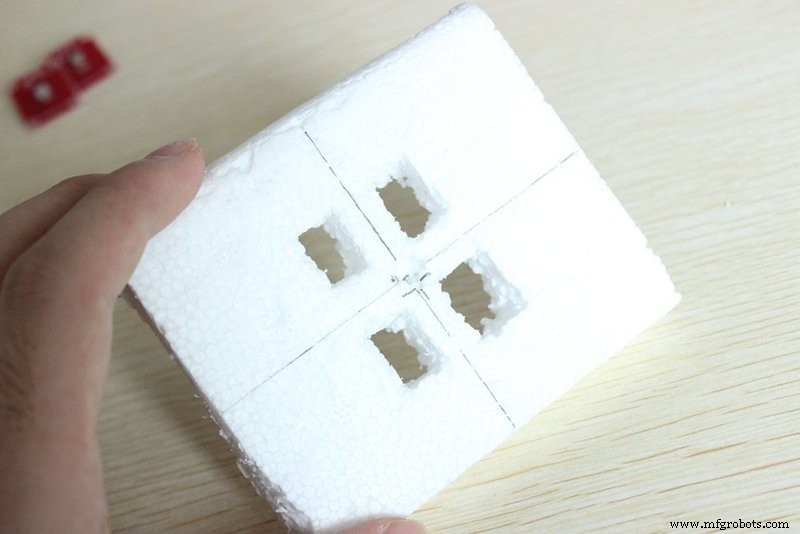
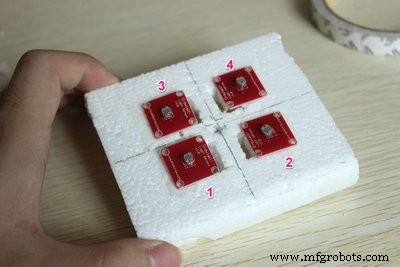
Pierce 4 suitable holes into Styrofoam to install the 4 sensors, then dig one mid-hole to thread the stick. I numbered these sensors so that we can distinguish their different placements.
Step 4: Connect the Sensors with Cables
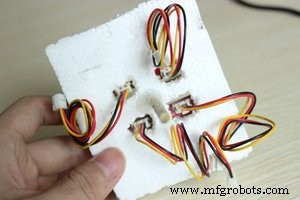
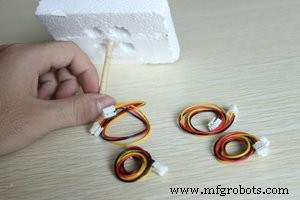
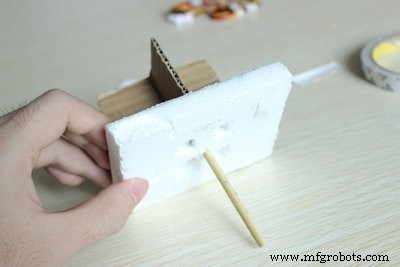
Use the glue gun to fix the stick to the foam, and then plug the cables into the sensors.
Step 5: Fix the Stick to the Pan-tilt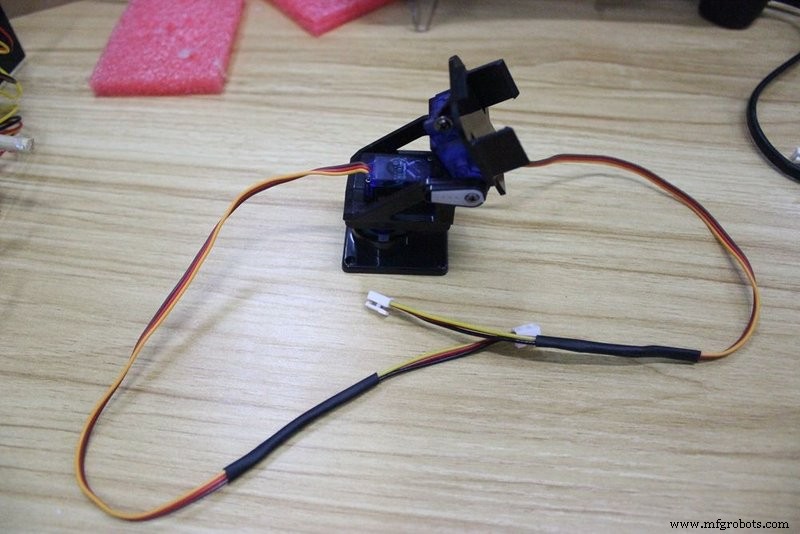
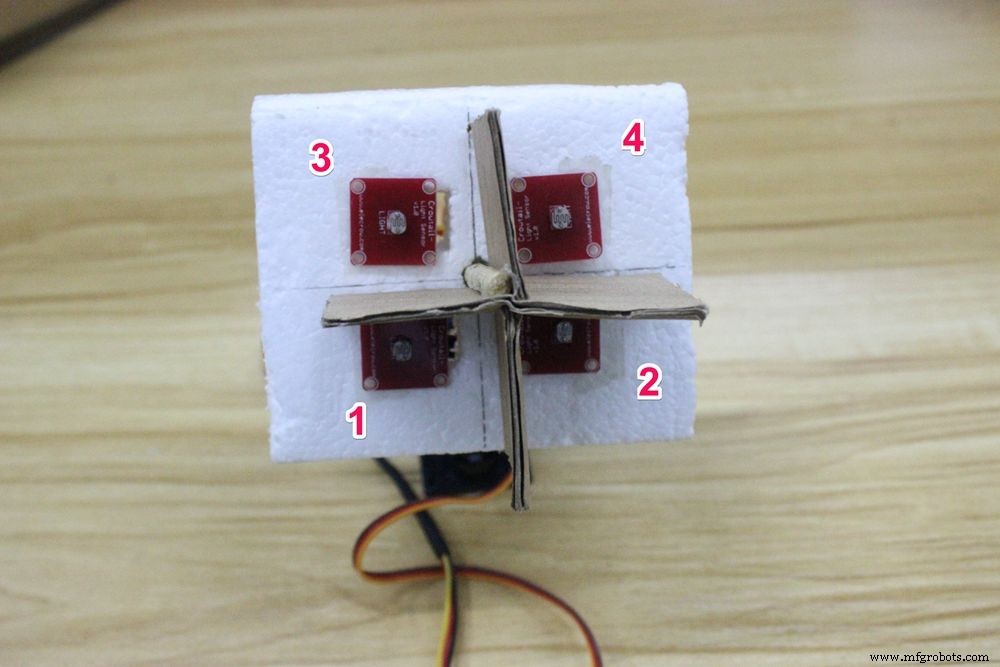
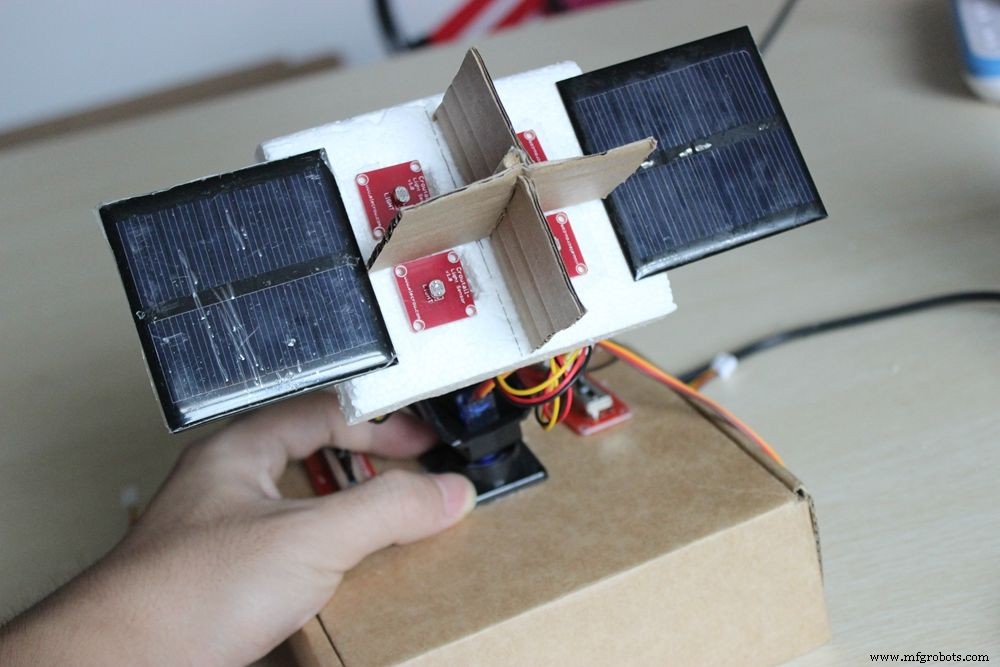
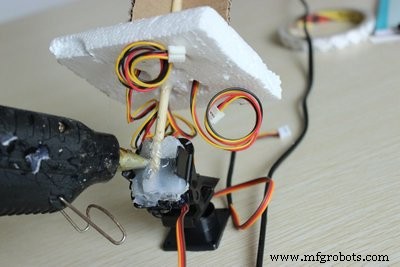
We fix the stick to the pan-tilt. The seat of the sensor should keep consistent with the picture. Sensor “1“ and sensor ”2” located below site.
The pan-tilt is an assembled device with 9G servos. It can control the vertical and horizontal rotation with 180 degrees.
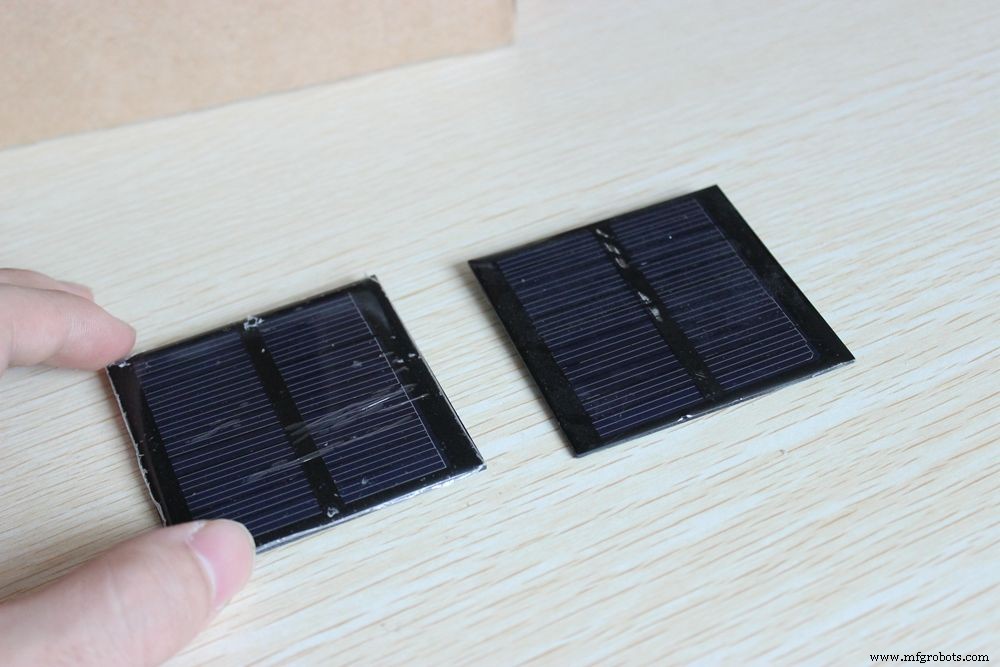
Lastly, fix the the solar panel onto the foam. (Notice: the two solar panels are just for decoration, without power supply function.)
Step 6: Upload the Code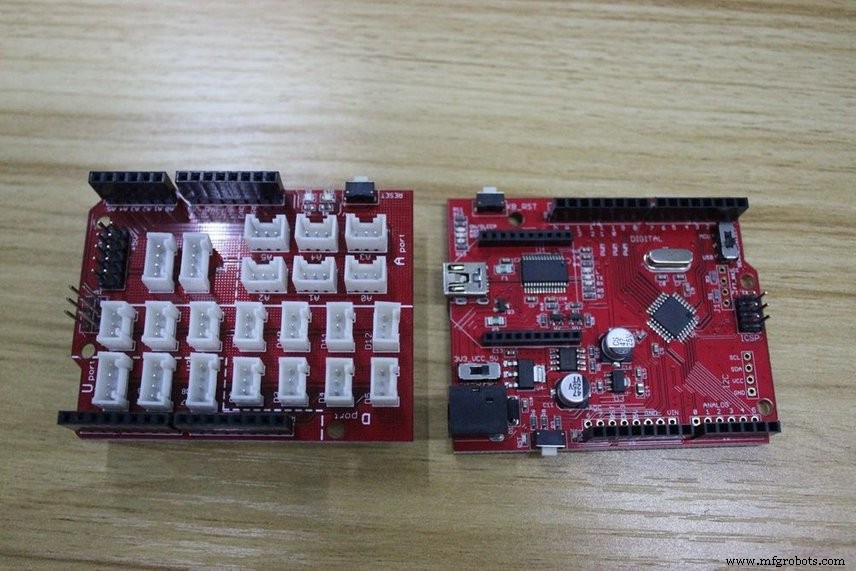
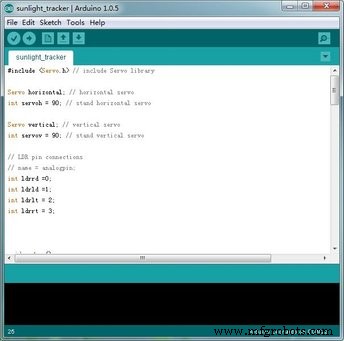
Take out the Crowduino and Crowtail- Base Shield, then stack them together. Before we start to connect the cables onto the base board, we need to upload the program code into Crowduino, a micro USB cable is necessary. Connect the Crowduino to the computer, and open the Arduino IDE.
Step 7: Connect 4 Sensors to the Shield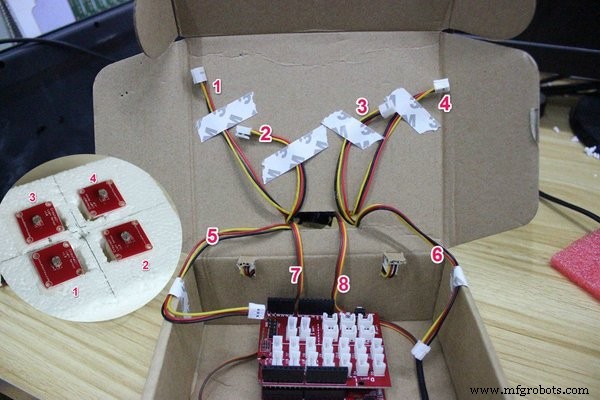
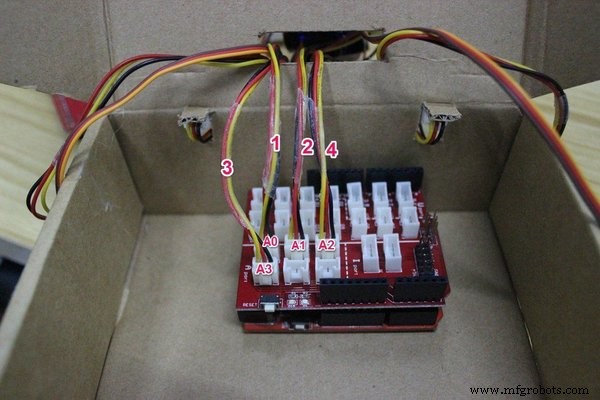
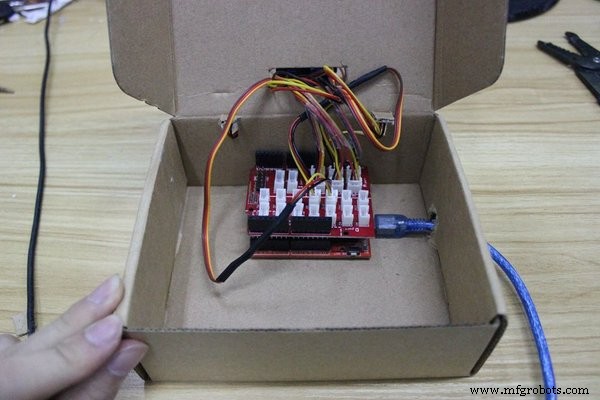
Now we can start connections. First connect the cables of sensors to the shield, with the numbers corresponding one-to-one as the above picture shows.
1-4 cables:
- Cable "1" to A0
- Cable "2" to A1
- Cable "4" to A2
- Cable "3" to A3
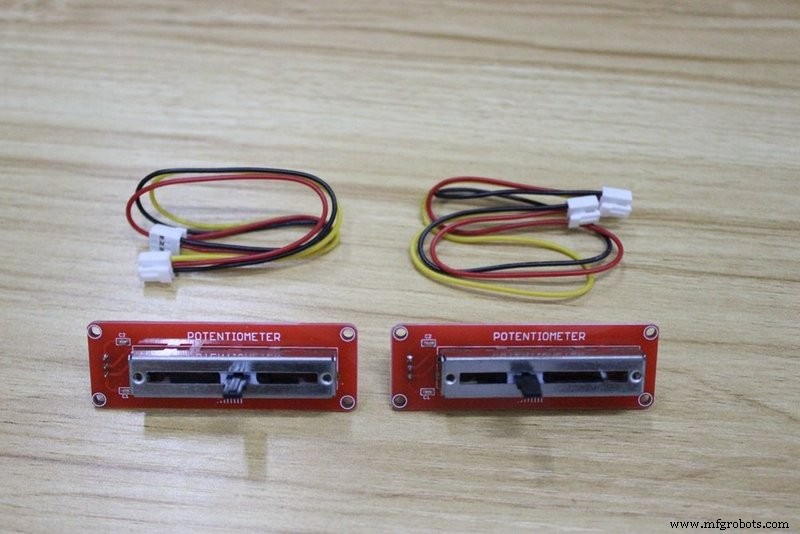
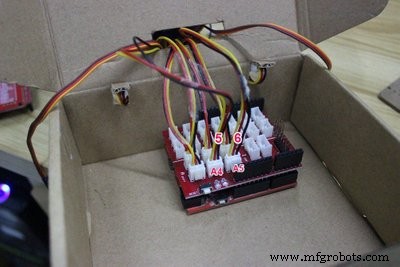
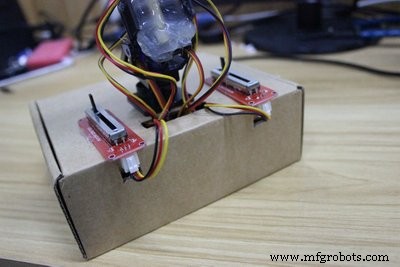
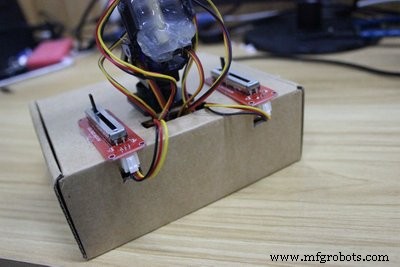
Connect two potentiometers to the A4 and A5 sockets of the shield.
There is no difference between the two potentiometers, but you should know that whichever one is connected via the A4 port will serve the role of controlling the delay of reaction time, and A5 for servo rotational speed.
Step 9: Connect the Pan-tilt to the Shield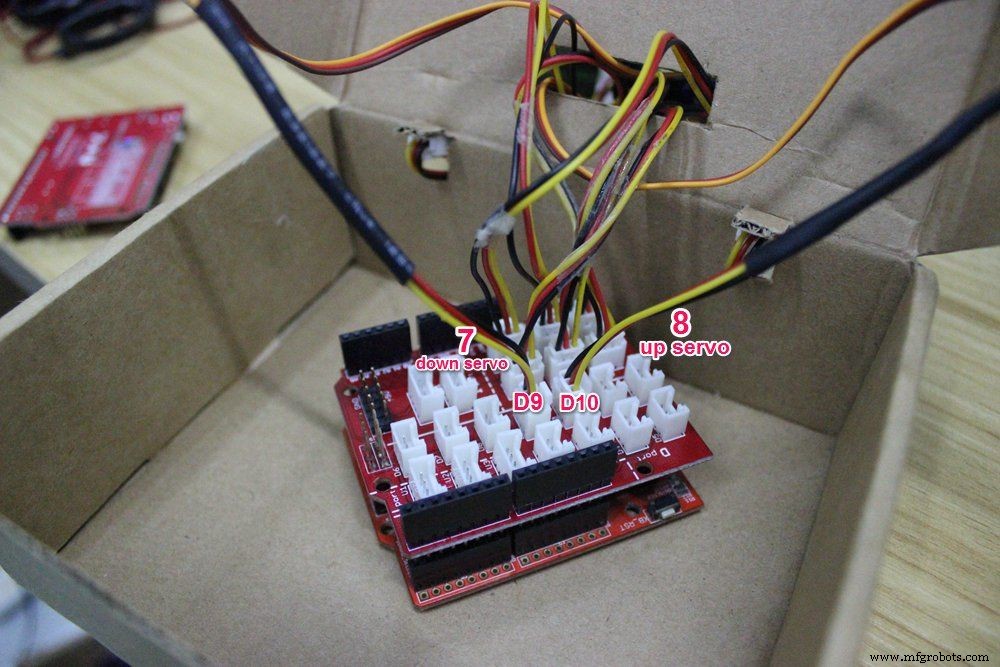
The down servo (horizontal movement) connects with D9, and the up servo (vertical movement) connects with D10.
Step 10: How to Power It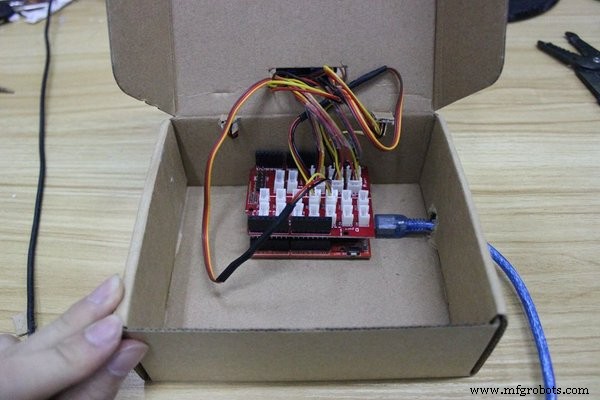
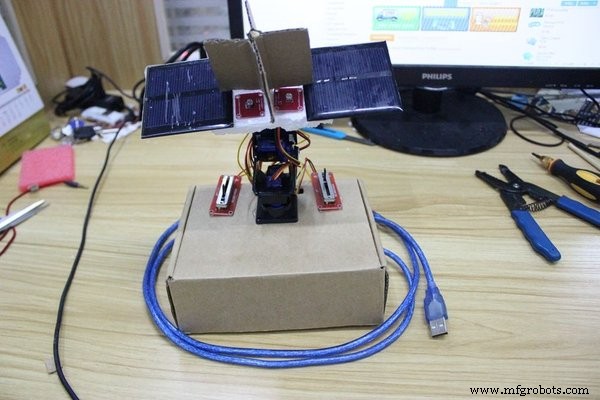
The Crowduino is the main controller board of this project. We can power this board with a USB power bank or a DC adapter, it depends on you whether it is to be a mobile device or a fixed device.
Step 11: Have a Try!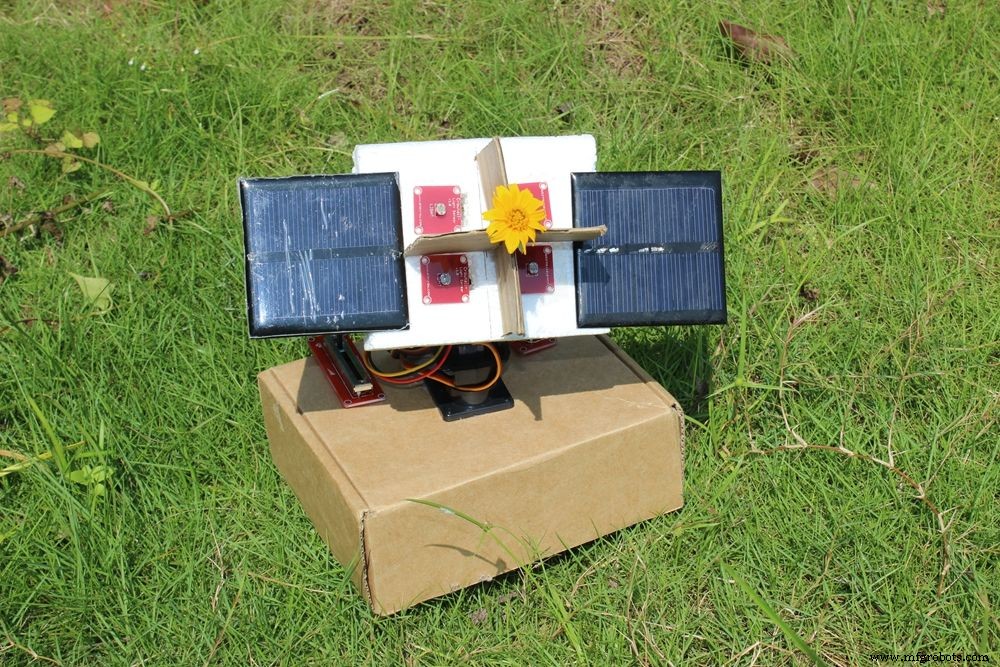
Now, close the box. It seems that it can't wait to chase the sunlight. OK, take it easy, baby, let's have a test for you now.
I took it to a dark room, then opened the phone flashlight, and WOW! Look at this cute guy!
It looks difficult but is actually quite simple, so just do it! And you can help make it look more powerful and cool!
Code
- CODE FOR ARDUINO SUNFLOWER
CODE FOR ARDUINO SUNFLOWERArduino
#include <Servo.h> // include Servo library

Servo horizontal; // horizontal servo
int servoh = 90; // stand horizontal servo

Servo vertical; // vertical servo
int servov = 90; // stand vertical servo

// LDR pin connections
// name = analogpin;
int ldrrd =0;
int ldrld =1;
int ldrlt = 2;
int ldrrt = 3;


void setup()
{
  Serial.begin(9600);
// servo connections
// name.attacht(pin);
  horizontal.attach(9);
  vertical.attach(10);
}

void loop()
{
  int lt = analogRead(ldrlt); // top left
  int rt = analogRead(ldrrt); // top right
  int ld = analogRead(ldrld); // down left
  int rd = analogRead(ldrrd); // down rigt

  int dtime = analogRead(4)/20; // read potentiometers
int tol = analogRead(5)/4;

int avt = (lt + rt) / 2; // average value top
int avd = (ld + rd) / 2; // average value down
int avl = (lt + ld) / 2; // average value left
int avr = (rt + rd) / 2; // average value right

int dvert = avt - avd; // check the diffirence of up and down
int dhoriz = avl - avr;// check the diffirence og left and rigt

if (-1*tol > dvert || dvert > tol) // check if the diffirence is in the tolerance else change vertical angle
{
if (avt > avd)
{
servov = ++servov;
if (servov > 180)
{
servov = 180;
}
}
else if (avt < avd)
{
servov= --servov;
if (servov < 0)
{
servov = 0;
}
}
vertical.write(servov);
}

if (-1*tol > dhoriz || dhoriz > tol) // check if the diffirence is in the tolerance else change horizontal angle
{
if (avl > avr)
{
servoh = --servoh;
if (servoh < 0)
{
servoh = 0;
}
}
else if (avl < avr)
{
servoh = ++servoh;
if (servoh > 180)
{
servoh = 180;
}
}
else if (avl == avr)
{
// nothing
}
horizontal.write(servoh);
}
delay(dtime);
}
Custom parts and enclosures
Schematics
Manufacturing process
- Arduino Audio Frequency Detector – Measure Loudest Sound Peaks with High‑Sensitivity Module
- Electronic Chameleon: Arduino Nano RGB LED & Color Sensor Project
- Arduino Tic Tac Toe with MAX7219 LED Matrix and Cardboard Enclosure
- Build a Reliable Arduino Countdown Timer with SparkFun 7‑Segment Display
- Smart Electronic Check‑In System for Hackerspaces
- Build Your Own RC Porsche Car with Arduino: A Step‑by‑Step Guide
- Detecting Object Colors with Arduino Nano and TCS3200 Sensor
- Bluetooth‑Controlled Servo Motor with Arduino Uno & HC‑05
- Arduino-Powered Indoor Garden: Smart, Automated Plant Care
- Build an Arduino Radar System with Ultrasonic Sensor & Servo – Step‑by‑Step Guide