



Integrate SIM800L GPRS Module with Arduino Using AT Commands
Components and supplies
 |
| × | 1 | |||
| × | 1 | ||||
 |
| × | 1 |
Necessary tools and machines
 |
| |||
 |
| |||
 |
|
About this project
If you are an Arduino lover, you may be interested to work with mobile phone connections. I have seen some project which are activate with SMS or voice commands, but most of project use old mobile phones.

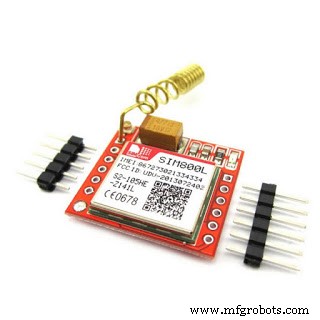
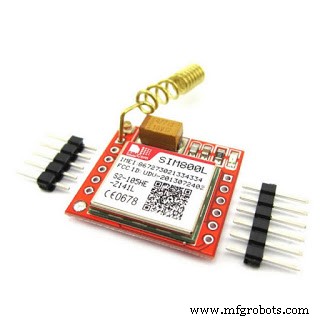
It is not easy to customize as our requirements. Therefore, we can use GPRS module to make our own project as our wish. The most simplified and easiest way for a programmer is usingg the Arduino platform. This is why I have used this SIM module with Arduino. It is not complicated; however, there are more GPRS modules but I am using SIM800L module for this project.
Let's see the wiring as the wiring part is the most important part. It may be a cause to burn the device since a single mistake.
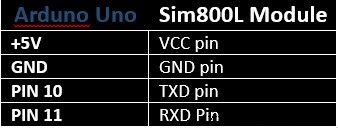
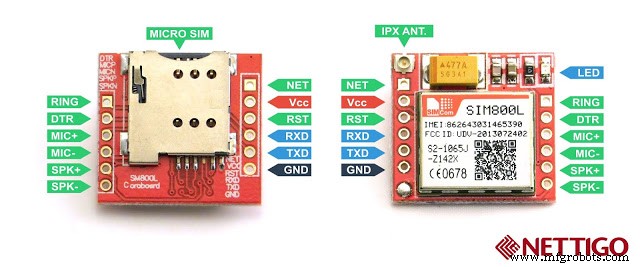
Connect the Arduino with the SIM800L modul, according to the above and connection will be shown as follows.
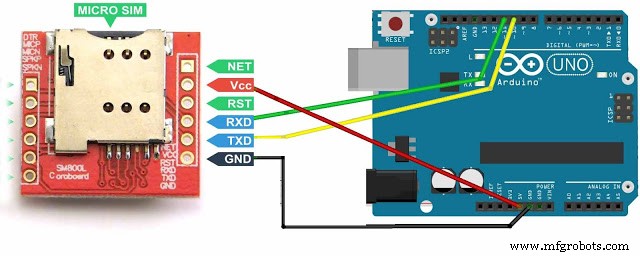
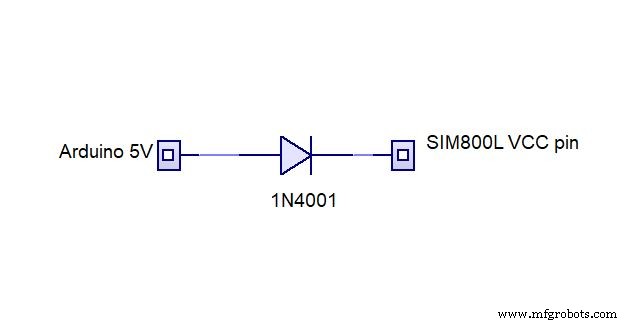
For safety, give the power to SIM800L module through Arduino Uno board via a diode as follows.
Fore more details read the following image as well.
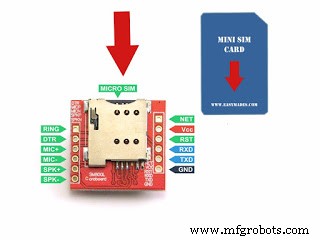
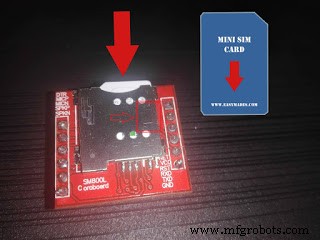
If all the wiring connections are checked and confirmed as correct, go to the Arduino program and do the coding. Before coding, you must identify the correct direction of the SIM card. It is normally printed on the surface of the SIM slot.
To start coding, run Arduino software.
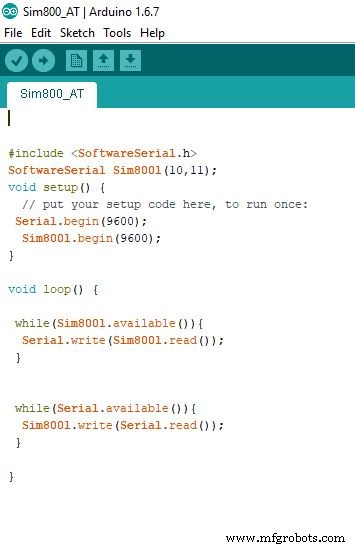
Once the code is uploaded, go to TOOLS > SERIAL MONITOR then, change the settings as follows.
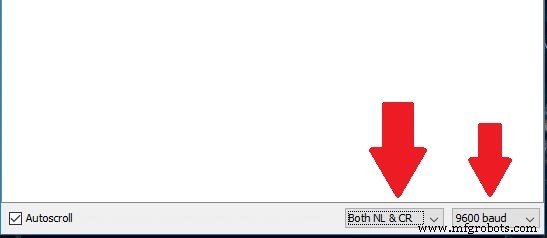
Now it is ready to check "AT" Commands. Before checking AT commands, we have to confirm this module is working. Therefore, you can take a phone call dialing the number of the sim using another sim. If you can hear the dialing tone, then your module is ready to work. Now, type AT in serial monitor and press ENTER, then the serial monitor should display as OK. From there, you can check with thousands of AT commands and learn how to work with SIM800L module.
Code
- SIM 800L GPRS module
SIM 800L GPRS moduleArduino
/*
***************************************************
Programmed by iakbasnayaka for www.setnfix.com
This is for checking of AT commands for SIM800L
https://www.youtube.com/channel/UCM9NQ4WcSbzTiCdoyOvzA1g
***************************************************
*/

#include <SoftwareSerial.h>
SoftwareSerial Sim800l(10,11);
void setup() {
  // put your setup code here, to run once:
 Serial.begin(9600);
  Sim800l.begin(9600);
}

void loop() {

 while(Sim800l.available()){
  Serial.write(Sim800l.read());
 }


 while(Serial.available()){
  Sim800l.write(Serial.read());
 }

}
Custom parts and enclosures
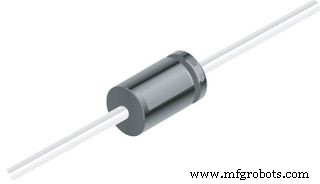
Do not forget to use 1N4001 diode to give the power to the module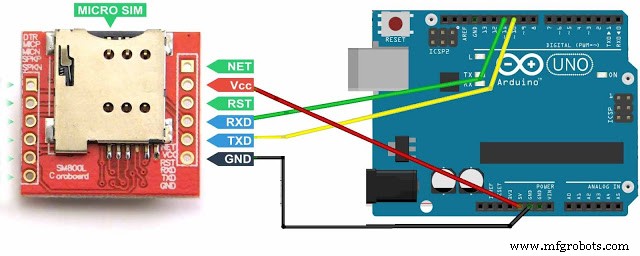
Schematics
Do not forget to use 1N4001 diode to give the power to the module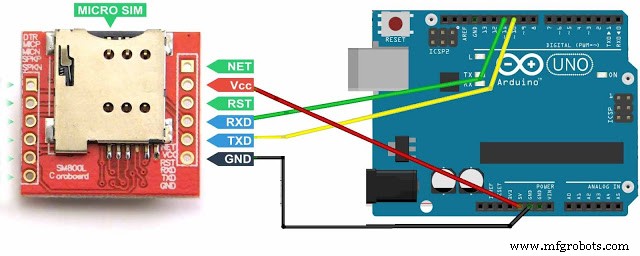
Manufacturing process
- Capture Water Droplets in Action Using Arduino Nano – DIY High-Speed Photography
- Connecting Arduino Mega to a NEO‑6M GPS Module: A Step‑by‑Step Guide
- Arduino Tic Tac Toe with MAX7219 LED Matrix and Cardboard Enclosure
- Voice-Activated Home Appliances: Bluetooth Control with Google Assistant
- u-blox LEA‑6H 02 GPS Module: Arduino & Python Integration Guide
- Create Musical Tones with Arduino: A Step‑by‑Step Guide
- A6 GSM/GPRS Module: Master AT Commands & Arduino Integration
- Arduino-Powered Garage Parking Rangefinder – Accurate Distance Alerts
- Arduino Due Project Kit: TFT, GPS, RTC, Sensors, Bluetooth & Joystick – Full Component List
- Build an IR Sensor Project with Arduino UNO – Simple Guide